
How To Send Large Files Securely Online


Finding the right solution and researching how to send large files securely online offers many options, but the best file sharing services will protect your privacy with zero-knowledge encryption, multiple compliance, and access permissions.
With these, you will have everything you need to share large files securely over the internet, so this article will explain which services are best to help you transfer videos, photography projects, and confidential documents in total privacy with encrypted cloud storage and file transfer services.
Table of contents
- Why secure large file transfer matters
- What counts as “large files”?
- Risks of sending large files over the internet
- How to securely send large files
- How to send large files online securely with Internxt
- How to send large files securely: comparison of services
- Related articles
- Frequently asked questions
Why secure large file transfer matters
Protect sensitive documents
For businesses, or even personal use, sensitive documents often contain personal, financial, legal, or business information that can be exposed if files are shared through insecure channels such as public wifi.
Security
Data breaches cost businesses millions, so with secure file sharing, you can protect confidential business or personal information by encrypting files during upload, storage, and download.
Features such as password protection, access controls, expiration dates, and zero-knowledge encryption reduce the risk of files being intercepted, leaked, or accessed by hackers or phishing attacks.
Compliance
For businesses to comply with regulations, secure file sharing helps to meet data protection standards required to meet the standards of GDPR, HIPAA, or SOC 2.
If your business or employees are looking into how to securely send large files, then Internxt is the best choice to meet these compliance standards as it is GDPR, HIPAA, SOC 2, and ISO 27001 compliant.
Ease of use
Alongside security, reliable large file transfer services improve productivity by enabling teams to share large videos, design files, cloud storage backups, and other large assets without compromising privacy or performance.
The right solution, such as Internxt Drive or Send, balances speed, ease of use, and strong security to ensure files reach the intended recipient while maintaining security and privacy.
What counts as “large files”?
As a general guideline, files can be categorized as follows:
- Small files are typically < 25 MB
- Medium files range from 25 MB to 100 MB
- Large files range from 100 MB to 2 GB
- Very large files exceed 2 GB
The challenge with large files (2 GB or more) is not only their size but also the time and bandwidth required to upload, download, and share them securely. As file sizes increase, transfer reliability, storage limits, and security protections become more important.
With this in mind, any files larger than 100 MB often require dedicated file-sharing or cloud storage services, which we will cover in this article, while files measured in gigabytes typically need specialized large file transfer platforms.
Risks of sending large files over the internet
Unencrypted transfers
Encryption is vital when sending files over the internet, as it turns readable data into unreadable code that can only be accessed by someone with the correct key. Without this encryption, files sent over the internet can be intercepted and your information compromised.
This is a particular problem when sending large files over public or unsecured Wi-Fi networks, where hackers can capture data in transit more easily than if you were using encrypted file sharing or a secure and encrypted VPN.
When sending large files over the internet with services that use encryption, there are some important distinctions to be aware of:
- Encrypted in transit: protects against interception during upload/download
- Example: WeTransfer
- Encrypted at rest (non–zero knowledge): protects against outside attackers but still allows provider access
- Example: Google Drive
- Zero-knowledge encryption: ensures only you control the keys, so even the provider cannot read your files
- Example: Internxt Drive, Internxt Send
Therefore, if you’re wondering how to send large files in total privacy, with the best encryption, you can sign up for a free Internxt Drive account, or use our zero-knowledge file sharing service, Internxt Send to share private videos, protected with the most secure and private encryption.

Public Wi-Fi interception
If you work remotely or need to share files in public spaces, this can be risky as public Wi-Fi networks are poorly secured and aren’t properly encrypted, making it easier for attackers to see what files you are sending, where they are being sent, or even capture the files themselves.
As large file transfers take longer to upload or download, it increases the time for hackers to intercept the files and access your data.
If you have to send large files online using public Wi-Fi, encrypt your connection using a secure VPN.
Weak sharing permissions
When you share a link to a file using cloud storage, you are given two options: anyone with the link can view, or restrict access.
If you share a file without restricting permission, the link is available for anyone to access, share publicly, and leak or use any important information in phishing attacks or other online scams.
This becomes especially risky with large files because they are often shared in professional contexts like media projects, backups, or business documents. A single leaked link can expose a large amount of sensitive data at once.
In some cases, weak permissions may also allow editing or uploading changes if write access is enabled. This can lead not only to data exposure but also to tampering or corruption of the original file.
If a file-sharing service doesn’t offer automatic or manual link expiration dates, then the file can remain at risk indefinitely, leaving it open to cyberattacks or data breaches.
How to securely send large files
Encrypted cloud storage
Cloud storage allows you to store, backup, and sync your files, as well as providing features to send large files via link or email, allowing you to send large videos and more, which isn’t possible with email.
With encrypted cloud storage, you can set permissions, restrict access, and password-protect files to ensure your files are secure from unauthorized access.
Mainstream cloud services, such as Dropbox or OneDrive, have generous file-sharing limits of over 100GB, but the files are encrypted on their services.
So while your files are protected from external attacks but are still accessible to the provider since they manage the encryption keys.
To avoid this, and send files securely and with total privacy thanks to zero-knowledge encryption, choose Internxt.
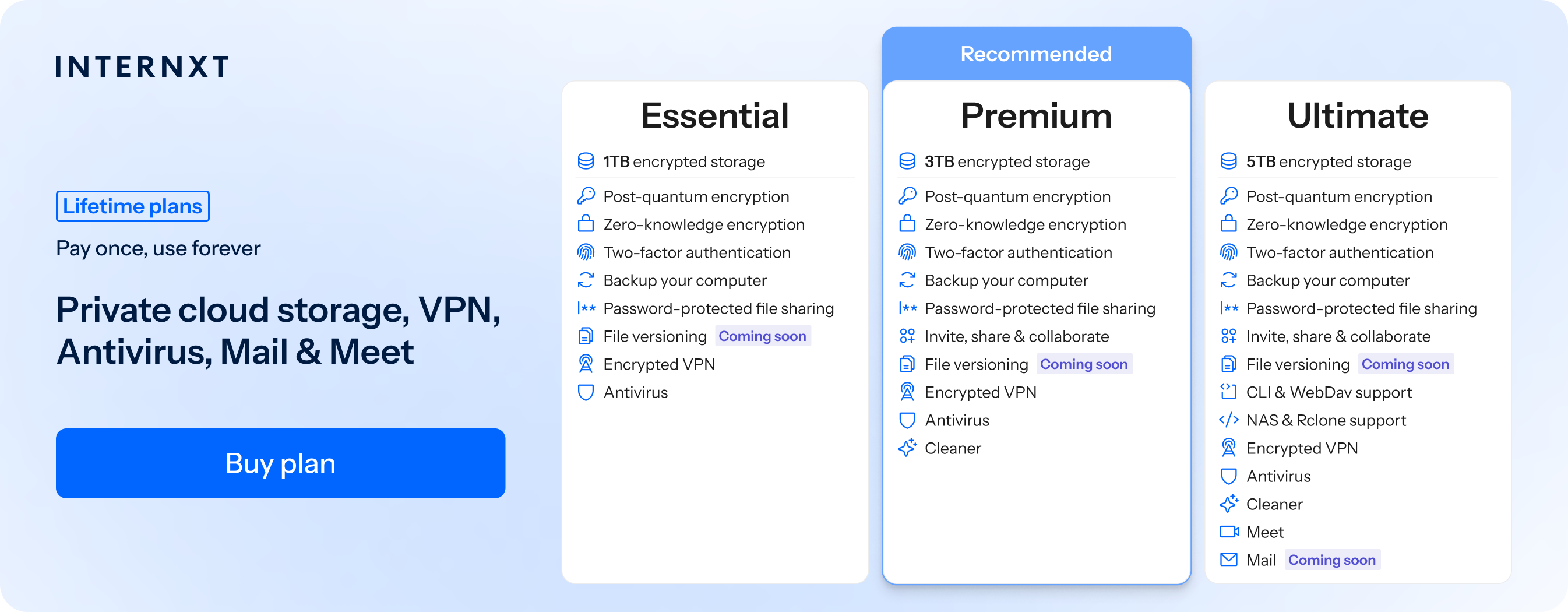
Internxt provides secure cloud storage and file sharing, with all files protected with post-quantum encryption, and added features such as password-protection and secure collaboration available with free plans.
Secure transfer services
If you’re wondering how to securely send large files without using cloud storage, then secure transfer services such as WeTransfer are another option.
For this, Internxt Send offers zero-knowledge encrypted file sharing for large files of up to 5GB. It is totally free to use as many times as you like, and you don’t need to sign up for the service.
While other secure transfer services are available, such as WeTransfer, they do not provide zero-knowledge encryption, have a free limit of 2GB, and collect your personal data according to their privacy policy, such as your:
“device model, OS, IP address, system language, device ID" and uses this to determine "your approximate (geo)location, such as the city or country you reside in.”
For the most secure and private method to send large videos or other files online that protects your data, try Internxt Send for free.
Secure FTP / SFTP for businesses
For businesses looking for options on how to send large files with encryption, one option is SFTP, or Secure File Transfer Protocol.
Security is one of the main benefits of this method, as all data, including file contents, login credentials, and transfer commands, is encrypted during transmission, helping protect sensitive information from interception.
SFTP does not typically impose strict file size limits, making it well-suited for professional and enterprise environments.
How to send large files online securely with Internxt
Internxt offers zero-knowledge and post-quantum encryption for file sharing and cloud storage. Below, you can see how to send large files with Internxt Drive and Internxt Send.
Internxt Drive
With Internxt Drive, you can easily send large videos directly from your Internxt account, and enjoy zero-knowledge encrypted cloud storage for annual (paid monthly) and one-time payment lifetime plans, which are stackable for up to 100TB.
With Drive, you can send large files of up to 10GB, enough for the following use cases, depending on quality, format, and compression.
| File Type | Average File Size | Approx. Quantity in 10 GB |
|---|---|---|
| HD video (1080p) | 3-5 GB per hour | 2-3 hours of footage |
| 4K video | 15-30 GB per hour | 20-40 minutes of footage |
| RAW photos | 25-50 MB per image | 200-400 images |
| High-resolution JPEG photos | 5-15 MB per image | 700-2,000 images |
| Photo albums | 500 MB-2 GB per album | 5-20 albums |
| Adobe Photoshop (PSD) files | 100-500 MB per file | 20-100 files |
| Adobe Illustrator (AI) files | 10-100 MB per file | 100-1,000 files |
| CAD files | 20-200 MB per file | 50-500 files |
| 3D models | 50-500 MB per file | 20-200 models |
| 3D rendering projects | 500 MB-2 GB per project | 5-20 projects |
You can also send files publicly, restrict access, and give editor or viewer permissions for maximum security and enhanced collaboration.
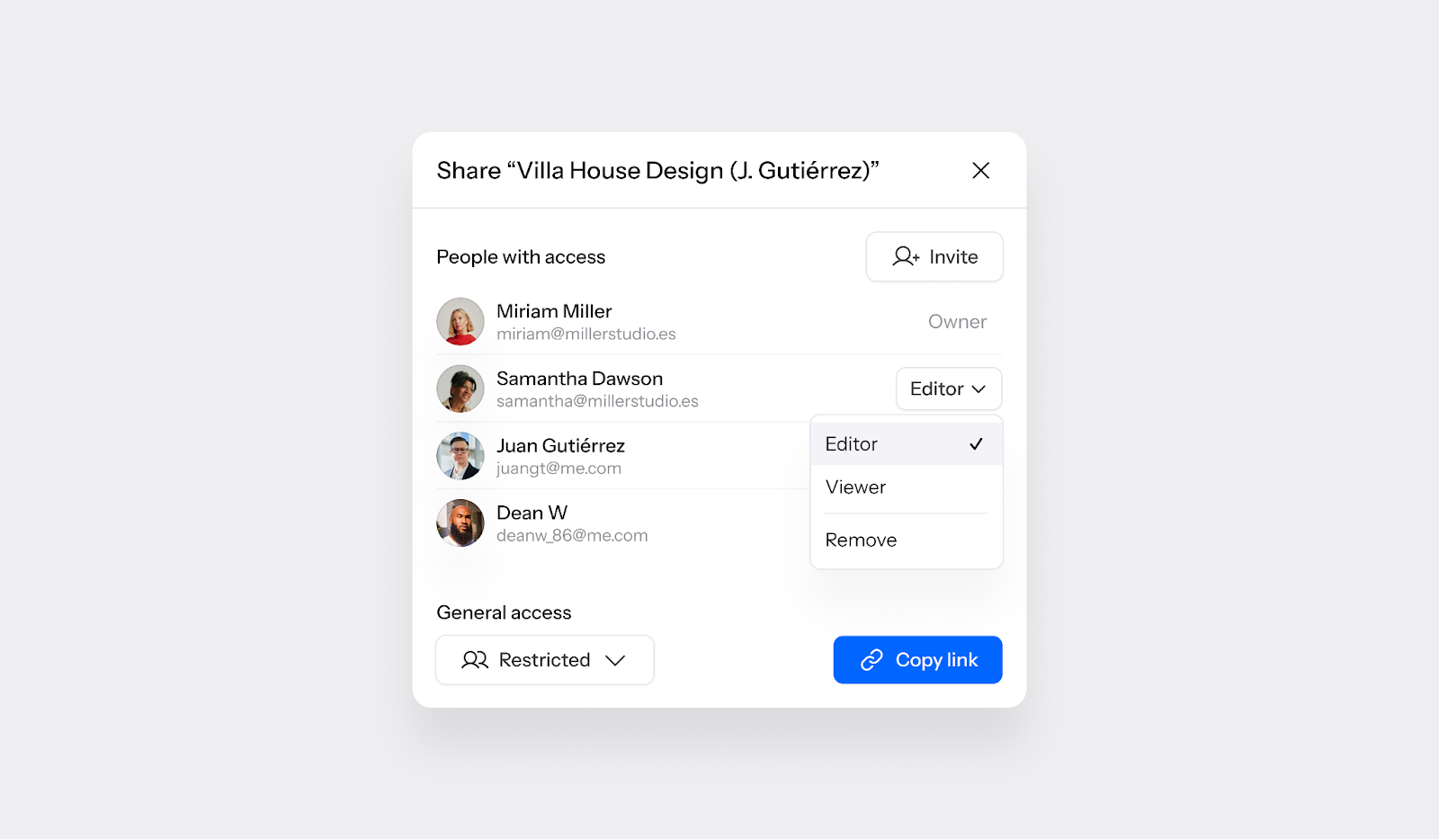
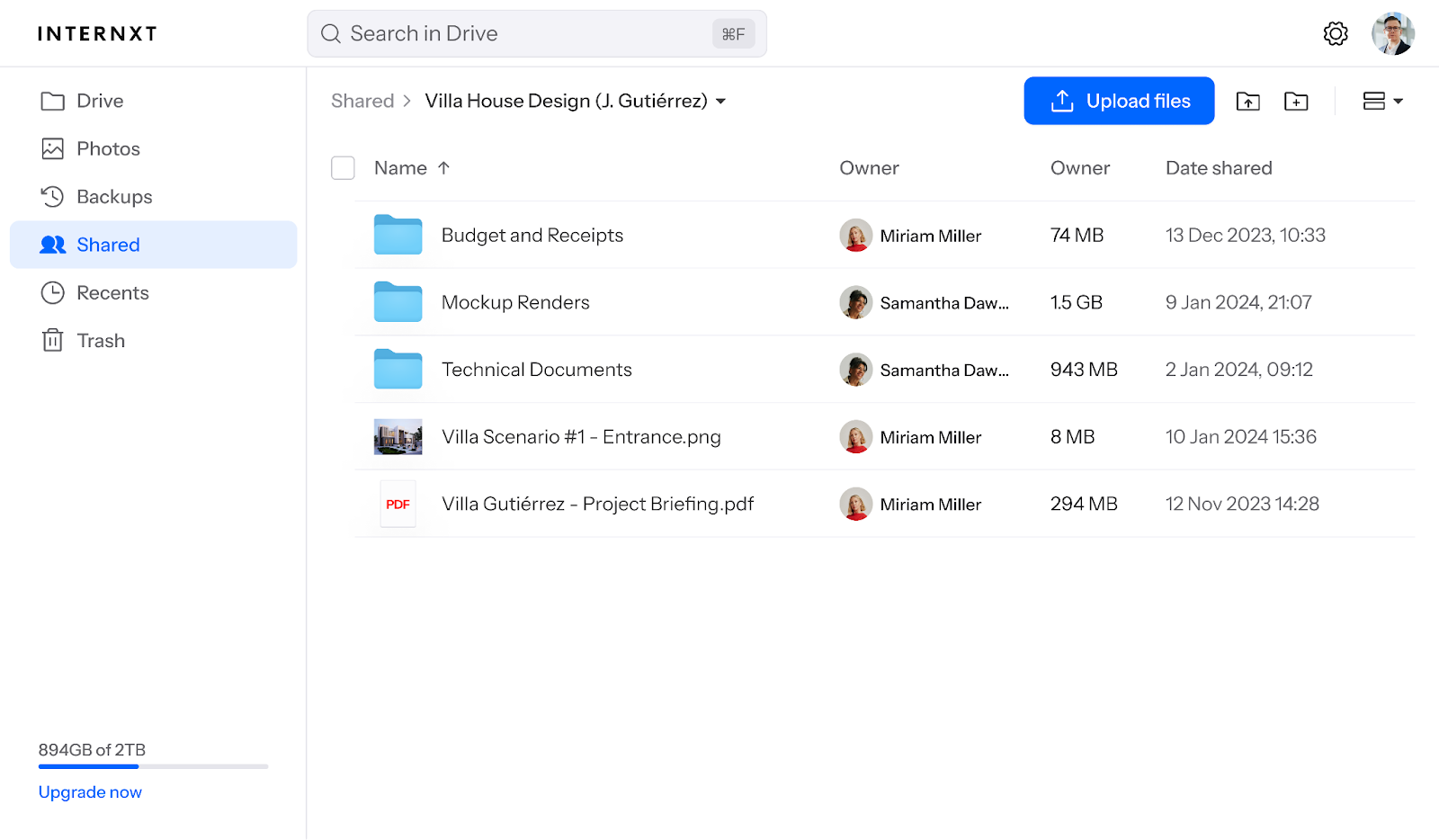
You can eliminate access to files at any time and view the status of shared files via the “Shared” tab from your Internxt account, ensuring you have total control over the files you send.
You can also add extra security to your files with the password-protection feature, which, when combined with Internxt Password Generator, ensures nobody but you and those with the password can access your files.
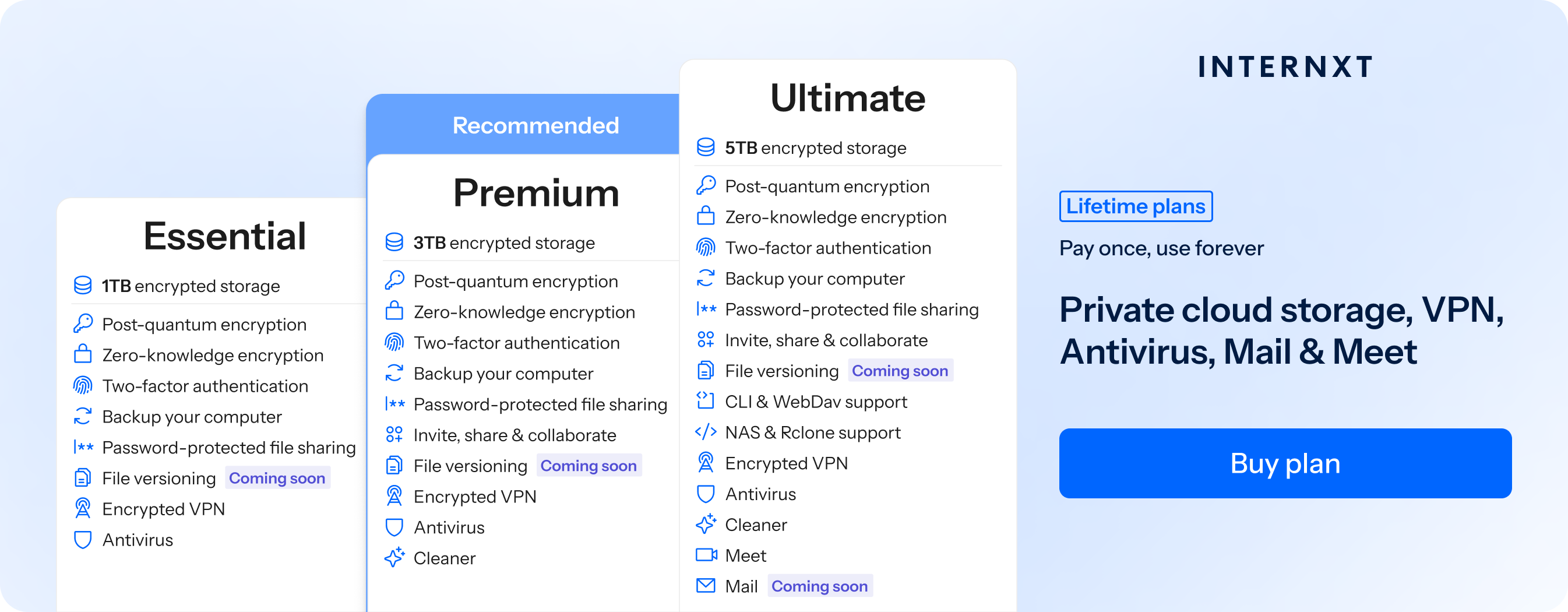
With a paid Internxt account, encrypted and open source cloud storage, plus access to advanced file-sharing features to send all the large files you need with post-quantum and zero-knowledge encrypted links or email.
All paid Internxt accounts also get access to encrypted backups, Antivirus, and VPN. Internxt also offers a full privacy suite, including Meet, Mail, and Cleaner, plus advanced cloud management features such as WebDAV and Rclone support, and NAS support for QNAP and Synology.
To access these features, claim your 85% discount on all plans by following this Internxt special offer link.
| Plan | Storage | Features | Annual (Paid monthly) | Lifetime Cost |
|---|---|---|---|---|
| Essential | 1TB | €1.99/month | €380 | |
| Premium | 3TB |
|
€3.99/month | €580 |
| Ultimate | 5TB |
|
€5.99/month | €780 |
| *Prices are correct at the time of writing and are subject to change. For latest prices, check https://internxt.com/pricing | ||||
Internxt Send
If you want to know how to securely send large files with zero-knowledge encryption, then with Internxt Send, you get a free file sharing service with zero-knowledge encrypted links, or the option to send large files via email, which the recipients can later download.
Send has a 5GB transfer limit, enough to send around 10 to 20 minutes of 4K video, over an hour of HD footage, hundreds of RAW photos, dozens of Photoshop projects, hundreds of CAD drawings, or several large 3D rendering projects in a single transfer.
To send more photos via iPhone, for example, you can reduce the photo size on iPhone with its built-in settings to send more photos online with others.
| File Type | Average File Size | Approx. Quantity in 5 GB |
|---|---|---|
| HD video (1080p) | 3–5 GB per hour | 1–1.5 hours of footage |
| 4K video | 15–30 GB per hour | 10–20 minutes of footage |
| RAW photos | 25–50 MB per image | 100–200 images |
| High-resolution JPEG photos | 5–15 MB per image | 350–1,000 images |
| Photo albums | 500 MB–2 GB per album | 2–10 albums |
| Adobe Photoshop (PSD) files | 100–500 MB per file | 10–50 files |
| Adobe Illustrator (AI) files | 10–100 MB per file | 50–500 files |
| CAD files | 20–200 MB per file | 25–250 files |
| 3D models | 50–500 MB per file | 10–100 models |
| 3D rendering projects | 500 MB–2 GB per project | 2–10 projects |
How to send large files securely: comparison of services
If you need to know how to securely send large files, then these are the best options available:
| Service | File Size Limit | Zero-Knowledge Encryption | Controls | Access | Open Source | Features | Mobile Support |
|---|---|---|---|---|---|---|---|
| Internxt Drive | 10 GB | Yes | Password protection | Restricted or public | Yes | Drive, Antivirus, VPN, Cleaner, Meet, Mail, NAS, Rclone | iOS, Android |
| Internxt Send | 5 GB | Yes | 15-day expiration date | Secure email or link | Yes | Zero-knowledge encryption, Post-quantum encryption | Yes (via browser) |
| Google Drive | 5 TB | No | Permissions, link sharing, expiration (Workspace) | Restricted, organization, or public link | No | Cloud storage, collaboration, Docs, Sheets, Slides, version history | iOS, Android |
| WeTransfer | 2 GB (free), 200 GB (paid) | No | Password protection (paid), expiration dates | Email or shareable link | No | Large file transfers, transfer tracking, branded portals | iOS, Android, browser |
| Dropbox | 50 GB (web upload), 2 TB (desktop/mobile) | No | Passwords, expiration dates, permissions | Restricted or public link | No | Cloud storage, Dropbox Transfer, file sync, version history, collaboration | iOS, Android |
Internxt Drive and Send are the only services that offer zero-knowledge and post-quantum encryption. You can try both for free, and upgrade your Internxt account for 85% off to access all our features.
Related articles
How to share large videos for free
How to send large video files in privacy
Frequently asked questions
How to send large files like videos and images?
Internxt Drive and Send allows you to easily share large files, including images and videos, with anyone, even if they don’t have an Internxt account, to access the file.
Whether you need to send long videos or other large files for personal or business use, simply create a shared link from your Internxt account or from the Send website and share it via chat, text, or email.
How to send large files for free?
A free Internxt account gives you 1GB of free cloud storage, and you can share links directly from your Internxt account.
For up to 5TB of storage and more advanced file sharing features, you can upgrade to an Essential, Premium, or Ultimate plan.
If you need to send files for free without creating an account, Internxt Send is a fully encrypted file-sharing service for files up to 5GB.
How to send large files from my iPhone or Android device?
You can send large videos or any other files of up to 5GB with Internxt Send via the web browsers on your mobile, or files of up to 10GB with the Internxt iOS or Android app.
How to send large files via email?
You can send large files via email by creating a shareable link to a file or folder stored in Internxt Drive, or choosing the “Invite” option before sharing the file.
With Internxt Send, you can click the “Send email” option once your file has been uploaded to send large files via email.