
How to Send Files Securely Online


If you need tips, services, and more information on how to securely send files online, these tips and file-sharing services will help you get the best security and privacy to share personal or confidential documents online.
We will cover the following topics throughout this article:
- What is secure file sharing?
- Why its important
- How to send files securely online
- Tips for secure file sharing
- How to send files securely for free
If you need a quick, secure, and private way to share files, Internxt Drive and Send offer end-to-end encrypted file sharing with features such as password protection, allowing you to share any file securely and privately.
Table of contents
- What is secure file sharing?
- Why secure file sharing is important
- How to send files securely online
- Tips on how to send files securely online
- How to send files securely with Internxt
- Related articles
- Frequently asked questions
What is secure file sharing?
File sharing makes digital files available to other people so they can view, download, edit, or collaborate on them securely and privately.
It allows you to share personal documents containing sensitive information, such as medical documents, contracts, or banking details, privately, as the best file sharing services will encrypt your files to secure them against data leaks or hackers.
Why secure file sharing is important
Whenever you need to share a file online and to protect these files, a secure file-sharing solution is crucial.
So whether you’re sharing files for work or personal use, here’s why it’s important, and how it benefits you.
Keeps your data secure
File sharing helps prevent data breaches by using end-to-end encryption, so only you and the people you share your files with can access them.
Transfer large files
While sending files via email is common, they often have limits on the size of files you can send (around 25MB), and depending on the provider, your files may be accessible to the provider.
With cloud-based file sharing solutions like Internxt Drive or Send, you can send large files like videos that are protected with zero-knowledge encryption.
Manage permissions
When you share files, you can set permissions or password-protect the files to determine who can view, edit, download, or share files, reducing the risk of accidental exposure.
Business compliance
Many businesses have to meet compliance laws depending on the industry. Using a cloud sharing solution like Internxt offers GDPR, HIPAA, SOC 2, and ISO 27001 compliance, ensuring you get the best data protection and security for all industries.
Secure collaboration
Teams, clients, and partners can work together on shared files without compromising security, with password-protection and secure links even when working remotely or across different locations.
How to send files securely online
If you’re wondering how to securely send files online, there are many options available depending on your needs for security, file size, and the types of files you want to share.
Each of the following options offers different tips for file-sharing services to meet your needs.
Peer-to-Peer (P2P) file sharing
P2P file sharing uses a network where connected devices share files directly with each other instead of relying on a central server, as is the case with cloud storage or other file sharing services.
This method is commonly used for transferring large videos such as movies, software packages, game updates, and open-source projects. Since files are shared between many participants at the same time, download speeds can improve when more users are connected to the same file.
However, P2P networks can expose a user’s IP address to other participants in the network, so using an encrypted VPN is crucial to reduce this risk.
Downloading files from untrusted sources may also increase the risk of malware, corrupted files, or unauthorized content being shared.
Example: BitTorrent
Benefits: Allows faster distribution of large files by sharing download traffic between multiple users instead of one server.
Risks: Can expose IP addresses and may lead to downloading unsafe or malicious files from unknown sources.
Best for: Sharing large public files, open-source software, and distributed downloads where speed and scalability are important.
FTP (File Transfer Protocol)
FTP (File Transfer Protocol) is a standard method used to transfer files between a computer and a remote server over a network. It operates on a client-server model, in which a user connects to a server using FTP software to upload, download, rename, or manage files.

FTP is commonly used for website management, transferring business files, and moving large amounts of data between systems.
However, standard FTP does not encrypt data in transit, so usernames, passwords, and files can be intercepted over unsecured networks.
Example: FileZilla Server
Benefits: Provides a reliable and widely supported way to transfer and manage files between computers and servers.
Risks: Standard FTP transfers data without encryption, which can expose sensitive information on insecure networks.
Best for: Managing website files, transferring large datasets, and handling routine file transfers within controlled or trusted environments.
HTTP/HTTPS file downloads
HTTP/HTTPS file downloads use the Hypertext Transfer Protocol (and its secure version HTTPS) to transfer files from a web server to a user’s device through a browser or download client.
Unlike peer-to-peer systems, HTTP/HTTPS downloads rely on a single server to deliver files to each user, which can limit speed during high traffic periods.
Example: Internxt Drive and Send
Benefits: Simple and widely supported method for downloading files directly from websites, with HTTPS providing a secure method for sending encrypted files.
Risks: Downloads can be slow if the server is overloaded, and files from untrusted websites may contain malware if not properly verified.
Best for: Downloading files from official websites, accessing software updates, and retrieving documents or media from trusted online sources.
Email-based file sharing
With email-based file sharing, the sender attaches a file to an email message, and the recipient downloads it through their email client or webmail service.
Unlike HTTP/HTTPS or cloud-based downloads, email attachments are limited by file size restrictions and are not ideal for large transfers. Large files often require a file compressor or external file-sharing links instead.
However, if you need to know how to send files securely over email, then you can attach the file to the email and encrypt it using tools available online for extra privacy.
Example: Gmail and Outlook
Benefits: Simple and widely available method for sending files directly to specific recipients, with built-in security checks and easy integration into everyday communication.
Risks: Limited file size for attachments, potential blocking of large files, and possible security risks if malicious attachments are opened.
Best for: Sharing small documents, images, and files between individuals or within an office or remote work setting.
LAN (Local Area Network) file sharing
LAN (Local Area Network) file sharing allows devices connected to the same local network to transfer files directly between each other without needing an internet connection.
Unlike internet-based file sharing methods, LAN sharing is limited to devices within the same physical or private network and cannot be used remotely unless configured with additional access tools.
Example: Windows File Sharing (SMB), Network Attached Storage (NAS)
Benefits: Very fast transfer speeds within the same network and easy access to shared files between connected devices.
Risks: Limited to local network access and can pose security risks if the network is not properly secured or configured.
Best for: Sharing files in offices, schools, and homes where multiple devices need fast local access to shared resources.
Cloud-based file sharing
Cloud-based file sharing uses internet-based storage services where files are uploaded to remote servers and accessed through apps or web browsers.
One thing to keep in mind for private and secure file sharing to keep your shared files 100% confidential is choosing a file sharing service or cloud storage with zero-knowledge encryption.
ZKE means that only you and those you share the files with can access them; not even the cloud provider or any external parties can view them.
Providers without zero-knowledge encryption, such as Dropbox, OneDrive, and others, may technically be able to access file contents, and in some cases, data could be exposed through breaches, misuse of access permissions, or legal requests.
Example: Internxt Drive, Google Drive
Benefits: Easy access from anywhere, automatic backup and syncing, and simple file sharing with permission controls.
Risks: Requires internet access, potential privacy concerns with third-party storage, and possible data loss if accounts are compromised.
Best for: Remote work, collaboration, file backup, and accessing files across multiple devices.
Tips on how to send files securely online
Use end-to-end encryption
Some major cloud providers, such as Google Drive, Dropbox, or OneDrive, aren’t end-to-end encrypted as they hold the encryption keys. As a result, these providers can decrypt and access your files, so you can’t be sure who might access them.
For maximum protection, use zero-knowledge encryption, which gives you control over your encryption keys, so only you and those you choose to share your files with can access them.
Use strong passwords
For your accounts and shared files, use a strong password generator or passphrases to protect your files from unauthorized access.
Use a VPN on public wifi
Public wifi in cafes, airports, or other public places often doesn’t have the security required to protect your connection, so your shared files could be at risk. Use a trusted and encrypted VPN to ensure your information stays secure on these networks.
Review sharing settings
Revoke access and monitor who accesses your files to ensure only those with permission can access files.
Choose a privacy-focused provider
Choose an open-source, zero-knowledge encrypted provider to ensure nobody can access your files. A company with strong privacy laws, such as a GDPR cloud storage company, will also have laws to protect your data.
Set expiration dates
You can set an expiration date for shared files to minimize the risk of files being accessed and ensure they are unavailable outside a certain time period.
Scan files for malware
Whenever you receive a shared file, make sure that it is free from malware by using a trustworthy antivirus or free virus scanner to protect your device.
Use two-factor authentication (2FA)
Combined with a strong password or passphrase, 2FA will add more protection to your account in case your password becomes compromised. 2FA will require a code sent to your phone via an authenticator app for increased account security.
How to send files securely with Internxt
Internxt Drive
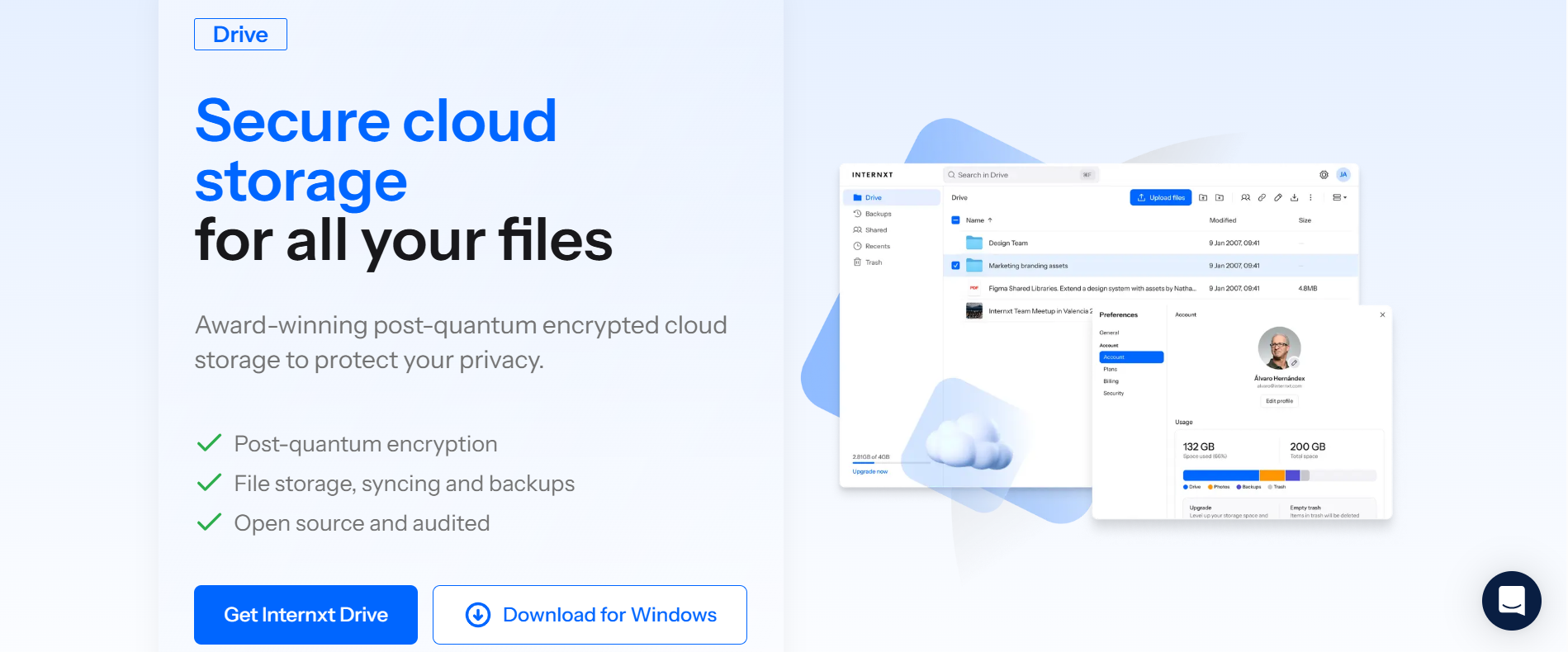
Internxt offers an encrypted, secure cloud storage alternative to big tech companies.
Unlike other companies, Internxt offers post-quantum and zero-knowledge encryption for free and paid plans, meaning nobody but you can access your files.
With a free Internxt plan, you can share files via an encrypted link to others, and with Internxt paid plans, you can invite, share, and collaborate with others on files, and password-protect your files.
If you have a free Internxt plan, you can upgrade your plan for 85% off all annual (billed monthly) or lifetime plans using the special offer link below.
To share your files with Internxt via a secure link, follow these steps:
- Log in to your Internxt account https://drive.internxt.com/login
- Right-click on the file you want to share, and click “Share”
- Choose access “General” or “Restricted”
- To password-protect the file, choose “Protect with password”
- Click “Copy link” and send it to your chosen recipients
To share files securely via email with Internxt Drive, follow these steps:
- Right-click on the file and click “Share”
- Click “Invite” in the top right corner
- Enter the email(s) of those you wish to share the file with and press enter
- Select “Notify users” to add a message
- Click “Invite” to share your link
Sharing files securely with Internxt is easy, but it uses the most advanced cryptography techniques to encrypt your files and ensure no unauthorized access to your files.
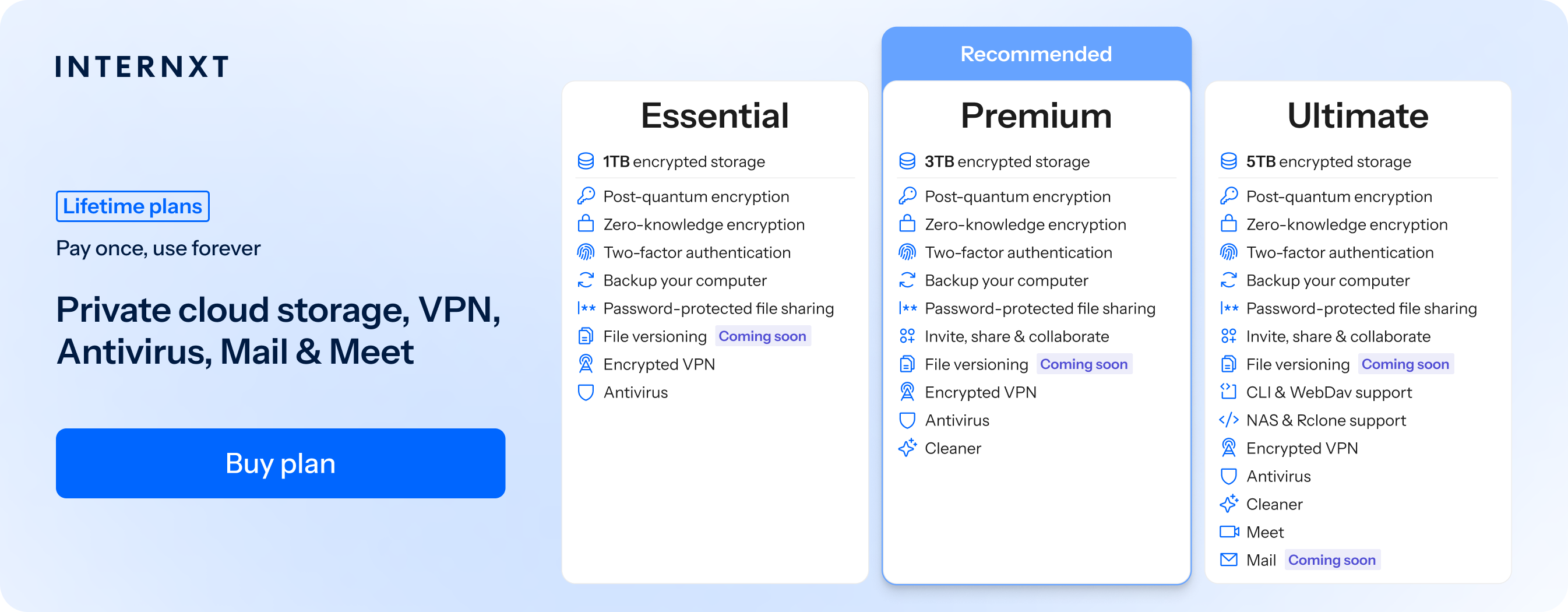
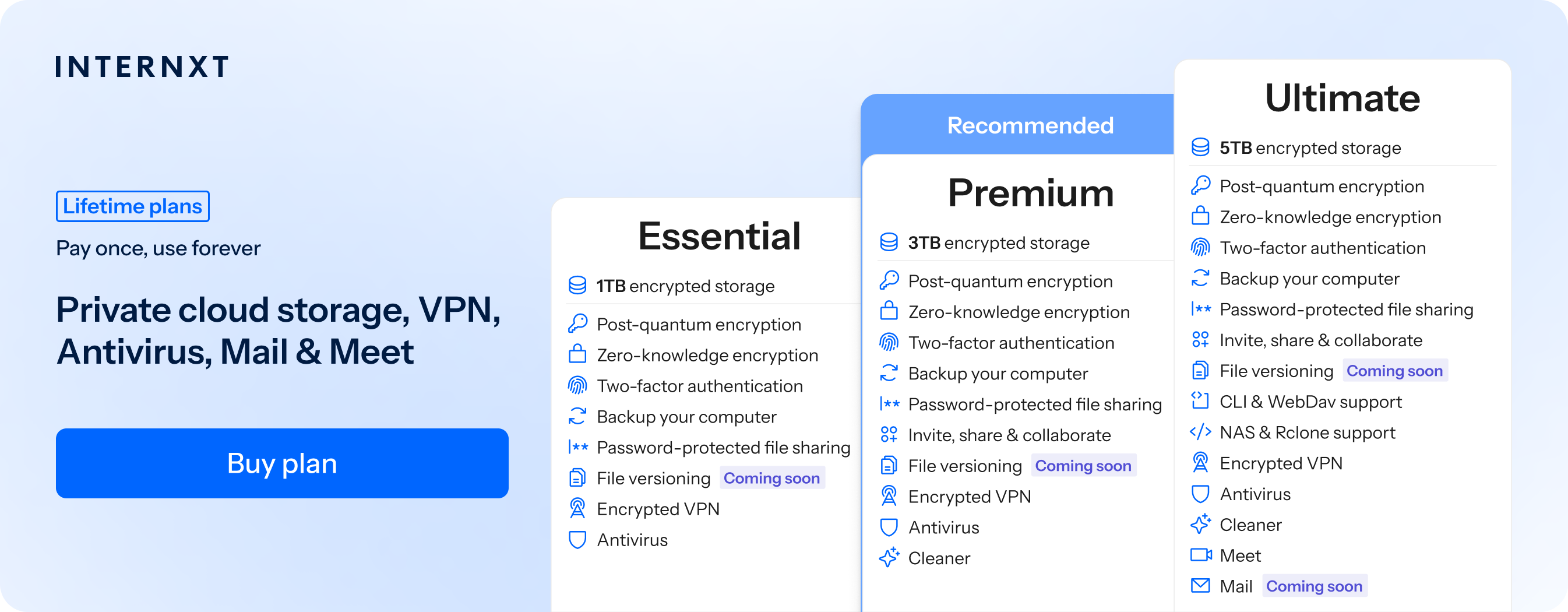
Additional secure file sharing features are available with a Premium and Ultimate Internxt plan, which offer a huge range of services for maximum privacy online, including Meet, VPN, Antivirus, and NAS support.
All the details of the features of Internxt can be found on our website, or you can view the summary below.
| Plan | Storage | Features | Annual (Paid monthly) | Lifetime Cost |
|---|---|---|---|---|
| Essential | 1TB | €1.99/month | €380 | |
| Premium | 3TB |
|
€3.99/month | €580 |
| Ultimate | 5TB |
|
€5.99/month | €780 |
| *Prices are correct at the time of writing and are subject to change. For latest prices, check https://internxt.com/pricing | ||||
If you want the same security and privacy when sharing files, videos, photos, or other sensitive documents online without creating an account, Internxt has something to meet those needs, too.
How to securely send files for free with Internxt Send
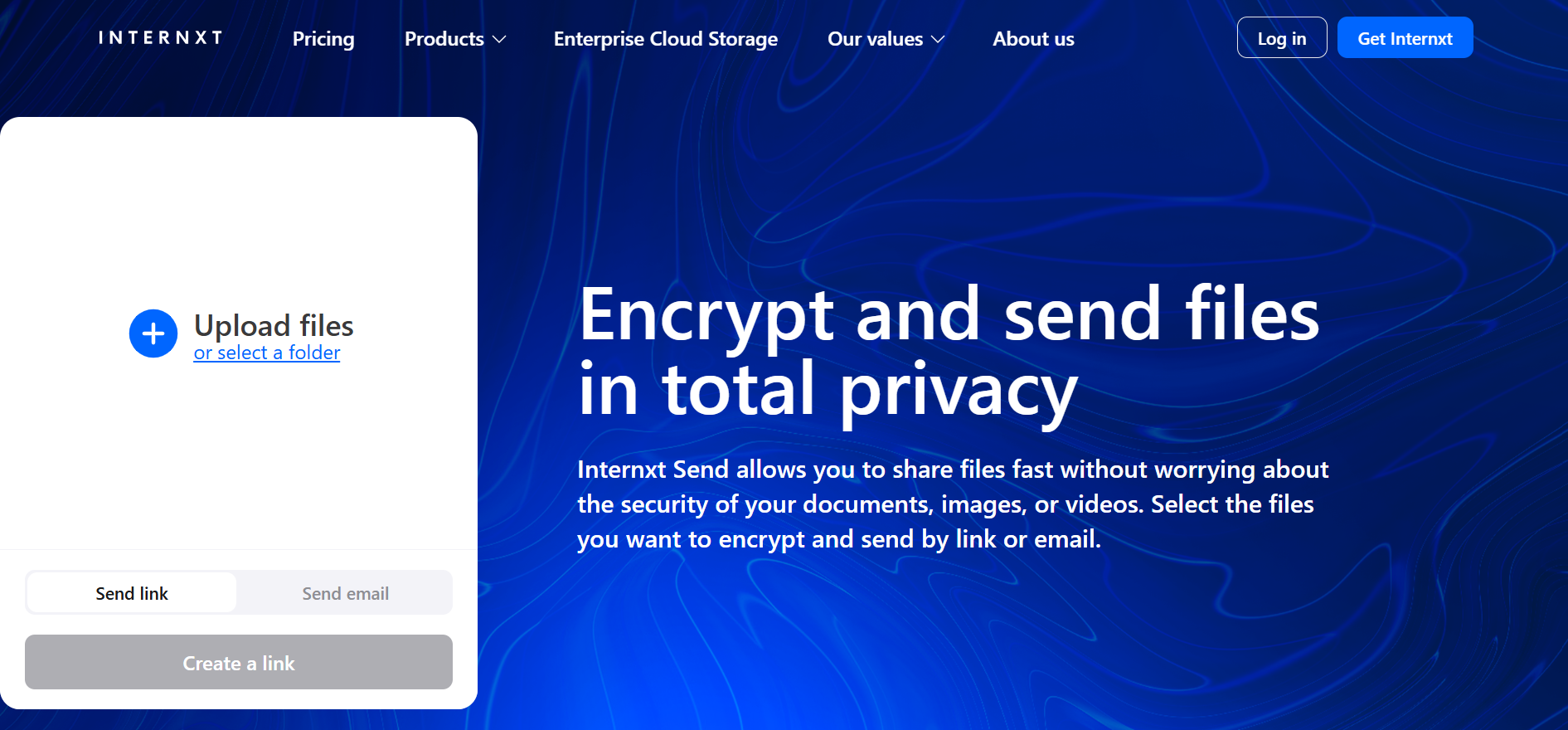
Internxt also offers Internxt Send, a secure, encrypted, and free file-sharing service, offering an alternative to WeTransfer and other services.
With it, you can create a secure and encrypted link for any file type of up to 5GB. There are no limits to how many times you use the service, and there are no login or credit card details necessary, so you can share files with others in total privacy and security.
For secure file sharing with Internxt Send, follow these steps:
- Go to https://send.internxt.com/
- Select “Upload Files” or “Select a folder”
- You can also drag on drop files into the webpage to upload files
- Once uploaded, click “Create link” or “Send email”
- To send the link via email, add the required details and click “Send files”
Once sent, your secure link will be sent to the recipient. You can use Internxt Send without limits for the best free file sharing service.
Related articles
Is WhatsApp safe for sending private photos
Frequently asked questions
What is secure file sharing?
Secure file sharing is the process of sending or storing files in a way that prevents unauthorized access using tools like encryption, authentication, and access controls.
How to securely send files online?
Use strong passwords, enable two-factor authentication, encrypt files before sharing, share only with trusted people, set strict permissions, and avoid unsecured networks like public Wi-Fi.
How does encryption improve file-sharing security?
Encryption turns files into unreadable data during transfer or storage, so only someone with the correct key can open them.
What are the common risks of insecure file sharing?
Risks include data breaches, identity theft, malware infections, and unintended exposure of private information.
How to send files securely for free?
Common options include Internnxt Drive and Send, Google Drive, Dropbox, OneDrive, and Proton when used with proper security settings.
How can I control who accesses my shared files?
You can set permissions such as view-only or edit access, use password-protected links, and limit sharing to specific users.
How to send files securely over email?
Email is not fully secure by default. It is safer when combined with encryption or when using secure file-sharing services instead of attachments.
What should I avoid when sharing files?
Avoid weak passwords, public or open links, unencrypted files, and unknown or untrusted platforms.
How can businesses improve secure file sharing?
Businesses should enforce encryption, manage user permissions, monitor file activity, and train employees on safe sharing practices
Also of interest to you...