
How to Share Large Video Files Privately Online


Cloud storage has become a convenient way to back up videos in the cloud, keeping them safe from data loss or corruption, and ensuring you can access your videos from anywhere.
Sharing large videos can become problematic with some services, especially with the limits for email attachments.
If you’re wondering how to share large video files online without losing quality or hitting file size limits, this article covers the best cloud storage and file sharing services to send large videos without compromising the security and privacy of your files.
Table of contents
- Why are large video files hard to share?
- How to share large video files from a desktop
- How to share large video files from an iPhone
- How to share large video files from an Android device
- What is the best way to send large video files?
- Related articles
- Frequently asked questions
Why are large video files hard to share?
Large video files are hard to share because they take up a lot of storage space and require fast, stable internet connections to upload and download.
For example, a 2 GB video file, such as a short 4K recording or a high-quality edited clip, would already require 2 GB of storage space and can take around 15 to 20 minutes to upload on a 20 Mbps connection, and over an hour on a 5 Mbps connection.
Many services like email providers have strict file size limits (around 20 MB to 25 MB per attachment (for example Gmail is 25 MB), so they cannot handle videos beyond a certain point.
In addition, large files can be difficult to store and manage, and sharing private videos through unsafe methods can increase the risk of corruption, failed transfers, or security issues.
Despite this, we will cover how to share large video files with cloud storage and other methods so you can send your videos securely, privately, and without losing quality.
How to share large video files from a desktop
Internxt Drive
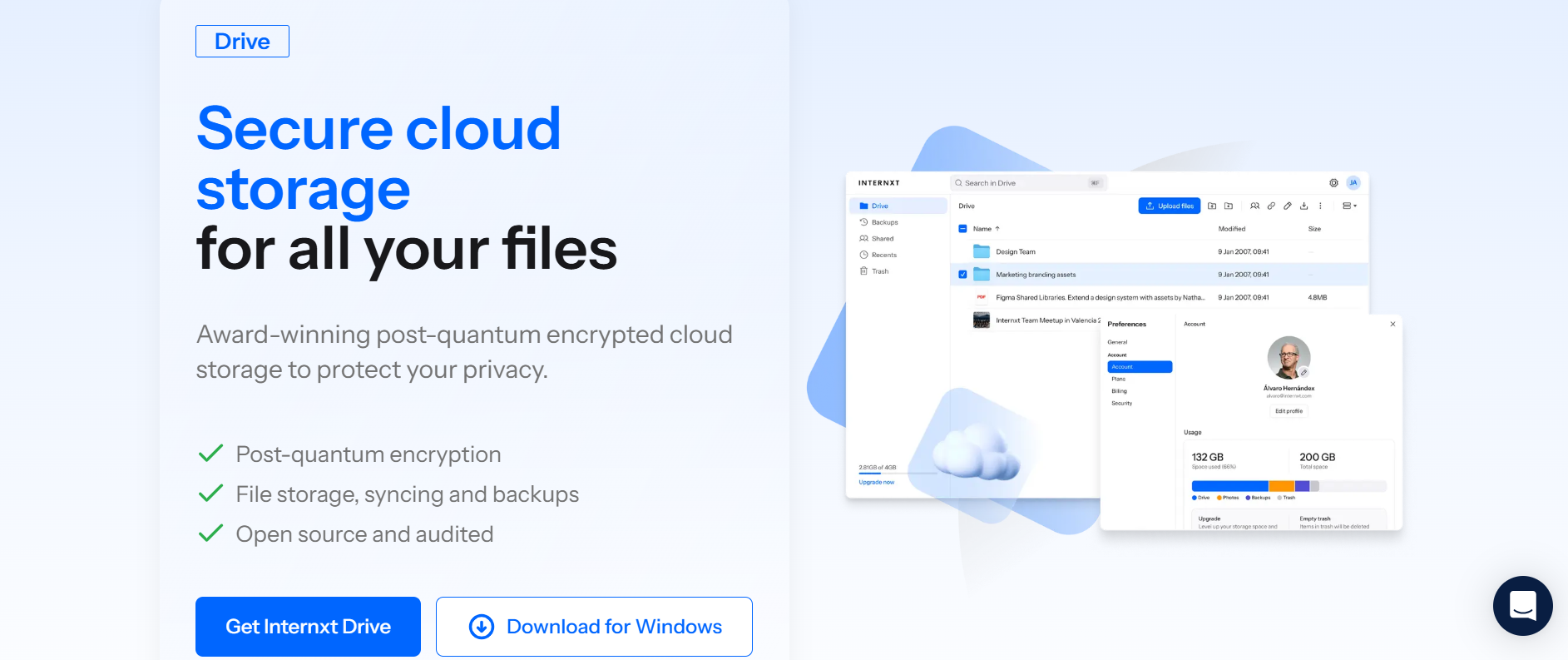
Internxt Drive offers private cloud storage for video files with zero-knowledge and post-quantum encryption to share large video files in total privacy.
Nobody, not even Internxt, can view the videos you share, as you hold the encryption. Only you and those you choose to share files with can access these videos.
Internxt Drive sharing features allow you to
- Password-protect files (Premium and Ultimate)
- Revoke access
- Collaborate with others
- Send files via a secure link or email
With Internxt Drive, you can securely send files of up to 10GB, which, in the context of sharing video files, allows for up to:
- 2 to 5 hours of HD (1080p) video, depending on compression and bitrate
- 30 to 90 minutes of 4K video, depending on quality settings
To share video files with Internxt Drive, follow these steps:
- Log in to your Internxt account https://drive.internxt.com/login
- Right-click on the video and click “Share”
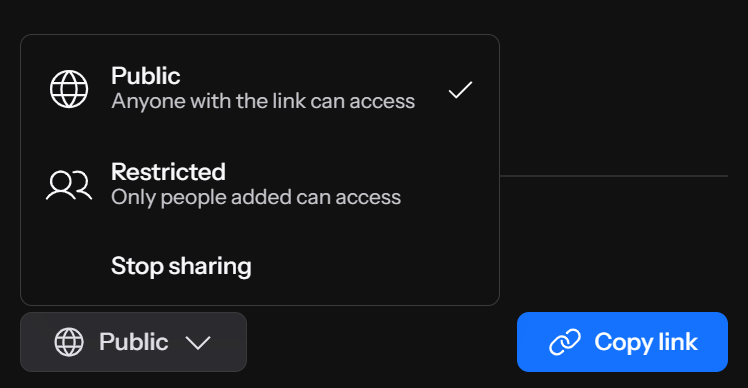
- Choose between “Public” or “Restricted” access
- Click “Copy link”
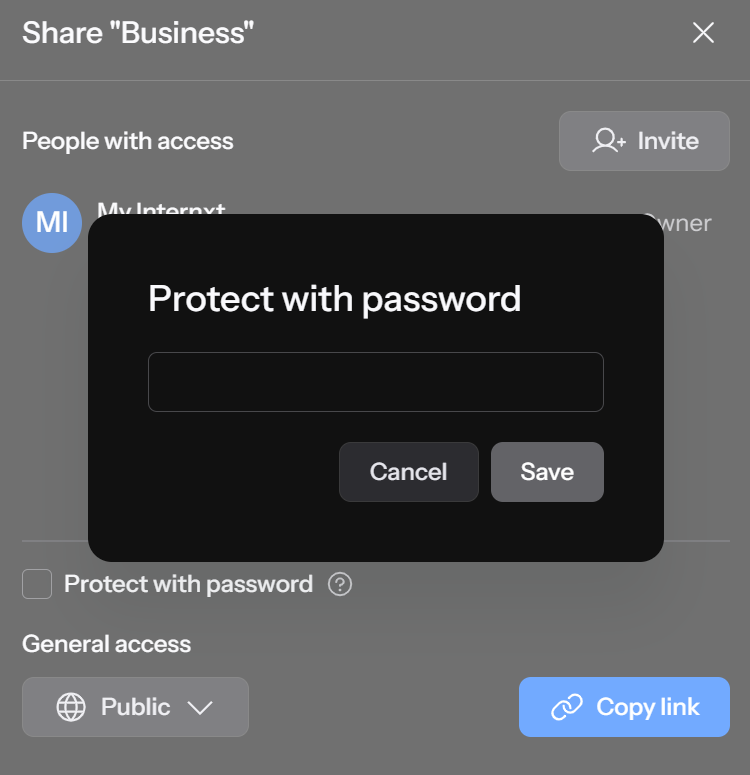
- To password-protect the file, click “Protect with password”
- For maximum protection, we recommend protecting the file with a strong password using a strong password generator.
To share a large video file via email:
- Right-click on the file and click “Share”
- In the pop-up tab, click “Invite”
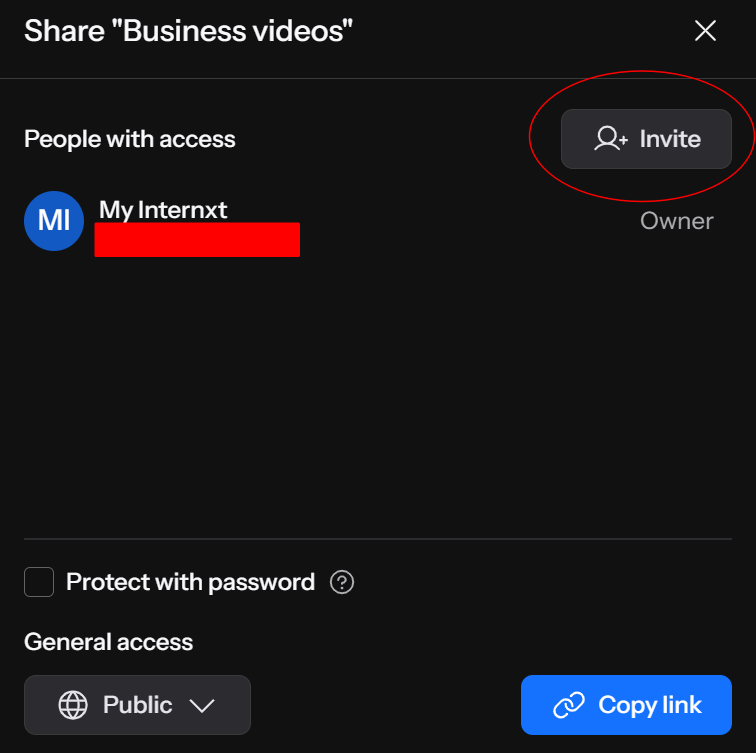
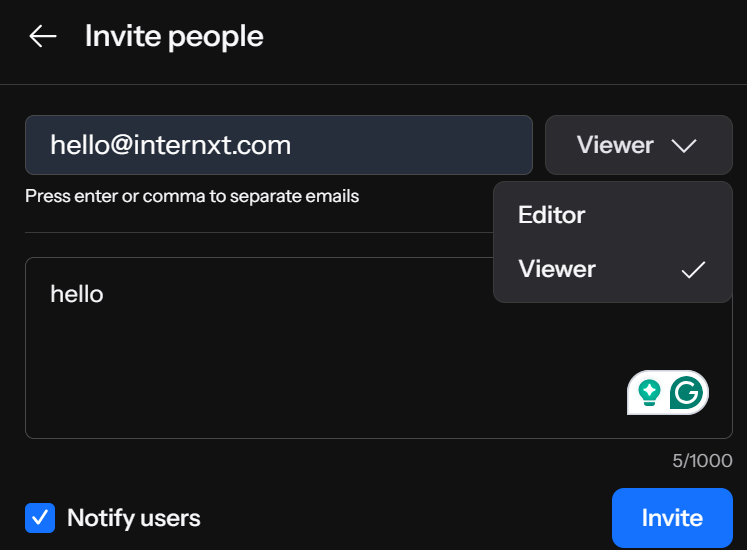
- Enter the email(s) of those you want to share the files with
- Choose to give “Viewer” or “Editor” access
- Click “Notify users” to add a message
- Click “Invite”
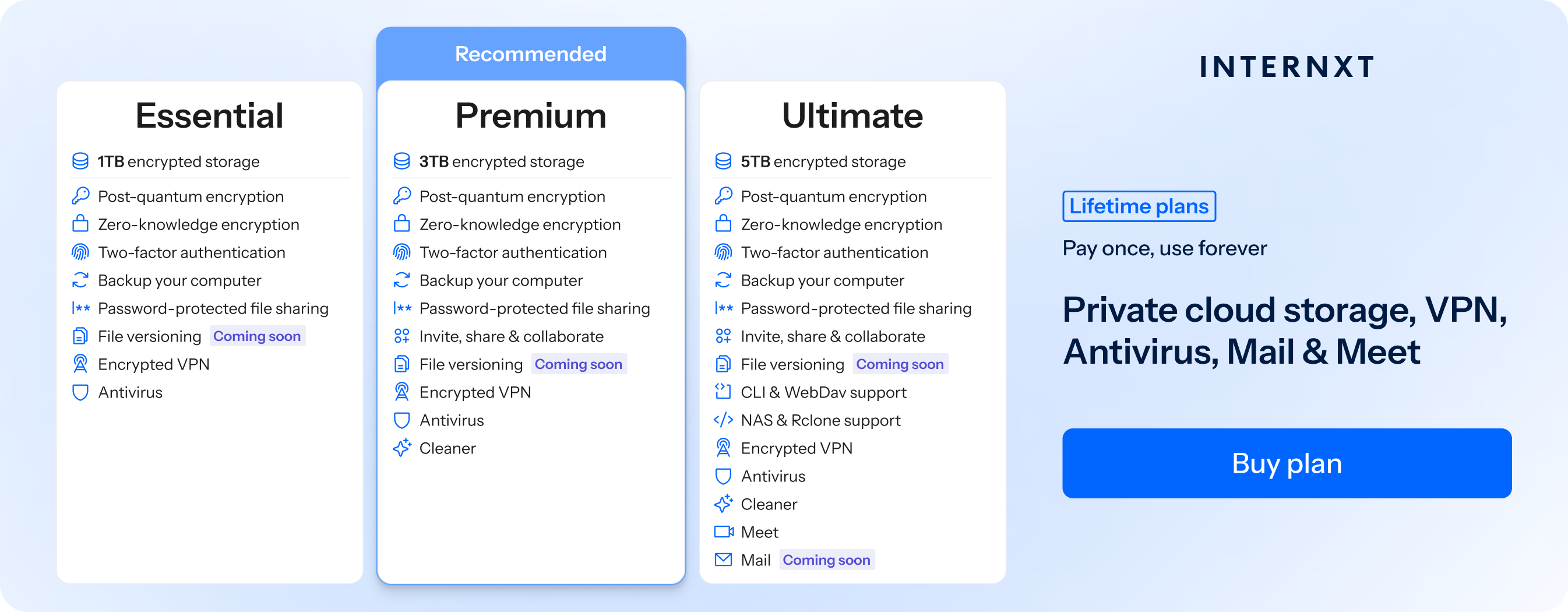
Internxt offers free plans, or you can unlock more features and share private videos with a paid annual or lifetime cloud storage plan for 85% off, following this Internxt special offer link, and unlock the following features.
| Plan | Storage | Features | Annual (Paid monthly) | Lifetime Cost |
|---|---|---|---|---|
| Essential | 1TB | €1.99/month | €380 | |
| Premium | 3TB |
|
€3.99/month | €580 |
| Ultimate | 5TB |
|
€5.99/month | €780 |
| *Prices are correct at the time of writing and are subject to change. For latest prices, check https://internxt.com/pricing | ||||
Internxt Send
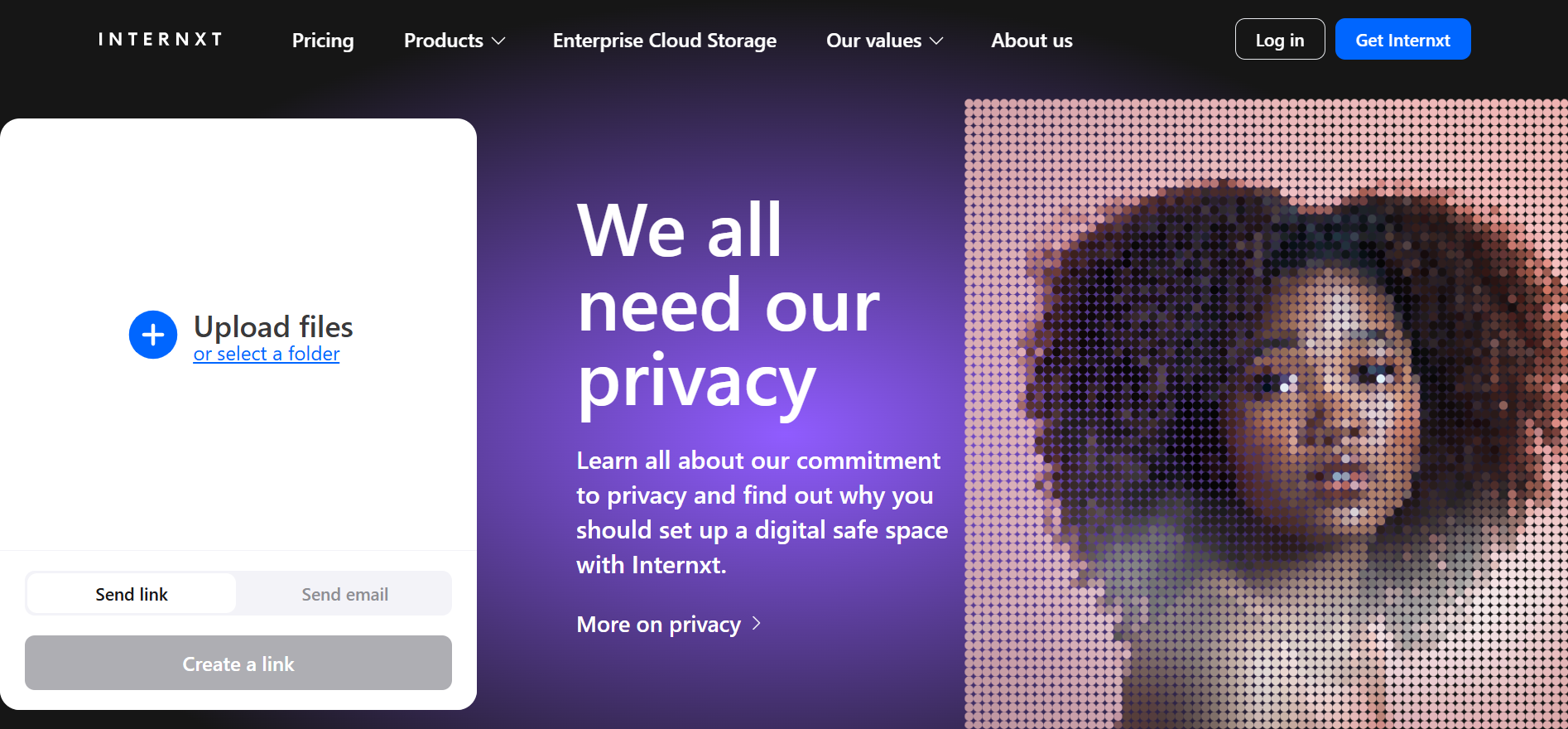
Internxt Send is an encrypted file-sharing service with zero-knowledge encryption. You can use it as many times as you wish, with no login or other personal details required.
Send allows you to send large files via link or email for files of up to 5GB, enough for:
- 1 to 2.5 hours of HD (1080p) video, depending on compression and bitrate
- 15 to 45 minutes of 4K video, depending on quality settings
To send encrypted files via Internxt Send with a secure link, follow these steps:
- Go to send.internxt.com
- Upload or drag and drop your file onto the page
- Click “Create link”
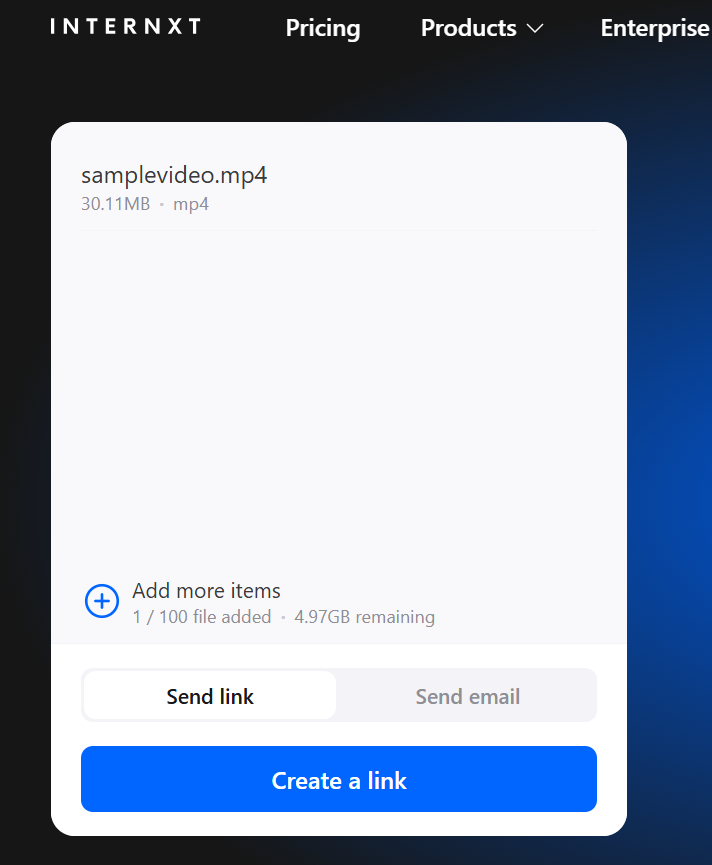
- Once uploaded, you can copy the link and send it to your chosen recipient before the expiration date
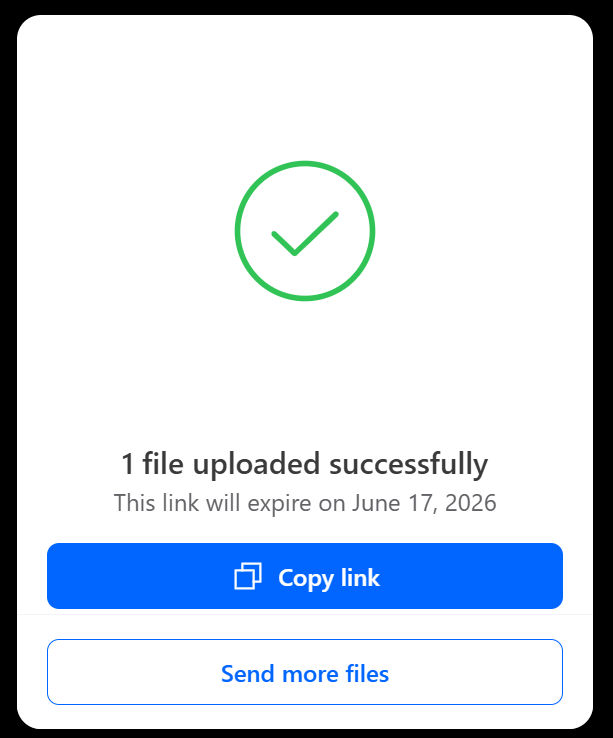
To send a large video file via email with Send, follow these steps:
- Upload or drag and drop the file to send.internxt.com
- Enter the email of the recipient(s)
- Enter your email
- Add a message (optional)
- Click “Send files”
WeTransfer
WeTransfer is a free and paid file-sharing service to send up to 2GB of files, with the option to unlock bigger file-sharing limits and other features.
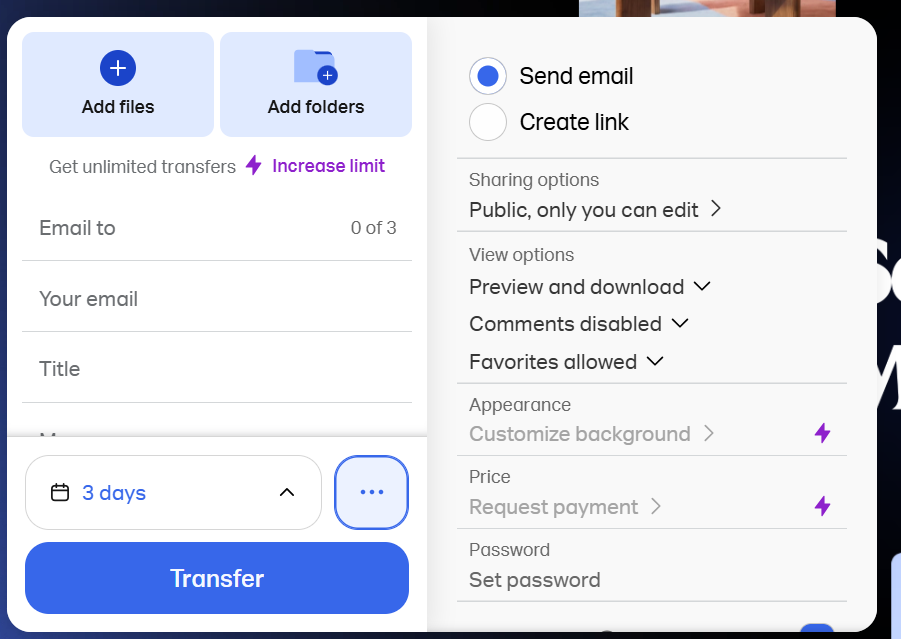
To send large files with WeTransfer:
- Go to https://wetransfer.com/
- Upload your files/folders (up to 2GB for free accounts)
- Enter the details, sharing, view options, and expiration data (max 7 days on a free plan)
- Click “Transfer”
To unlock larger transfers, longer expiration dates, or other features, you will have to sign up for a paid account.
Like Google Drive, WeTransfer does not use end-to-end encryption to protect your files, and, according to its privacy policy, it collects your browser, device, and location data and shares that with its business partners.
WeTransfer’s security has also faced backlash in the past for adding AI scanning of user files in its terms and conditions.
Google Drive
Google Drive offers 15GB of free cloud storage across Drive, Gmail, and Google Photos, but does not include zero-knowledge encryption.
To share a file with Google Drive:
- Go to Google Drive and sign in to your Google account.
- Click the “+ New” button and select “File upload” or “Folder upload”.
- Select the large file you want to share and wait for it to finish uploading.
- Once uploaded, right-click the file and select “Share”.
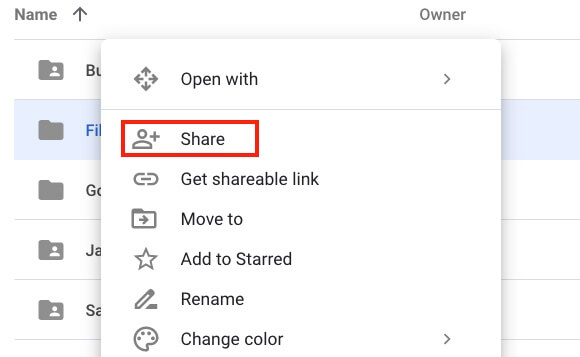
- Choose one of the following sharing options:
- Enter specific email addresses and click “Send”.
- Click “Copy link” to generate a shareable link.
Under “General access”, choose:
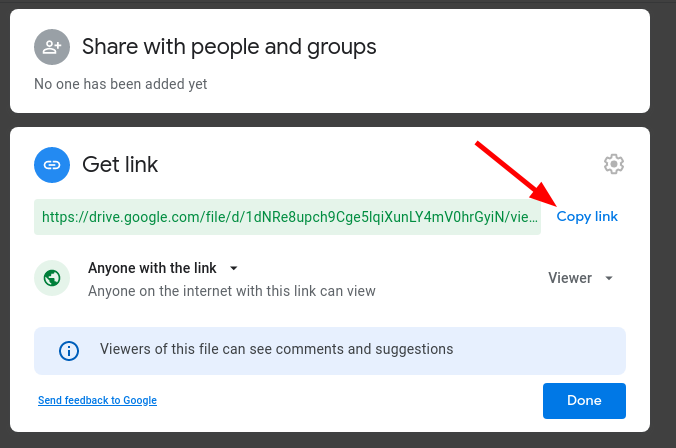
- Restricted (only selected people can access)
- Anyone with the link (anyone with the link can access)
With Internxt file compressor
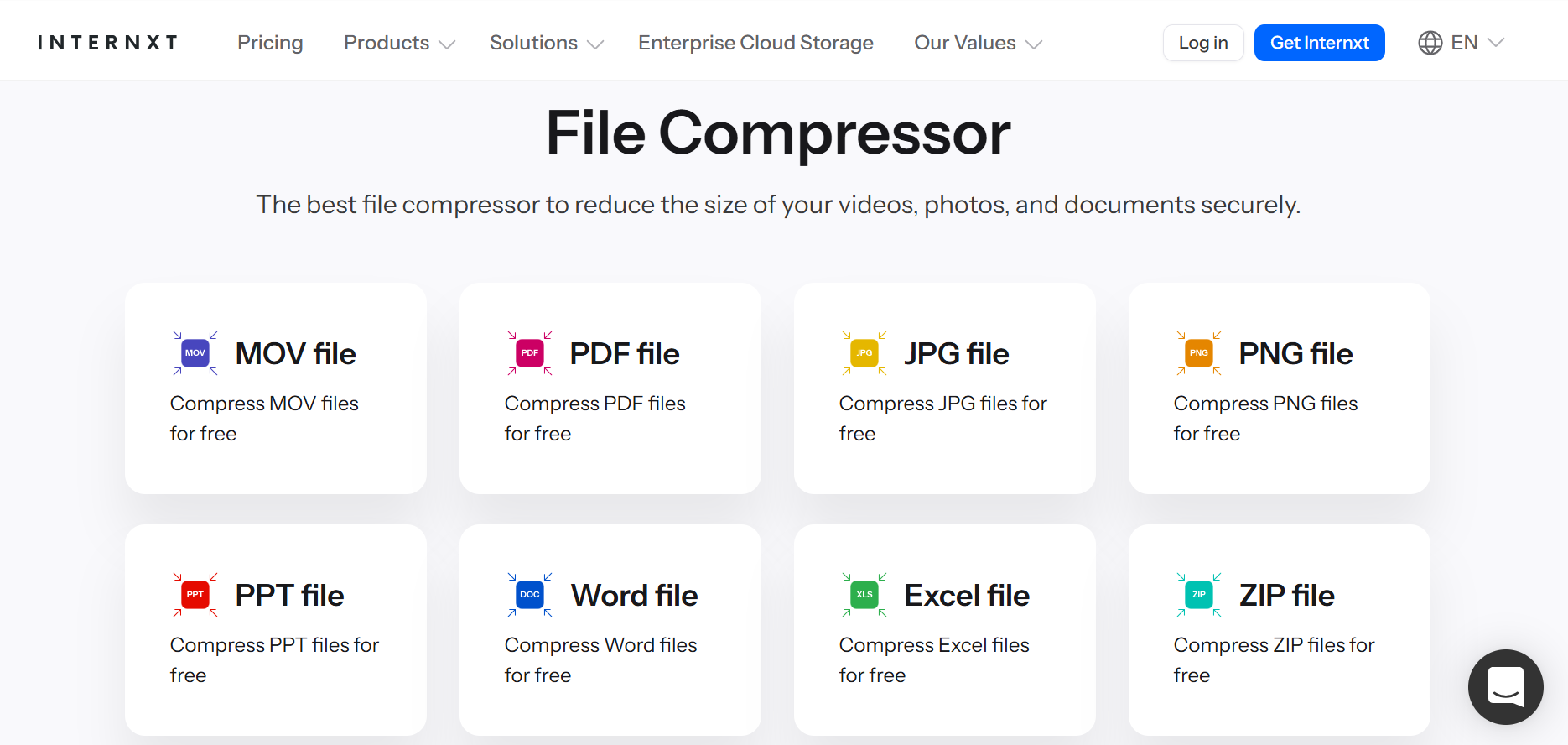
For files close to the attachment limit, you can use Internxt’s free file compressor to reduce the file sizes for videos, PDFs, or photos without reducing the quality.
Internxt’s file compressor does not collect any data from the files you upload, and everything is deleted from our servers once the file compression is complete.
How to share large video files from an iPhone
If you’re an Apple user looking to find out how to share large video files from your iPhone or iCloud account, follow these steps.
Airdrop
Apple AirDrop allows you to wirelessly send large videos to others with Apple devices, such as iPads or iPhones.
It’s one of the best methods for sending large videos online, as there are no size limits, but you need to be within Bluetooth or Wi-Fi range to send files.

Before you send files with AirDrop, check:
- You and the recipient have AirDrop and Bluetooth turned on
- Your personal hotspots are turned off
- Your recipient has set their AirDrop receiving settings to Contacts Only. If you’re not in your recipient’s contacts, have them set their receiving settings to Everyone.
To send a file using AirDrop:
- Tap the file you want to send and select the Share icon at the bottom left (rectangle with an up arrow).
- Tap the AirDrop icon.
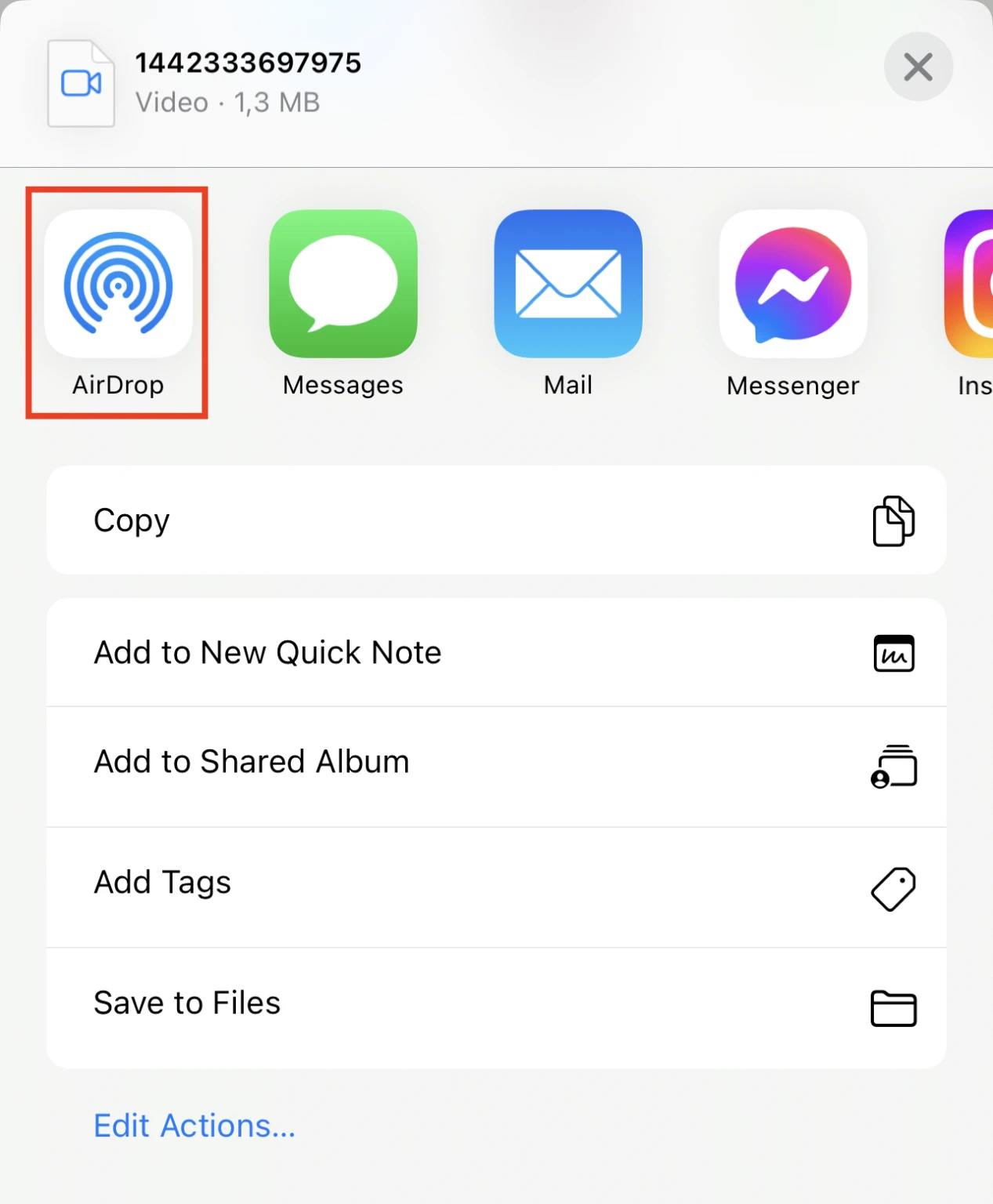
- Tap the AirDrop user you’d like to share the file with. Alternatively, you can send the file to other Apple devices you own.
- Ask your recipient to accept the share request to receive your file.
If you’re sending files with AirDrop, be aware that people within range of your Bluetooth can learn your email address and phone number, so keep it turned off when you’re not using it.
Internxt iOS app
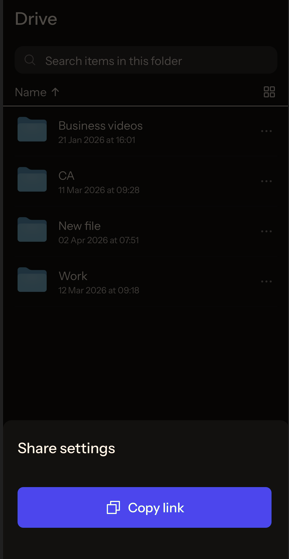
To share large videos via the Internxt Drive iOS app, you can upload your files via the web or desktop apps, which will sync the video file to your mobile.
Otherwise, you can upload your video directly from the app by logging in to your Internxt account and pressing the + symbol from the bottom toolbar and following these steps:
- Log in to your Internxt account
- Navigate to “Drive” from the bottom toolbar
- Choose the file you want to share and click the ⋯ icon
- Click “Get link”
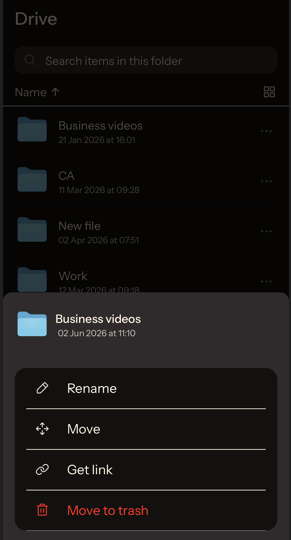
- This will generate your link
- Once generated, click “Copy link”
iCloud
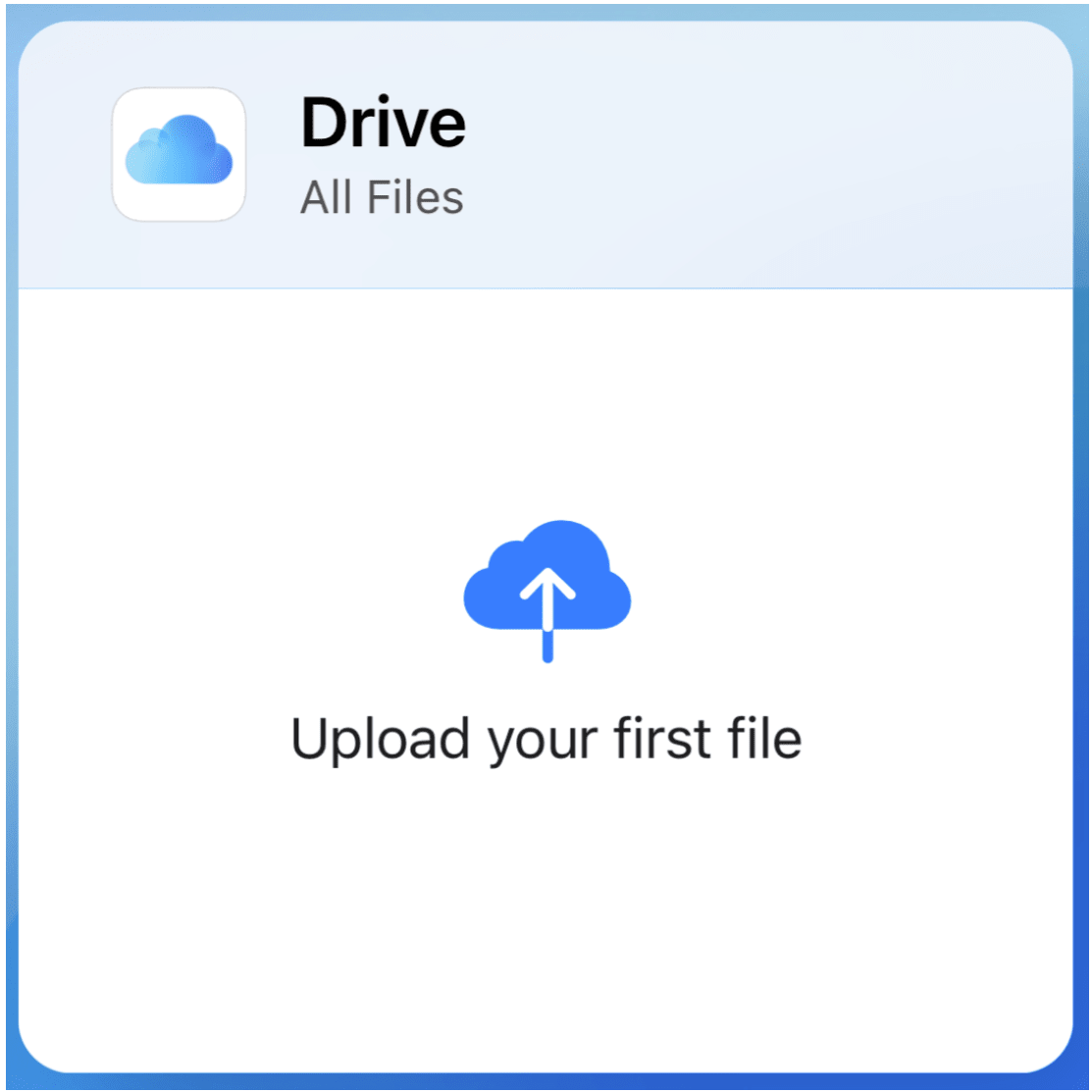
iCloud is Apple’s offering in the cloud storage market to store, sync, and back up your files to the cloud.
To share files with iCloud:
- Sign in to your iCloud account.
- Drag and drop the file you’d like to share to the Drive section.
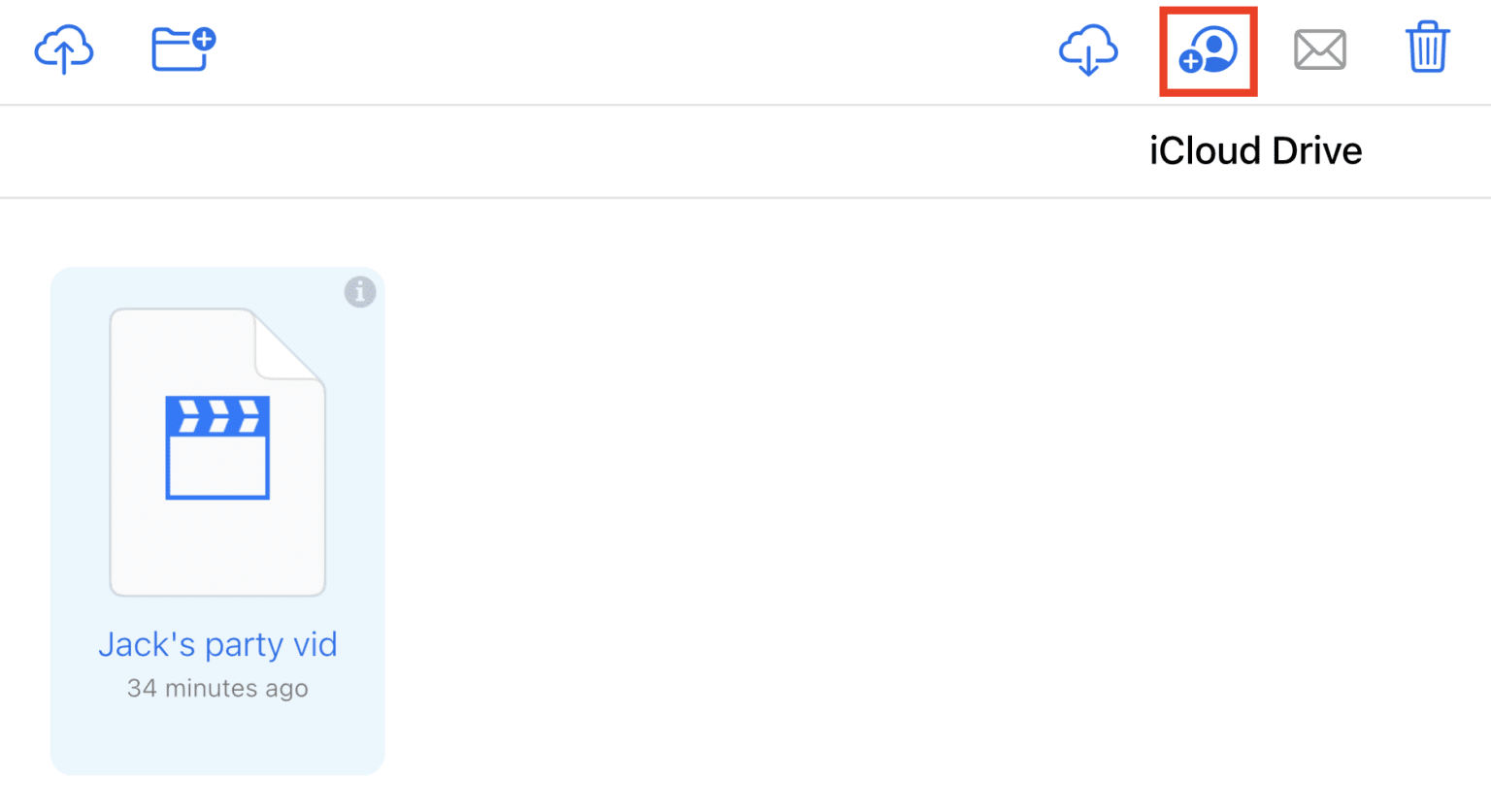
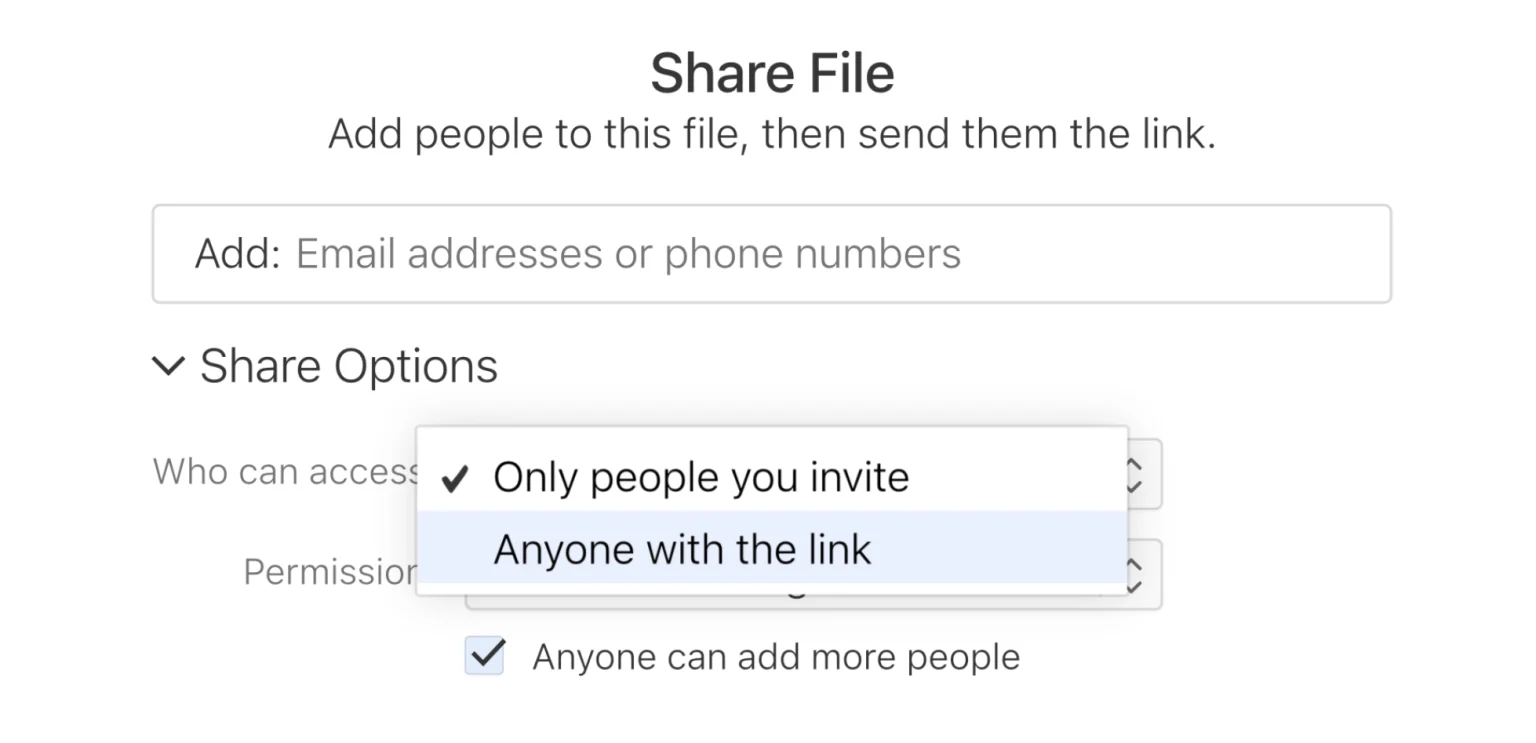
- Select the file and click the “Share” button at the top right.
- Enter the email address or phone number of your recipient(s) and click “Share”.
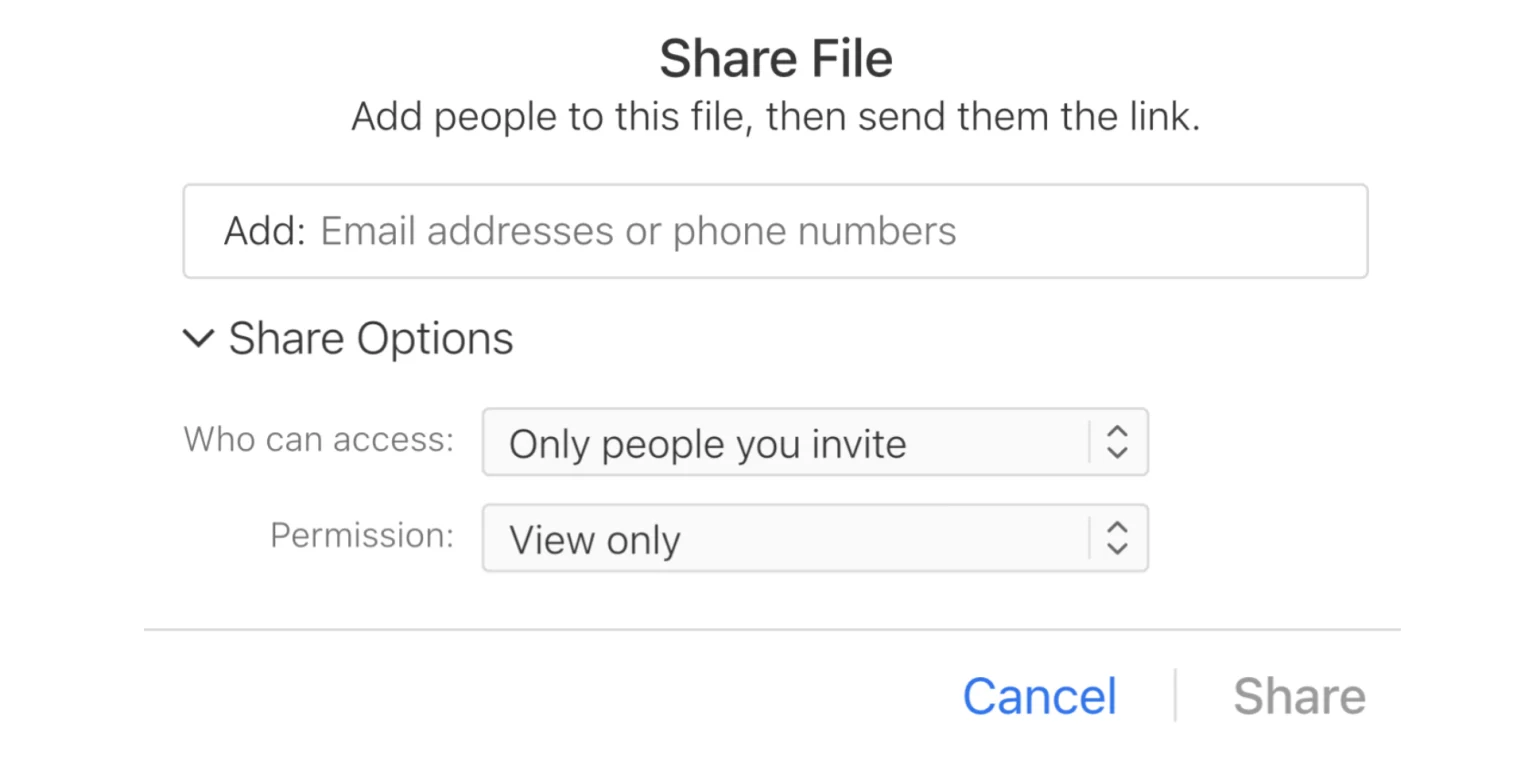
- You can also share the file by selecting “Anyone with the link”, which will open a new window with a link to your file. Copy the link and send it.
How to share large video files from an Android device
Google Photos
Google Photos is a cloud-based service that lets you back up, organize, and automatically store and back up videos in the cloud.
While it has additional features such as advanced AI search, tools to edit, create albums, and free up storage, it does not include advanced privacy features such as E2E encryption or password protection.
Any videos you upload to Google Photos (or Drive) can be accessed by Google as it holds your private encryption key, so for full privacy for your videos, consider installing the Internxt Android app.
To send large videos via the Google Photos app:
- Open your phone’s photos app and find the video you want to share.
- Tap and hold the video until a toolbar menu appears. Tap on the Share icon.
- In the pop-up window, tap Create link. Copy and paste the link to share it with your recipient.
- Alternatively, you can also choose to share the link directly to an app (for example, WhatsApp).
Internxt Android app
To share large videos via the Internxt Drive app, you can upload your files via the web or desktop apps, which will sync the video file to your mobile.
Otherwise, you can upload your video directly from the app by logging in to your Internxt account and pressing the + symbol from the bottom toolbar and following these steps:
- Log in to your Internxt account
- Navigate to “Drive” from the bottom toolbar
- Choose the file you want to share and click the ⋯ icon
- Click “Get link”
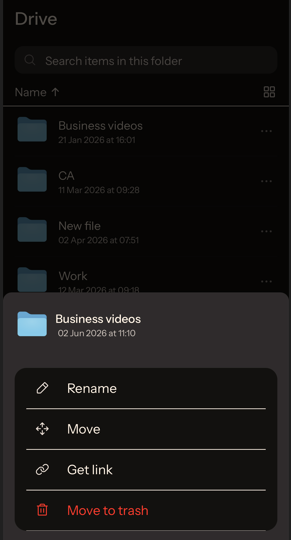
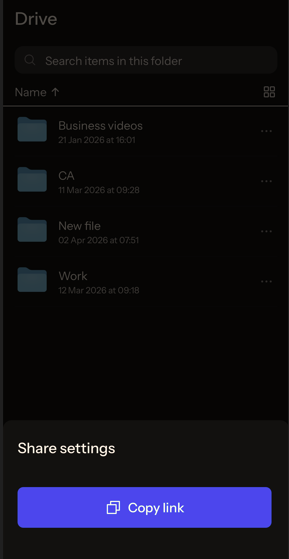
- This will generate your link
- Once generated, click “Copy link”
What is the best way to send large video files?
The best way to send large video files is with cloud storage or file transfer services. As not all of these services use ZKE to ensure your privacy, the best service you can use is Internxt Drive or Send.
Internxt is the first cloud storage with post-quantum encryption, available on free and paid plans. All videos and files you share with Internxt include this protection with AES 256 and Kyber 512 encryption, ensuring only you and the people you share files with can access them.
You can join Internxt for free, or get started from €1.99 a month with this 85% discount.
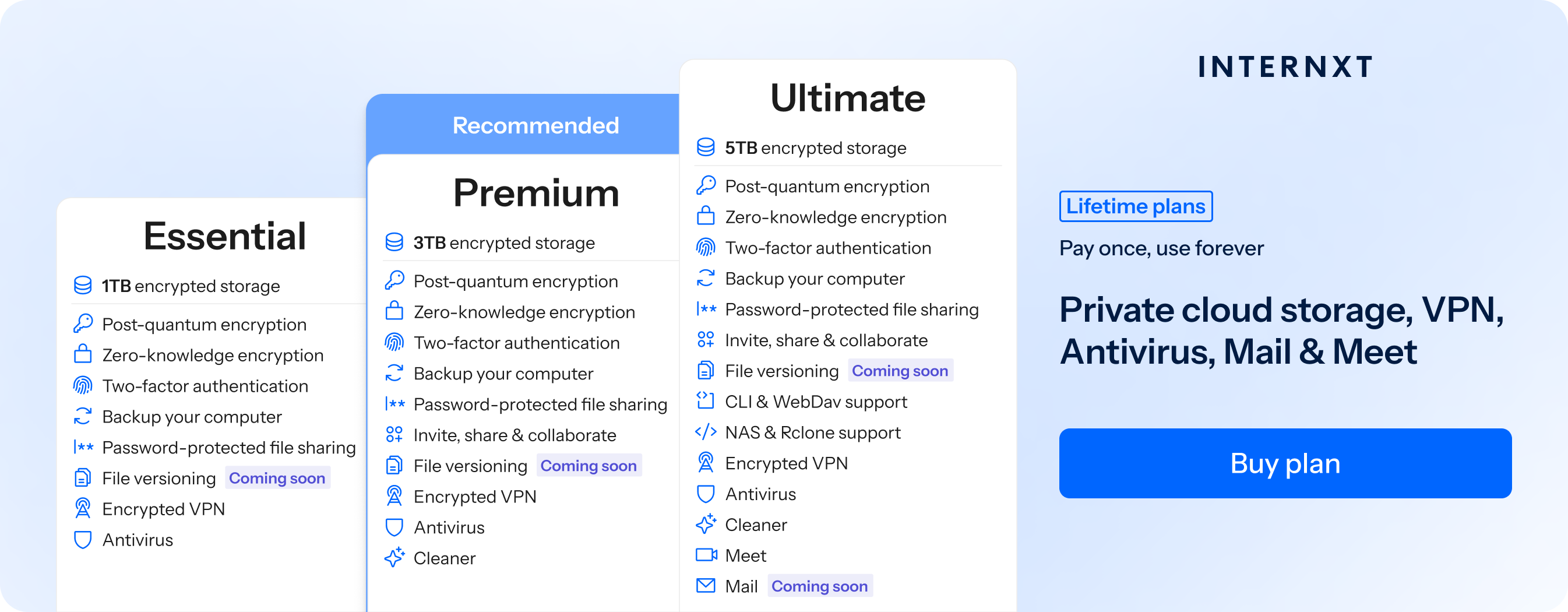
Not only that, Internxt Drive includes a full privacy suite of NAS support for QNAP and Synology, Rclone, VPN, Meet, Mail, and more.
Related articles
Is WhatsApp safe for sending private photos
Best free file-sharing services
Frequently asked questions
How can I send large video files for free?
Internxt Send is a free service to send large video files for free with zero-knowledge encryption, and no log in or credit card details are required.
With a free Internxt account, you can also share files, or consider upgrading to access extra products such as VPN, Antivirus, Meet, and more.
How can I send a 10 GB video online?
You can use Internxt Send to transfer files of up to 5GB, or sign up for an Internxt Drive account, where you can send videos of up to 10GB, and get extra features such as password-protected file sharing.
How can I email a video that exceeds the 25 MB attachment limit?
If a video is slightly over the 25MB limit of most email attachments, you can use Internxt’s file compressor for free to reduce the file size and send a video via an email attachment.
How can I send very large video files without losing quality?
Use cloud storage like Internxt Drive, which sends files with a privately encrypted link that doesn’t compress your files to keep the quality of the original video.
Also of interest to you...