
Sending Encrypted Files Online: The Secure, Private Way

Sending encrypted files is the only way to ensure your files are protected against data breaches and unauthorized access. Without encryption, your personal documents are available for everyone to see.
Encryption is an essential part of our work and personal lives; from messaging, cloud storage, and file sharing, it helps keep our files protected and our data hidden from hackers.
This is why Internxt Drive and Internxt Send offer the best way to send encrypted files, protected with zero-knowledge encryption so only you and the people you share your files with can access them.
Find out more about the importance of encryption, how to send encrypted files, and how to maintain your privacy online in a personal and business environment.
Table of contents
- The challenges of sending files securely
- What does sending encrypted files mean?
- Why encryption is important
- Features to look for when sending encrypted files
- Other ways to send encrypted files
- Common mistakes to avoid when sending encrypted files
- Frequently asked questions
The challenges of sending files securely
Email limitations
Email is one of the most common ways to share files, but it is not designed for secure file transfers, nor is it meant to send large files, as the average upload limit with email providers sits between 20 and 25 MB.
This limitation makes it unsuitable to send high-resolution images, videos, or large documents, so you need an alternative when sending large files online.
Providers like Gmail or Outlook also don’t provide end-to-end encryption, so confidential files are at risk of being viewed by the provider or may be exposed during delivery if an account is compromised.
If you need to send small documents with end-to-end encryption, then Internxt Mail is a private and encrypted email service to send messages and share small documents via email securely and privately.
Sending sensitive documents
Personal information, financial records, business documents, and confidential files need protection to prevent unauthorised access, data breaches, or other cyberattacks.
Data encryption helps protect files by converting them into unreadable data that can only be accessed by approved recipients with the correct permissions or decryption key. Services with end-to-end encryption, which we cover below, are therefore the best way to send encrypted files.
Large file limits
To avoid the limits of email, you can share files with encrypted cloud storage or file-sharing services, but be aware of limitations when using these services, such as encryption, file size limits, or transfer allowances.
What does sending encrypted files mean?
Encrypting a file protects your data by converting it into unreadable code before, during, or after it is transferred to protect the files from being intercepted by hackers during the transfer process.
The majority of the time, the encryption is automatic, so when you send an encrypted file, only the authorised recipients with the correct encryption key or credentials can access it.
Encryption before upload
Zero-knowledge cloud storage and file sharing services like Internxt and Internxt Send encrypt a file on your device before it leaves your computer or mobile device. As a result, neither the service nor anyone else can view its contents with this encryption model.
Encryption during transfer (TLS)
Encryption during transfer uses Transport Layer Security (TLS) to create a secure connection between your device and the receiving server. This protects files from being intercepted while they are uploaded or downloaded across the internet, but it does not encrypt the files once they reach the server.
Encryption at rest
Encryption at rest protects files after they have been uploaded and stored on a server or cloud storage platform. If someone gains unauthorised access to the storage system or physical drives, the encrypted files remain unreadable without the appropriate encryption keys.
Services like Dropbox, Google Drive, and file-sharing platforms like WeTransfer combine encryption during transfer and encryption at rest, but not end-to-end encryption.
So the best way to send encrypted files in total privacy is to elect zero-knowledge encrypted services, or other alternatives featured in this article.
Password protection vs encryption
Password protection controls who can open or access a file, while encryption protects the file's contents by converting them into unreadable data. A password-protected file may still use encryption, but password protection alone is not the same as strong encryption and should be used as an additional security layer for an encrypted file.
Why encryption is important
Without encryption, files can potentially be accessed by attackers, exposed through data breaches, or viewed by people who were not intended to receive them.
For personal use, encryption ensures that whatever you send, it remains secure and inaccessible to external parties.
For businesses, encryption also helps meet data protection and compliance requirements by reducing the risk of data leaks and unauthorised access, especially when sharing confidential files such as financial records, business documents, personal information, legal documents, and private communications.
If these ever became leaked or accessed without permission, businesses could face compliance fines and loss of revenue due to personal client or business information leaking online.
Features to look for when sending encrypted files
Encryption
Choose services with zero-knowledge encryption for maximum privacy and ensure only you and the people you choose to share files with can see its contents. Zero-knowledge encryption is especially important when sharing highly sensitive information, such as personal data, financial records, or confidential business documents.
Password protection
Password protection adds an extra security layer by requiring recipients to enter a password before accessing a file or download link. It’s recommended to password-protect all files when sharing files online to prevent unauthorised users from opening files if a link is accidentally shared or accessed by the wrong person.
Like with your accounts, password-protected file sharing should be combined with a strong password to prevent hackers from compromising your password; for this, you can use Internxt’s free strong password generator.
Expiring links
Expiring links automatically disable file access after a set period. This prevents files from remaining available indefinitely and reduces the chance of unauthorised access in the future. Expiring links are useful for one-time file transfers, client documents, and temporary sharing.
With cloud sharing, you can manage and revoke access to shared links from your account. File sharing services may offer link expiration after a set period, or allow you to set the date for the link expiration.
Download tracking
Download tracking lets you view and monitor file access, such as when a file was downloaded and sometimes who accessed it to identify unusual access attempts. This is useful for businesses that need visibility over shared documents.
Access controls and audit logs
Access controls allow senders to manage who can view, download, or edit files. Audit logs record actions such as file access, downloads, and changes, creating a record of activity. These features are important for organisations that handle sensitive information and need accountability over file usage.
Large file support
Large file support means you can easily send files without worrying about email attachment limits. For large files, it’s best to look for services that offer file sharing starting from 5 GB so you can share large video files, backups, design files, datasets, and other high-volume content.
Services that support larger file sizes make it easier to transfer files without compressing them or splitting them into multiple parts.
Other ways to send encrypted files
Below are other alternatives for sending encrypted files online.
| Method | Security | Large Files | Ease of Use | Example |
|---|---|---|---|---|
| Encrypted cloud storage | High | Excellent | Easy | Internxt Drive |
| Password-protected ZIP | Medium | Good | Moderate | 7-Zip |
| Secure file transfer service | Very High | Excellent | Easy | Internxt Send |
| SFTP | Very High | Excellent | Technical | OpenSSH SFTP |
| Encrypted email | Good | Poor | Easy | Internxt Mail |
How to send large files encrypted with Internxt
Internxt Drive
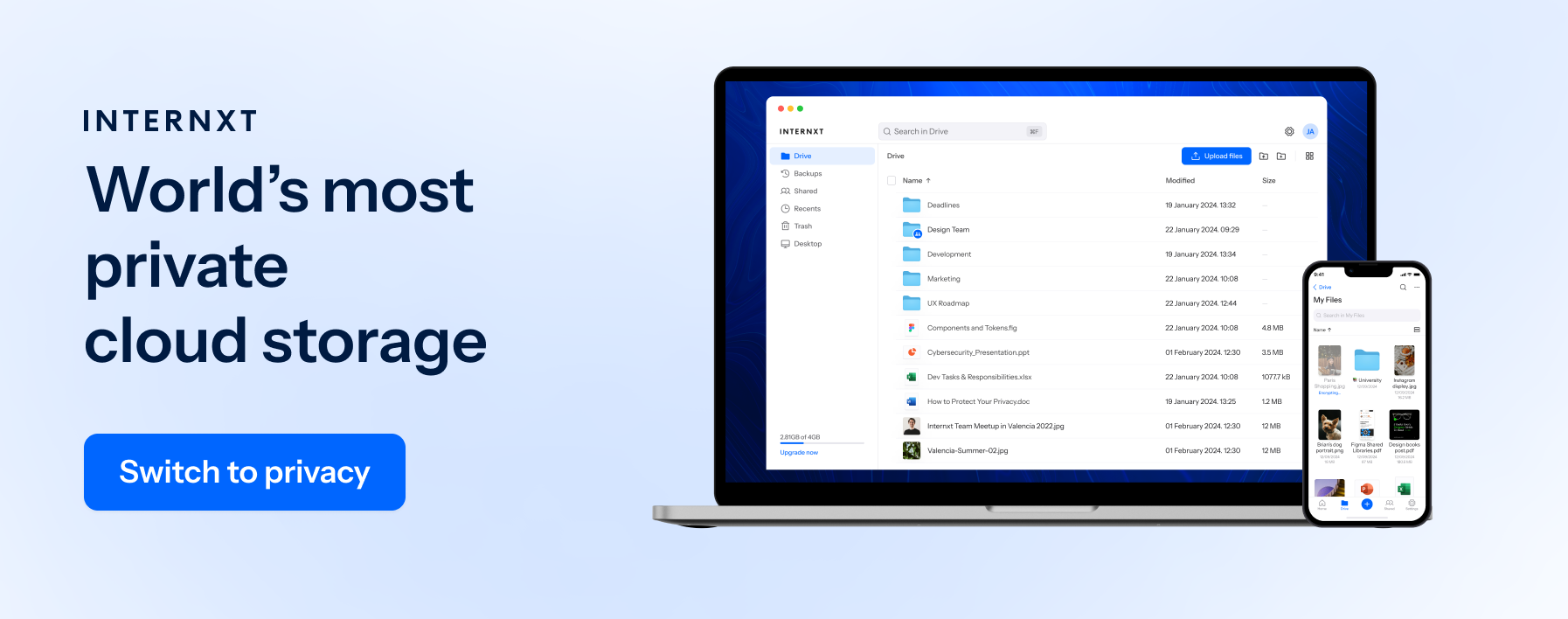
Keep your confidential documents, large videos, and business or personal data secure with Internxt’s post-quantum and zero-knowledge encrypted file sharing features.
Internxt Drive includes advanced features to help secure and improve your workflow, with file sharing features including:
- Send files via link or email
- Password-protection
- Collaboration and editing
- Monitor and revoke access
- End-to-end encryption
- GDPR, ISO 27001, SOC 2, and HIPAA compliant
Internxt secure cloud storage is the best way to send encrypted files combined with secure cloud storage for photographers, businesses, freelancers, and anyone who wants to send files encrypted with guaranteed privacy.
As well as sending encrypted files, Internxt offers additional features to protect your privacy online, such as a VPN to secure your connection, Antivirus to keep your device free from viruses, and a private, encrypted email if you need to send small attachments in privacy.
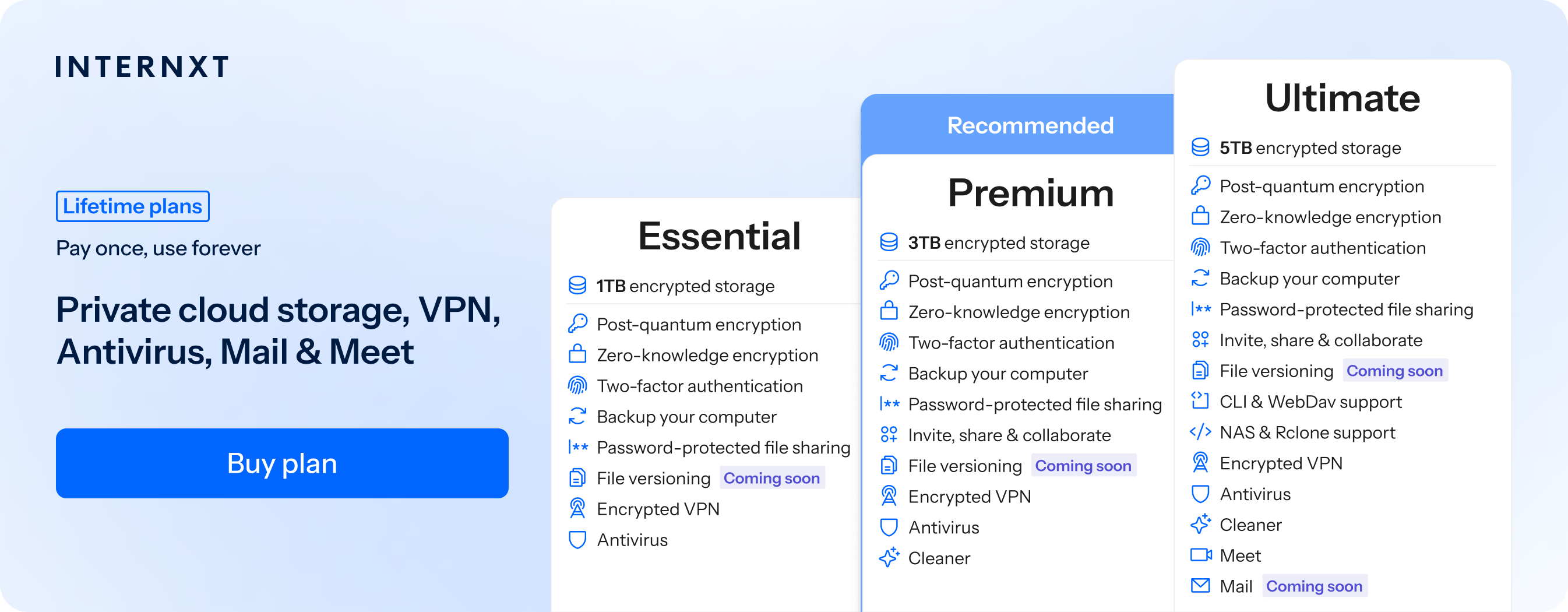
The full features of all Internxt plans can be viewed below, and follow this link to get 85% off all annual and lifetime plans.
| Plan | Storage | Features | Annual (Paid monthly) | Lifetime Cost |
|---|---|---|---|---|
| Essential | 1TB | €1.99/month | €380 | |
| Premium | 3TB |
|
€3.99/month | €580 |
| Ultimate | 5TB |
|
€5.99/month | €780 |
| *Prices are correct at the time of writing and are subject to change. For latest prices, check https://internxt.com/pricing | ||||
Internxt Send
For free, private file sharing, you can send files securely with end-to-end encryption for files and folders up to 5GB with Internxt Send via email or a secure link. Send supports all file formats, allowing you to send personal projects privately, from videos to PDFs.
You can share files in just a few simple steps, and the encryption automatically starts on your device, keeping your files secure before they are sent to their destination. For added security, links will automatically expire after 15 days to prevent unauthorized access in the future.
Common mistakes to avoid when sending encrypted files
Sending passwords in the same email
If you password protect your files, let people know what the password is in a separate email or message. If someone gains access to that email, whether through a hacked account, a compromised mail server, or an accidentally forwarded message, they have both the encrypted file and the password needed to open it.
Leaving links active
Leaving file-sharing links active for longer than necessary increases the chance that unauthorized people will access your files. A link can be forwarded, leaked in an email, or discovered if someone gains access to a recipient's account.
Once the recipient has downloaded the file, disable the link or set it to expire automatically. This limits the amount of time the file is accessible and reduces the risk of unauthorized access.
Sharing public folders
Public links allow anyone with the link to access a file, which increases the risk of unauthorised downloads. If a link is forwarded or exposed, sensitive information may be accessed by unintended recipients. Use restricted access links that require verification or authentication where possible.
Weak passwords
Weak passwords are easier for attackers to guess or crack, even when a file is encrypted. Using short or common passwords can allow unauthorised users to access protected files. You should therefore use the same security practices as you would with your personal accounts, by using passwords that use a combination of letters, numbers, and symbols.
Frequently asked questions
Can I send encrypted files through email?
Yes, but the average limit when sending files via email is between 20 and 25 MB, so it is only enough to send small files. Some email services are not end-to-end encrypted, so if you want to send files privately by email, then Internxt Mail is the best option.
What's the best way to send large encrypted files?
Sending encrypted files the best way is by using cloud storage or secure file sharing services with zero-knowledge encryption like Internxt Drive or Send.
With end-to-end encryption, nobody but you and those with permission can view or edit your files.
How do I encrypt a file before sending?
If you use services with end-to-end encryption, then your files are automatically encrypted on your device and secured before they leave your device, making privacy and security convenient and worry-free.
You can also encrypt files manually using tools like password-protected ZIP archives or encryption software before sending them.
Is password protection enough?
Password protection is only as strong as the passwords you create. Even with the best encryption, a weak password can still leave shared files vulnerable, so make sure you use a strong password or passphrase to prevent files from being compromised.
How large can encrypted files be?
Different services have different limits depending on free or paid plans. Internxt offers large file sharing for up to 5GB with Send, and 10GB for Internxt Drive.
Also of interest to you...