
The 10 Best Cloud Storage for Photographers [2026]

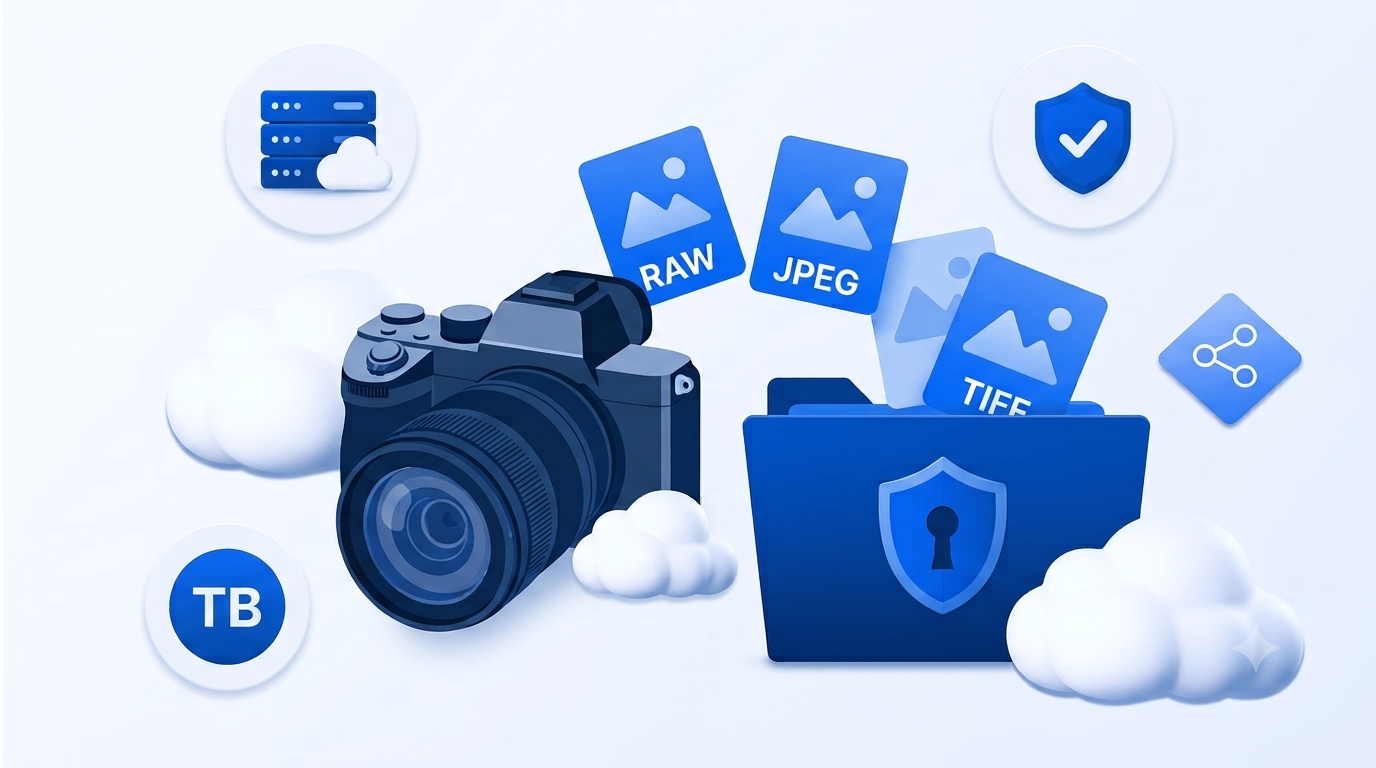
General cloud storage and photo storage for photographers are similar in the sense that photos are stored in the cloud, but professional photographers have different requirements when choosing the best cloud storage for photographers.
For this reason, this article covers cloud storage for photography enthusiasts, whether you do it for a hobby or professionally; we cover everything, including:
- Features, pricing
- RAW photo cloud storage
- Best cloud backup for photos
- How much storage photographers need
- Which is the best cloud storage for your needs
- How to choose the right storage option
Table of contents
- How much cloud storage do photographers need?
- What is cloud storage for photographers?
- How to choose the best cloud storage for photographers
- The 12 best cloud storage for photographers
- What’s the best cloud storage for photographers?
- Related products
- Frequently asked questions
How much cloud storage do photographers need?
Depending on how you work in photography, you will need to consider small or larger plans to meet your current and future needs.
The guide below gives you a general idea based on how many and the types of photos you take.
- Hobbyist: Between 100 GB and 500 GB (enough for~20,000–100,000 standard JPEG photos or ~2,000–10,000 RAW photos)
- Enthusiast: Between 500 GB and 2 TB (enough for ~100,000–400,000 standard JPEG photos or ~10,000–40,000 RAW photos)
- Professional: Between 2 TB and 10 TB (enough for ~400,000–2,000,000 standard JPEG photos or ~40,000–200,000 RAW photos)
- Wedding photographer: From 10 TB+ (enough for ~2,000,000 standard JPEG photos or ~200,000 RAW photos)
- Commercial studio: From 20 TB+ (~4,000,000 standard JPEG photos or ~400,000 RAW photos)
What is cloud storage for photographers?
General cloud storage is an online service that lets you store, access, sync, and share files over the internet.
Cloud storage for photographers offers the same core functionality but is specifically designed for managing photo libraries, with features such as RAW photo support, client galleries, editing integrations, and automatic photo backups.
Cloud storage for photos focuses on the complete photography workflow. Instead of simply storing files, these platforms help photographers organize their libraries, protect their work with automatic backups, share galleries with clients, sell prints, and collaborate on projects.
Below, you can find a more detailed comparison between general and photo storage for professionals.
| General cloud storage | Cloud storage for photographers |
|---|---|
| Stores any type of file | Built specifically for storing and managing photos |
| Basic file sharing | Client galleries with customizable sharing options |
| Limited photo organization | Advanced photo organization with albums, metadata, and AI search |
| May support RAW files as downloads only | Designed to store and manage large RAW photo libraries |
| No proofing tools | Client proofing and photo selection features |
| No print sales | Integrated print stores and digital downloads on many platforms |
| Few editing integrations | Integrates with software like Adobe Lightroom on many services |
| General backup features | Automatic photo backup and syncing across photography devices |
| Suitable for everyday users | Designed for hobbyists, enthusiasts, and professional photographers |
How to choose the best cloud storage for photographers
RAW photo cloud storage and why it's important
RAW photo cloud storage is designed to store original, uncompressed image files captured by DSLR and mirrorless cameras.

Unlike JPEGs, RAW files preserve all the image data recorded by the camera sensor, giving photographers much greater flexibility when editing exposure, color, white balance, and other settings.
RAW files are significantly larger than standard photo formats, ranging from 20 to 100 MB, so photographers need hundreds of gigabytes at the very least or even several terabytes of cloud storage to back up their work.
Secure backups
Your cloud storage should automatically back up your photos to protect them from accidental deletion, hardware failure, theft, or ransomware.
The best cloud backup for photos includes automatic syncing, such as Internxt Photos or Google Photos, to ensure your latest photos are safely stored without requiring manual uploads.
Storage capacity
Photo libraries grow quickly, especially if you need RAW cloud storage specifically. For this, free cloud storage probably isn’t enough, so you should choose a provider with enough storage for your current collection and future shoots.
Many photographers start with 1 TB, while professionals often require several terabytes of storage.
If you need more than 10TB of storage, services like Internxt S3 let you scale storage to adapt to your needs, or you may want to consider unlimited cloud storage options.
End-to-end encryption
If privacy is your main concern for your photos, you may want to avoid mainstream cloud storage and choose a provider with end-to-end encryption like Internxt.
End-to-end encryption is included in the best secure photo apps and ensures only you can access your files because they are encrypted before they leave your device.
This provides a higher level of privacy than standard cloud encryption, making it ideal for photographers storing sensitive client work or personal photo libraries.

Client sharing and album sharing
If you work with clients, look for cloud storage that lets you create shareable galleries or albums with password protection, download permissions, and proofing features. These tools make it easier to deliver photos professionally, collaborate with clients, and send large files securely.
Lightroom compatibility
If you edit your photos in Adobe Lightroom, choose a service that integrates with Lightroom to sync photos, upload, and organize edited images more efficiently.
Pricing
If you do photography as a hobby, then a free cloud account or free trial that has a limit of 1,000 photos may be enough.
Compare both the storage included and the monthly or annual cost, or whether lifetime cloud storage is worth the investment. Consider whether you're paying for storage alone or additional tools like client galleries, print sales, portfolio websites, or editing integrations.
The 12 best cloud storage for photographers
Internxt Drive & Photos (best for photographers who need privacy)
Internxt offers encrypted cloud storage for photos for photographers who need end-to-end encrypted storage and automatic backup and syncing for their photos and albums.
Best for:
- Professional photographers
- Freelance creatives
- Privacy-conscious users
- Long-term photo backup
- RAW photo cloud storage
- Secure client file delivery
Features:
- Zero-knowledge, post-quantum encryption
- Sync your photos across all devices
- Automatic backups
- Secure file sharing via link or email
- Includes a full privacy suite of Meet, Mail, and more
Plans:
- 1GB free storage
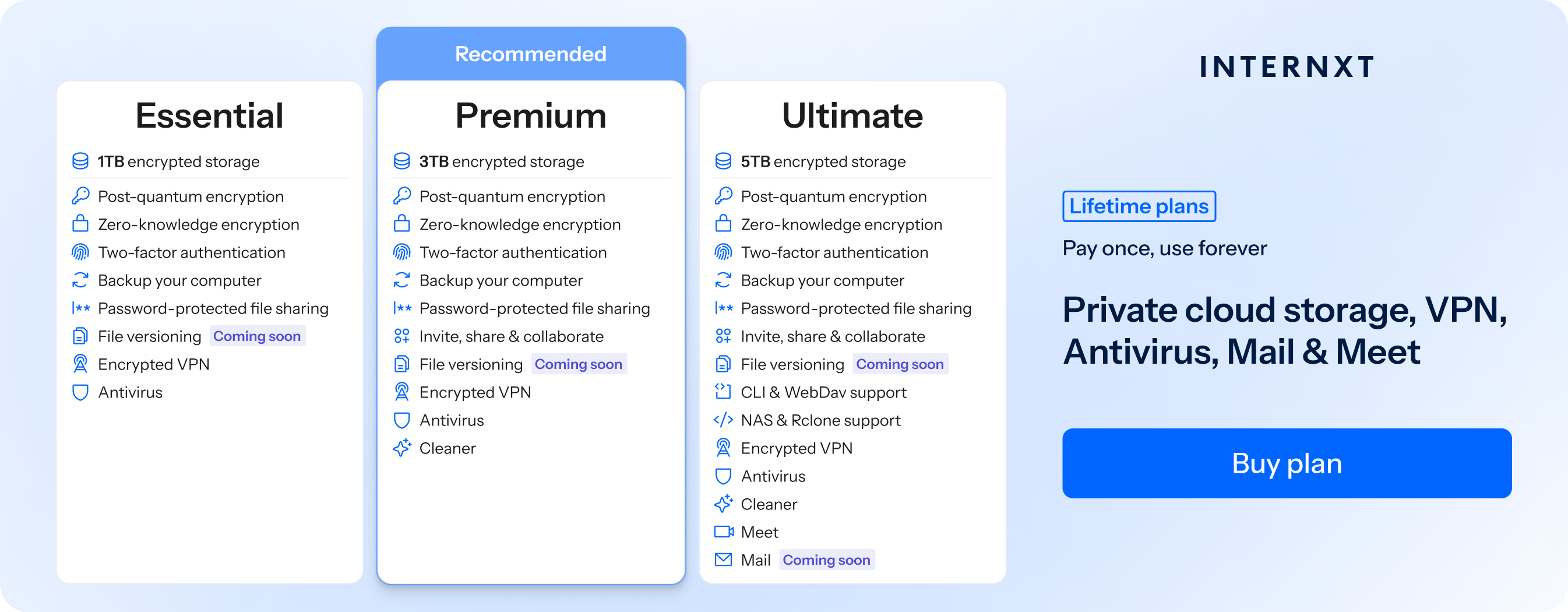
- From €1.99/month or €285 for lifetime (1TB Essential plan with 85% special offer)
Overall ranking: ⭐⭐⭐⭐⭐
| Plan | Storage | Features | Annual (Paid monthly) | Lifetime Cost |
|---|---|---|---|---|
| Essential | 1TB | €1.99/month | €380 | |
| Premium | 3TB |
|
€3.99/month | €580 |
| Ultimate | 5TB |
|
€5.99/month | €780 |
| *Prices are correct at the time of writing and are subject to change. For latest prices, check https://internxt.com/pricing | ||||
Google Photos (Best for Android users)
Google Photos is a popular option due to its high free storage plan, automatic photo backup, AI-powered organization, and easy sharing across all their devices.
Best for:
- Family
- Travel
- Everyday photography
- Photography hobbyists
Features:
- Automatic backup
- AI photo search
- Magic Editor
- Cross-device syncing
Plans:
- 15 GB free storage
- Google One starts at US$1.99/month (100 GB)
Overall ranking: ⭐⭐⭐⭐
iCloud (Best for Apple users)
If you’re considering Google Photos vs iCloud, then iCloud offers automatic photo syncing, seamless integration across Apple devices, and secure backup for Apple users.
Best for:
- iPhone photographers
- Apple users
- Family
- Mobile photography
Features:
- Automatic photo syncing
- Shared Albums
- Original-quality photo storage
- RAW support
- End-to-end encryption for supported data with Advanced Data Protection enabled
Plans:
- 5 GB free storage
- Starts at US$0.99/month (50 GB)
Overall ranking: ⭐⭐⭐⭐
Pic-Time (Best overall photographer platform)
Pic-Time offers photo storage for professionals among other features for those who need beautiful client galleries, secure photo delivery, proofing tools, and integrated print sales to manage and share their work professionally.

Best for:
- Wedding
- Portrait
- Family
- Commercial
Features:
- Unlimited client galleries
- Beautiful client experience
- Print store
- AI sales automation
- Album proofing
- Video support
- Lightroom plugin
Plans:
- 3 GB free storage (free plan)
- Starts at ~US$10/month
Overall ranking: ⭐⭐⭐⭐
Pixieset (Best for client galleries)
Pixieset offers client galleries, proofing tools, online stores, and business management features to deliver, share, and sell their work professionally
Best for:
- Wedding
- Portrait
- Family
- Event
Features:
- Unlimited client galleries
- Print store
- Mobile gallery apps
- Custom branding & domain
- Video support
- RAW photo uploads (Pro plan and above)
Plans:
- 3 GB free storage (free plan)
- Starts at US$8/month
Overall ranking: ⭐⭐⭐⭐
Adobe Lightroom Cloud (Best for Adobe photographers)
Adobe Lightroom Cloud is one of the most popular photo storage for professionals as its plans include RAW editing, cloud syncing, AI-powered organization, and access to their photo library across desktop, mobile, and web.
Best for:
- Professional
- Landscape
- Travel
- Wildlife
- Commercial
Features:
- Cloud-based RAW photo storage
- Lightroom Classic integration
- AI-powered search
- Automatic cloud syncing
- Shared albums
- Adobe Camera Raw support
Plans:
- No free storage plan
- Starts at US$11.99/month (1 TB Lightroom plan)
Overall ranking: ⭐⭐⭐⭐
Mylio Photos + (Best for photographers with multiple devices)
Mylio Photos+ offers photo management for photographers who need to organize, sync, and back up their photo libraries across multiple devices without relying on a single cloud provider.
Best for:
- Travel
- Wildlife
- Hobbyist
- Family
- Professional
Features:
- Sync across unlimited devices
- Works with NAS devices
- Automatic backup
- AI features
- Offline access
- Duplicate photo detection
- RAW file support
Plans:
- Free plan available
- Starts at approximately US$14.99/month (Photos+)
Overall ranking: ⭐⭐⭐⭐
Zenfolio (Best for photography businesses)
Zenfolio offers client galleries, proofing, online sales, and business management tools to showcase and sell their work professionally.
Best for:
- Wedding
- Portrait
- Family
- School
Features:
- Unlimited photo storage
- Client galleries
- Online proofing
- Invoicing
- Custom domains
- Lightroom integration
Plans:
- No free storage plan
- Starts at approximately US$9/month (annual billing)
Overall ranking: ⭐⭐⭐⭐
SmugMug (Best for unlimited photo storage)
SmugMug is popular as it offers unlimited cloud storage for photographers who need secure photo backup, client galleries, portfolio websites, and print sales in one platform.
Best for:
- Wedding
- Portrait
- Landscape
- Wildlife
- Commercial
Features:
- Unlimited photo & video storage
- Client galleries
- Password-protected sharing
- Lightroom integration
- Watermarking
- Privacy controls
Plans:
- No free storage plan
- Starts at US$20/month (annual billing)
Overall ranking: ⭐⭐⭐⭐
Flickr (Best for photo sharing)
Flickr is a community and cloud platform for those who need a large online photo library, community exposure, and photo sharing alongside secure cloud backup.
Best for:
- Hobbyists
- Landscape
- Travel
- Wildlife
- Street
Features:
- Photographer profiles
- Public and private sharing
- RAW file uploads
- Statistics
- Unlimited storage with Pro
- Flickr community discovery
Plans:
- Free plan (up to 1,000 photos)
- Flickr Pro starts at approximately US$10.44/month (annual billing)
Overall ranking: ⭐⭐⭐⭐
Backblaze (Best for automatic photo backup)
Backblaze also offers unlimited cloud backups for photographers who need automatic, secure, off-site protection for their RAW photos and photo libraries without having to manually manage their backups.
Best for:
- Professional photographers
- Photography enthusiasts
- RAW photo backup
- Long-term photo archives
- Disaster recovery
Features:
- Unlimited and unlimited cloud backups
- File version history
- Optional private encryption key
- Restore by download
- USB drive restore
Plans:
- No free storage plan (15-day free trial)
- Starts at US$9/month or US$99/year (Personal Backup)
Overall ranking: ⭐⭐⭐⭐
Amazon Photos (Best for Amazon Prime members)
Since Amazon Drive is no longer available, Amazon Photos is the alternative option for photo backup, automatic syncing, and unlimited photo storage with an Amazon Prime membership.
Best for:
- Photography enthusiasts
- Family
- Travel
- Mobile photography
- Amazon Prime members
Features:
- Unlimited full-resolution photo storage (Prime members)
- Automatic photo backup
- Automatic syncing across devices
- RAW photo support
- Family Vault (share with up to five family members)
Plans:
- 5 GB free storage (When you create an Amazon account)
- Unlimited photo storage + 5 GB video storage with Amazon Prime
- Additional storage plans start at US$0.99/month (50 GB)
Overall ranking: ⭐⭐⭐⭐
What’s the best cloud storage for photographers?
Now that we’ve covered the best photo storage for professionals, individuals, hobbyists, and others, choosing which is the best cloud storage for photographers depends on your workflow, budget, and priorities.
Here are the best options based on different needs.
| If you... | Best choice | Why? |
|---|---|---|
| Need maximum privacy and security | Internxt Drive & Photos iCloud (Advanced Data Protection) |
Internxt uses zero-knowledge encryption, while iCloud offers end-to-end encryption with Advanced Data Protection enabled. |
| Are a professional photographer | Pic-Time SmugMug |
Both provide professional tools for storing, managing, and delivering large photo libraries. |
| Want unlimited photo storage | SmugMug Amazon Photos (Prime) |
SmugMug includes unlimited storage, while Amazon Photos offers unlimited photo storage with a Prime membership. |
| Primarily shoot in RAW | Adobe Lightroom Cloud SmugMug |
Both support RAW photo workflows, with Lightroom also offering cloud-based editing. |
| Need automatic photo backup | Internxt Photos Amazon Photos |
Both automatically back up and sync your photos across your devices. |
| Want the best free plan | Google Photos Flickr |
Google Photos includes 15 GB of free storage, while Flickr lets you store up to 1,000 photos for free. |
| Want to sell prints online | Pic-Time SmugMug |
Both include integrated print stores and client ordering features. |
| Need a photography business platform | Zenfolio Pixieset |
Both combine cloud storage with client galleries and business management tools. |
| Need the best cloud backup for photos | Backblaze Internxt Drive & Photos |
Backblaze specializes in automatic cloud backups, while Internxt combines encrypted storage with automatic photo backup. |
Related products

Frequently asked questions
What is the best cloud backup for photos?
If you're looking for secure, privacy-focused backups, Internxt is an excellent choice thanks to its end-to-end encryption and automatic photo backup. If you need unlimited automatic backups for large photo libraries, Backblaze is one of the best options available.
For additional protection, you choose the best cloud backup for photos that meet your needs and follow the 3-2-1 backup rule by keeping your photos on your computer, an external hard drive, and in the cloud.
How much storage do photographers need?
As a general guide, hobbyists usually need between 100 GB and 500 GB; amateur photographers are better suited to between 500 GB and 2 TB.
Professional photographers typically need 2 TB to 10 TB or more, especially if they regularly shoot in RAW or cover weddings, events, commercial projects, or other high-volume work.
Is cloud storage safe for RAW files?
Yes, cloud storage is safe for RAW files as long as you choose a reputable provider.
If privacy is your top priority, choose a provider that offers end-to-end or zero-knowledge encryption, such as Internxt, so only you can access your RAW files.
What is the cheapest cloud storage for large photo libraries?
Internxt offers one of the lowest entry prices, with plans starting from €1.99/month for 1 TB.
Google One plans start at US$1.99/month for 100 GB, while iCloud starts at US$0.99/month for 50 GB, although these smaller plans are better suited to casual photographers than large photo libraries.
Amazon Photos also provides unlimited full-resolution photo storage as part of an Amazon Prime membership.
SmugMug is the most expensive entry-level option, starting at US$20/month for unlimited photo and video storage alongside photography-specific features such as client galleries, portfolio websites, and print sales.
Also of interest to you...