
WeTransfer vs Dropbox: Which One Should You Choose? [2026]

Need to send a file quickly online but not sure which service to use?
This article covers WeTransfer and Dropbox, and when you should pick a file-sharing service, or if you should send via your cloud storage provider instead.
So, if you’re considering WeTransfer vs Dropbox, there are a few things to consider beforehand, which we will cover extensively, with topics including:
- WeTransfer vs Dropbox differences
- When to choose file sharing or cloud storage
- Free vs paid plans
- Pricing
- Security and encryption
- Private alternatives to both
Table of contents
- WeTransfer vs Dropbox: What’s the difference?
- WeTransfer vs Dropbox free and paid plans
- WeTransfer vs Dropbox file size limits and what you can send (real-world examples)
- Dropbox vs WeTransfer, which one should you choose?
- WeTransfer vs Dropbox: how safe is your personal data?
- Alternatives to WeTransfer and Dropbox
- Related products
- Frequently asked questions
WeTransfer vs Dropbox: What’s the difference?
WeTransfer is for sending files quickly to other people.
You upload files, get a link, and share it. It is best for one-time transfers and does not focus on long-term storage or organization and is not designed for ongoing access or collaboration.
Dropbox, on the other hand, is for storing, syncing, and organizing files over time.
It also offers file sharing features for files or folders by sending a link or inviting people. They can view, download, or edit depending on permissions, and the file stays stored in your account so it can be updated over time.
In short, WeTransfer is for quick sending, while Dropbox is for cloud storage rather than single transfers.
WeTransfer vs Dropbox free and paid plans
WeTransfer free plan
A WeTransfer free plan is enough for occasional use, as it has the following restrictions:
- Share and receive up to 3 GB / month
- 10 transfers per month
- Transfer expiry up to 7 days
This means that:
- If you send one 3 GB file, you've used your entire 30-day data allowance.
- If you send three 1 GB files, you've also reached the 3 GB limit.
- If you send ten 200 MB files, you'll hit the 10-transfer limit even though you've only sent 2 GB.
Therefore, if you need to send large video files regularly between clients, WeTransfer may be enough for one video, but you will hit your data allowance and can’t use it for another 30 days.
If you need unlimited file sharing, with no login or payment details required, Internxt Send is a secure and encrypted alternative to WeTransfer, allowing you to send up to 5GB of files for free, as many times as you like.
WeTransfer paid plans
Starter (for individuals)
€8/month
- Share and receive up to 300GB per month
Ultimate (for individuals)
€23/month
- No limits on the transfer size
- Unlimited transfers per month
- Unlimited transfer expiration
- Custom branding per transfer
- Automatic malware scanning
- Subscribers benefits
- Recover expired transfers
Teams (up to 50 users)
€19/user/month, minimum of 2 users
- Everything in Ultimate, plus:
- Team creation
- Up to 50 members in your team
- Centralized billing
Enterprise (50+ users)
Contact support for pricing
- Everything in Teams, plus:
- Unlimited members in your team
- Custom transfer rules
- Premium support
- Single sign-on (SSO)
- Advanced access management
- Usage and security logs
Additional features include:
- Custom links
- Custom transfer wallpapers
- Shared branding
- Social links
While WeTransfer may be a suitable option for teams or enterprises, €23/month to get unlimited file sharing is a heavy investment when free file sharing options with zero-knowledge encryption are available for free with Internxt Send.
Dropbox vs WeTransfer free & paid plan
The main differences when checking WeTransfer vs Dropbox are that WeTransfer focuses entirely on file sharing features, whereas Dropbox offers file sharing, cloud storage, and more.
With a free Dropbox plan, you get:
- 2 GB of cloud storage
- Share files and folders using shareable links
- Create shared folders for collaboration with other users
- Option to leave comments on shared files and folders
- Access to files from web, mobile, and desktop apps
- Basic file recovery and version history (up to 30 days)
Some advanced sharing features are not included in the free plan, such as:
- Password-protected shared links
- Custom link expiration dates
- Advanced access controls and analytics
- Higher storage and larger collaboration capabilities
Dropbox paid plans start at €11.99/month and go up to €21.50/ month for the most advanced plan, so it is significantly cheaper than WeTransfer.
For more details on Dropbox pricing and its cloud storage features, check out our article below.
WeTransfer vs Dropbox file size limits and what you can send (real-world examples)
A free WeTransfer plan allows 3GB of file sharing per month, which is enough for:
- About 1 to 3 minutes of 4K video (4K video is very large, often 1 GB per minute or more depending on compression)
- Around 30 to 100 HD photos (depending on resolution and file format; RAW files are much larger, JPEGs are smaller)
- Hundreds to thousands of documents (PDFs, Word files, etc., since they are usually very small in size)
For unlimited file sharing, a paid WeTransfer account is required.
Dropbox is for storing and syncing files over time, so the free cloud storage of 2 GB is shared across everything you keep, including file sharing, so 2 GB will allow for roughly the same size to share videos, photos, or documents.
For larger file sharing, Internxt Send offers up to 5GB of file sharing for free, without needing to create an account, so if you need to send large videos, photo albums, or documents, Internxt is the better option.
Dropbox vs WeTransfer, which one should you choose?
When to use WeTransfer: when you need to quickly send large files to someone once, without creating an account or setting up storage. It is best for one-time sharing and simple delivery.
When to use Dropbox: when you need cloud storage or collaboration on files and folders over time. It is better for organizing files, syncing across devices, and working with others regularly.
When to use an alternative: For zero-knowledge encrypted file sharing, which neither Dropbox nor WeTransfer offers, you should use Internxt Send or Internxt Drive to share files online securely and in total privacy.
WeTransfer vs Dropbox: how safe is your personal data?
Encryption
For data encryption, Dropbox and WeTransfer both use encryption in transit with TLS (HTTPS) and encrypt files at rest using AES-256.
However, neither option offers zero-knowledge encryption for its file sharing or cloud storage services, meaning:
- WeTransfer or Dropbox can access your files if required for legal, security, or service reasons
- Files are encrypted, but the company holds the encryption keys, so it is not end-to-end encrypted
- Data could be scanned for abuse detection, compliance, or service improvement
- If accounts are compromised, attackers may access more data because decryption is possible on the server side
- Government or legal requests can force access to stored content in some cases
Therefore, if you need to send private documents and ensure maximum confidentiality and privacy, the best alternative is a service with zero-knowledge encryption, such as Internxt Send or Internxt Drive, a private alternative to Dropbox and WeTransfer.
Privacy policy: what data do WeTransfer and Dropbox collect?
WeTransfer collects a lot of data about you from:
- Information you provide,
- Information collected automatically
- Information received from other sources.
According to its privacy policy, WeTransfer collects a lot of data about you, your devices, including:
- Files, photos, videos, audio, metadata, messages, comments, reviews, and descriptions.
- Device model, OS, IP address, system language, device ID, and uses this to determine your approximate location.
WeTransfer also faced criticism when updating its privacy policy, with many users voicing their concerns that the company was using data from their files to train its AI and machine learning models.
Similarly, Dropbox also collects data on:
- Account information such as name, email, password, and billing details
- Files you upload, store, or share on the platform
- Metadata about your files such as file names, size, type, and when they were created or modified
- Usage data like how you interact with Dropbox, device information, IP address, and logs of activity
- Sharing data such as who you share files with and when links are accessed
Therefore, if you want your data handled privately, neither WeTransfer nor Dropbox is the best option, so you are best choosing a company that protects your data, rather than profits from it, like Internxt.
Transparency
Open source software allows security experts to verify the security of platforms, check for vulnerabilities, updates, or if there are any backdoors to your data.
Dropbox and WeTransfer are not open source, so you have to trust that they have no access to your personal data and that their platform is secure.
Data breaches
Both Dropbox and WeTransfer have faced security breaches in the past, which put user accounts, emails, and shared files at risk.
Dropbox leaked 68 million user passwords in 2012, and in 2019, a system error with WeTransfer caused emails to be leaked, and many people received the wrong shared files, leaking potentially confidential information.
Alternatives to WeTransfer and Dropbox
Internxt Drive
Internxt Drive offers post-quantum and zero-knowledge encrypted cloud storage and file sharing to share private videos, photos, and more in total privacy.
With Internxt, you have total control over who can access your files, as the encryption keys are held on your device, so not even Internxt can see them.
When you share files, the recipient doesn’t need an Internxt account to download them, and you can send up to 10GB of files, enough for:
- About 6 to 10 minutes of 4K HD video (depending on quality and compression)
- About 10 to 25 minutes of HD video (1080p, depending on bitrate)
- Around 100 to 300 HD photos (fewer if RAW, more if compressed JPEG)
- Several thousand documents such as PDFs, Word files, and spreadsheets
Additional features include password-protected file sharing, view and revoke access, and file collaboration.
Internxt is fully open source, and GDPR, HIPAA, ISO 27001, and SOC 2 compliant, and independently audited to ensure maximum data protection and security for individual and enterprise use.
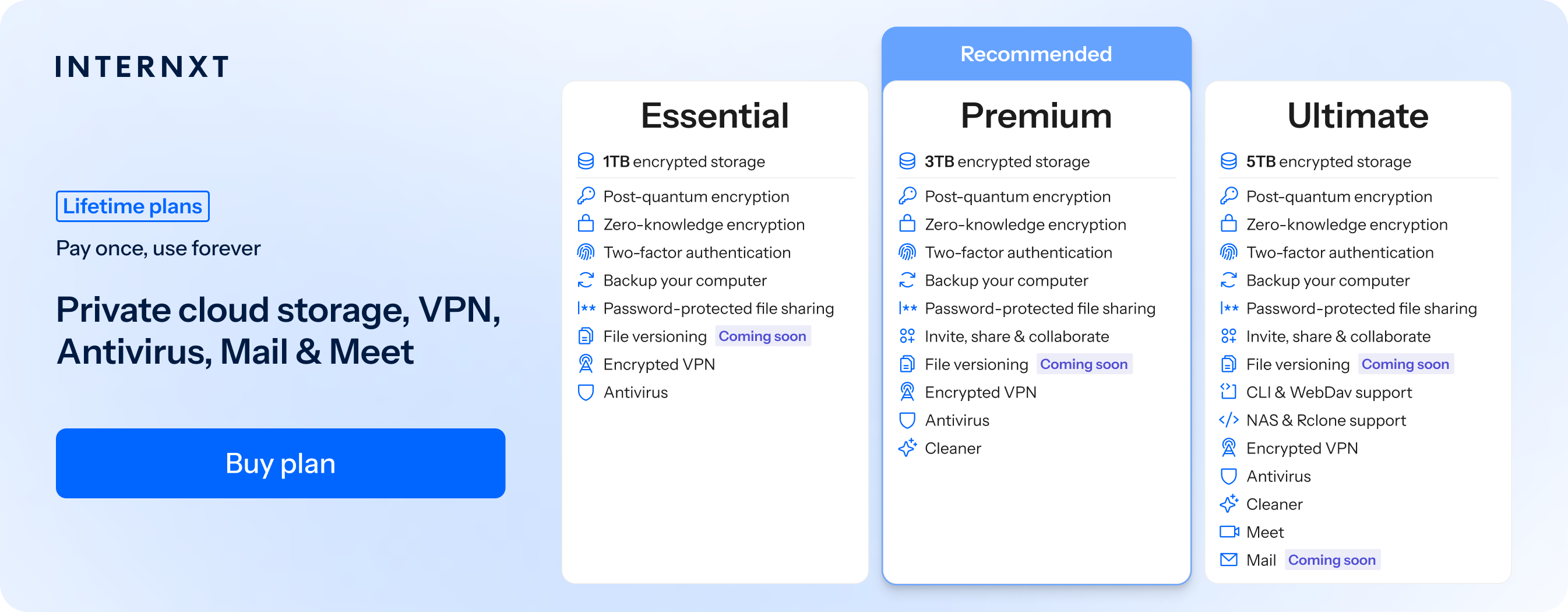
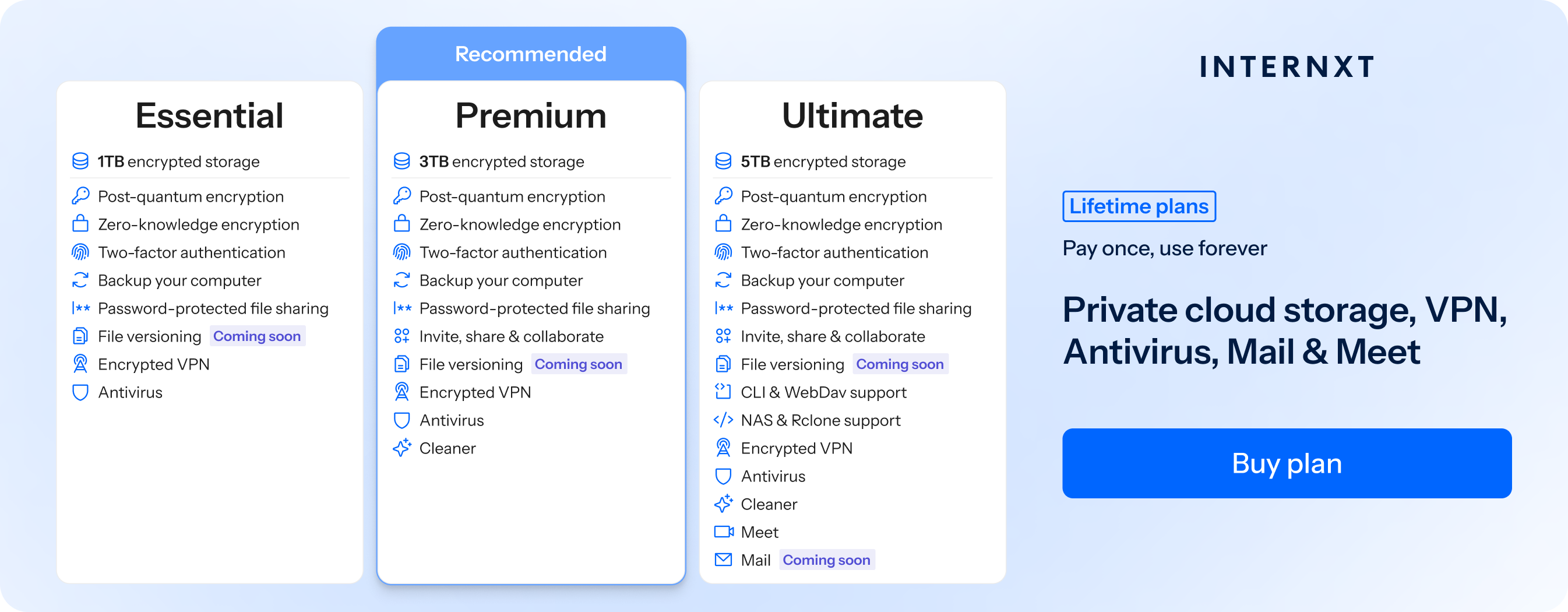
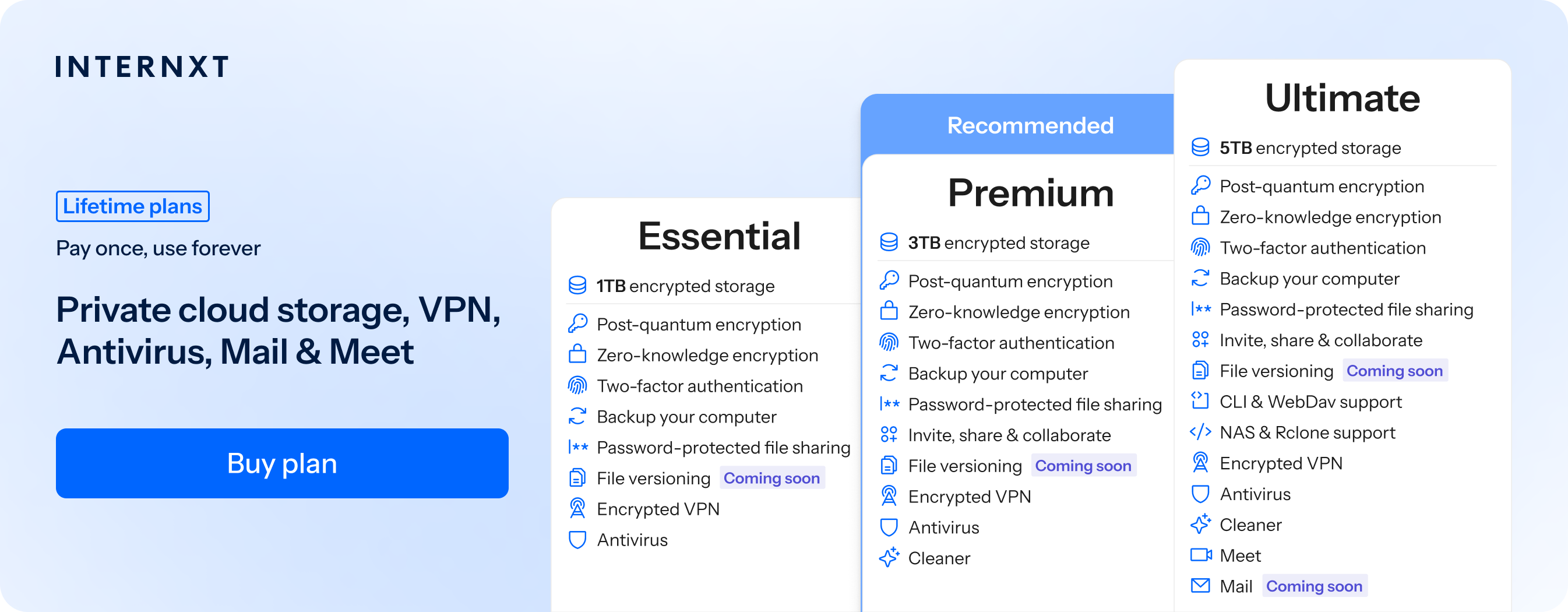
Aside from that, Internxt offers a more expanded product suite than WeTransfer and Dropbox, with Antivirus, VPN, Meet, Mail, and more available, which you can discover with our full list of features below and get started from just €1.99/month.
| Plan | Storage | Features | Annual (Paid monthly) | Lifetime Cost |
|---|---|---|---|---|
| Essential | 1TB | €1.99/month | €380 | |
| Premium | 3TB |
|
€3.99/month | €580 |
| Ultimate | 5TB |
|
€5.99/month | €780 |
| *Prices are correct at the time of writing and are subject to change. For latest prices, check https://internxt.com/pricing | ||||
So if you want to combine secure cloud storage with full privacy online, visit the Internxt website for 85% off all monthly and lifetime plans, and pick your perfect plan.
Internxt Send
You can combine your Internxt Drive plan with our free service, Internxt Send, to get the same zero-knowledge encryption when sending files securely online.
Once you upload your files, you can send the link via email or message, and everything is encrypted on your device for maximum privacy. Files will automatically expire after 15 days, and there are no file transfer limits for the number or size of files you want to share, so you can use the service as often as you want.
No login or other details are required to use Internxt Send, so you know your personal data is protected with Internxt, and your files are protected with the best encryption available and accessible to nobody.
Related products
Frequently asked questions
WeTransfer vs Dropbox: which is faster?
WeTransfer is generally faster for one-time file transfers because you simply upload a file and share a download link. It is designed specifically for sending large files quickly.
Dropbox can take longer for the initial upload because it stores and syncs files to your cloud storage. However, once files are uploaded, sharing them is fast, and only changes to files are synced, making it more efficient for ongoing collaboration.
If you need to send a file once, WeTransfer is usually faster. If you regularly access, update, and share files, Dropbox is the better long-term option.
Is WeTransfer safer than Dropbox?
Neither WeTransfer nor Dropbox is inherently safer than the other. Both use TLS encryption for data in transit and AES-256 encryption for data at rest.
The main difference is privacy, not security. Neither service uses zero knowledge encryption by default, so both companies hold the encryption keys and can technically access your files if required for legal, security, or operational reasons.
If your priority is secure file transfers, then you should choose more private alternatives such as Internxt Send or Drive.
What's the largest file WeTransfer and Dropbox allow?
The largest file size you can send depends on your plan.
With WeTransfer, the free plan lets you send up to 3 GB per transfer, while the Starter plan increases this to 300 GB. Ultimate supports transfers up to 1 TB, and Enterprise plans offer custom limits.
With Dropbox Transfer, the free Basic plan allows transfers of up to 2 GB. Paid plans increase this to up to 250 GB, depending on your subscription.
If you need free file sharing for large files, Internxt Send offers large file transfers for up to 5GB.