
How to Reduce Photo File Size on iPhone: Easy-to-Follow Guide


Our iPhones now have the capability to take amazing, high-quality photos and videos, but they can quickly eat up your storage if you don’t know how to reduce photo size on iPhone, or how to compress a photo on iPhone.
If your cloud storage runs out, you can use the methods in this article to free up the space on your phone or back up your photos on another private alternative to iCloud Photos, like Internxt Drive and Photos.
This article will show you the best methods to optimize your storage, free up your space, compress files, and get the most out of your storage space.
Table of contents
- Why you would need to reduce file sizes on iPhone
- Image settings and file compression on iPhone
- How to reduce photo file size on iPhone from your settings
- How to free up iCloud storage space
- How to compress a photo on iPhone without losing quality
- Overview of how to reduce photo file size on iPhone
- Running out of iPhone storage? Here are your options
- Related products
- Frequently asked questions
Why you would need to reduce file sizes on iPhone
You may be wondering why your cloud storage is filling up so quickly, and it could be due to many factors such as file format, sizing, duplicate photos etc.
So reducing the file sizes and optimizing storage has several benefits, including:
- Free up storage space without deleting as many photos.
- Make it easier to email or upload photos that exceed file size limits.
- Speed up backups to iCloud or other cloud backup services.
- Store more photos on your iPhone or cloud storage account.
- Reduce the amount of storage used by photo libraries and backups.
Image settings and file compression on iPhone
HEIC vs. JPEG
Since iOS 11, Apple has used HEIC (High-Efficiency Image Container), as the default format for all its photos.
The benefit of HEIC images is that they shrink your image file size by up to 50% compared to JPEG files without compromising quality.
Another benefit is that when you share photos, it automatically converts them to a JPEG file if the device doesn’t support HEIC.

JPEG is the most widely used photo format because it’s compatible with all devices and websites, so knowing how to convert from HEIC to JPEG can be useful in some cases if you have an iPhone.
How to reduce photo file size on iPhone from your settings
To start with, Apple has built-in settings you can start with when looking for the best options on how to reduce photo file size on iPhone, which you can try out before using third-party tools.
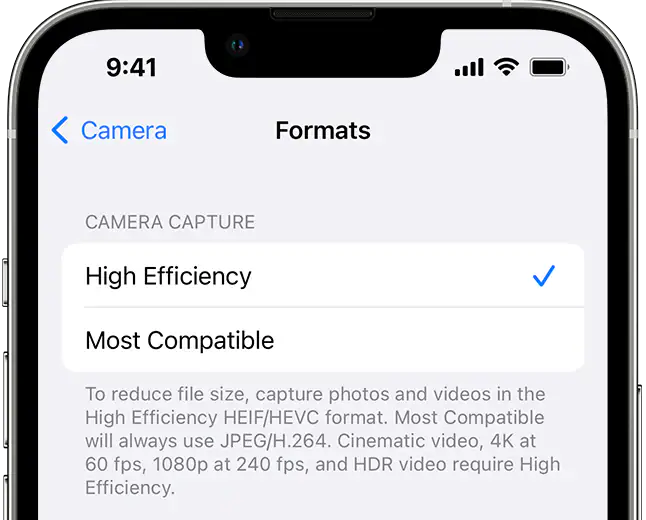
Switch from High Efficiency to Most Compatible (JPEG).
Switching from High Efficiency will save photos in HEIC, which is almost half the size of JPEG and will help you save and back up more photos.
- Open your iPhone Settings
- Go to Camera > Formats
- Select High Efficiency
Turn off Live Photos
Live Photos capture a still image along with a few seconds of video and audio before and after you take the picture.
Turning them off saves only the still image, which uses less storage space and reduces the file size of each photo.
- Open the Camera app.
- Tap the Live Photos icon (the circle icon at the top right).
- When the icon shows a slash through it, Live Photos is turned off.
- Take your photo normally.
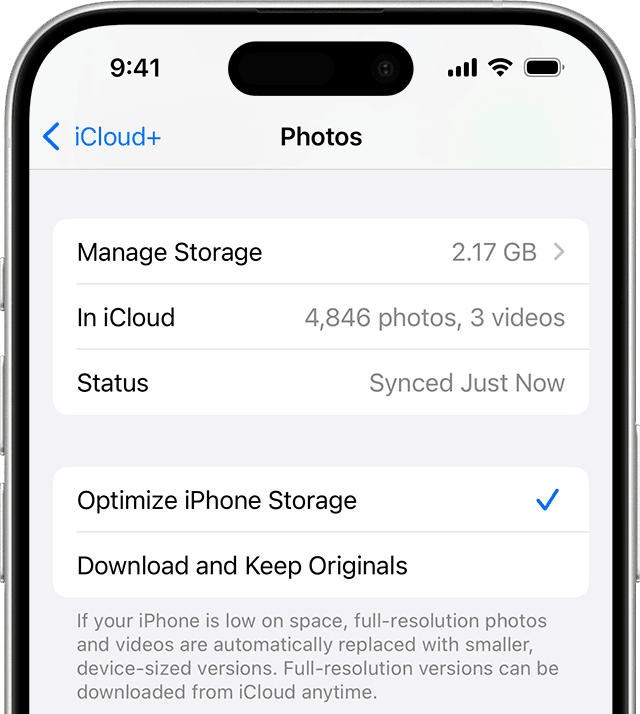
Optimize iPhone Storage
If you are getting cloud storage full messages on your iPhone, one way to free up space is to use the following Optimize Storage option.
- Open the Settings app.
- Tap your name at the top of the screen.
- Tap iCloud.
- Tap Photos.
- Turn on Sync this iPhone if it isn't already enabled.
- Select Optimize iPhone Storage.
- Your iPhone will automatically replace full-resolution photos and videos with smaller versions as more storage space is needed.
How to free up iCloud storage space
As well as reducing photo size on your iPhone, another good practice is managing duplicate photos, backing up important photos, and deleting any unwanted photos.
The best solutions to free up your photos cloud storage on iPhone are:
- Enable iCloud optimization: This should be your first step. It’s the most seamless solution.
- Clean out duplicates: The Photos app automatically finds duplicate photos for you. Go to Photos > Albums > Utilities > Duplicates and merge them to save space. If you don’t see this option, your phone just hasn’t found any duplicate images to merge yet.
- Delete unwanted shots: Regularly review your camera roll for blurry photos, accidental screenshots, and multiple takes of the same scene. A little housekeeping goes a long way.
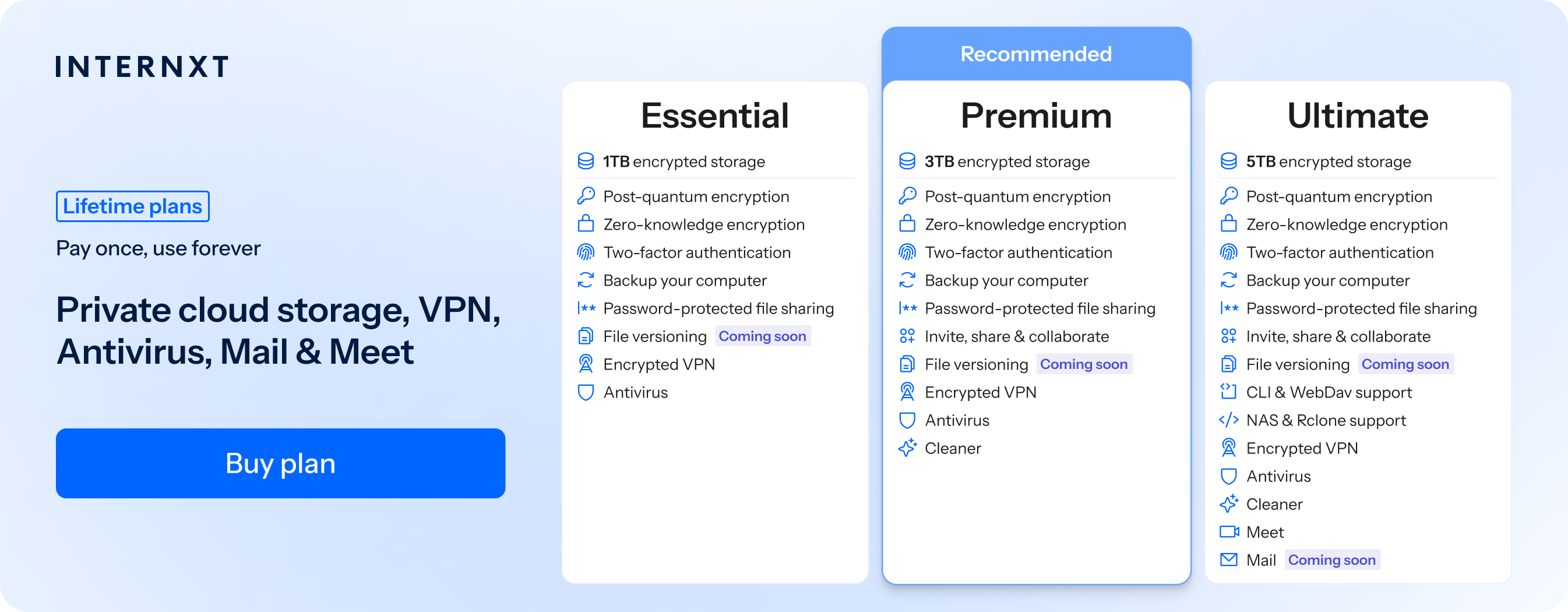
- Keep copies in another cloud: You can free up your iCloud space by backing up your files with another cloud storage provider like Internxt Drive or Internxt Photos; both offer zero-knowledge encryption and automatic backups for extra protection against data loss.
How to compress a photo on iPhone without losing quality
If you’re wondering how to compress a photo on iPhone, unfortunately, you can't compress a photo without any quality loss, but you can reduce its file size while keeping the quality virtually unchanged by using these methods:
- Keep the photo in the HEIC format instead of converting it to JPEG.
- Resize the image dimensions slightly (for example, from 4032 × 3024 to 2048 × 1536).
- Use a high-quality compression setting (around 80–90% quality) when saving as JPEG.
- Remove unnecessary metadata, such as location information, if it isn't needed.
- Use a compression app or online tool that lets you control the compression level so you can balance file size and image quality.
Internxt File Compressor
Internxt File Compressor offers free file compression for a variety of file formats, including JPG and PNG images, MOV, ZIP, PDF, Word, Excel, and PPT.
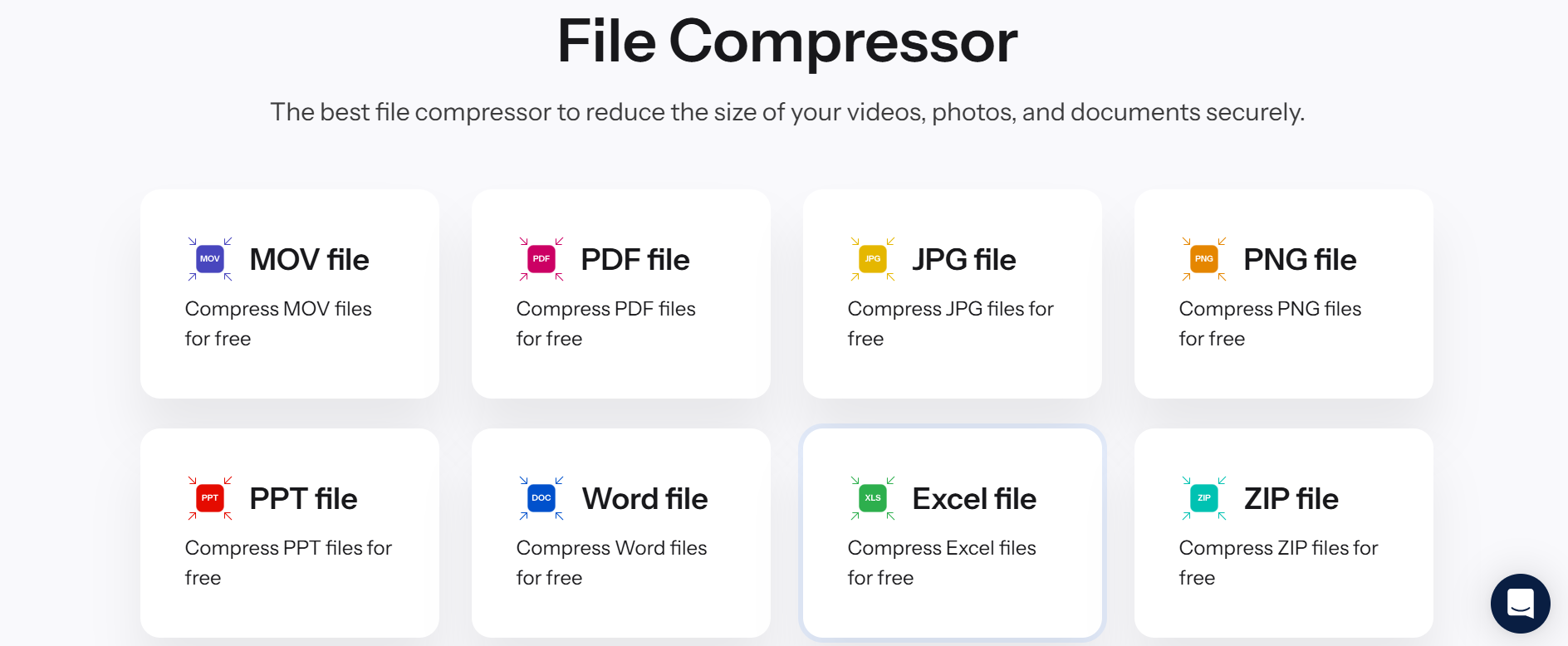
If, for example, you want to know how to compress a photo on iPhone, follow these steps:
- Visit https://internxt.com/file-compressor/compress-jpg
- Drag and drop your file(s) or click Upload JPG file
- Once the compression is complete, your file will automatically download
- Store the new compressed file in your cloud storage
Overview of how to reduce photo file size on iPhone
Now you know how to reduce photo file size on iPhone, and the different benefits of each way. Below you can find a quick summary of which method is best for.
| Method | Best for |
|---|---|
| Shoot in HEIC | Getting the best size-to-quality ratio. |
| Optimize iPhone Storage | Automatically managing storage with minimal effort. |
| Record video in 1080p | Saving storage space compared to recording in 4K. |
| Internxt File Compressor | Shrinking photos before emailing, sharing, or messaging them. |
| Perform regular cleanups | Freeing up more storage space. |
| Back up photos | Protecting against data loss or accidental deletion. |
Running out of iPhone storage? Here are your options
The different methods in this article will help reduce photo file size on iPhone, but if you need cloud storage for photographers, or you tried all the options above, and your storage is still full, then you may want to try the options below.
Upgrade your iCloud plan
A free iCloud plan offers 5GB of free cloud storage spread across its product suite; if you need to upgrade, then iCloud offers monthly plans for up to 12TB.
Prices vary by region, but you can check out the full pricing in our article below.
Back up photos with Internxt
If you’re looking for private cloud storage for photos, Internxt Drive is an open-source and European cloud storage alternative to big tech companies like Google Photos and iCloud.
These companies don’t use end-to-end encryption by default, so the privacy of your photos isn’t as strong as Internxt’s zero-knowledge encrypted cloud storage.
Internxt also offers Internxt Photos, with the same end-to-end encryption. Photos offers a secure cloud storage for Photos solution to automatically back up and sync your files, and is free from AI, ads, and other invasions of your privacy found in Google or other services.
Premium and Ultimate Drive plans also include Internxt Cleaner, a tool to free up duplicate and junk files on your device, so you can get even more cloud storage for photos.
Monthly and lifetime plans are available for up to 5TB, with lifetime plans stackable for up to 100TB.
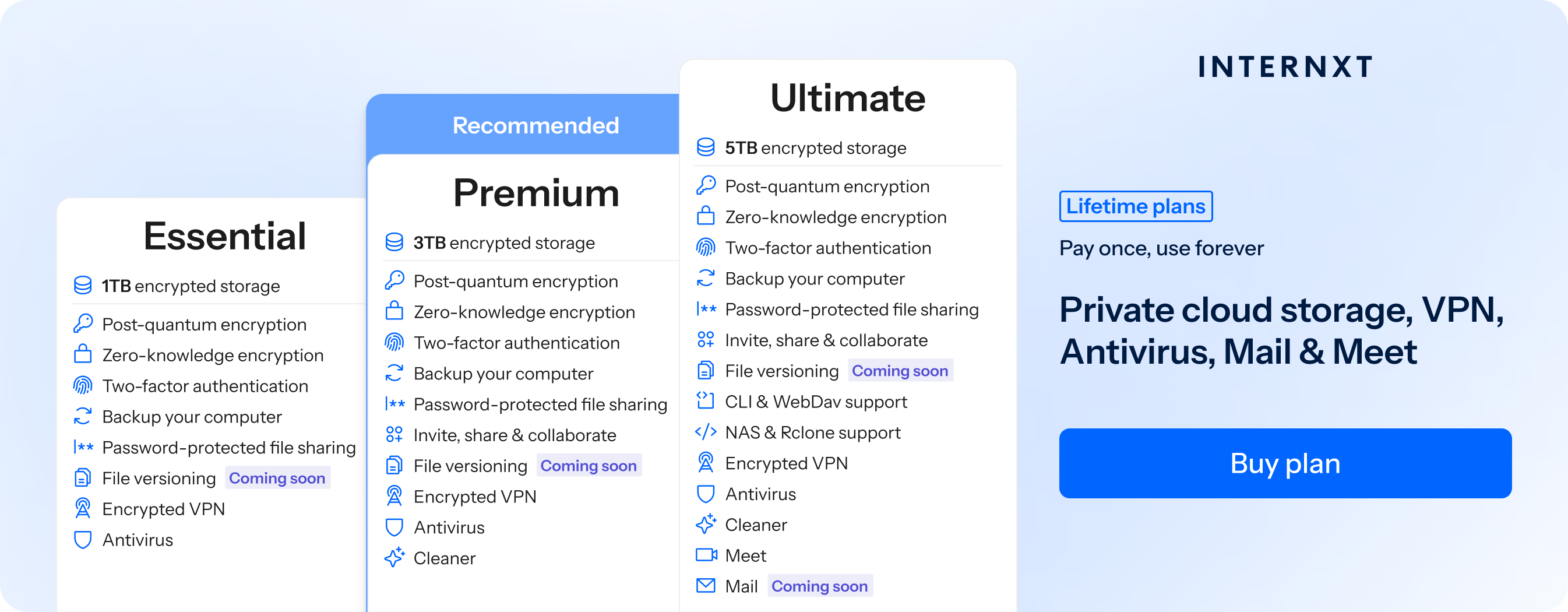
So if you need an encrypted cloud storage with secure backups to keep your photos secure, try out Internxt for free, or check out the features of our paid plans below, and get an 85% discount on all Essential, Premium, and Ultimate plans.
| Plan | Storage | Features | Annual (Paid monthly) | Lifetime Cost |
|---|---|---|---|---|
| Essential | 1TB | €1.99/month | €380 | |
| Premium | 3TB |
|
€3.99/month | €580 |
| Ultimate | 5TB |
|
€5.99/month | €780 |
| *Prices are correct at the time of writing and are subject to change. For latest prices, check https://internxt.com/pricing | ||||
Related products
Frequently asked questions
How do I reduce the MB size of a photo on iPhone?
You can reduce the MB size of a photo by resizing it, compressing it with a photo compression app or online tool, or converting it to the HEIC format. These methods reduce the file size while maintaining good image quality.
Can I compress photos without losing quality?
No. Any form of compression reduces image quality to some extent. However, using HEIC or light compression can significantly reduce the file size with little to no noticeable difference in image quality.
How do I email photos under a file size limit?
When attaching photos in the Mail app, iPhone lets you choose a smaller image size before sending. You can also compress or resize the photos beforehand or upload them to cloud storage and share a link instead of sending them as attachments.
To send a large number of files, consider file sharing services like Internxt Send.
Why are my iPhone photos so large?
Modern iPhones capture high-resolution photos with advanced image processing, and features like ProRAW and Live Photos can further increase file sizes. Larger photos provide better detail but use more storage space.
Is HEIC smaller than JPEG?
Yes. HEIC files are typically around 50% smaller than JPEG files while maintaining similar image quality, making them a better option for saving storage space.
How do I make a photo under 5 MB, 10 MB, or 20 MB?
Resize or compress the photo until it meets your target file size. Many photo compression apps and online tools let you choose a maximum file size, making it easy to create photos under 5 MB, 10 MB, or 20 MB.