
The Best Way to Share Photos Online Privately in 2026


Thanks to smartphones, taking photos has become an important part of our lives to share moments with friends and family.
Thanks to cloud storage services, we can store, share, back up, and sync our photos easily, but finding the best way to share photos online privately can be a bit more challenging.
This is due to the fact that the most popular cloud storage services for photos, like Google Photos and iCloud, offer secure storage and automatic backups and syncing, but they don’t provide full end-to-end encryption.
To help you find the best way to share photos online privately, we offer fully end-to-end encrypted services in this list to guarantee the privacy of your photos.
Table of contents
- Why you need the best way to share photos online privately
- What are the best ways to share photos online privately?
- Cloud storage
- File sharing
- Messenger apps
- Related products
- Frequently asked questions
Why you need the best way to share photos online privately
When you’re looking into methods to share photos securely, you’re likely to encounter Google Photos under cloud storage, WeTransfer for file sharing, or WhatsApp for messenger.
While these offer ways to share photos securely, by encrypting photos in transit and on their servers, they don’t offer the best encryption for private photo sharing. For the best way to share photos online privately, you need end-to-end encrypted services.
End-to-end encryption encrypts photos on your device with your own private key, so unlike Google encryption, WeTransfer, or other services, nobody but you or those you share your photos with can view your files, folders, or photo albums.
What are the best ways to share photos online privately?
End-to-end encrypted cloud storage and file sharing are the best ways to share photos securely for large photo albums. Emails are another option, but have stricter limits, but it will work fine for smaller folders.
Finally, encrypted messengers are the final option. Below, you can find the best services to share photos online securely without compromising privacy.
Cloud storage
Internxt Drive
Internxt Drive secure cloud storage offers post-quantum and end-to-end encrypted file sharing to share large videos or photos with a limit of up to 10GB, enough to share:
- ~20,000 photos at 500 KB each (compressed web images)
- ~10,000 photos at 1 MB each (high-quality smartphone photos)
- ~5,000 photos at 2 MB each (full-resolution JPEGs)
- ~2,000 photos at 5 MB each (high-resolution DSLR or modern smartphone images)
- ~500 photos at 20 MB each (RAW or professional-quality images)
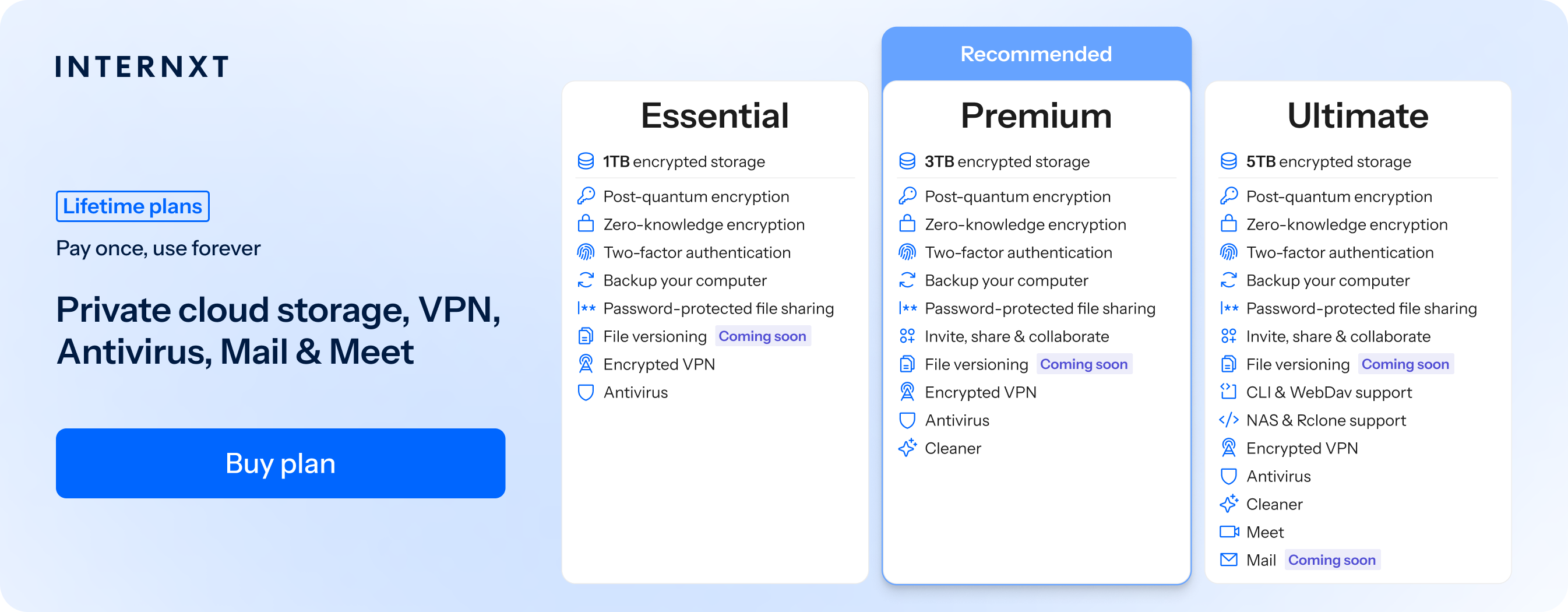
With Internxt’s focus on privacy for private photo sharing, you can switch from Big Tech services that use your photos to train their AI models and get the best cloud storage for photographers, businesses, or for your own private and personal cloud storage needs.
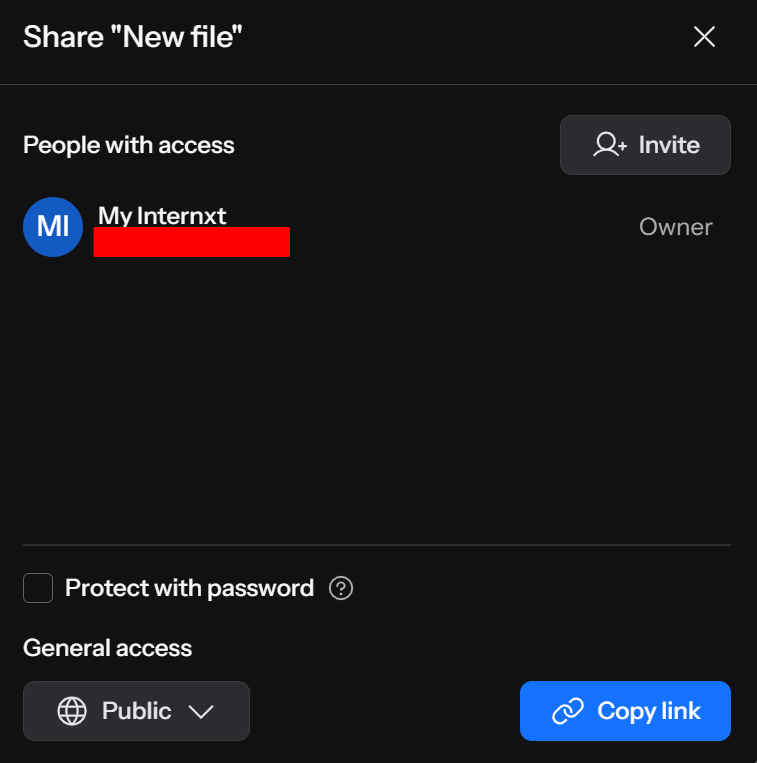
For additional security, Internxt Drive combines private photo sharing via encryption with password-protected photo sharing for total protection and peace of mind when sharing photos online.
To share photos online privately with Internxt Drive, follow these steps:
- Create a free account at internxt.com
- Upload your photos by dragging and dropping your files, or clicking “Upload files”
- Right-click on the folder you want to share
- Choose the invite option if you want to share files via email
- Click "Copy Link" to generate your secure, encrypted link to your shared files
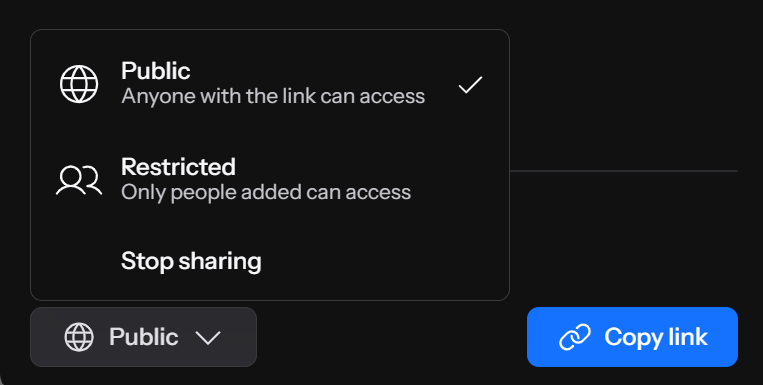
- Choose restricted to limit who can see your files
- Choose "Protect with Password" for extra security
To restrict access, you can view all the photos you shared via the “Shared” tab in your Internxt account and follow these steps:
- Log in to your Internxt account
- Click the Shared tab
- Right-click the file you want to stop sharing
- Click Manage Access
- Choose Stop sharing to stop anyone from accessing the file
For secure cloud storage for photos, Internxt offers an open source, and European cloud storage alternative to big tech with an emphasis on privacy for your data, photos, and personal information.
You can combine Internxt with our full product suite, including Internxt Photos for 85% off by clicking the link to our special offer below.
File sharing
Internxt Send
Send offers encrypted file sharing for free and unlimited use to share photos securely for files up to 5GB.
You can share photos via an email or link, and shared files will automatically expire after 15 days for your security.
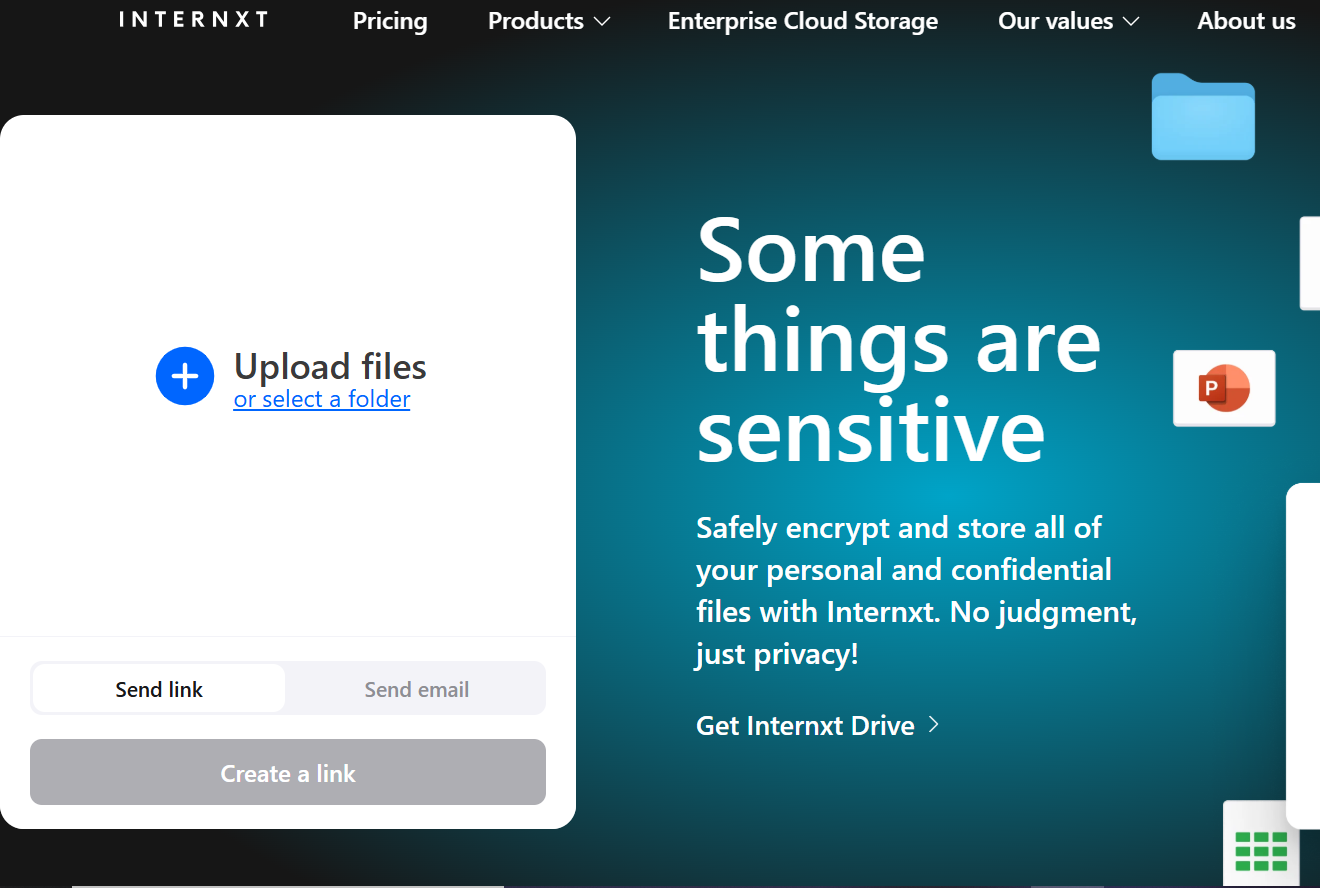
For the best way to share photos online privately using a free file sharing service with end-to-end encryption, visit send.internxt.com and follow these steps:
- Drag and drop the files you want to share or click “Upload files”
- Click “Send link” to create an encrypted link you can share with others
- Click “Send email” to send the link via email and add your personalized message
- Wait for your files to upload; encryption happens automatically
- Once uploaded, you can start sharing your files
While sending large files via email is difficult due to the size restrictions (normally around 20 or 20MB, you can still share photos securely via email for smaller photo albums or individual photos.
In the same way as cloud storage and file sharing, the best way to share photos online privately via email is using an end-to-end encrypted email provider.
Internxt Mail
Internxt Mail is an end-to-end encrypted email to send messages and attachments in total privacy.
Internxt offers the best email for privacy, as nobody but you and your recipients can view the email contents, making it the perfect solution for private photo sharing if you want to send smaller files.
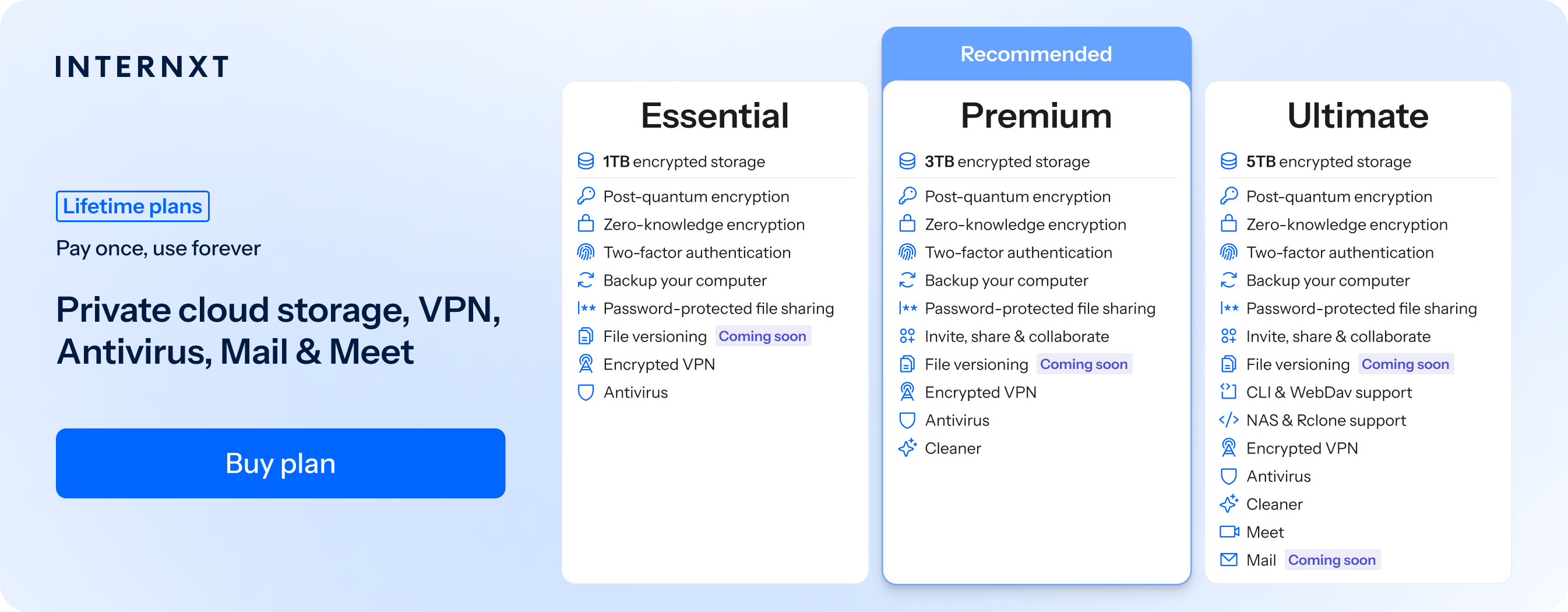
Mail is available for all Ultimate lifetime and monthly plans, and with it, you get access to Internxt’s full product suite, including password-protected photo sharing, NAS cloud backups, VPN, and more, which you can check out below.
| Plan | Storage | Features | Annual (Paid monthly) | Lifetime Cost |
|---|---|---|---|---|
| Essential | 1TB | €1.99/month | €380 | |
| Premium | 3TB |
|
€3.99/month | €580 |
| Ultimate | 5TB |
|
€5.99/month | €780 |
| *Prices are correct at the time of writing and are subject to change. For latest prices, check https://internxt.com/pricing | ||||
Messenger apps
One common way to share photos securely is via WhatsApp, as this is the messaging app the majority of people use to share photos with family.
What most people don’t know, however, is that although WhatsApp uses end-to-end encryption, it shares metadata with Meta, its parent company.
You can learn more about WhatsApp and privacy in our article below.
Is WhatsApp safe for sending private photos?
We therefore recommend choosing an option from our secure messenger apps list, with one of the best options being Signal.
To share photos securely with Signal, follow these steps:
- Download the Signal app and create an account.
- Tap the pencil icon to start a new message, and either find a contact by their phone number, invite them to Signal, or select a contact from the list.
- In the chat, you can select a photo that’s already on your phone by tapping the plus sign icon. Or you can tap the camera icon to take a new photo or video. The benefit of creating the photo directly in the Signal app is that it won’t save to your phone or get backed up in the cloud.
- Tap the blue arrow to send.
Signal also lets you turn on disappearing messages and send group photos, so for the best way to share photos online privately via messenger, try using Signal over WhatsApp.
Related products

Frequently asked questions
What is the most secure way to send pictures?
The most secure way to send pictures is by using an end-to-end encrypted messaging application, cloud storage, and file sharing. This way, only you and your chosen recipient have access to the files. Examples include Internxt Drive, Send, Mail, and Signal for secure messaging.
How can you share a photo album online?
The easiest way to share a photo album online is to put all the pictures into a folder on your computer. Then upload the folder to Internxt Drive or Send. From there, you can share a link to your photo album.
What is the best way to store thousands of photos?
Internxt Photos and Internxt Drive can back up many thousands of pictures and ensure your privacy by default. Google Photos doesn’t include end-to-end encryption, and uses AI data training to improve its services at the cost of the privacy of your photos.
Is Google Photos safe for private photos?
Google Photos is a secure platform that protects your photos with encryption during transfer and while they're stored on Google's servers. It also supports security features like two-factor authentication (2FA) to help protect your account from unauthorized access.
However, despite its security, Google Photos is not private.
Google can access your photos to power features such as facial recognition, object detection, automatic organization, and search. While these features are useful, they also mean your photos aren't completely private from the service provider.
Is it safe to send photos by email?
Email is convenient but isn't always the most private option, especially for sensitive photos. Secure file sharing services with end-to-end encryption offer stronger privacy and better control over access.
What's the difference between encrypted and password-protected photo sharing?
Password protection restricts access to anyone who knows the password, while encryption protects your photos from being read by unauthorized parties during storage and transfer.