
What is the Best Way to Share Private Photos With Family?


Sharing photos is an important part of our lives, as it lets us share our memories with friends, family, and colleagues.
It allows you to stay connected, relive special moments, and strengthen relationships by letting others experience your life visually.
However, when sharing photos online, especially on social media, you have to be careful, as photos can disclose information you don’t want others to know, such as your location, where you work, where your kids go to school, or your daily routines.
For this reason, we’ve written this guide to help you learn the best ways to share private photos with family via cloud storage, messaging, secure file sharing, and other methods to give you the best ways to share photos online privately.
Table of contents
- What to consider before sharing family photos online
- How to share private photos with family
- More tips on how to share private photos with family
- Related products
- Frequently asked questions
What to consider before sharing family photos online
Here are some important things to consider when you share photos with family, or anyone online.
Privacy
One of the first things to consider when you’re thinking about how to share photos with family is privacy.
For family photos, especially, you want to think about the internet safety of your family and children's online safety. If not, there is the risk of online predators or cyberbullying.
Identity theft is another major risk of sharing photos because images can reveal personal information like full names, birthdates, locations, and even school names or license plates.
Even the smallest amount of information can be used to piece together a profile of you or your family member to build a profile for fraud. For this reason, knowing how you can protect your privacy online should be the top priority whenever you share family photos online to avoid identity theft.
Security and encryption
Related to the privacy of your photos are the security measures you take to secure your accounts and the data encryption used to protect your files.
For security, you should have the following security measures in place:
- Combine a strong password or passphrase with 2FA
- Use private links instead of public sharing
- Set passwords on shared links when available
- Set an expiration date for shared links
Choosing an end-to-end encrypted service like Internxt ensures that when you share or store family photos, they can only be viewed by you or the person you grant access to the photos.

This is because photos are encrypted on your device and managed by you, not the providers, so they cannot decrypt, view, or give access to your photos.
Ease of use
Different generations of your family will be more tech-savvy than others, so sharing photos with family online may be more challenging than with younger members.
The best way to share private photos with family is via a shared link, which you can send via message or email.
Protection with backups
To reduce the risk of losing your photo albums due to accidental data loss, corruption, or other issues, you should choose options that offer cloud storage backups, so you always have an extra copy of your photos available to share, even if they are accidentally lost or corrupted.
For this, you will need to choose a service that allows you to back up your photos, so you always have a copy available to redownload if you lose or accidentally delete them.
How to share private photos with family
From cloud storage to physical devices, below we cover everything on how to share private photos with your family.
Internxt: best for privacy, sharing, and automatic backups
Internxt encrypted cloud storage offers the best way to share private photos with family members, as all your photos are encrypted on your device before sending, and you manage the encryption keys so nobody but you and your family members can see your photos.
With Internxt Drive, you can send large files securely, up to 10GB via email, or an encrypted link to send via message or email. You can also set passwords and restrict access to folders at any time.
Internxt Send is the second-best way to share photos with family if you’re looking for a free file-sharing service or an alternative to WeTransfer.
It uses the same end-to-end encryption as Internxt Drive, so your photos remain private with a secure email or link to your photos. You can send up to 5GB of photos and photo albums with Send for free, and there is no limit to the number of times you can share your photos with family.
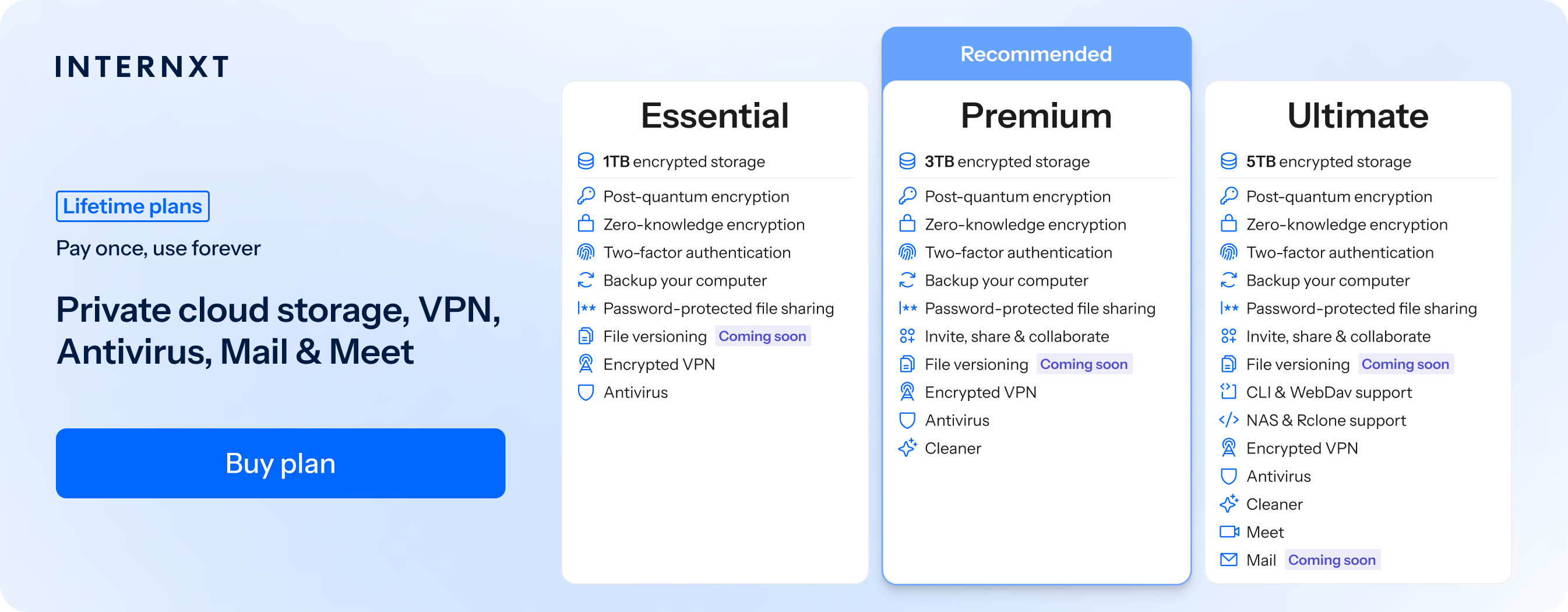
Finally, Internxt Ultimate plans also include Internxt Photos, a secure cloud storage for Photos to back up your photos directly from your Android or Apple device. With Photos, you can keep copies of your most important memories protected from data loss and accessible whenever you need to share them with family.
If you want the best way to share photos with family, then Internxt offers the most secure file transfer options, and secure cloud storage and backups for your family photos.
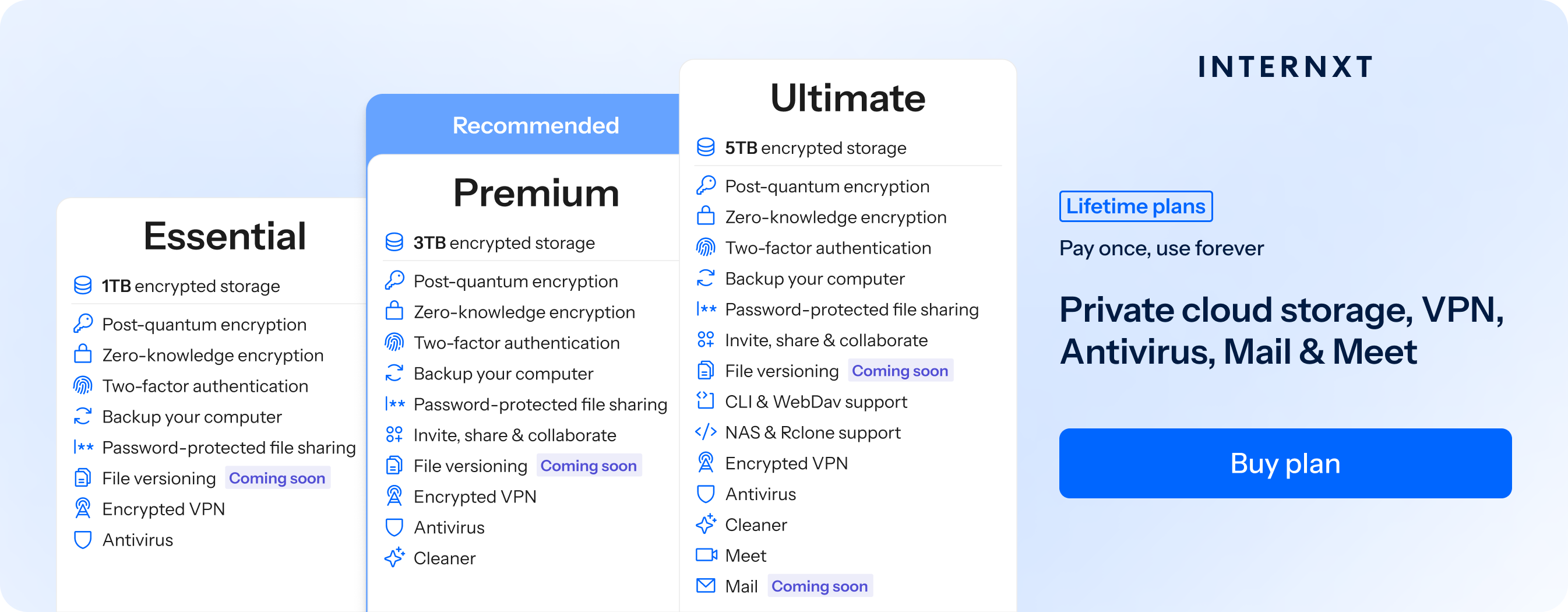
Pricing: from €4.49/month or €285 lifetime using this special offer link
| Plan | Storage | Features | Annual (Paid monthly) | Lifetime Cost |
|---|---|---|---|---|
| Essential | 1TB | €1.99/month | €380 | |
| Premium | 3TB |
|
€3.99/month | €580 |
| Ultimate | 5TB |
|
€5.99/month | €780 |
| *Prices are correct at the time of writing and are subject to change. For latest prices, check https://internxt.com/pricing | ||||
Pros:
- End-to-end and post-quantum encrypted for maximum privacy
- Share photos with family via Drive or Internxt Send
- Automatically backup photos
- Internxt Photos is included with a full privacy suite of VPN, Meet, Mail, and more
Google Photos: best for free storage
Google Photos is a popular option and the best way to share photos with family if you want a generous amount of free cloud storage and integration in the Google Workspace.
While Google Photos offers many features such as AI integration and a free plan of 15GB, in exchange you have to give up the privacy of your family photos.
Google Photos is not end-to-end encrypted, including when you share photos, so Google can at any time access the photos you store in the cloud. As Gemini AI is becoming a more integral part of Google One plans, it can also scan your photos and gain information about your family members, location, and personal information connected to your Google account.
So while Google Photos is a popular option, if you want the best way to share photos privately and keep your personal and family data private, it's best to consider a private alternative to Google Photos and Google Drive.
Pricing: from €1.99/month for 100 GB of storage
Pros
- Automatically backs up photos and videos
- Powerful search using faces, places, objects, and dates
- Useful photo organization and album features
- Built-in editing tools for photos and videos
Cons
- Not end-to-end encrypted
- AI analysis may reveal information about people, locations, objects, and activities
- Less control over your data compared with a privacy-focused cloud storage provider
Messaging apps: Best for family groups
Outside of cloud storage, one of the best ways to share photos with family members is via WhatsApp, especially family groups, because it’s quick, convenient, and almost everyone has it.
However, WhatsApp has file size limits when sending photos, and some people have concerns if WhatsApp is safe for private photos due to the company being owned by Meta, who aren’t really known for its privacy.
So while WhatsApp may be a good place to share some photos, you may want to consider sending photos via a link to bypass file limits, or use a more private messaging app.
Pricing: free
Pros
- Very easy for family members to use
- Excellent for quickly sharing photos and videos from a phone
- Family groups make it easy to share photos with multiple people at once
Cons
- Not designed as a dedicated photo storage or photo management service
- Photos shared in chats can become difficult to organize as conversations grow
- Compression can reduce photo and video quality unless sent using the appropriate file/document option
- Group members can download, forward, or otherwise share photos with others, limiting privacy
Email: best for individual photos
Sending photos via email can also cause some problems, such as file limits or compressing your images to meet the size requirements, but this will reduce their quality as a result.
There are also some concerns about the privacy of some email providers, as they could still make your metadata available, or they don’t use zero-knowledge encryption.
If you want to send a few photos via email attachments, however, Internxt Mail offers end-to-end encrypted emails and is the best way to share private photos with family via email. You can attach your photos to the email, or copy a link from Internxt Drive or Send to send large files securely with Internxt Mail.
Pros
- Simple and familiar for most family members
- Works across almost all devices and platforms
- No need for everyone to use the same photo-sharing app
- Easy to send photos to one or several people
Cons
- Low file size limits, so not suitable for large photo albums
- File attachments may reduce quality of image
- Not suitable if you want to organize photos
SmugMug: best for unlimited cloud storage
Aside from cloud storage and file sharing, there are also websites specialising in photo sharing services, such as SmugMug.
Although this service is mostly aimed at cloud storage for photographers, it also has many useful features if you want to share your professional photos with family members so they can check out your projects.

For example, it offers unlimited cloud storage for photos to store and sell your photos, or create professional-looking galleries of your photo albums. Therefore, if anyone in your family is interested in online tools for photography and building a portfolio, they can use this platform to create and share their projects or photos with the family.
Pricing: $24.17/month billed annually
Pros
- Unlimited storage
- Integrates with Lightroom
- Privacy controls
Cons
- Aimed at photographers rather than specifically sharing photos with family
- Not a true end-to-end encrypted photo storage service
- More expensive compared to other services
Digital photo frames: best for sharing family photos in the home
Digital photo frames are another useful way to share photos with your family, and are an easy way to create an album of your favourite memories that you can display around the house.
They make a great gift for grandparents, as they can enjoy your photos without needing any tech knowledge, as you do all the work for them.
With these, you can send new photos directly to the frame from your phone, even if your relatives live far away. This makes them especially helpful for grandparents or family members who don’t use smartphones or social media, allowing them to stay connected and see new memories as they happen.
However, there are still some privacy risks to be aware of. If you choose this method, make sure you:
- Ensure your wifi account is protected to prevent hackers
- Check the privacy policy or settings of the device
- Check if the product uses cloud storage or any third-party apps, which may collect data or share it with advertisers
Pricing: Depends on the brand
Pros
- Easy way to display and share family photos at home
- New photos can be sent directly to the frame from a phone
- Helps grandparents and relatives stay connected to family memories
- Does not require the person using the frame to have a smartphone or social media
Cons
- Requires a reliable Wi-Fi connection for remote photo sharing
- Photos may be stored in the cloud, creating privacy risks
- Device companies or third-party apps may collect personal data
USBs and hard drives: best for offline sharing
Finally, if you want the best way to share private photos with family without using cloud storage, file sharing, or other online methods, the final option is with USBs or HDDs.
They’re a good way to share photos with the family without relying on technology, but they can be lost, broken, or corrupted if not handled carefully. Some physical devices may not be encrypted unless set up beforehand, which could expose your photos to anyone if the drive is lost or misplaced.
Even so, they can offer extra insurance to back up your photos outside of cloud storage, to reassure you that you will always have an extra copy of your photo albums, just in case.
Pricing: Around €70 to €100 for a standard 1TB external hard drive.
Pros
- Good for transferring and sharing photos
- No internet connection is needed
- Can be kept as a physical backup
Cons
- Easy to lose or damage
- Usually has less storage than hard drives
- Photos can be accessed by anyone if not encrypted
- Photos can be lost if the USB fails and there is no other backup
More tips on how to share private photos with family
Now that you know several methods on how to share photos with family securely and privately, here are some additional privacy tips to keep in mind to keep your photos private, secure, and backed up.
- Organize your albums: name albums clearly by event or date to stay organized so everyone can easily access your photos.
- Compress large photos: if you’re using a service with file limits, compress images to avoid these and slow loading times, but keep backups of full-quality versions.
- Scan old printed photos: if you have old photos from family members, you can digitize older family photos using a scanner or a scanning app to preserve them forever.
- Ask before sharing photos publicly: even in family groups, always check if others are okay with you sharing certain photos on social media, especially if the photos include children under 16.
If you follow this, as well as using privacy-focused services such as Internxt, Send, and more, you and your family will have the best service to stay secure online!
Related products

Frequently asked questions
What is the best way to share private photos with family?
Internxt Drive is the best encrypted cloud storage to share photos; it also offers automatic photo backups and Internxt Send, offering everything you need to share photos privately with family members.
Is Google Photos a good way to share family photos?
Google Photos offers automatic backups, photo organization, and 15GB of free storage. However, it is not end-to-end encrypted, so it provides less privacy control than privacy-focused alternatives such as Internxt.
How can I share family photos securely online?
Use private links, strong passwords, two-factor authentication, and end-to-end encrypted services. Avoid using public links when sharing private family photos.
Is it safe to share family photos on social media?
Sharing family photos publicly can create privacy risks because photos may reveal locations, schools, workplaces, routines, or other personal information. To keep photos private on social media, you should check and regularly update your privacy settings.
How can I share large photo albums with family?
For large photo collections, cloud storage or encrypted file-sharing services can be more suitable than email or messaging apps because they can handle larger files and allow photos to be shared through links.