
iCloud vs Google One: Which Cloud Should You Choose?

iCloud and Google One represent two of the most popular cloud storage options available, and may be at the top of your list of choices when considering which cloud storage is best for you.
For Apple users, iCloud is the most popular option, as you receive 5GB of free storage straight away when you sign up with Apple, and it integrates well with iPhones, iPads, MacBooks, etc.
Google is a more generic cloud storage option aimed at everybody, with a generous 15GB of free storage, among other products offered when you sign up with Google.
This article, therefore, will analyze both cloud providers by covering the following topics:
- Overview of iCloud vs Google One
- Features
- Pricing
- Advantages & disadvantages
- Alternatives, and more
While we help you choose between Google One vs iCloud, you may want to consider adding Internxt to your list of cloud options, as it offers the same cloud storage and additional products while ensuring your data and the privacy of your cloud remains secure from hackers and protected from data breaches.
Table of contents
- Differences between iCloud vs Google One
- iCloud vs Google One features
- iCloud vs Google One pricing
- Google One vs iCloud pricing
- iCloud vs Google One: Which one is better?
- Frequently asked questions
Differences between iCloud vs Google One
At a basic level, iCloud and Google One are cloud storage providers that let users store files, photos, and backups online and access them across mobiles, tablets, and personal computers.
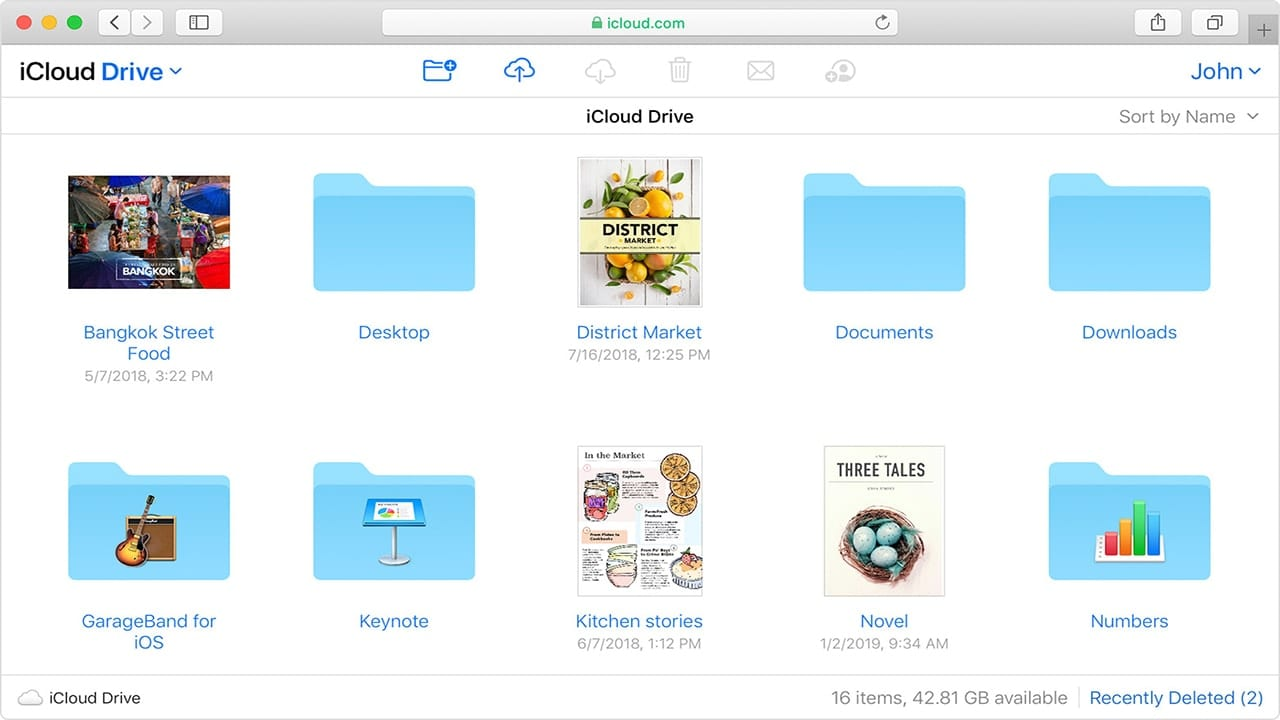
iCloud Drive is developed by Apple, so it’s tightly integrated with iPhones, iPads, and Macs, making it popular for those with Apple devices. iCloud automatically backs up device data, syncs photos, contacts, calendars, and documents, and includes apps like iCloud Drive, Photos, Mail, and an Office suite similar to Google Workspace.
Google One is developed by Google and works across Android devices, iPhones, and computers. It provides cloud storage for Google One, Gmail, and Google Photos, along with extra features like family sharing and Gemini AI.

Google One is aimed at users who use multiple Google services and want a generous amount of free cloud storage across devices and platforms.
In short, iCloud is ideal for Apple users looking for integrated device backup and syncing, while Google One is best for people who rely on Google apps and want versatile cloud storage across different devices.
iCloud vs Google One features
Cloud storage plans
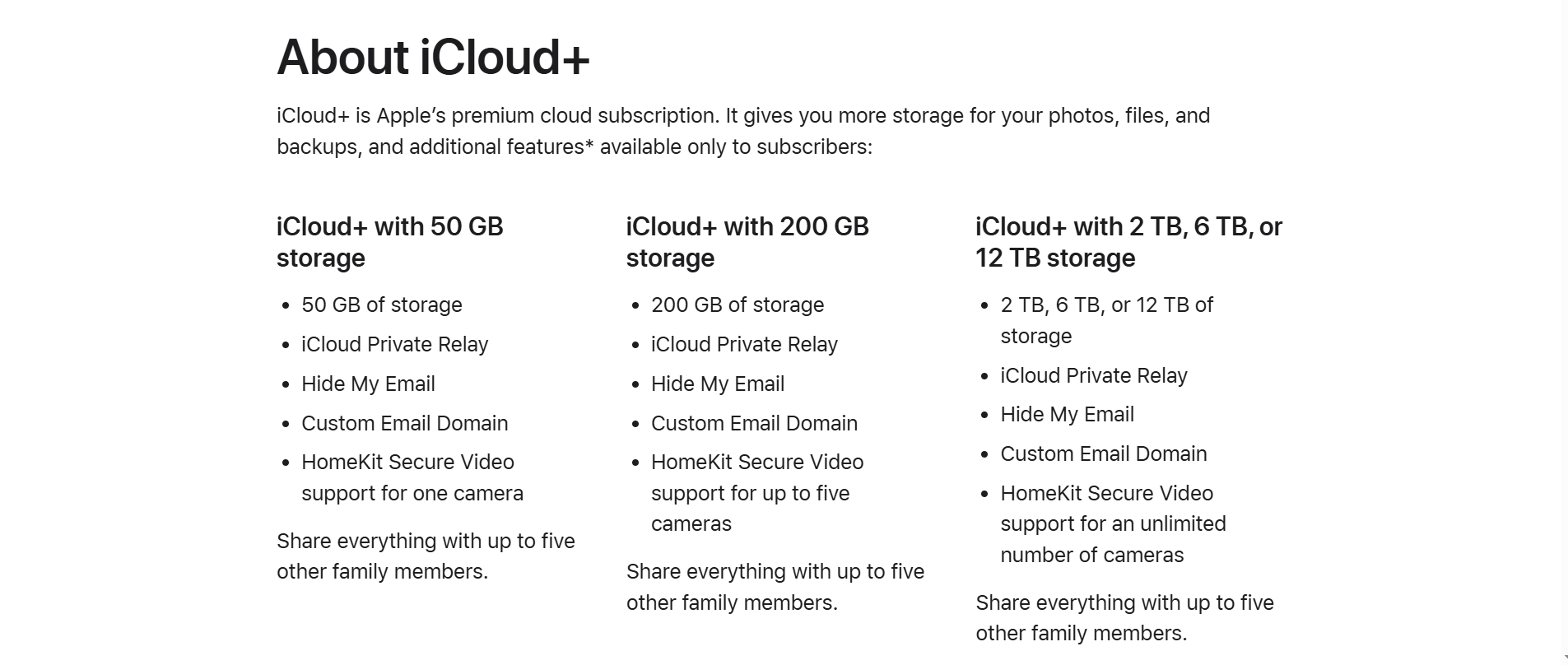
iCloud offers 5GB free storage up to 12TB of cloud storage with iCloud+, which includes other features in your iCloud paid plan.
However, plans are limited to monthly plans only, and you are limited to 12TB of storage. This is the maximum amount iCloud offers, so if your cloud storage is full after reaching the maximum, you cannot expand the storage like you can with Internxt.
When considering Google One vs iCloud free plans, Google wins in terms of free cloud storage, as it offers 15GB of cloud storage, Docs, Excel, Meet, and email. If you want to upgrade your free plan, you can do so with a monthly or annual plan via Google One.
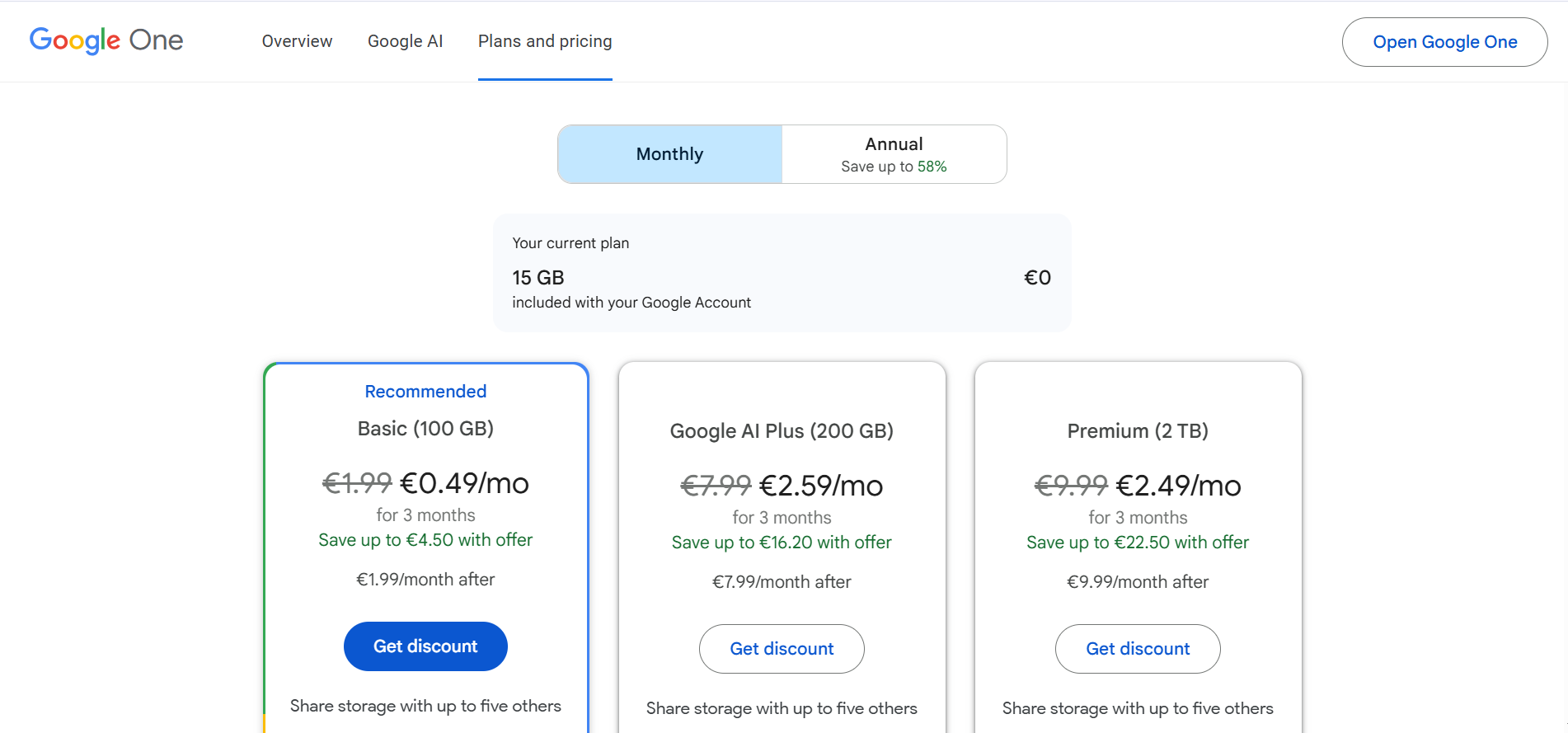
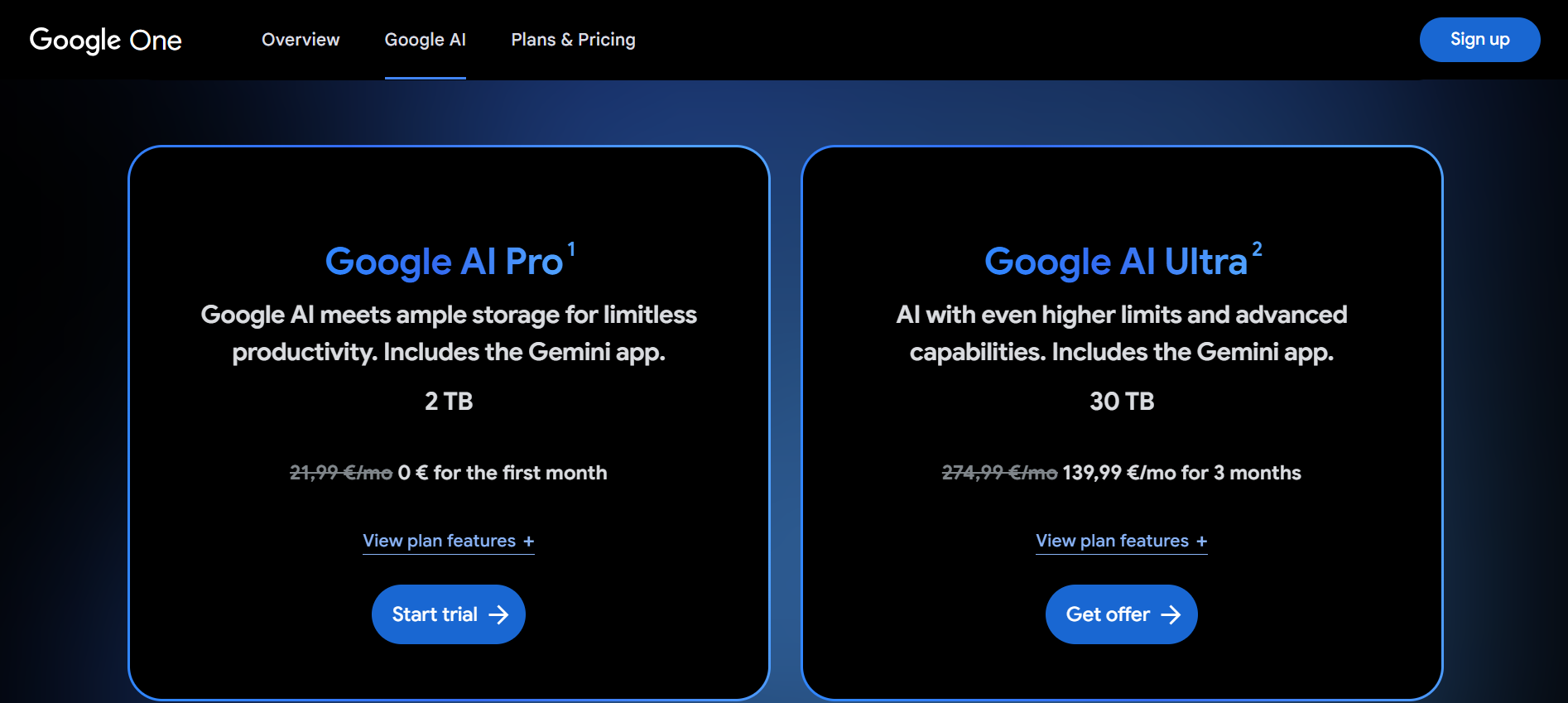
Google One pricing plans go up to 30TB with the Google AI Ultra plan, which is €139.99 for the first three months, and €274.99 thereafter, so it's a big investment, and you can not add more storage after this.
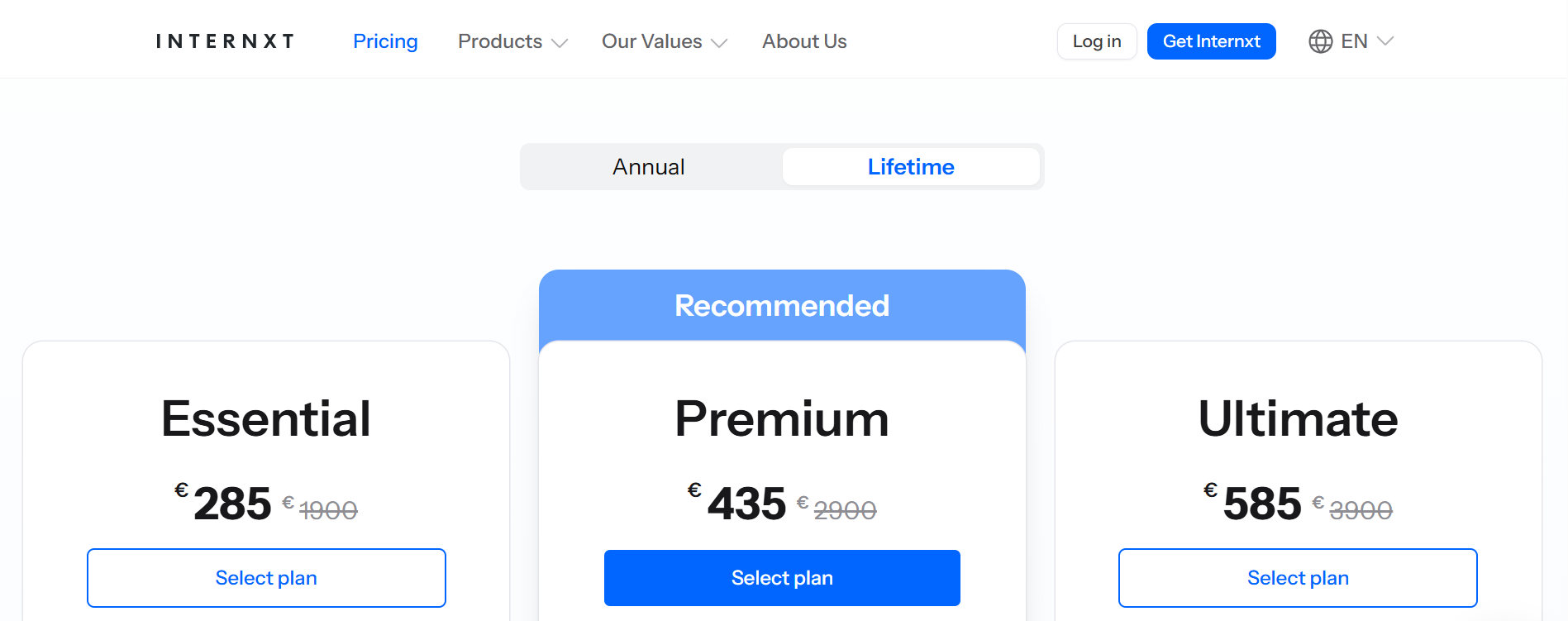
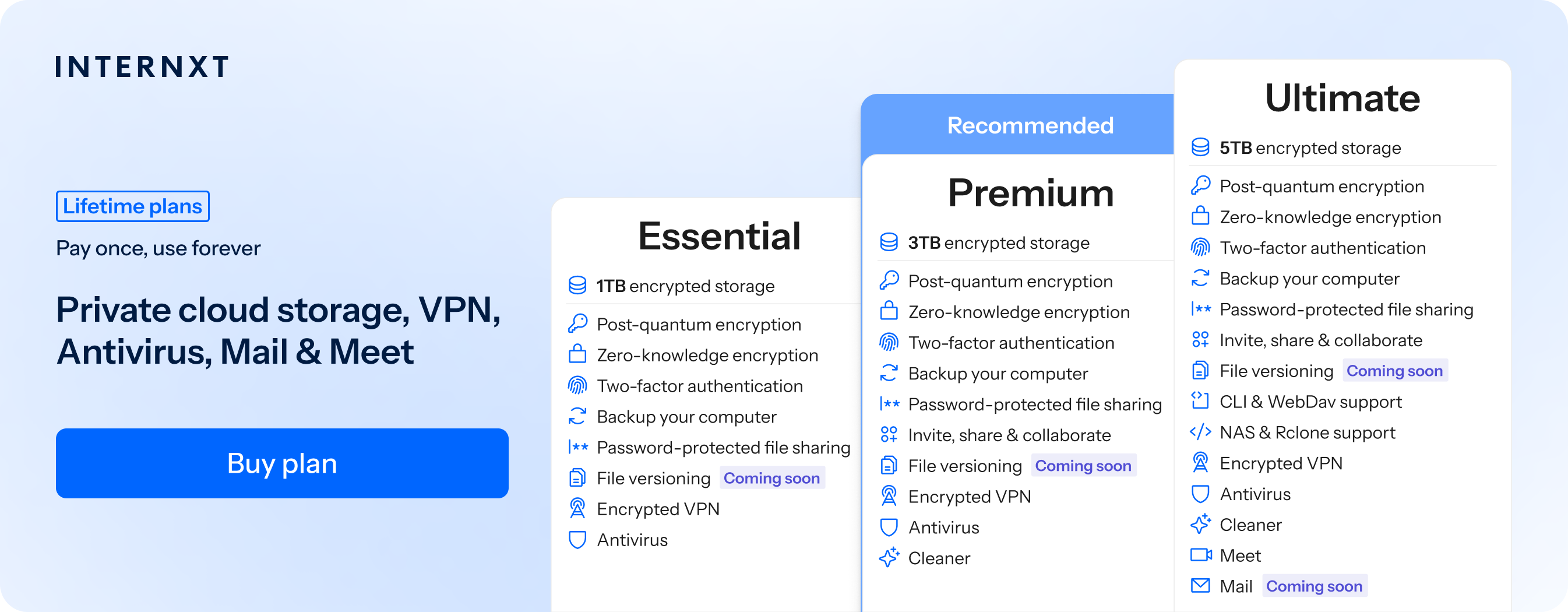
If subscriptions aren’t your thing, then you can choose any of Internxt's lifetime plans, starting at just €285, which include the option to split your payments with Klarna, pay with crypto, and stack your plans as often as you need so you never run out of storage.
Who wins? For affordability and flexibility, Internxt offers more affordable plans with extensive features that you can stack at any time if you purchase a one-time payment lifetime plan.
Backups and syncing
In terms of backups vs syncing, iCloud provides syncing to keep photos, contacts, calendars, notes, reminders, Safari bookmarks, and iCloud Drive files updated across Apple devices in real time.
Backups with iCloud occur automatically when your iPhone or iPad is locked, connected to Wi‑Fi, and charging. They include device settings, Home Screen layout, app data, messages (if not using Messages in iCloud), and other local content.
Deleted synced items are removed from all devices but can be recovered for a limited time.
Google One syncing happens automatically with Google services like Gmail, Contacts, Calendar, Drive files, and Google Photos.
Device backups on Android include photos, videos, contacts, device settings, messages, call history, and app data. Google Photos handles media backups, preserving photos and videos even if they are deleted from the device.
Google One does not create full computer system backups, and some app data may not be included if the app does not support Google’s backup system. Backups and syncing are available across Windows, MacOS, Android and iOS, though full device restore is mainly for Android.
As Internxt is available across all platforms, and includes WebDAV and NAS support, you can schedule and create full backups of your files and sync your files across devices to ensure everything is up to date.
Who wins: for automatic backups, iCloud wins, especially if you want live backups of photos. For backups and syncing across multiple devices on a desktop, Internxt is another solid option.
Platform accessibility
iCloud is primarily designed for Apple devices, and for these, iCloud is highly accessible and easy to use if you’re already integrated into the Apple ecosystem.
Despite this, iCloud has limited support on Windows through iCloud for Windows, and it is not natively available on Linux, NAS systems, or via third-party sync tools like Rclone.
Google One vs iCloud app availability offers more accessibility than iCloud if you wish to access your cloud storage across multiple platforms. It works on Android, iOS, Windows, macOS, and through any web browser, and can be integrated with Linux using third-party tools like Rclone or Insync.
Many NAS devices support Google One integration directly or through third-party apps, making it more accessible for mixed-device environments.
Internxt also offers native Rclone support, WebDAV access, and you can connect your NAS device for advanced file management. Aside from that, it has Windows, iOS, and Linux apps for desktop, Android and iOS apps, and is available across multiple browsers.
Who wins? If you only use Apple devices, iCloud is a good choice, but if you want to access your storage from anywhere and on any device, Internxt is for you.
Collaboration
iCloud offers basic collaboration that is centered around Apple’s ecosystem. Users can share files and folders from iCloud Drive and collaborate on documents in Pages, Numbers, and Keynote in real time.
Collaboration works best between Apple users and relies on Apple IDs. Permissions are simple, usually limited to view or edit, and collaboration tools are more focused on personal or small-scale sharing rather than team workflows.
Google One is built for collaboration across platforms. Users can share files and folders with detailed permission controls, collaborate in real time on Docs, Sheets, and Slides, leave comments, suggest edits, and track version history. Collaboration works equally well on web, mobile, and desktop, and does not depend on a specific device or operating system.
File sharing
With iCloud, users can share files and folders from iCloud Drive and collaborate on documents in Pages, Numbers, and Keynote in real time. Collaboration works best between Apple users and relies on Apple IDs.
Permissions are simple, usually limited to view or edit, and collaboration tools are more focused on personal or small-scale sharing rather than team or business workflows.
Google One emphasizes better live collaboration for multiple users across platforms. Users can share files and folders with detailed permission controls for Docs, Sheets, and Slides, leave comments, suggest edits, and track version history.
Internxt also offers collaboration with secure sharing options with Internxt Send and Internxt Drive, with added security thanks to password protection.
Once a folder is shared, users can add or modify the contents so everyone is on the same page. File versioning is also available for all paid plans to revert changes if necessary.
Who wins? Google wins for live collaboration for teams across different platforms.
Security
iCloud secures data with encryption in transit and at rest, and supports optional end-to-end encryption for most data types through Advanced Data Protection.
When enabled, Apple cannot access this data, but it also means account recovery options are limited, so it’s highly recommended to set up a recovery method with someone you trust to avoid losing your data.
Google One encrypts data in transit and at rest by default, but Google controls the encryption keys for most files. Security relies on Google account protections such as two-step verification and security keys.
The tradeoff is weaker privacy guarantees compared to cloud storage with zero-knowledge encryption. If your main purpose when choosing between iCloud vs Google One security is to make sure nobody can access your files or data, you should avoid Google.
Internxt offers full zero-knowledge encryption with post-quantum security for all plans, and is open source, so you can ensure nobody but you has access to your data.
Who wins? Internxt is the first cloud storage with post-quantum encryption, and unlike Google and iCloud, Internxt does not control or have access to your encryption keys, ensuring maximum privacy.
Privacy
iCloud privacy is built around data minimization and user control. Apple positions itself as a privacy-first company and limits data collection tied to iCloud usage.
With Advanced Data Protection enabled, most iCloud data is end-to-end encrypted, meaning Apple cannot read it or use it for advertising or profiling. However, Apple is currently fighting UK laws that may give the government access to your private data by creating a backdoor to view your private files, photos, or videos.
The privacy of Google Drive is shaped by Google’s advertising-based business model. While Google states that Drive file contents are not used for ads, Google does collect broader account and usage data across its services.
Files stored in Drive are accessible to Google systems for features like search, spam and malware detection, and collaboration, because Google manages the encryption keys. For this reason, Google has paid millions due to GDPR violations regarding
Who wins? Internxt guarantees your privacy with zero-knowledge encryption, open source software, independent audits, and meets multiple compliance bodies such as SOC 2, ISO 27001, HIPAA, and GDPR.
Other features
Aside from cloud storage, you will also want to consider what other features you get when considering iCloud vs Google One.
For iCloud, you get:
- iCloud Keychain for password and passkey syncing
- Find My for locating devices and shared items
- Hide My Email for creating private email aliases
- Private Relay for encrypted browsing through Safari
- Family Sharing to share storage and services with others
Google includes:
- Advanced search powered by AI,
- Offline access, family sharing of storage
- Google Workspace apps like Docs, Sheets, and Slides
- Video calling and email
Internxt offers:
- Video calling (Internxt Meet) and Mail
- Internxt AI
- Temporary email
- Password generator
- File versioning
- Internxt Cleaner
- Internxt VPN
You can check out all of Internxt’s free tools designed to protect you online from Internxt’s website, such as Dark Web Monitor, and other tools to help you manage and collaborate with others, like Internxt's File Converter
Who wins? For its numerous free tools and products dedicated to protecting your privacy, Internxt wins.
iCloud vs Google One pricing
| Storage | Price |
|---|---|
| 50 GB | 0.99 € |
| 200 GB | 2.99 € |
| 2 TB | 9.99 € |
| 6 TB | 29.99 € |
| 12 TB | 59.99 € |
| Storage | Price |
|---|---|
| Free 15 GB | Free |
| Basic 100 GB | €1.49 / month or €23.88 / annual |
| Premium 2 TB | €2.49 / month or €119.88 / annual |
| Google AI Pro | €21.99 / month or €263.88 / annual |
Internxt vs Google One vs iCloud pricing
| Storage | Cost |
|---|---|
| Free 1 GB | Free |
| Essential 1 TB | €18 / annual or €285 lifetime |
| Premium 3 TB | €36 / annual or €435 lifetime |
| Ultimate 5 TB | €54 / annual or €585 lifetime |
iCloud vs Google One: Which one is better?
You should choose iCloud if you use Apple devices and want seamless backups, strong privacy, and deep system integration.
You should choose Google if you use multiple platforms, want flexible cross-device storage, and need live collaboration and search tools.
Internxt outshines both iCloud and Google for privacy, security, privacy suite, and affordability, so for a private and secure alternative to big tech, with everything you need to protect your data online, you should definitely choose Internxt.
Frequently asked questions
What is the difference between iCloud and Google One?
iCloud is designed for Apple users, focusing on seamless device backups, privacy, and Apple ecosystem integration. Google One works across platforms, offers larger storage options, better collaboration tools, and flexible device support.
How much storage do iCloud and Google One offer?
iCloud offers up to 2 TB and Google One offers up to 30 TB.
Do iCloud and Google One offer end-to-end encryption?
iCloud offers end-to-end encryption for most data with Advanced Data Protection. Google One encrypts data in transit and at rest, but Google manages the keys for most files.
Do iCloud and Google One automatically back up my phone?
iCloud backs up Apple devices automatically. Google One backs up Android phones and partially supports iOS through its apps.
Also of interest to you...