
Sync vs Dropbox in 2026: Privacy, Pricing, and Verdict

When choosing your cloud storage provider, you may be considering zero-knowledge encryption vs standard encryption.
In this case, two services may come up: Sync.com and Dropbox. Both offer cloud storage, but Sync uses end-to-end encryption, whereas Dropbox does not.
This is just one difference between the two services; in this article, we will cover:
- Sync.com vs Dropbox security
- Pricing and features
- Free plans
- Alternatives
- Sync vs Dropbox free plan
- Sync.com vs Dropbox pricing and features comparison
- Sync.com vs Dropbox security
- Sync.com vs Dropbox: Which is more secure?
- Sync.com vs Dropbox: Which one to choose
- Alternatives to Dropbox and Sync.com
- Sync vs Dropbox vs Internxt overview
- Related products
- Frequently asked questions
Table of contents
Sync vs Dropbox free plan
Sync offers 5GB of free storage, which, on average, is enough for:
- 4K video: ~10 minutes
- HD (1080p) video: ~50 minutes
- Photos: ~1,000 photos
- Documents: ~10,000+ documents
Dropbox has a free cloud storage plan of 2GB, which is enough for:
- 4K video: ~4–5 minutes
- HD video: ~20 minutes
- Photos: ~400–500
- Documents: ~4,000–5,000
Below is an overview of what a free plan includes from Sync and Dropbox
| Feature | Sync | Dropbox |
|---|---|---|
| Free storage | 5 GB | 2 GB |
| Data transfer | 5 GB | No separate transfer limit (limited by storage and file size limits) |
| File sharing | Yes | Yes |
| Backup and sync | Yes | Yes |
| File versioning | 30 days | 30 days |
| End-to-end encryption | Yes | No |
| Windows, Mac, iOS, Android support | Yes | Yes |
| Compliance | GDPR, PIPEDA | GDPR, SOC, ISO |
Who wins?
Sync wins for its bigger free cloud storage plan, which includes end-to-end encryption for greater privacy.
Dropbox wins if you need cloud storage with multiple compliance options in its free plan, and you need a large number of documents.
Sync.com vs Dropbox pricing and features comparison
If you’re interested in Sync.com vs Dropbox pricing, then both offer monthly and annual plans for individuals and teams, but neither offer lifetime cloud storage plans.
Below is a comparison of Sync.com vs Dropbox pricing for both of their individual monthly plans.
| Plan | Sync | Dropbox |
|---|---|---|
| Entry plan |
150 GB – $4/month • Basic sharing • Unlimited data transfer • No third-party tracking • 60-day file history and recovery |
Plus – 2 TB – €11.99/month • For 1 user • 30-day file recovery • Transfer files up to 50 GB • PDF editing and eSignatures |
| Mid-tier plan |
1 TB – $8/month • Advanced sharing • Unlimited data transfer • No third-party tracking • 90-day file history and recovery • Remote share wipe |
Standard – 3 TB – €14.50/user/month • For 1 or more users • 180-day file recovery • Transfer files up to 100 GB • File branding • Password-protected sharing • Team sharing management • Admin controls |
| Top plan |
Pro – 5 TB – $16/month • Advanced sharing • Custom branding • Unlimited data transfer • No third-party tracking • 180-day file history and recovery • Remote share wipe |
Advanced – 15 TB – €21.50/user/month • For 3 or more users • 1-year file recovery • Transfer files up to 100 TB • File branding • Password-protected sharing • Team sharing management • Admin controls • Tiered admin management • Advanced key management • Compliance tracking |
Who wins?
If you need 150 GB–5 TB of storage, Sync is better value. It offers lower monthly prices, unlimited data transfer on every paid plan, and includes privacy-focused features like no third-party tracking
If you need more than 5 TB of storage, Dropbox offers a maximum of 15 TB with advanced business features such as team administration, compliance tracking, and enterprise management.
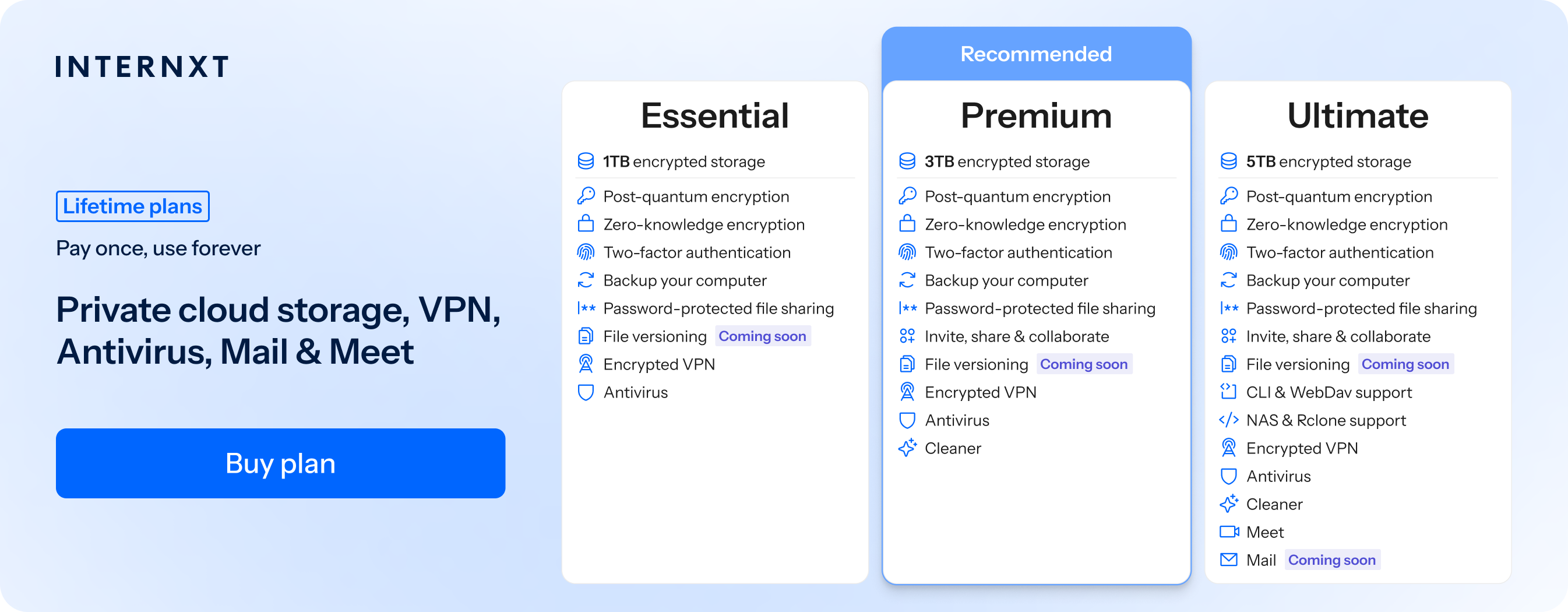
If you need lifetime storage of up to 100 TB, with a full privacy suite combined with post-quantum encryption, Internxt monthly plans start at €1.99/month, or €285 for lifetime plans.
| Plan | Storage | Features | Annual (Paid monthly) | Lifetime Cost |
|---|---|---|---|---|
| Essential | 1TB | €1.99/month | €380 | |
| Premium | 3TB |
|
€3.99/month | €580 |
| Ultimate | 5TB |
|
€5.99/month | €780 |
| *Prices are correct at the time of writing and are subject to change. For latest prices, check https://internxt.com/pricing | ||||
Sync.com vs Dropbox security
Sync.com vs Dropbox encryption
Both Sync.com and Dropbox encrypt your files, but, like Google Drive, OneDrive, and others, Dropbox encryption is not end-to-end encrypted, whereas Sync.com includes zero-knowledge data encryption for its free and paid plans.
Sync.com uses:
- AES-256 encryption for files stored on its servers (encryption at rest)
- TLS encryption for data being uploaded or downloaded (encryption in transit)
- End-to-end encryption (E2EE)
- Zero-knowledge encryption
With Sync.com, your files are encrypted on your device before they are uploaded. Only you hold the encryption keys, meaning Sync.com cannot read your files, scan their contents, or decrypt them.
Dropbox uses:
- AES-256 encryption for files stored on its servers (encryption at rest)
- TLS/SSL encryption for data in transit
- Server-side encryption
- No end-to-end encryption
- No zero-knowledge encryption
Dropbox manages the encryption keys, so the company can decrypt files when necessary or if asked by law enforcement or government agencies.
Who wins?
To store confidential files, Sync offers encryption that is better for your privacy with end-to-end encryption.
If you’re wondering is Dropbox safe, then yes, it uses industry-standard encryption, but it can still access your files.
Neither Sync nor Dropbox uses post-quantum encryption for its cloud storage, meaning in the future your files could be decrypted by quantum computers, which have enough power to break current encryption protocols.
Internxt Drive, however, uses post-quantum and zero-knowledge encryption for free and paid plans, ensuring nobody can access your files and that your data is protected against future cybersecurity threats.
Account security
Sync cloud security offers these features:
- Two-factor authentication (2FA) via authenticator apps
- Strong password hashing so Sync.com cannot read user passwords
- Zero-knowledge account design, where account access is tied to user-controlled keys
- Limited account recovery options to maintain stricter security model
- Ability to log out of all sessions and remove trusted devices
Dropbox is more flexible, with stronger recovery options and includes:
- Two-factor authentication (2FA) using authenticator apps, SMS codes, and hardware security keys
- Login alerts for new devices or unusual sign-in attempts
- Active session and device management with the ability to revoke access
- Password recovery through email-based verification and account recovery systems
- Automated monitoring for suspicious login behavior
- Control over connected third-party app access
Who wins?
Sync.com wins for a more privacy-focused approach, with stronger limitations on recovery and access to preserve a zero-knowledge model.
Dropbox is more flexible, with stronger recovery options, broader 2FA methods, and more advanced login monitoring tools.
Transparency
Neither Dropbox nor Sync is open source, so it is not possible for the security of the platform to be checked or verified.
Instead, you have to trust that Sync uses zero-knowledge encryption, and that neither service has backdoors that could access your files or data.
If transparency is important to you, Internxt is an open source alternative to Sync and Dropbox, with all its code available on GitHub, which has also been independently audited by a leading cybersecurity company.
Privacy and data protection
Due to its zero-knowledge policies, Sync has stronger privacy measures in place to protect and limit the amount of data it has on you by not sharing your data with third parties, and the following privacy measures:
- Collects minimal user data
- No access to file content for indexing or feature-based analysis
- Limits metadata exposure
- Reduced internal visibility into user activity and stored information
- Focus is on limiting what the provider can observe about user behavior and stored data
Dropbox collects more user data to support features like search, previews, sharing, and collaboration; it may also collect:
- File-related metadata and content signals to improve functionality and security features
- Uses user activity data to improve service performance and detect abuse or malware
- Dropbox supports third-party integrations, which can expand how user data is accessed and shared within connected apps and increase the risk of data breaches
- Provides transparency controls and privacy settings, but still relies on data processing to enable features
Who wins?
Sync.com wins for privacy and data minimization.
File sharing
Both Sync and Dropbox offer secure file sharing and include options for setting passwords, expiration dates, and restricting downloads.
Dropbox file sharing is built more for collaboration and flexibility. You can share files and folders through links, shared folders, and team spaces.
Dropbox also supports features like file previews, comments, and integrations with apps like Microsoft Office and Google Workspace.
Who wins?
Sync wins for private file sharing due to its zero-knowledge encryption; Dropbox is better if you want to collaborate with others or integrate with other apps.
Backups and file versioning
To protect against ransomware and accidental data loss, Sync and Dropbox offer file versioning for up to 180 days on the highest plan or 30 days on basic plans to restore changed files to past versions.
Backups protect against ransomware by storing additional copies of your files in the cloud, which can be recovered even if your device is attacked by ransomware or files are lost due to malware.
Who wins?
Sync vs Dropbox security in relation to file versioning and backups is pretty equal, but if you want more private cloud storage, then Sync is the better option overall.
Sync.com vs Dropbox: Which is more secure?
Sync and Dropbox both implement strong security measures and encryption for all plans, so rather than which is more secure, the most important thing is what you want from your cloud storage and how you want to store and protect your files.
If you want privacy and confidentiality, Sync’s zero-knowledge design will be more secure for sensitive files, but for general storage, Dropbox has many security controls to protect your files.
Sync.com vs Dropbox: Which one to choose
Choose Sync.com if: you want zero-knowledge encryption, 5 GB of free storage, strong control over file access, and lower-cost storage with unlimited transfer on paid plans.
Choose Dropbox if: you want the best collaboration features, strong account recovery and security tools, deep app integrations, and extra collaboration for teamwork and productivity.
Choose Internxt if: you want a privacy-focused open source and the best encrypted cloud storage with zero-knowledge encryption and post-quantum encryption.
If you want full protection online, Internxt monthly and lifetime plans include Antivirus, VPN, NAS support, Meet, Mail, and more.
Alternatives to Dropbox and Sync.com
Internxt Drive
Internxt Drive is a secure cloud storage service with post-quantum and zero-knowledge encryption based on open-source software. It’s designed to store, sync, and backup files in the cloud and ensure nobody but you can access your files.
Internxt is based in Valencia, Spain, and is GDPR, ISO 27001, HIPAA, and SOC 2 compliant, offering the best data protection and security for all industries.
It offers monthly and lifetime plans, so if you want to avoid the subscription charges mentioned in our sync.com vs Dropbox pricing, then you can get a greater investment with an Internxt lifetime plan.
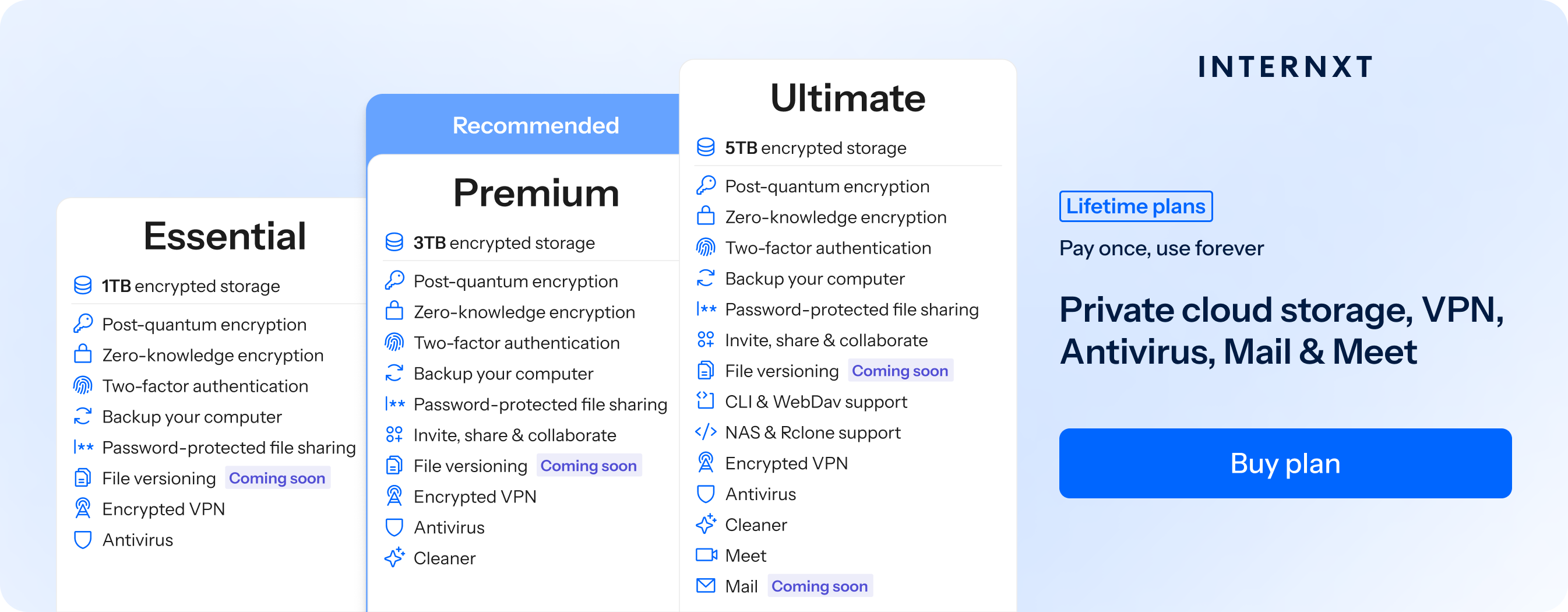
All paid plans offer backups, Antivirus, and VPN, and for more features, you can check out our paid plans and get an 85% discount on all Internxt plans.
Sync vs Dropbox vs Internxt overview
Now we’ve covered Sync vs Dropbox in detail, if you’re looking for an alternative to Dropbox or Sync, below you can compare both services to Internxt.
| Feature | Internxt | Sync.com | Dropbox |
|---|---|---|---|
| Free storage | 1 GB | 5 GB | 2 GB |
| Max storage | 100 TB | 5 TB | 15 TB |
| Pricing from | €1.99 | €4 | €11.99 |
| Lifetime plans | Yes | No | No |
| Open source | Yes | No | No |
| End-to-end encryption | Yes | Yes | No |
| Post-quantum encryption | Yes | No | No |
| Compliance | GDPR, ISO 27001, HIPAA, SOC 2 | GDPR, HIPAA, PIPEDA | GDPR, SOC, ISO |
| NAS support | Yes | No | No |
| WebDAV and Rclone support | Yes | No | No |
| Features | Drive, VPN, Antivirus, Cleaner, Meet, Mail, file versioning | Drive, file versioning, file sharing, custom branding, backup and sync | Drive, file versioning, file sharing, compliance tracking, advanced admin management |
Related products
Frequently asked questions
Is Sync.com safer than Dropbox?
Sync.com and Dropbox are secure services with strong encryption and security protections. However, Sync.com and Internxt Drive are more private because they use zero-knowledge encryption.
Sync.com vs Dropbox pricing?
Sync.com is cheaper overall, starting at around $4/month for 150 GB, with lower-cost plans per GB and no extra cost for unlimited data transfer on paid plans.
Dropbox is more expensive, starting at about €11.99/month for 2 TB, but it includes stronger collaboration tools, integrations, and business features.
For lifetime plans or monthly prices starting at €1.99 per month, Internxt is an alternative option to both Sync and Dropbox.
Does Sync.com have end-to-end encryption?
Yes. Sync.com uses end-to-end, zero-knowledge encryption by default, meaning your files are encrypted before they leave your device and only you can decrypt them.
It doesn’t use post-quantum encryption, however, so if you want to future-proof the protection of your files, Internxt Drive offers PQE combined with zero-knowledge encryption.
Also of interest to you...