
Everything You Need to Know About Secure Remote Storage

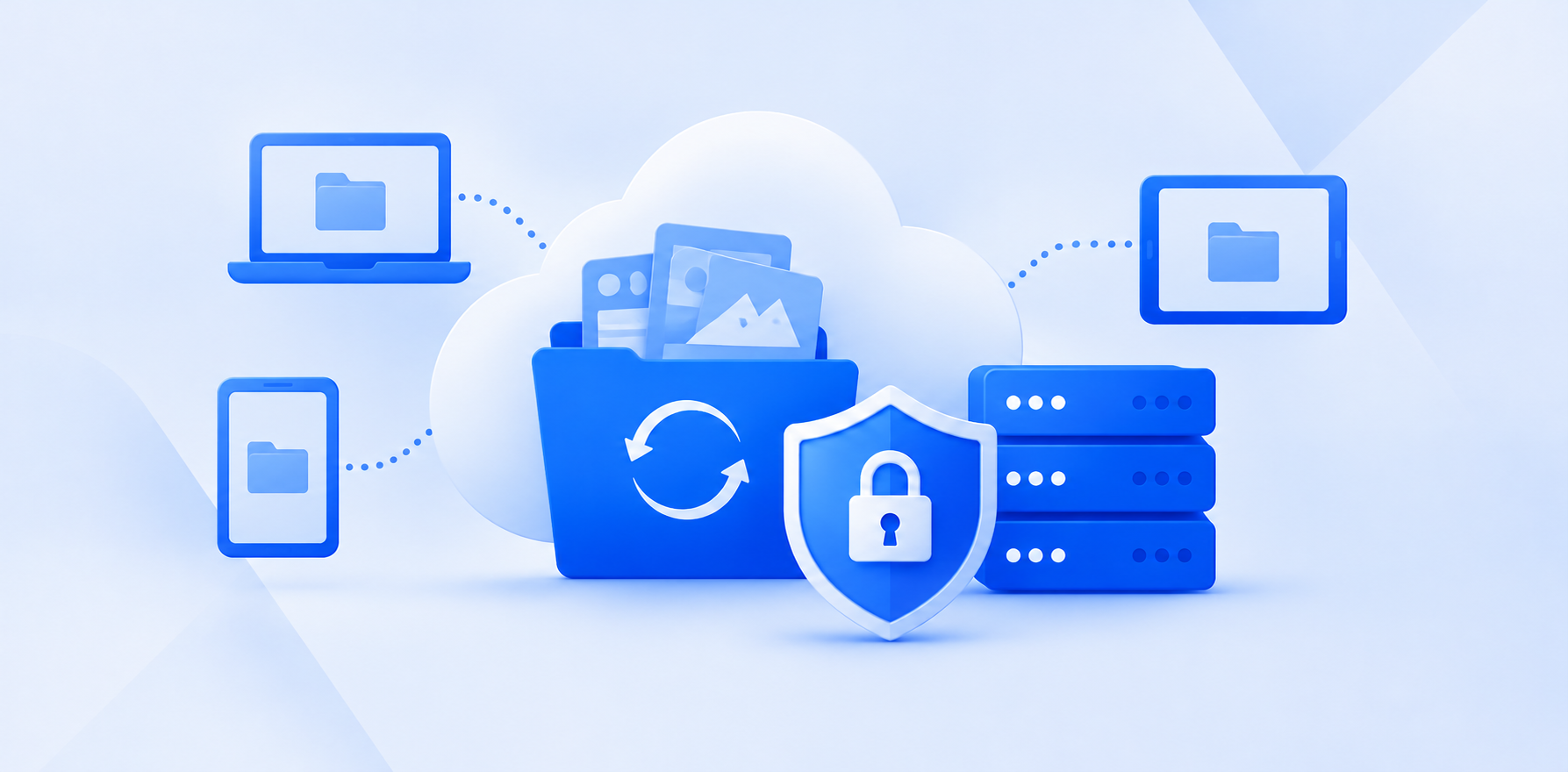
Secure remote storage offers a solution to store your important files, including videos, photos, and more, remotely online, so you can access, share, back up, or edit your files online across multiple devices.
Throughout this article, we will offer secure remote storage options, explain what are the benefits of using remote storage, and explain how it works, and the different types of storage methods available.
Table of contents
- What is remote storage?
- Is remote storage the same as cloud storage?
- What are the benefits of using remote storage?
- Is remote storage secure?
- What is the best secure remote storage?
- Related products
- Frequently asked questions
What is remote storage?
Remote storage lets you store files, documents, photos, or videos on remote servers rather than exclusively on your computer, phone, or other personal device. These servers are accessed over the internet and are usually managed by a cloud storage provider.
When you upload a file to remote storage, the file is transferred from your device to the provider's servers. Once uploaded, you can access it via the cloud provider’s web, desktop application, mobile app, or supported protocols such as WebDAV and Rclone, depending on the service.
Remote storage is commonly used for personal cloud storage, business documents, collaborative projects, media libraries, backups, and long-term archiving.
Is remote storage the same as cloud storage?
All cloud storage is remote storage, but not all remote storage is cloud storage.
Both refer to storing data somewhere other than directly on your local device. However, they differ slightly in how the storage infrastructure is provided, managed, and accessed.
- Cloud storage: Online storage provided and managed by a service provider, such as Internxt Drive.
- Remote storage: Any storage located on another device or server that you access through a network, such as a QNAP or Synology NAS device, a home computer, or a company file server.
The main differences between the two, therefore, relate to how the infrastructure is managed, how the service is delivered, and how much responsibility the user has for maintaining it.
What are the benefits of using remote storage?
Access files remotely
Remote storage allows you to access your files from different devices through a network connection. Instead of keeping everything on your computer, you can store files on a remote server and access them from any device, which is perfect for businesses or personal use.
Free up local storage
In terms of cloud storage vs local storage, remote storage allows large files, such as 4K photos or RAW photo albums, to be stored in the cloud or remotely without using up the local space on your device.
Secure file sharing
Remote storage allows for secure file transfers and large file sharing online by creating a secure link that you can send via email or your preferred method.
Sharing files via remote storage is a secure way to send files online, as they are protected via encryption and can also have added security controls such as password protection, access controls, or link expiration.
Scalability
As your storage requirements increase, remote storage makes it easy to add more storage to your cloud storage plan, and the best NAS devices allow you to add more hard drives.
This is especially useful for businesses, and cloud storage plans for large enterprises, such as object storage, allow businesses to add more storage to meet their growing demands.
Data availability
Remote storage makes it possible to access your files from another device if your primary computer becomes unavailable, increasing data reliability and security. For example, cloud storage backups can be downloaded from another device should your main device become lost, damaged, or stolen.
Improved data protection
Keeping files on a separate storage system can protect them against certain problems affecting your local device, such as hardware failure, theft, or accidental damage.
Some remote storage systems also support access permissions, encryption, and version history to help protect your data. However, remote storage alone does not guarantee complete protection, so reliable backups and appropriate security measures are still important.
Cost efficiency
The costs of remote storage vary between providers and depend on the storage offered, subscription plans, and whether the plans come with additional features or cloud storage alone.
Location can also matter, as cloud storage costs in the UK may be different from US pricing.
You should also consider remote storage as a long-term investment, so for this, you may consider local storage costs vs cloud storage costs, and subscription vs lifetime plans to get the best value for money over time.
Is remote storage secure?
Yes, remote storage is secure, as storage providers must follow compliance regulations and security protocols to ensure data is protected.
Many cloud storage services use in-transit and at-rest encryption to protect your files in the cloud; this is the method used by Google Drive, Dropbox, and many others. While this is secure, the cloud providers can access your files if requested by law or if they suspect you breach their terms and conditions.
Providers with an emphasis on private cloud storage will use end-to-end encryption, or zero-knowledge encryption, which encrypts files on your device and ensures nobody but you can access them.
Internxt, for example, offers encrypted cloud storage with zero-knowledge and post-quantum cryptography to offer the most secure remote storage via its desktop, mobile, and web apps, as well as via WebDAV, Rclone, and support for NAS cloud backups for QNAP and Synology.
Even with the highest security standards, you should always take additional methods to protect your data, starting with a secure password, enabling two-factor authentication, and regularly monitoring your accounts for suspicious activity.
What is the best secure remote storage?
Internxt Drive
Internxt Drive is a secure, encrypted, and private cloud storage based in Europe, built on open-source software for total transparency and peace of mind that data and files stored in Internxt are protected from data breaches and hackers.
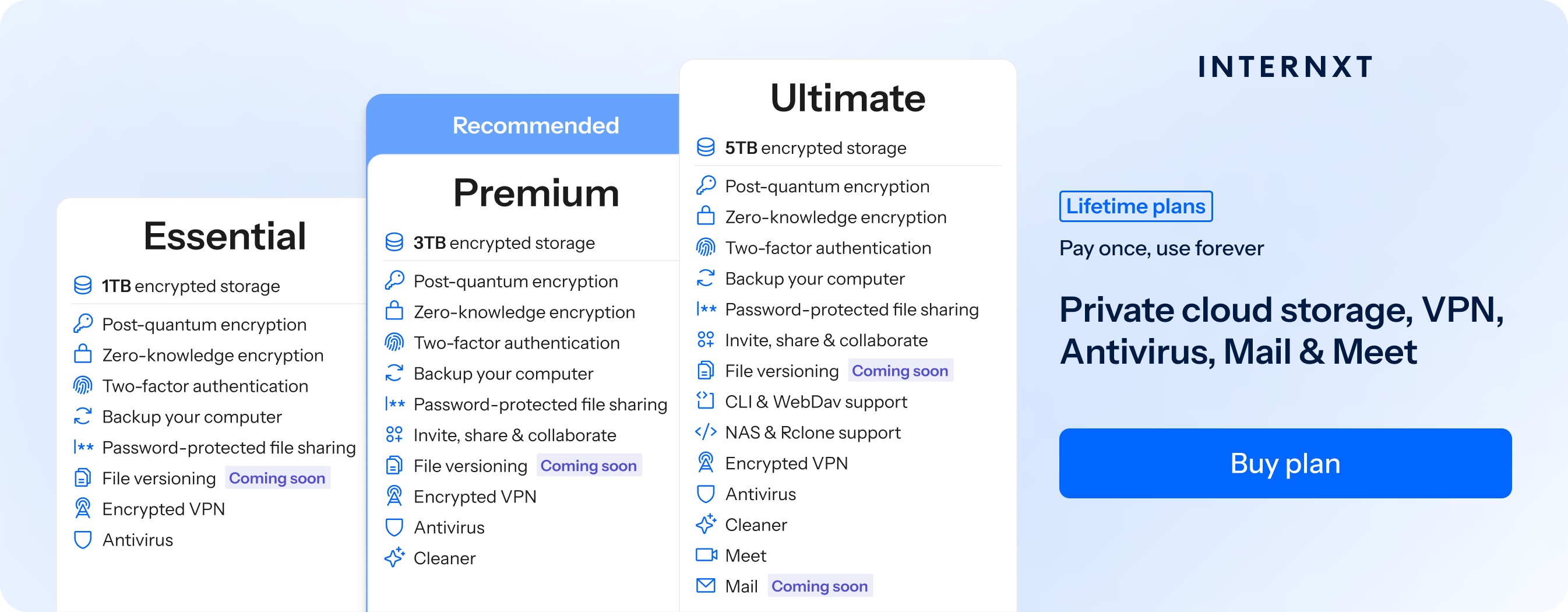
Internxt allows you to access your storage via its desktop apps, including Linux, and for advanced cloud management, native rclone support and WebDAV access are also available to sync, store, and back up your files in the cloud.
For users with a NAS system, you can also get secure remote storage by connecting your Internxt Drive to your NAS device, combining the privacy of your home cloud storage and Internxt’s private encryption.
To learn more about how Internxt protects your data, we explain this in more detail in our Is Internxt Safe article.
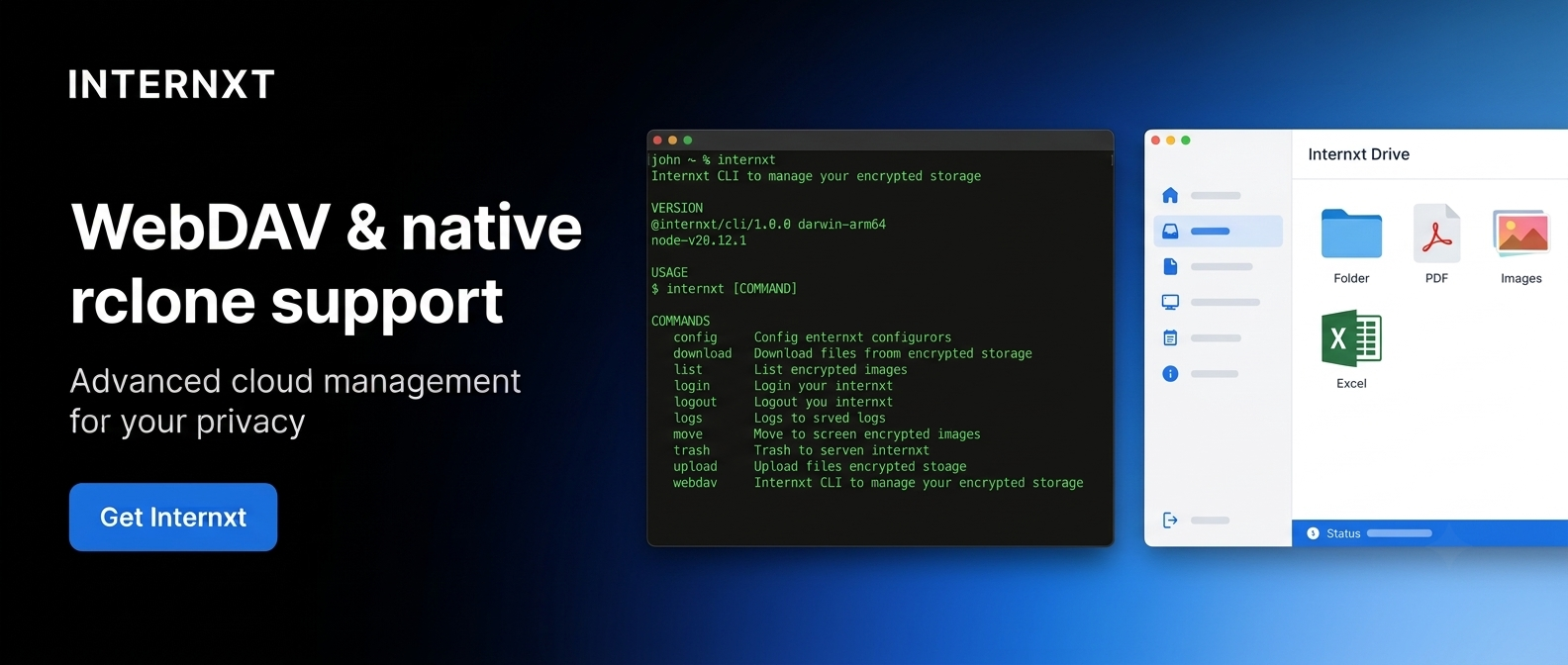
Internxt pricing starts at €1.49/month, or lifetime plans are also available with a one-time payment, giving you access to the features of your chosen plan forever.
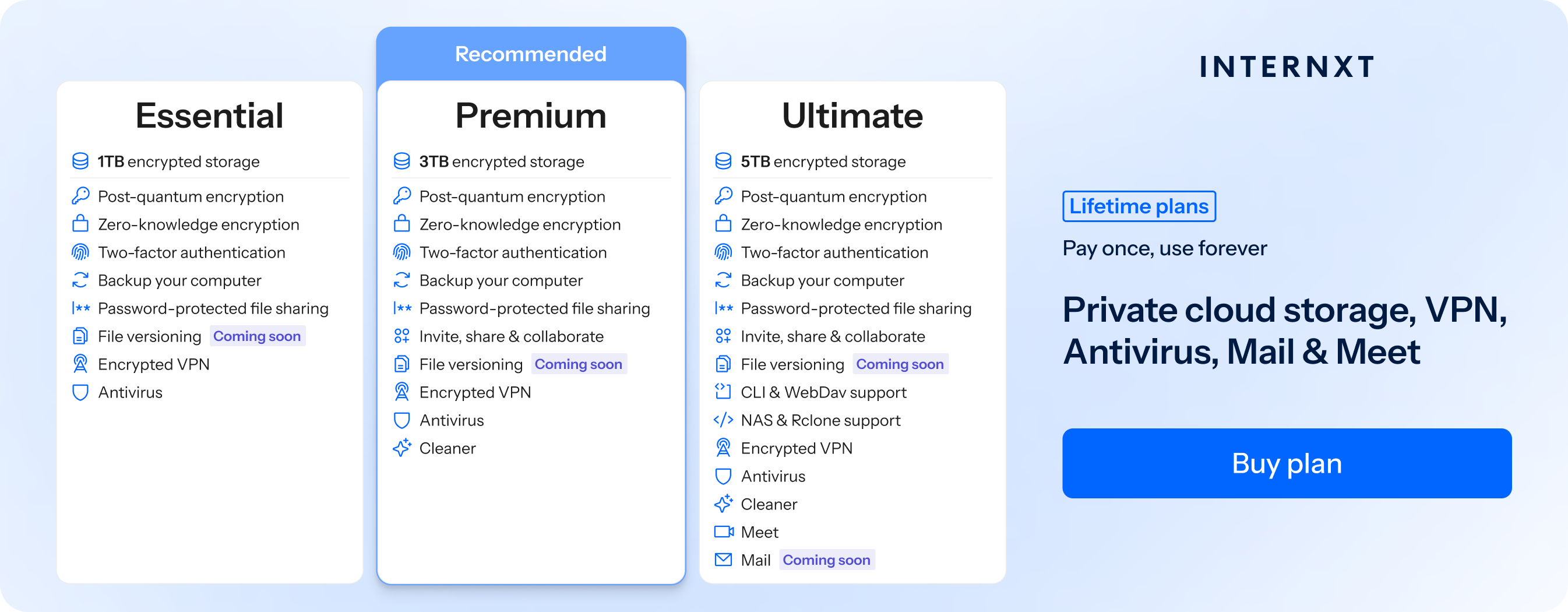
Check out the full feature list below, and use the link to get 85% off all plans.
| Plan | Storage | Features | Annual (Paid monthly) | Lifetime Cost |
|---|---|---|---|---|
| Essential | 1TB | €1.99/month | €380 | |
| Premium | 2TB |
|
€3.99/month | €580 |
| Ultimate | 5TB |
|
€5.99/month | €780 |
| *Prices are correct at the time of writing and are subject to change. For latest prices, check https://internxt.com/offerblogen | ||||
Internxt S3
For enterprises that need remote storage for petabytes of data, file versioning, backups, and secure storage with compliance, Internxt cloud object storage is an alternative to AWS, Azure, and Google Cloud.
Internxt S3 is a fully scalable storage solution for €7/TB/month, with no ingress or egress fees, allowing your business to plan your storage without any unexpected costs.
Related Products
https://internxt.com/cloud-object-storage
Frequently asked questions
What is remote storage?
Remote storage is a way of storing files on a separate device or server that you can access through a network or internet connection, rather than storing everything locally on your device.
What are the benefits of using remote storage?
Freeing up space on your devices, file sharing, accessibility, and backing up important files are all benefits you can gain from using secure remote storage.
Can I access my remote storage from multiple devices?
Yes, you can access your remote storage from multiple devices, such as computers, smartphones, and tablets.
How much storage space do I get with remote storage?
Storage space depends on the provider. Internxt offers plans from 1 to 3TB, which you can stack to get more storage if you have a lifetime plan.
How much does remote storage cost?
Internxt plans start from just €1.49/month or €7/TB/Month for object storage. For other pricing, Google One prices, OneDrive plans, or iCloud plans are available on their website.
Is remote storage secure enough?
Yes, remote storage can be secure when it uses encryption, strong passwords, and proper access controls. For full privacy, use end-to-end encryption and the necessary security measures to protect your accounts.
Is remote storage suitable for backing up my data?
Yes, remote storage is suitable for backing up important files and protecting them against local hardware failure or data loss. For additional protection, keep multiple backup copies and ensure at least one is stored separately from your main device.