
QNAP vs Synology: Who Wins the Battle of the NAS Devices?

If you’re in the market for a NAS device, then you’ve probably found that QNAP and Synology devices are the most popular and recommended storage devices on the market.
While there are many similarities, there are a few differences to consider, which we will cover in detail throughout this article, which will cover topics such as:
- QNAP vs Synology cost
- Pros and Cons
- Features
- Backups and security
- And more
If you’re looking for a hybrid storage approach and want to connect your NAS device to a cloud storage provider, we will also cover how Internxt Drive is the best cloud storage for QNAP and Synology devices.
QNAP vs Synology NAS devices: Quick comparison
Synology is best for:
- Beginners and home users getting started with NAS systems
- Users who want a simple setup and maintenance
- Users who want to easily manage shared photos, videos, and backups
QNAP is best for
- Advanced users and users who want more control and customization
- Users who want maximum hardware flexibility
- Users who prefer hands-on system configuration and tuning
- Users running demanding workloads like virtualization, containers, or self-hosted services
What are QNAP and Synology NAS devices?
QNAP and Synology are companies that make NAS (Network Attached Storage) devices to upload, sync, and backup files to the cloud.
A NAS is basically a small computer with hard drives that connects to your network and stores your files in one central place.
People use NAS devices to store, organize, and access data from multiple devices such as laptops, phones, and PCs. Instead of keeping files on separate devices or relying only on cloud storage, a NAS lets you keep everything in your own private storage system at home or in an office.
QNAP and Synology are the most popular and well-known NAS devices; although others are available, these two generally top the list of best NAS devices to meet beginner or advanced needs.
These two brands provide NAS systems that are relatively easy to set up, secure, and flexible enough to handle both basic home use and more advanced business or technical needs.
- The overall benefits of both are:
- Centralized file storage
- Automatic backups
- Easy file sharing between users or devices
- Remote access over the internet
Many models also support media streaming, so you can stream videos directly from your cloud storage, as well as extra features like photo storage, document syncing, and business file management.
What is the best cloud storage to connect a NAS device?
Internxt Drive is the best cloud storage to combine your QNAP or Synology device, thanks to its post-quantum encryption, ensuring you enjoy the benefits of hosting your own data and keeping your files in total privacy.
If you’re considering your options between QNAP vs Synology, then Internxt supports both devices, so whichever option you are considering, Internxt supports both options, with setup guides to connect your QNAP or Synology device with Internxt Drive to easily get started.
With an Internxt and NAS setup, you can easily upload, sync, and back up your devices to the cloud, ensuring you can access your files whenever you need them.
Internxt also offers lifetime plans, so you can invest in your cloud storage and NAS device without worrying about subscription costs from other companies, such as Google Drive or Dropbox.
Unlike these companies, Internxt also offers a full privacy suite included with your cloud storage and NAS setup, including native rclone support, Meet, Mail, and more, which you can find out more about from our website, or check out the information below on all our monthly and lifetime plans.
To get started with your NAS device with Internxt Drive, follow the link below to get 85% off all our plans.
QNAP vs Synology NAS comparison
Synology pros and cons
| Pros | Cons |
|---|---|
| Clean and polished software | Less hardware performance for the price |
| Strong backup and file management tools | Fewer customization options |
| Reliable long-term updates | Limited upgrade and PCIe expansion support |
| Excellent mobile and remote access apps | Weaker Plex transcoding on many models |
| Easy storage expansion with SHR | Higher prices on some models |
| Large community and documentation base | More restricted ecosystem in newer devices |
QNAP pros and cons
| Pros | Cons |
|---|---|
| Better hardware for the price | More complex interface and management |
| Strong Plex and transcoding performance | Steeper learning curve |
| Advanced virtualization and Docker support | Security reputation criticized more often online |
| More networking and expansion options | Apps feel less polished |
| Broad RAM and PCIe upgrade support | Advanced features may overwhelm beginners |
| ZFS support on QuTS hero models | Extra upgrades can increase total cost quickly |
QNAP vs Synology cost
The costs for QNAP vs Synology will vary greatly depending on whether you use it for home or business use. There are also additional costs to keep in mind, such as electricity, maintenance, and adding more storage if your needs increase.
What can affect the cost of NAS devices
- Hard drives are the highest cost (40%–60% of the total price)
- More or larger drives increase the total cost far more than the NAS device
- 4-bay systems significantly increase overall cost but improve scalability
- SSD cache and RAM upgrades add extra cost, which is more common in QNAP systems
Assumptions
- Entry-level 2-bay NAS (most common starter setup)
- 2 × 4TB NAS hard drives (Seagate IronWolf or WD Red Plus)
- 8TB usable raw capacity (before RAID)
- Prices are in € and may vary
Synology entry-level setup costs
NAS device options
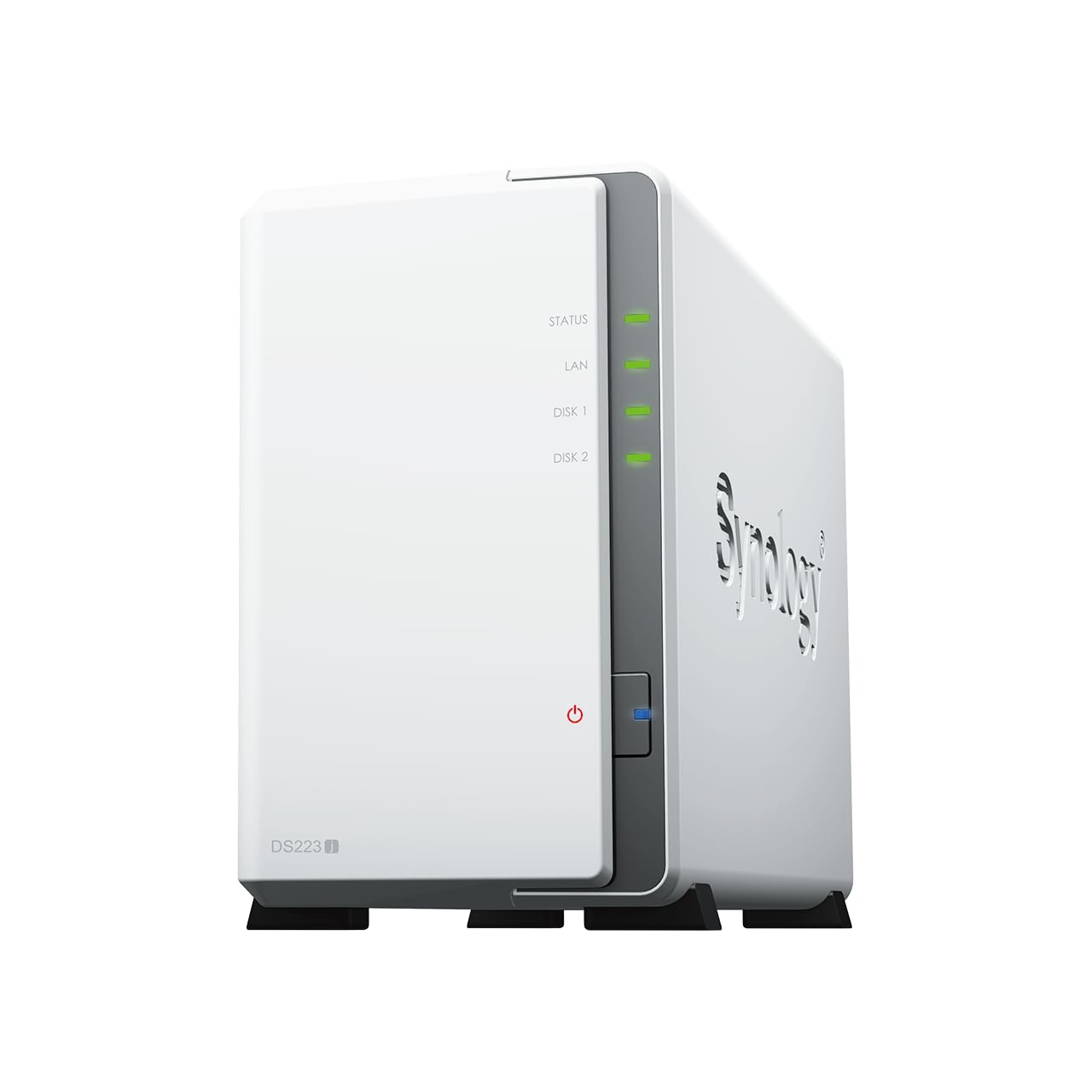
- Synology DS223J: ~€210–€260
- Synology DS224+: ~€330–€450
Hard drives
- 2 × 4TB NAS HDD: ~€90–€120 each
- Total: €180–€240
Total cost
- DS223J setup: €390–€500
- DS224+ setup: €510–€690
QNAP entry-level setup costs
NAS device options
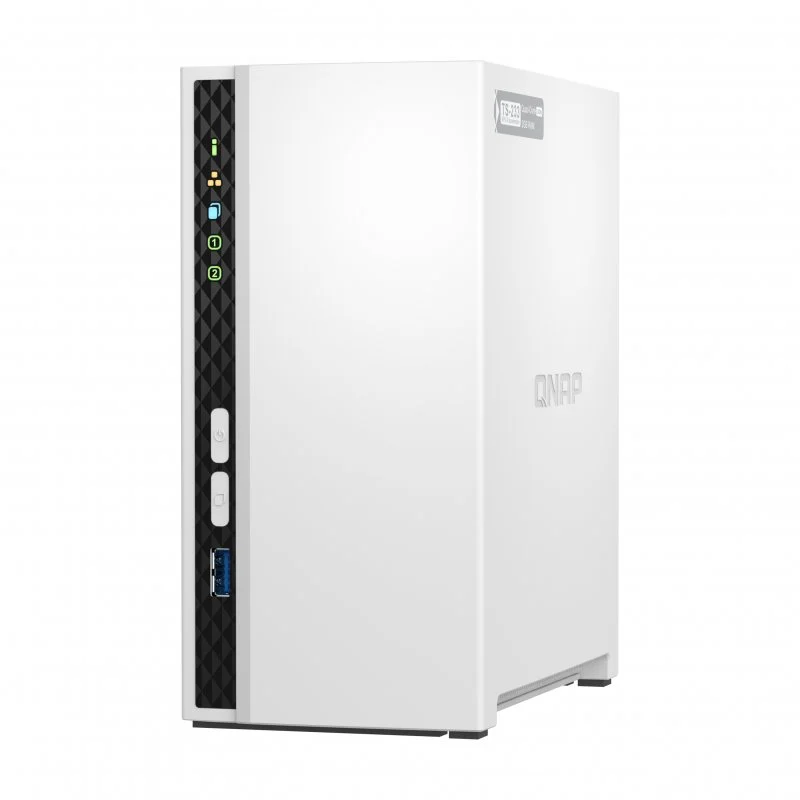
- QNAP TS-233: ~€220–€280
- QNAP TS-262: ~€330–€450
Hard drives
- 2 × 4TB NAS HDD: €180–€240 total
Total cost
- TS-233 setup: €400–€520
- TS-262 setup: €510–€690
Cost comparison
Budget setups
Synology: €390–€500
QNAP: €400–€520
QNAP is ~€10–€20 more expensive
Better performance setups
- Synology: €510–€690
- QNAP: €510–€690
Who wins?
From an entry-level perspective, pricing is almost identical once drives are included.
Synology is slightly cheaper in the lowest tier, but the difference is small enough that it does not meaningfully affect the buying decision.
Set up and ease of use
Synology
As Synology is aimed towards beginners, the experience is focused on reducing complexity and getting a working system running quickly with minimal decisions required. The setup process is highly guided and designed for first-time users.
Synology also has a detailed help center guide for users setting up their device for the first time, if you need extra help or want more advanced settings.
After installing the drives and powering on the device, you are taken through a browser-based wizard that handles most of the configuration automatically.
This includes creating storage pools, setting up RAID, creating user accounts, and enabling basic file sharing.
The system uses simple, clear options with recommended defaults, so users do not need to understand advanced storage or networking concepts to get started.
QNAP
The setup process is also web-based but exposes more configuration options during installation.
Like Synology, there is also a help center, a quick installation guide, and you can email to create a ticket if you need extra product support.
Users are asked earlier to make decisions about storage pools, RAID types, network configuration, and system behavior. This provides more control but increases complexity, especially for beginners.
While setup time is similar to Synology, QNAP can feel more complex or overwhelming due to the number of choices and system options.
Who wins?
- Synology wins for ease of setup and beginner friendliness.
- QNAP wins for flexibility and advanced configuration options.
QNAP vs Synology NAS Operating systems (DSM vs QTS)
Synology DSM (DiskStation Manager) is the operating system used on Synology NAS devices. It is designed to be simple, stable, and easy to navigate. The interface feels similar to a desktop environment with clearly organized menus and guided tools for storage setup, backups, file sharing, and system management.
It also includes well-integrated apps for backups, syncing, and media management, making it suitable for home users and small businesses.
QNAP QTS is the operating system used on QNAP NAS devices. It is more feature-rich and provides a higher level of customization and control.
The interface includes more settings and advanced tools exposed upfront, which allows users to fine-tune storage, networking, virtualization, and applications in more detail, but may have a deeper learning curve if you’re new to this kind of OS or are just getting started with NAS systems.
Who wins?
- Synology’s operating system, DSM, wins due to its focus on simplicity and ease of use.
- QNAP wins more advanced controls, but only if you're familiar with these kinds of settings.
Features
File services: Supports SMB, NFS, AFP, FTP, and iSCSI for sharing files across Windows, macOS, and Linux.
Storage management: Supports advanced file systems with snapshots and data integrity features for recovering previous file versions and protecting against corruption.
Cloud and sync: Provides private cloud syncing across devices with file versioning and multi-device access with external cloud platforms such as Google Drive, Dropbox, and Internxt Drive for backup or hybrid storage setups.
Media handling: Offers photo organization with automatic tagging and album creation. Supports media streaming to TVs and devices through network protocols.
System tools: Includes system health monitoring, performance tracking, storage analytics, logs, and diagnostic tools for managing and optimizing the NAS.
QNAP
Storage and file systems: Supports multiple RAID configurations plus automatic storage tiering between SSD and HDD on supported systems.
Virtual machines and containers: Supports Docker with Internxt Drive and Linux containers with advanced configuration options and resource control.
Media and output: Supports media streaming and hardware transcoding for video playback. Some models include direct HDMI output for connecting to displays.
AI and analytics: Includes AI-based image recognition, smart categorization for photos, and object detection for surveillance, depending on hardware.
System monitoring: Provides detailed dashboards for CPU, memory, network, and storage usage along with real-time diagnostics and performance tracking.
Who wins?
- Synology wins for its integrated software ecosystem and unified applications.
- QNAP wins for hardware expandability, networking flexibility, and advanced system-level control.
Backup and data protection features
Cloud device backups are an integral part of keeping your data protection practices, and NAS is the perfect addition to any 3-2-1 backup strategy.
Synology NAS cloud backup includes a wide range of built-in backup tools, the first being Hyper Backup, which allows backups to external drives, other NAS devices, and cloud providers with scheduling and version history.
Active Backup supports centralized backups for PCs, servers, virtual machines, and cloud services such as Internxt Drive. Snapshot Replication allows point-in-time recovery of files and folders to help restore data after accidental deletion or corruption.
QNAP provides backup and data protection through Hybrid Backup Sync, which supports local, remote, and cloud backups with scheduling, synchronization, and versioning. Snapshot support is available for restoring previous file states and recovering from accidental changes or ransomware.
Who wins?
- Synology wins for integrated backup tools and simpler recovery management.
- QNAP wins for advanced storage technologies, ZFS support, and flexible data management features.
Security features and update policies
Security features and update policies
Synology includes built-in security tools such as firewall management, IP blocking, account protection, HTTPS encryption, and two-factor authentication. It also supports encrypted shared folders and secure remote access through VPN and QuickConnect services.
Another useful feature, especially for those not too familiar with cybersecurity practices, is its Security Advisor, which scans the system for weak passwords, unsafe settings, exposed services, and other potential vulnerabilities.
QNAP includes security features such as QuFirewall, malware scanning and removal tools, access control, encrypted connections, VPN services, and multi-factor authentication.
While QNAP releases regular firmware and security updates, users are often expected to manually review and configure more security settings compared to Synology, which can be complex or put the device at risk of security vulnerabilities.
Who wins?
- Synology wins for long-term update consistency and integrated security management.
- QNAP wins for advanced network security controls and deeper configuration options, making it especially useful for business or enterprise storage environments.
Remote access and mobile apps
Synology provides remote access through QuickConnect, which allows users to access files, media, and NAS services over the internet without complex network configuration.
Synology offers a broad set of mobile apps for file access, photo backup, video streaming, music playback, surveillance monitoring, and system management. Other available apps include:
- DS File
- DS Cam
- Synology Photos
- Synology Drive
All of which are tightly integrated with the NAS ecosystem and designed to work together across devices.
QNAP provides remote access through myQNAPcloud, which enables browser-based access, remote file management, and service publishing over the internet.
QNAP offers mobile apps for file access, media streaming, surveillance monitoring, download management, and system administration. Applications such as Qfile, QuMagie Mobile, Qmusic, and QVR Pro Client provide access to NAS services from smartphones and tablets.
Who wins?
- Synology wins for its integrated mobile app ecosystem and smoother remote access experience.
- QNAP wins for advanced remote networking flexibility and extensive remote configuration options.
QNAP vs Synology: Which should I choose?
Choose Synology if you want a more beginner-friendly experience and a better out-the-box set up. Synology also has better integrated apps for backups, photos, and file syncing.
Choose QNAP NAS devices if you want better hardware value, more CPU power, stronger virtualization and Docker support, and more advanced, customizable controls.
Both options are available to connect your Internxt Drive to, so whichever option you choose, combining both with Internxt will give you the most secure cloud storage for your files.
Also of interest to you...