
What Is the Best Nas for Home, Business, and Enterprise in 2026?

QNAP and Synology NAS devices are considered the best NAS devices for private or hybrid cloud storage use, but which one is best for you?
Within this article, we cover the best network attached storage devices of 2026 for home, business, enterprise, and the best NAS on a budget. To help you make the decision, we will cover
- What is the best NAS device
- How to choose and use your NAS
- NAS for hybrid cloud storage
- Best NAS devices for your use case
Table of contents
- What is a NAS?
- How to use a NAS
- How to choose the best NAS storage
- The 4 best NAS devices in 2026
- Best NAS on a budget
- Best NAS for home users
- Best NAS for advanced users
- Best NAS for enterprises
- Which NAS should I buy?
- Frequently asked questions
What is a NAS?
Network Attached Storage, or NAS, is a dedicated storage device that connects to your home or office network and allows you to store, access, and manage files from multiple devices in one central location.
The device is a centralized storage system, and therefore reduces the need for relying on cloud services and gives home or office users greater control over the privacy of their files, as they control everything.
NAS can also be used in a hybrid cloud environment, meaning you can connect your NAS to your preferred cloud provider that supports NAS devices, such as Internxt Drive.
On top of the NAS device, you will typically have to buy compatible hard drives on top of the cost of the NAS system, ranging from 8TB to 16TB, or more. Aside from cloud storage, the best NAS devices also offer additional services like media streaming, photo management, automated backups, and more.
How to use a NAS
A NAS (Network Attached Storage) device is a dedicated storage device connected to the local network that allows you to store, access, and manage files from multiple devices. It can work as a private cloud, a backup system, or a hybrid storage solution combined with public cloud services.
Set up your NAS device
Once you have chosen the best network attached storage to fit your needs, you first install compatible hard drives and connect the device to your router or network switch.
Once it's powered on, you can access the NAS through a web interface or a dedicated app to complete setup, create user accounts, and configure storage volumes.
Use your NAS as a standalone cloud storage
A NAS can function as a personal cloud for extra privacy without relying on third-party services such as Google Drive, OneDrive, or Dropbox.
Once configured, you can upload files, access them remotely over the internet, and sync data across devices like laptops, phones, and tablets as you would with cloud storage for:
- File access and sharing
- Backup and data protection
- Remote access and syncing
- Media streaming
- Video surveillance
- And more
Hybrid cloud storage setup
QNAP and Synology are generally considered to be the best NAS storage for all use cases, whether it's home, business, or enterprise use, so they will be the focus when covering the best NAS devices in this article.
With Internxt Drive’s Ultimate lifetime plans, you can avoid subscription costs and connect your NAS device with your Internxt account to set up a private hybrid cloud environment.
With Internxt, your files are protected with post-quantum and zero-knowledge encryption, and you can store, sync, and back up your files directly to your NAS system.
With an Ultimate plan, you also get more than cloud storage; you can connect to rclone, WebDAV, and get extra features to protect you online, such as VPN, Antivirus, Mail, and Meet.
If you have a QNAP or Synology device, you can get started with Internxt by getting 85% off our website via the link below.
If you’re wondering what the best NAS device for you is, then keep reading!
How to choose the best NAS storage
Choosing the best NAS storage depends on your needs, how familiar with tech devices, and how you plan to use the system during the next few years. The key is to match hardware, software, and capacity to your actual use case rather than focusing only on brand or price.
Drive bays and storage capacity
As NAS is a physical device, you will need to consider the number of drive bays you need, which is where you will store your hard drives, and get the storage capacity you need.
A 2-bay NAS is suitable for basic home use such as file backups, photo storage, and light media streaming. A 2-bay NAS will use RAID 1 to improve data safety by mirroring one drive to the second, so if one drive fails, your data is still available on the other.
As you can imagine, more drive bays mean more storage space, better redundancy options, and greater long-term scalability, but also higher cost and a more complex setup.
Performance requirements
If you’re getting started with NAS and only need it for simple file storage or backups, then entry-level processors and limited RAM will generally be enough to meet your requirements.
If you plan to use more demanding applications, such as media apps like Plex, virtual machines, or Docker containers, you will need a more powerful CPU and more memory if you want to handle multiple tasks smoothly.
Speed
Networking speed will affect how quickly you can copy files, stream media, or access data from different devices.
Standard NAS devices will have a 1GbE (1 Gigabit Ethernet) connection, which is enough to transfer about 100 to 110 megabytes of data every second and is enough for basic uses for one device at a time.
Other devices can include 2.5GbE for better performance and more complex setups with speeds up to 10GbE, high-end and professional use, not typical home setups, as it requires compatible switches, cables, and network hardware, which makes it significantly more expensive and complex to set up.
Software and ease of use
If you’re confident in your tech knowledge or have experience with NAS devices, then QNAP offers deeper configuration options for more complex settings that meet your needs.
If not, no need to worry, Synology NAS devices are perfect for beginners as they walk you through each step of the setup process and recommend default settings to make getting started with your NAS as easy as possible
Data protection and long-term value
Data protection on NAS devices usually includes the following backup features to protect you from data loss
RAID protects against hardware failure by duplicating data across multiple drives inside your NAS.
Snapshots create restore points, allowing you to roll back files or folders to an earlier version if something is deleted, corrupted, or affected by ransomware.
Backup tools go one step further by copying your data to another location, such as an external drive or cloud storage, so you have an additional layer of protection.
The 4 best NAS devices in 2026
Best NAS on a budget
Synology DS223j
The Synology DS223j is one of the best budget NAS devices because it combines low cost with Synology’s easy-to-use DSM operating system. It is perfect for simple file storage, backups, photo storage, and remote access.
It includes:
- 2 drive bays
- Synology DSM operating system
- RAID support for drive protection
- Automatic backups and file syncing
- Mobile apps for remote access and photo backup
- 1GbE networking
- Low power consumption
- €200 to €250 without drives included
- €400 to €550 with 2 x 4TB drives.
Storage capacity depends on the drives installed, but it supports up to around 36TB of raw storage with two large-capacity drives.
For a faster processor and stronger multimedia features, such as Plex media streaming, the QNAP TS-233 is one of the best budget NAS devices with better hardware performance compared to Synology.
| Best NAS on a budget | Synology DS223j | QNAP TS-233 |
|---|---|---|
| Price | €214.79 | €250.53 |
| Retailers | PcComponentes + others | PcComponentes + others |
| Best for | Beginners and simple home storage | Better performance on a budget |
| Drive bays | 2 | 2 |
| Operating system | Synology DSM | QNAP QTS |
| Ease of use | Very easy | More advanced |
| Plex support | Basic | Better |
| Networking | 1GbE | 1GbE |
| RAID support | Yes | Yes |
| Approximate NAS price | €200–€250 | €230–€300 |
| Approximate total cost with drives | €400–€550 | €450–€600 |
| Maximum storage | Around 36TB raw | Depends on installed drives |
Best NAS for home users
Synology DS224+
For the best NAS for home, the two best options are usually Synology for simplicity and QNAP for performance.
The right choice depends on whether you want an easy-to-manage system or more advanced features and hardware power.
| Best NAS for home users | Synology DS224+ | QNAP TS-264-8G |
|---|---|---|
| Price | €396.50 | €557.42 |
| Retailers | reichelt.com + others | Carrefour + others |
| Best for | Beginners and home users | Advanced users and performance |
| Drive bays | 2 | 2 |
| Networking | 1GbE | 2.5GbE |
| Ease of use | Very easy | More complex |
| Plex support | Good | Better |
| Virtual machines / Docker | Basic | Advanced |
| Approximate price | €400–€450 | €500–€600 |
| Maximum storage | Around 36TB raw | Depends on installed drives |
The Synology DS224+ is widely considered one of the best home NAS devices because it focuses on simplicity, reliability, and long-term usability. It uses Synology DSM, an operating system designed for beginners with guided setup, automatic backups, and easy file management.
It includes:
- 2 drive bays
- Support for HDDs and SSDs
- RAID 1 for drive failure protection
- Automatic backups and snapshots
- Plex media server support
- Mobile apps for photos, files, and remote access
- 1GbE networking
Storage capacity depends on the drives installed, but it supports up to around 36TB of raw storage with two drives.
The NAS itself usually costs around €400 to €450 without drives, €600 to €750 with 2 x 4TB and around €800 to €1,000 for 2 x 8TB drives.
Best NAS for advanced users
QNAP TVS-h674
The QNAP TVS-h674 is widely considered one of the best NAS devices for advanced users because it focuses on hardware performance, expandability, and professional-level features. It is designed for demanding workloads such as Plex media streaming, Docker containers, virtual machines, large file transfers, and multi-user environments.
It includes:
- 6 drive bays
- Intel Core processor options
- Up to 64GB RAM support
- 2.5GbE networking
- Optional 10GbE upgrades
- PCIe expansion support
- M.2 NVMe SSD support
- Docker and virtualization support
- HDMI output for direct media playback
- ZFS support with QuTS hero
Storage capacity depends on the drives installed, but with six bays, it can support well over 100TB of raw storage using high-capacity drives.
The NAS itself usually costs around €1,400 to €3,000, depending on the processor and RAM configuration, without drives included.
| Best NAS for advanced users | QNAP TVS-H674 32GB 6-Bay NAS | Synology DS923+ 4-Bay NAS |
|---|---|---|
| Price | €3,089.00 | €1,599.56 |
| Retailers | PcComponentes + others | PcComponentes + others |
| Best for | High-performance advanced users | Advanced users wanting simpler management |
| Drive bays | 6 | 4 |
| Networking | 2.5GbE with optional 10GbE | 1GbE with optional 10GbE |
| CPU | Intel Core | AMD Ryzen |
| RAM support | Up to 64GB | Expandable |
| Docker / virtual machines | Advanced | Advanced |
| PCIe upgrades | Yes | Yes |
| Ease of use | More complex | Easier |
| Approximate price | €1,400–€3,000 | €650–€1,200 |
| Maximum storage | Over 100TB raw | Over 50TB raw |
Best NAS for enterprises
Synology DS1823xs+
The Synology DS1823xs+ is one of the best enterprise NAS systems for backups for businesses that prioritize stability, centralized backups, and simpler management.
Compared to QNAP, Synology focuses more on software integration and ease of administration, making it popular for offices that want enterprise features without complex setup.
It includes:
- 8 drive bays allowing for up to 100 TB storage
- AMD Ryzen processor
- ECC memory support
- Integrated 10GbE networking
- Advanced backup and snapshot tools
- Virtual machine and Docker support
- Synology DSM operating system
- Enterprise-grade data protection features
- Expansion support for additional storage units
- Between €1,700 to €2,800 without drives, around €3,000 to €5,500 with 6 to 8 NAS-grade hard drives, and between €4,500 to €8,000 with 12 or 20 TB drives.
| Feature | QNAP TVS-H674 32GB 6-Bay NAS | Synology DS1823xs+ NAS 8Bay DiskStation |
|---|---|---|
| Price | €1,752.20 | €2,736.56 |
| Retailers | Microless.com + others | Setnology |
| Best for | Maximum performance and virtualization | Easier enterprise management |
| Drive bays | 6 | 8 |
| Networking | 2.5GbE with optional 10/25GbE | Integrated 10GbE |
| CPU | Intel Core | AMD Ryzen |
| RAM support | Up to 64GB | ECC memory support |
| Docker / virtual machines | Advanced | Advanced |
| PCIe upgrades | Yes | Yes |
| Operating system | QTS / QuTS hero | Synology DSM |
| Approximate price | €1,700–€3,000 | €1,700–€2,800 |
| Maximum storage | Over 100TB raw | Over 100TB raw |
Which NAS should I buy?
If you’re buying your first NAS device, then Synology is the best NAS for home use and a great entry point for everyone.
It has all the features you need for cloud storage at an affordable price, and, more importantly, it is user-friendly, making it easy to get started without too much tech knowledge.
For the best NAS performance, media streaming, and more advanced settings, a QNAP is the best network attached storage for advanced users or small businesses.
For the best cloud combined with the best NAS device for your needs, Internxt Drive offers NAS support for QNAP and Synology with its Ultimate monthly and monthly plans.
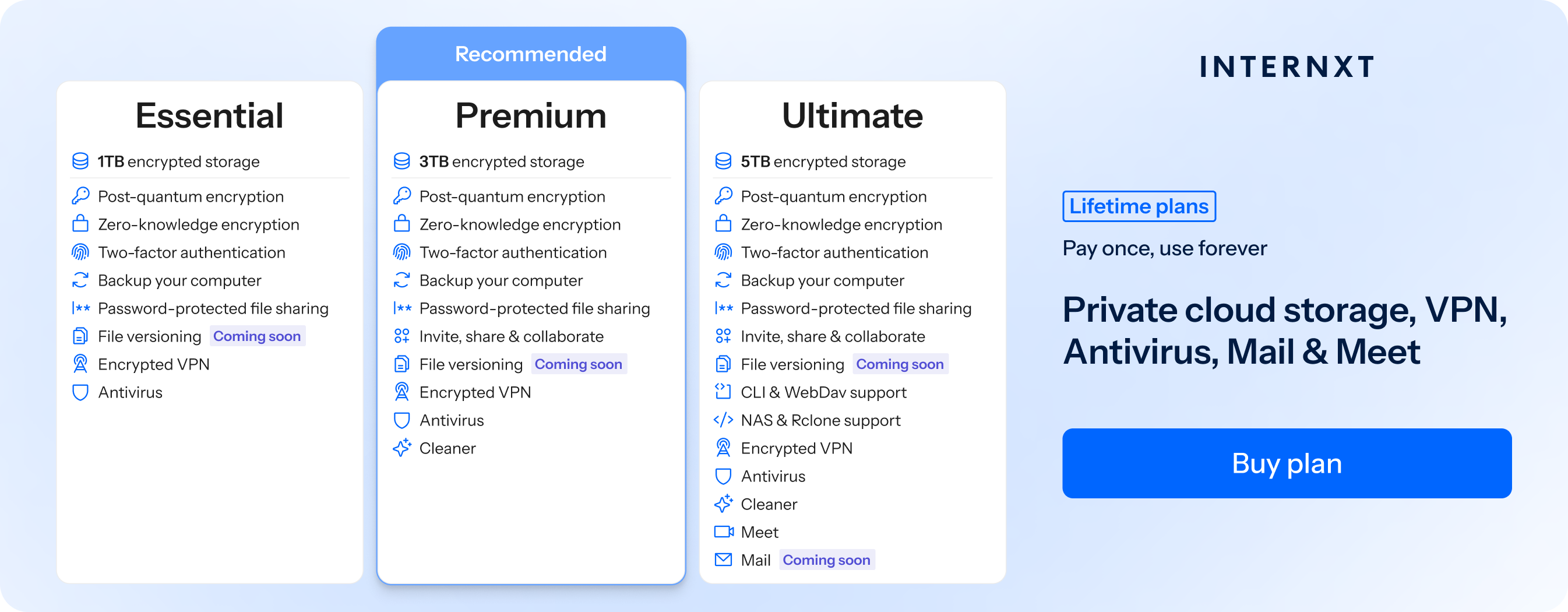
It also includes post-quantum encryption, rclone support, Mail, Meet, and more.
You can also stack your lifetime storage plans, giving you all the storage you will ever need without recurring subscriptions.
Get your 85% discount from our website to get started with NAS and secure, encrypted cloud storage.
You may also be interested
Frequently asked questions
Can a NAS replace cloud storage?
Yes, a NAS can act as a private cloud, allowing you to store and access files remotely without relying on third-party services, although many users still combine it with cloud storage for extra backup.
Do I need the internet for a NAS to work?
No, a NAS works on your local network without internet, but internet is required if you want remote access or cloud syncing features.
What are NAS drives?
NAS drives are hard drives designed specifically for continuous operation in NAS systems, offering better reliability and performance than standard desktop drives.
Is a NAS secure?
NAS devices include security features like encryption, user permissions, firewalls, and backup options, but proper configuration is important to keep data safe.
What is RAID in NAS?
RAID is a storage setup that combines multiple drives to improve performance, increase storage efficiency, or provide data protection in case one drive fails.
Which brands make the best NAS devices?
Popular NAS brands include Synology and QNAP, known for their reliability, software features, and strong performance across different use cases.
What is the difference between a 2-bay and a 4-bay NAS?
A 2-bay NAS supports two drives and is better for basic home use, while a 4-bay NAS supports more drives, offering higher capacity, better performance, and more RAID options.
Also of interest to you...