
Is Google Drive Safe for Private Photos? Security, Privacy, and Encryption Explained

Google Drive offers cloud storage for photos and a wide variety of collaboration platforms and workspace features, which makes it a popular option for personal and business cloud storage.
But, is Google Drive safe for private Photos?
This article covers Google Drive security and how it protects your photos with account security, encryption, and more.
If you want to know how to secure your photos in Google Drive, or if you need a more private cloud storage for photos service, this article covers everything you need.
Table of contents
Google Drive safety and security features
Google Drive has many security features, which you can learn more about in our is Google Drive safe article. For your photos, Google has the following security features.
Account security
Google offers two-factor authentication as an additional security layer on top of your password in case your password is leaked online or compromised by hackers.
You can also set up a passkey, which is a form of biometric authentication that uses your fingerprint, face, or PIN to authorize your login and prove it is you trying to access your account.
Access controls
When you share a folder within Google Drive, you can set who can view, edit, or comment on the document, and restrict access from your account.
However, it is not possible to password-protect a shared file with Google Drive, so if you want the best way to share photos online privately, other alternatives offer this service, like Internxt allow you to share private photos with family, employees, or friends in total privacy.
Account activity and security alerts
Google monitors your account for unusual activity, such as sign-ins from unfamiliar devices, locations, or sudden changes to security settings. If something suspicious is detected, Google may send you a security alert so you can review the activity and take action, such as changing your password or securing your account.
Malware and spam protection
Whenever you upload photos or download files from Google Drive, Google scans them for malware, viruses, or other harmful content that could infect your device or compromise your personal data.
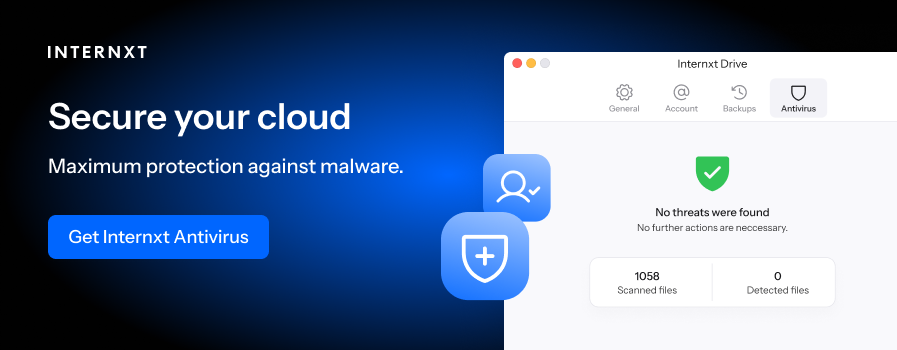
If a file is detected as dangerous, Google will warn you before you open or download it.
Compliance
Google is GDPR compliant; however, it has paid millions in fines for violations of a country's data privacy laws for not complying with GDPR standards.
One example is a €10 million fine from the Spanish data protection authority, which fined Google for violating GDPR by passing identifying information of people who requested deletion to third parties without consent.
Google Drive security and privacy concerns you should know
Something something
When considering is Google Drive safe for private photos, it’s important to realise that while Google is responsible for having strong security controls for your account, it also depends on what you do to keep your account protected as well.
Therefore, you should be aware of the following when saving private photos on Google Drive:
- Unsecure networks or public wi-fi: When you are accessing Google Drive, an unsecured network such as public wifi can leave you exposed to hackers. If you need to access Google Drive on an unfamiliar network, you should use an encrypted VPN to protect your connection
- Wrong sharing setting: If you share a file and leave the link under public settings, anyone with the link can access your files, exposing your private photos.
- Third-Party Applications: Google integrates with many third-party applications, but connecting your account to a malicious or untrusted application can create security risks. These applications may gain access to your Google Drive files or other account information, depending on the permissions you grant them.
- Accidental deletion: If files are not backed up in the cloud, or you accidentally delete them, they could be lost forever.
Privacy
Google Drive is safe for private photos in the sense that it has many security controls to protect your photos in the cloud. What Google Drive is not well known for, however, is privacy.
This is because Google collects the following personal information when you create an account with them:
- Name, phone number, gender, date of birth
- Your email addresses
- Where you live
- Where you work
- Your interests
- Things you search for
- Websites you visit
- Videos you watch
- Ads you click on or tap
- Your location
- Places you've visited around the world
- Device information
- IP address and cookie data
- Your YouTube search history and recently watched videos
- What you've said to the Google Assistant, including via smart speakers
When asking is Google Drive safe for private photos specifically, Google uses the following information when you use Google as cloud storage for photos.
- Personal information: Photos can reveal your face, family members, friends, home, workplace, location, and daily activities.
- Location data: Some photos contain GPS information showing exactly where and when a photo was taken.
- Sensitive content: Photos may contain private documents, medical information, identification, financial details, or other information you did not intend to share.
- Cloud storage: Your photos are stored on Google's servers, which are not end-to-end encrypted, so you are relying on Google's security systems and trusting them not to decrypt your files.
Gemini AI and privacy
With Google One offering Gemini features in its free and paid plans, this causes additional privacy concerns if you store your photos in Google Drive or Google Photos.
Google's AI systems have additional access to and the ability to analyse information contained in your photos, such as:
- Image analysis: Gemini can analyse photos you give it and understand objects, people, text and other details in the image.
- Details about your personal life: A photo can reveal your face, location, relationships, activities, documents, and other sensitive information about you and people in group photos. AI can potentially identify and organise these details at scale.
- Access across services: If you connect Google Photos or other Google services to Gemini, Google says Gemini may use photos, files, and information derived from them to create personal insights about your interests, relationships, and locations.
Encryption
Google Drive, and its whole product suite of Gmail, Google Docs, etc, does not use end-to-end encryption, which is the biggest privacy feature you should look for when asking is Google Drive safe for private photos.
Google Drive encrypts folders in transit and on servers it manages. This means Google could access your photos, or give law enforcement access to them as Google manages the encryption keys.
The best way to store your photos in total privacy is with end-to-end encrypted cloud storage, like Internxt Drive, which encrypts your files on your device, so nobody, including Internxt can access them.
Transparancy
As Google is not open source, most of the underlying code is kept private, so you have to rely on Google to identify vulnerabilities, explain how its security works, and fix problems.
With open-source services like Internxt, the code is available to everybody, meaning security experts can verify updates, security, and encryption, and there are no backdoors to your data. Internxt is also independently audited by Securitum to confirm Internxt as the best secure cloud storage services.
How to protect your photos in Google Drive
If you've had your Google Drive account for a long time and have accumulated a lot of photos stored in Google Drive and want extra security, you can follow these steps to keep your photos private in Google.
- Enable 2FA combined with a strong password or passphrase.
- Encrypt your files before uploading them to Google Drive with services like Cryptomator
- Back up your photos to protect against data loss
- Check your third-party app integrations
- Monitor your Google activity history
If you’re worried about the privacy of your photos in Google, then below you can learn how to migrate your photos and other folders to zero-knowledge cloud storage services.
How to move photos from Google Drive to private cloud storage
To migrate your photos or any other documents to a Google Drive alternative, like Internxt, follow these steps:
- Go to Google Takeout and sign in to your Google account.
- Click “Deselect all” so you don't export unrelated Google data.
- Tick the box next to Drive.
- Click “All Drive data included”. If you only want your photos, you can select only the folder(s) containing your photos.
- Under “Delivery method”, select “Send download link via email”. This will give you a download link when Google has prepared your files.
- Choose “Export once” and then click “Create export”.
- Wait for Google to prepare the export. If you have a lot of photos, this can take some time. Google will email you when it is ready.
- Open the email and click “Download your files”. Download the ZIP file(s) to your computer.
- Extract the ZIP file. Inside, you should find your exported Drive files and folders.
Once Google has created your link, you will receive a ZIP file in your email, which you then extract and upload to Internxt via its web or desktop apps for Windows, Mac, or Linux.
From the Internxt help centre, you can also learn how to migrate your files from OneDrive or Dropbox. With an Internxt Ultimate plan, you can also use the native rclone feature to migrate your files.
If you use Google Photos and have switched from Google, you can also learn how to stop Google Photo backups to free up your storage and back up your photos with end-to-end encryption with Internxt Photos.
With private cloud storage solutions like Internxt, you don’t have to worry is Google Drive safe for private photos, as Internxt Drive gives you everything you need to switch from Google to gain more privacy, including Internxt Photos, VPN, Mail, Meet, and more.
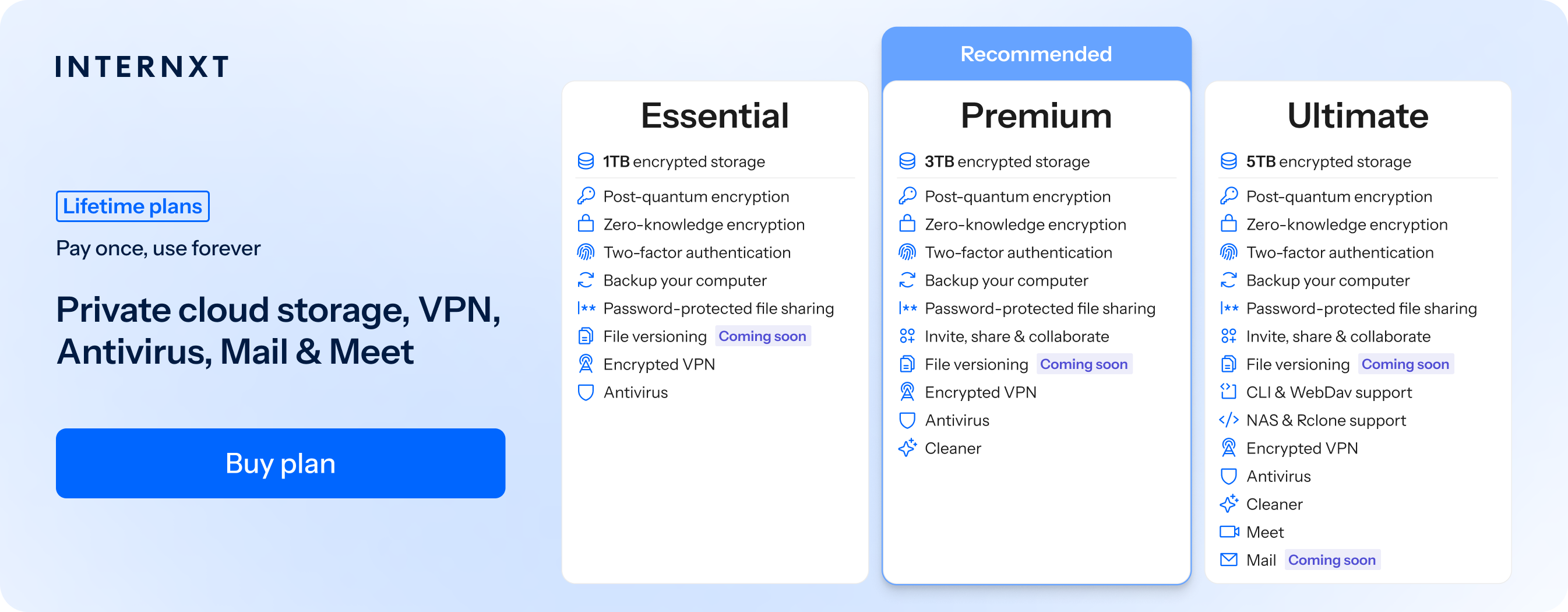
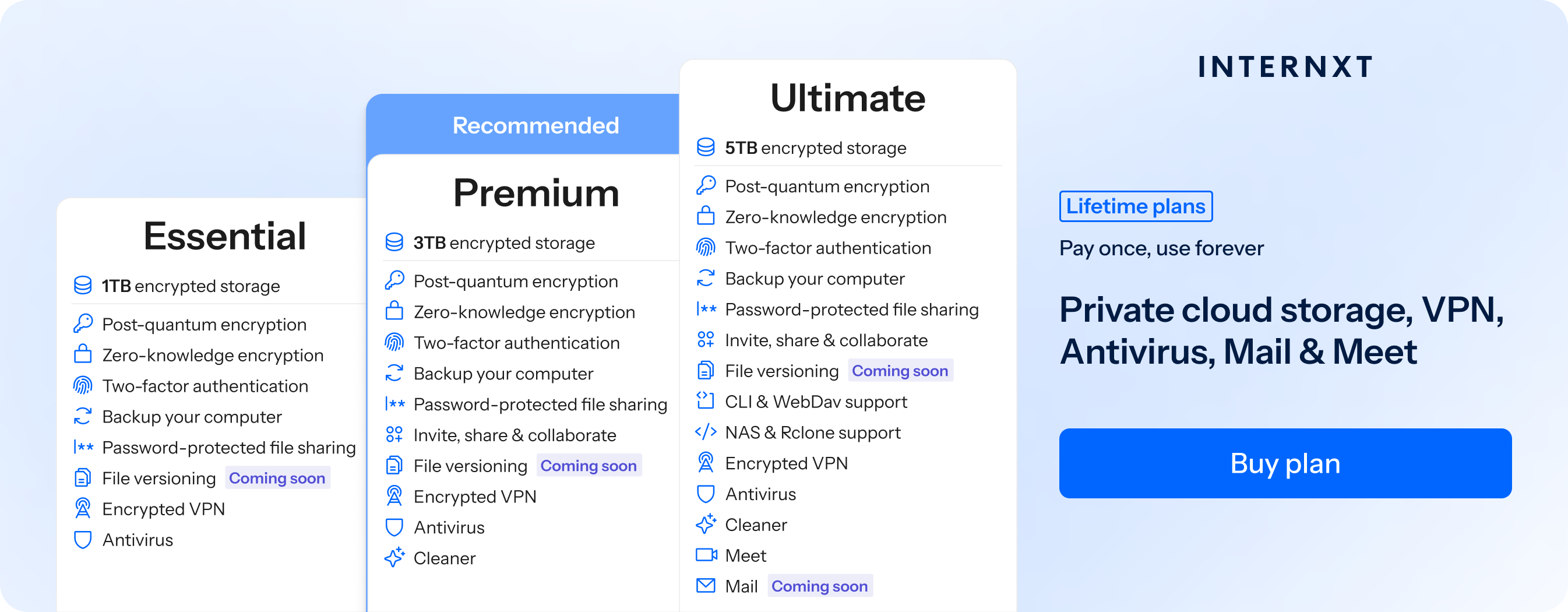
Learn more about the features of Internxt plans below and use this link to get 85% off any Internxt plan.
| Plan | Storage | Features | Annual (Paid monthly) | Lifetime Cost |
|---|---|---|---|---|
| Essential | 1TB | €1.99/month | €380 | |
| Premium | 3TB |
|
€3.99/month | €580 |
| Ultimate | 5TB |
|
€5.99/month | €780 |
| *Prices are correct at the time of writing and are subject to change. For latest prices, check https://internxt.com/pricing | ||||
Related products
Frequently asked questions
Is Google Drive safe for private photos?
Google Drive is generally safe for private photos because it uses encryption, two-step verification, access controls, security alerts, and malware protection. However, it does not provide end-to-end encryption by default, meaning Google manages the encryption keys and your photos are stored on Google’s servers.
For highly sensitive or private photos, a zero-knowledge or end-to-end encrypted cloud storage service like Internxt can provide greater privacy.
What is the best alternative to Google Drive for photos?
Internxt Drive and Google Photos offer an alternative to Google Photos and Drive with post-quantum and zero-knowledge encryption. If you want to keep your photos private and safe from big tech surveillance, Internxt is the best private alternative to Google.
Are photos stored on Google Drive encrypted?
Yes. Google encrypts files while they are being transferred and while they are stored on its servers. However, Google Drive does not use end-to-end encryption, meaning Google manages the encryption keys.
Can Google Gemini access my photos?
Gemini can analyse photos that you provide to it. Depending on the Gemini features and services you have connected, it may also use information from Google Photos or other Google services.
How can I make my Google Drive photos more private?
Use two-step verification, a strong password or passkey, review sharing permissions, remove unnecessary third-party app access, and consider encrypting photos before uploading them.