
Google Photos and Privacy: Are Your Photos Safe?

Google Photos is a popular app by Google to store, share, sync, and backup your photos, albums, and keep your memories in the cloud.
Like Google Drive and its lack of privacy features, many are wondering whether Google Photos and privacy are possible with a Photos account.
This article will help you answer this question by investigating:
- Photos vs Google Drive
- Photos features, pricing
- Google Photos and privacy
- The best privacy alternative to Google Photos
By the end, you won’t have to worry about companies spying on your photos or data again, as Internxt has everything you need to store your photos and more, with maximum privacy, security, and control.
Table of contents
- What is Google Photos?
- Is Google Photos free?
- Difference between Google Photos and Google Drive
- Is Google Photos safe?
- Google Photos and privacy concerns
- Store your photos with maximum privacy with Internxt
- Internxt vs Google Drive overview
- Related articles
- Frequently asked questions
What is Google Photos?
Google Photos is a cloud storage for photos service that’s part of the Google ecosystem. It lets you store, organize, edit, and share photos and videos.
Google Photos was released on May 28, 2015, allowing you to automatically back up your media from your phone or computer, so you can access it from any device signed into your Google account.
Is Google Photos free?
Yes, Google Photos is free to download and use. It lets you store up to 15GB of photos, which, depending on the size and format of your photos, is enough for:
- High-quality JPEG (~3 MB each): ~5,000 photos
- Full-resolution RAW (~25 MB each): ~600 photos
- Medium-resolution JPEG (~1 MB each): ~15,000 photos
- Small/resized photos (~500 KB each): ~30,000 photos
However, this free storage applies across the rest of Google’s services, so your Gmail and Google Drive storage will also take up this storage. If you need more storage, monthly or annual subscriptions are available with a Google One plan.
Difference between Google Photos and Google Drive
Google Photos is for media management with smart organization and editing for photos, while Google Drive is for general file storage and collaboration.
When to use Google Photos: to store, organize, and manage photos and videos. It is ideal if you want automatic backups, AI-powered search by people, places, or objects, quick editing tools, and features like albums, collages, and memories.
When to use Google Drive: Use it when you need general cloud storage for all file types, such as documents, spreadsheets, PDFs, images, and videos. It is best for folder-based organization, file syncing, offline access, and sharing or live collaboration with others.
Google Photos features
| Feature | Details |
|---|---|
| Main Purpose | Store, organize, and manage photos and videos |
| File Types Supported | Photos and videos (JPEG, PNG, HEIC, MP4, MOV, etc.) |
| Organization | Automatic organization by people, places, and objects using AI |
| Search | AI-powered search for objects, people, and locations |
| Editing Tools | Built-in photo and video editing, filters, and enhancements |
| Sharing | Share individual photos, albums, or create shared libraries |
| Automatic Features | Create memories, animations, collages, and slideshows automatically |
| Access | Accessible via mobile app and web browser |
| Storage | Counts toward Google Account storage (15 GB free shared with Drive and Gmail) |
Google Drive features
| Feature | Details |
|---|---|
| Main Purpose | Store, sync, and share all types of files |
| File Types Supported | All file types including documents, spreadsheets, PDFs, images, videos |
| Organization | Manual folder-based organization |
| Search | Keyword-based search of file names and content in Google Docs, Sheets, Slides |
| Editing Tools | No built-in editing for images or videos, only file previews |
| Sharing | Share files and folders with specific users or links |
| Automatic Features | No automatic media creations |
| Access | Accessible via mobile app, web browser, and desktop sync app |
| Storage | Counts toward Google Account storage (15 GB free shared with Photos and Gmail) |
Is Google Photos safe?
Google Photos, Drive, and its other services use several security protocols to secure your data, but it still lacks the technology needed if you want to store photos in the cloud privately.
Below are the features, technology, and protocols you should be aware of when considering Google Photos and privacy concerns.
Encryption
Google Photos, Drive, and its other services use AES-256 encryption and TLS protocols to protect your photos as they are transferred and stored in the cloud.
This is the industry-standard encryption and security required to protect files from hackers or data breaches.
Despite this encryption, Google, like many other companies, does not use zero-knowledge encryption, so Google and its employees can see your data, photos, emails, and other types of information when you use its services.
Internxt, on the other hand, uses post-quantum combined with zero-knowledge encryption to offer end-to-end encryption and maximum privacy to ensure only you can see your data, and nobody else, even Internxt, can view it.
Google has shown it doesn’t value the privacy of its customers’ data, as shown by the millions it has paid in the past due to GDPR and privacy law violations.
A past vulnerability in 2019 with Google Takeout (the service that allows you to download all your Google data) caused users to receive videos from other people’s Google Photos libraries, exposing private content to unintended recipients and raising serious privacy concerns about data segregation in Google’s export systems.
Security
To secure your accounts, you can enable Two-Factor Authentication to add extra security to your password.
Other security features include:
- Locked Folder: Move sensitive photos and videos into a PIN-protected folder on your mobile that doesn’t appear in the main feed or search results.
- Private sharing controls: You can share individual photos, albums, or links with specific people, and revoke access at any time.
- Phishing and malware protection: Google’s systems scan for known threats and warn users if a link or file could be unsafe.
So while Google may be secure, Google Photos and privacy features are lacking in comparison to other privacy-focused companies, like Internxt.
Google Photos and privacy concerns
Scanning your photos
When you upload photos to Google, they contain metadata that contains information related to:
- Timestamps of the date and hour the photo was taken
- Location
- Device information
But it doesn’t stop there, Google also integrates AI features such as facial recognition and other activity-based personalization to organize your library to show your most viewed albums, and organize photos based on people, places, friends, family, pets, or certain events.
How to prevent this:
- Use Internxt's free Metadata remover if you store photos in Google to delete the added information from your photos.
- Your Google Account button → Photos settings → Preferences. This will stop future AI organization of your photos, but Google still has data on how it was used in the past.
Photos used for AI training
Google has combined its Gemini AI model into photos to allow you to search through your photo history using prompts with its Ask Photos feature.
For example, searching for “Paris Trip” will find your photos that best match the context and content.
While it is not clear how far this AI feature analyzes or uses your content, it likely combines with Gemini’s privacy policy, where humans can monitor your Gemini chats to provide extra training for its AI model.
How to prevent this: Turn off the Ask Photos feature by going to Photos settings > Preferences > Gemini features in Photos.
Unverified security
Google is not open source; therefore, Google Photos and privacy features, such as how it protects your data, secures your accounts, and encrypts your files is hidden from public view.
This means it's impossible to verify any of the Google Photos and privacy features designed to protect your data; instead, you have to trust Google when it comes to how they protect your data and files.

How to prevent this: switch to open source software and European tech companies like Internxt. Everything is open source and verifiable via the Internxt GitHub page.
Internxt has also successfully passed two independent security audits, verifying the security of its platform for your data and files.
Account deletion and potential legal consequences
As Google can access your data and photos, it can also take action if it decides you go against its terms and conditions, even if you haven’t.
One example happened to a Father from Houston, Texas, in 2021. The father took a screenshot of his child for the doctor to more easily diagnose the condition. Google flagged the images as potential child abuse during automated scanning and notified the police.
The father was clear of any wrongdoing, but Google still disabled his entire Google account, deleting years of emails, contacts, and files.
In 2024, an Indian engineer lost access to his Gmail, Google Drive, and photos after Google’s AI content scanning flagged a photo of him as a young child. Attempts to get back his accounts proved unsuccessful after contacting Google.
How to prevent this: Use cloud storage with zero-knowledge encryption that automatically encrypts photos before they are uploaded to the cloud to prevent unauthorized content scanning by AI.
Store your photos with maximum privacy with Internxt
For a fully private alternative to Google Photos, and other Google products such as Google Meet, Drive, and Gemini, Internxt Drive offers zero-knowledge and post-quantum encryption for all its products.
Nobody can view your files, not Internxt, so if you want maximum privacy for your photos and data, Internxt is the best solution to protect your files and secure your online privacy.
Drive
Internxt Drive launched post-quantum encrypted cloud storage in 2025, making it the first cloud storage with the most advanced and private encryption possible, and it’s available for all plans.
With Drive, you can store, sync, and back up your photos in total privacy with up to 5TB plans available. If you buy a lifetime plan, you also get the option to stack these plans for more storage.
With 5TB, you can store hundreds of thousands of photos, but it can also serve as your main storage for all file types, and you can even stream videos on the web platform.
You can also share photos securely with Drive, secure them with a password, and revoke access whenever you need, all protected with our zero-knowledge encryption.
Aside from cloud storage for Photos, Internxt paid plans include everything you need to keep your files protected and secure with:
- Encrypted backups
- 2FA
- Password-protected file sharing
- File versioning
- WebDAV, NAS, Rclone support
And that’s just for cloud storage, with Internxt, you get a full product suite, and get the best privacy online.
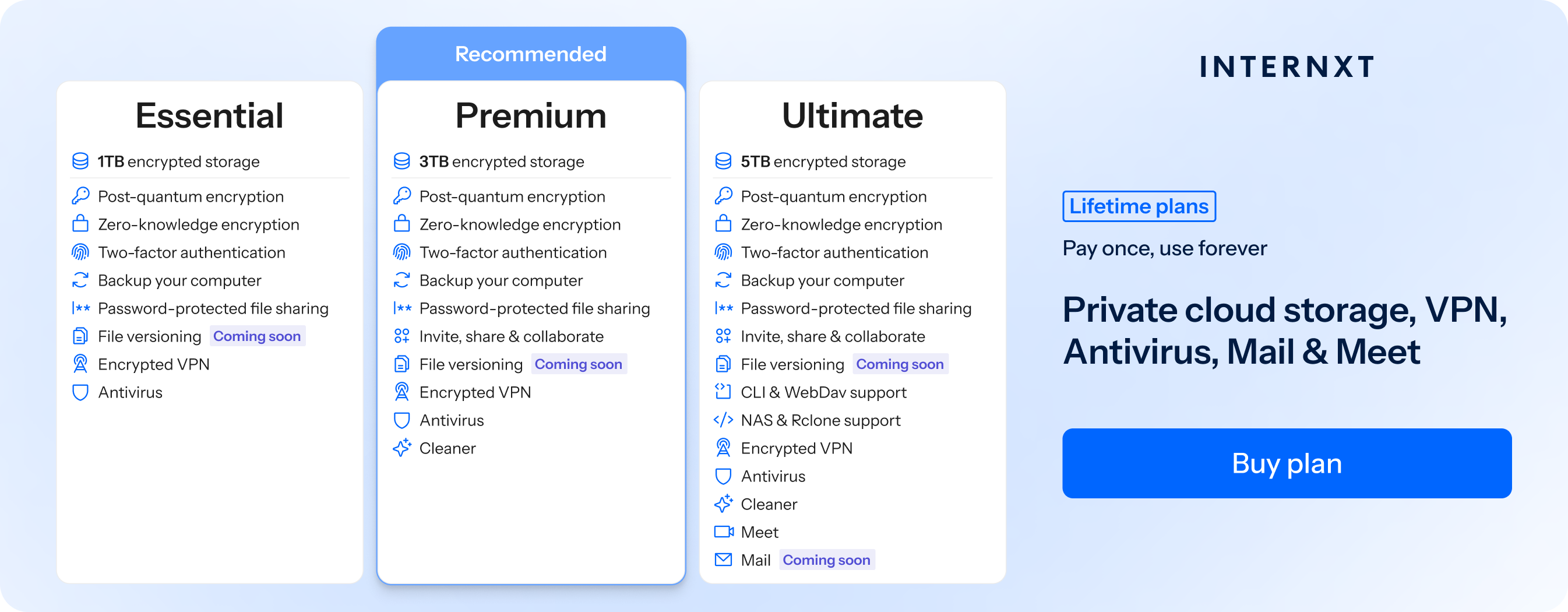
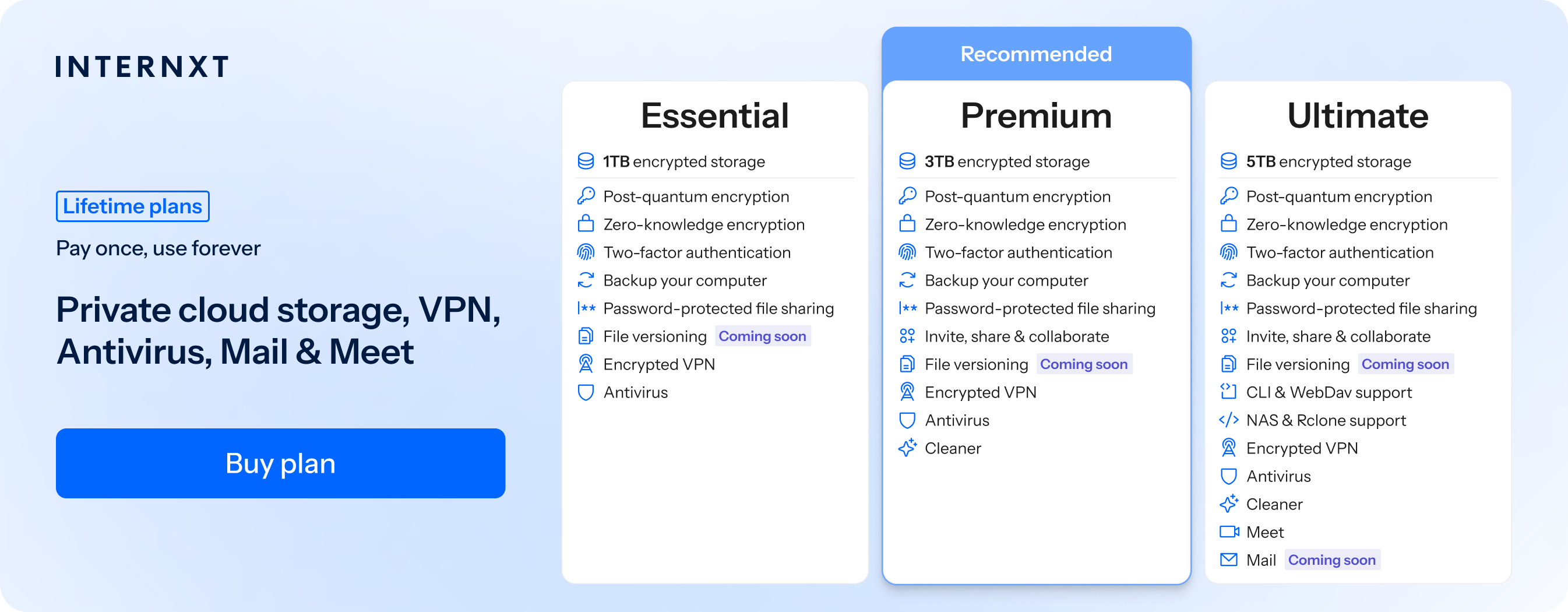
Below, you can find all the features of our Essential, Premium, and Ultimate plans, available from just €2.00/month on our website.
| Plan | Storage | Features | Annual Cost | Lifetime Cost |
|---|---|---|---|---|
| Essential | 1TB |
|
€18 | €285 |
| Premium | 3TB |
|
€36 | €435 |
| Ultimate | 5TB |
|
€54 | €585 |
Photos (coming soon)
Internxt will soon release the best private alternative to Google Photos later this year with Internxt Photos.
Photos will be available for all Ultimate plans, allowing you to automatically back up and sync your photos.
With Internxt Photos, all your photos are protected with ZKE, and is free from AI scanning of your photos, giving you a secure and private platform to keep your memories safe.
Meet
Internxt Meet is a private video calling platform and an alternative to Google Meet to host meetings with friends, family, or colleagues in total privacy.
Your videos and chats are kept totally private, so you can host calls knowing that whatever you share or talk about in the call is between you and your participants.
Mail (coming soon)
Ultimate plans will also include Internxt Mail, a private, encrypted email service where you can send emails in total privacy, where nobody but you and your recipients can read its contents.
With Mail, you can switch from Gmail and other big tech companies that scan your emails, messages, and attachments, and switch to Internxt for the best privacy suite.
AI
Internxt has also recently launched Internxt AI, a European and privacy-focused chat assistant and alternative to Gemini, where all your chats are encrypted and never used to train its AI model.
If you’re uncomfortable about how Gemini AI uses your data or having your messages read and monitored by humans, then use Internxt AI, a fully private AI chat assistant that you can use for free.
More features
Aside from Internxt Drive, Internxt has an abundance of free tools available to everyone to ensure accounts stay safe, devices remain protected, and your online privacy is the best it can be.
On our website, you can use the following free tools to meet your privacy needs:
- Temporary email: Protect your email from spam
- File Virus Scanner: Scan files to protect your device from malware
- Password Generator: Create strong passwords or passphrases
- Password Checker: Ensure your passwords are protected from hackers
- Dark Web Monitor: Check if your email or other data has leaked online
Combine these with your Internxt Drive account, and you don’t have to worry about Google or other big tech companies like Google, Dropbox, or others profiting or spying on you online anymore.
Join Internxt for 87% off with our special offer below!
Internxt vs Google Drive overview
Internxt vs Google
| Feature | Internxt | |
|---|---|---|
| End-to-end encryption | ✅ | ❌ |
| Post-quantum encryption | ✅ | ❌ |
| Open source | ✅ | ❌ |
| Features | Drive, VPN, Antivirus, Cleaner, Meet, Mail | Drive, Meet, Mail |
| Pricing | From €2/month | From €1.99/month |
| Max storage | 5TB up to 100TB | 2TB |
| Lifetime plans | ✅ | ❌ |
| Full privacy protection | ✅ | ❌ |
| Can access your files | ❌ | ✅ |
Related articles
Frequently asked questions
What data does Google Photos collect?
Google Photos collects photos, videos, metadata like location and device information, and usage data to organize and improve its services.
Can Google see my photos?
Yes, Google’s systems can access your photos for features like automatic organization, search, and personalized suggestions.
Google will also scan for content that may violate its terms and conditions, and delete accounts if they suspect any violations of these terms.
Is Google Photos encrypted?
Photos are encrypted in transit and at rest on Google servers. However, Google holds the encryption keys, so it can technically access your data.
What is the best Google Photos alternative?
Internxt Drive and Internxt Photos (coming soon) are the best alternatives to Google Drive and Google Photos, as they use post-quantum and zero-knowledge encryption so nobody but you can access your files.
Internxt includes a full online privacy suite, too, giving you maximum security and privacy online.