
The 10 Best Cryptomator Alternatives of 2026 to Protect Your Files


Cryptomator is one of the most trusted open-source tools for encrypting files before they reach the cloud, but it's not the perfect fit for everyone.
Some users want built-in zero-knowledge cloud storage instead of managing encrypted vaults, while others need full-disk encryption, secure backups, or tools designed for teams and enterprise environments.
Whether you're looking for a Cryptomator alternative or a solution tailored to your specific privacy needs, you'll find the right alternative to Cryptomator to protect your files, backups, and sensitive data in this article.
Table of contents
- What is Cryptomator?
- Top 10 Cryptomator alternatives
- Which Cryptomator alternative should you use?
- What is the best Cryptomator alternative?
- Related products
- Frequently asked questions
What is Cryptomator?
Cryptomator is an open-source encryption tool available for Windows, macOS, Linux, Android, and iOS devices.
Cryptomator creates a secure encrypted folder, called a vault, where your files are stored. Files and file names are encrypted using AES-256 data encryption and stored with your cloud provider.
If you use Google Drive, for example, the files are stored in their cloud, but they cannot read the contents because files are encrypted before they leave your device, so this kind of third-party tool is commonly used to create a Google Drive encrypted folder.
How does Cryptomator work?
Cryptomator creates a secure vault within your current cloud storage subscription. The location can be a cloud folder, an external drive, or a local folder.
Once created, Cryptomator performs the following actions:
- Cryptomator creates an encrypted vault using AES-256 encryption to protect file contents.
- Files are split, encrypted, and stored as encrypted data blocks inside the vault. Original filenames and folder structures are also encrypted to hide metadata.
- The vault uses a master key that is protected by a password-based key.
- When a file is accessed, Cryptomator decrypts the required data in memory and provides it to the operating system without creating an unencrypted copy.
- When changes are made, Cryptomator encrypts the modified data before writing it back to the vault.
- The cloud provider only synchronizes encrypted files and metadata, meaning it cannot access the original data or file structure.
This process is similar to how zero-knowledge encrypted cloud storage works, such as Internxt Drive.
Files are encrypted directly on your device before they are uploaded, using encryption methods such as AES-256 and Kyber-512, meaning Internxt cannot access or read your files.
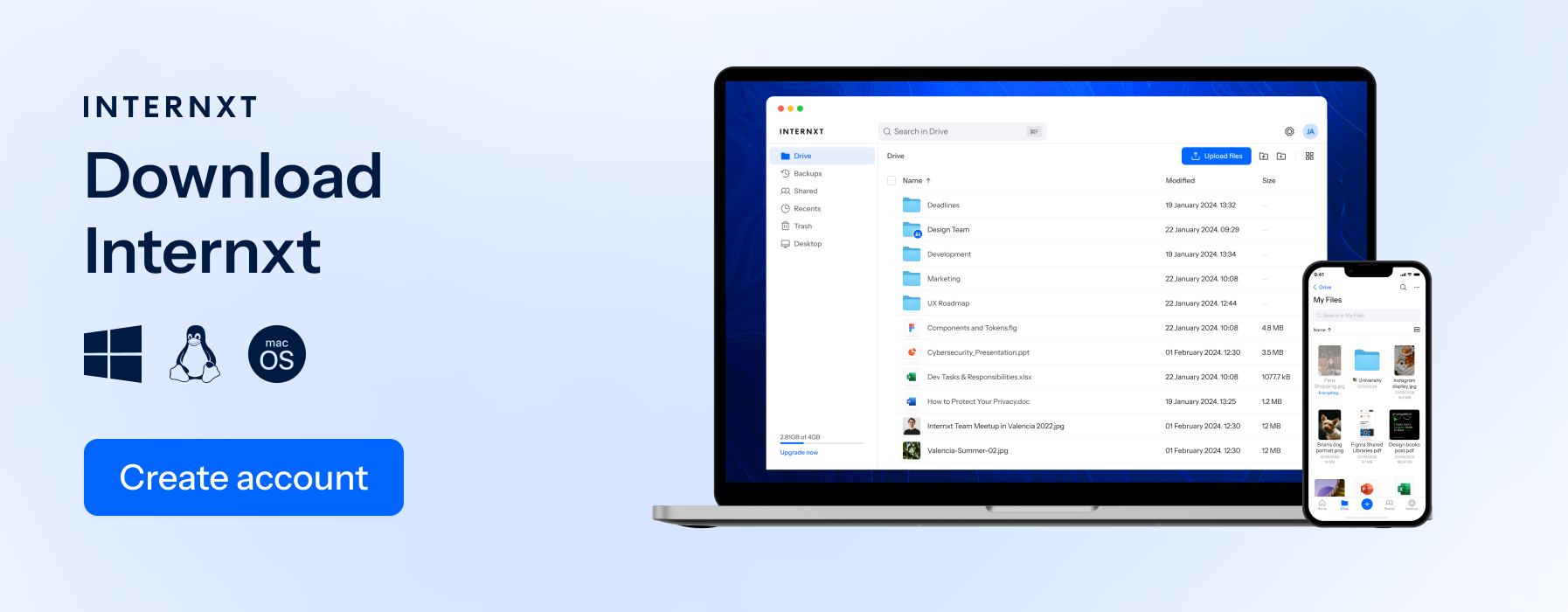
Your entire Internxt Drive account functions like an encrypted vault, removing the need to install a separate tool like Cryptomator.
If you are looking for an alternative to Cryptomator, then zero-knowledge, encrypted cloud storage provides built-in encryption while keeping the same privacy principles.
Why people use Cryptomator
Cryptomator is useful for people who have specific files or data they want to keep private from the current cloud provider they use.
Most traditional cloud storage providers encrypt files while they are stored on their servers, but the provider still controls the encryption keys, so Cryptomator prevents access to private and confidential files by encrypting files before they’re uploaded to the cloud.
The storage location can also be on a hard drive, a USB device, a NAS device, or a local folder. The encryption happens before the data is stored, so the underlying storage system does not need to be trusted.
Aside from cloud storage, Cryptomator or an alternative to Cryptomator can be used for the following use cases:
| Use Case | Why People Use Cryptomator | Example |
|---|---|---|
| External hard drives | Protects files if the drive is lost, stolen, or accessed by someone else. | Encrypting a backup drive containing personal documents. |
| USB drives | Secures portable files while moving between computers. | Carrying encrypted work files on a USB stick. |
| Local computer storage | Creates a protected encrypted area on a device. | Keeping private documents separate from normal folders. |
| NAS storage | Adds client-side encryption before files are stored on a network device. | Protecting files stored on a home or office NAS. |
| Backups | Prevents backup copies from being readable without the encryption key. | Encrypting archived photos, records, or project files. |
| Shared computers | Stops other users with access to the device from opening protected files. | Keeping personal files private on a family computer. |
| Lost or stolen devices | Ensures files remain unreadable without the password. | Protecting sensitive files on a laptop that may be taken while travelling. |
| Sensitive records | Adds an extra security layer for confidential information. | Storing financial documents, legal files, or identity records. |
Is Cryptomator free?
Yes, Cryptomator is free and open source.
The desktop version for Windows, macOS, and Linux is available as a free download. If you’re a fan of the software, you can also donate to the company.
For iOS and Android, the app is free to download with options to unlock the full version for the following prices:
- Annual: €9.99
- Lifetime license: €29.99
You can also try the service for free for 30 days to see if it’s right for you.
Cryptomator Hub is also available, designed for teams and multiple users to encrypt and secure their data at the following prices:
| Plan | Price | Best for |
|---|---|---|
| Cryptomator Hub Community | Free | Small teams that can self-host. Includes up to 5 seats. |
| Cryptomator Hub Self-Hosted Standard | €8 per user/month | Teams that want to run Hub on their own infrastructure with features like user management and audit logs. |
| Cryptomator Hub Managed Standard | €12 per user/month | Teams that want Cryptomator to host and maintain the service. Includes support, updates, and managed infrastructure. |
| Enterprise | Custom pricing | Larger organizations needing dedicated support and enterprise features. |
The same level of encryption for teams is also available with the right cloud storage for teams, which includes additional features on top of private cloud storage.
Is Cryptomator worth it?
Yes, Cryptomator is worth it if you already use a cloud storage provider like Google Drive, Dropbox, or OneDrive and want to add client-side encryption without migrating your files to another cloud provider.
It is also a good choice if: Cryptomator is a good choice if you:
- Need an open-source, audited encryption tool.
- Want to encrypt files stored on external drives, USB devices, or NAS systems.
- Prefer managing your own encryption keys.
However, Cryptomator may not be the best option if you want to encrypt your files without taking the extra steps required.
Because it adds an extra encryption layer, you need to install and manage a separate application, unlock vaults before accessing files, and manually share encrypted vaults with others.
Team collaboration also requires Cryptomator Hub or manual password management.
If your main goal is secure cloud storage, a zero-knowledge provider such as Internxt Drive, or another Cryptomator alternative from the list below may be a more convenient alternative.
Top 10 Cryptomator alternatives
Internxt Drive
Internxt is a fully encrypted cryptomator alternative that includes post-quantum and zero-knowledge encryption for free and paid plans.
No extra setup, vault, or password is required for end-to-end encrypted files, as everything is automatically encrypted on your device by Internxt before being sent to the cloud.
It is an open-source cloud platform, based in Europe with GDPR, ISO 27001, SOC 2, and HIPAA compliance, offering full data encryption and secure data handling for all industries and all file types.
Internxt has been audited twice by Securitum to validate the platform’s security. Due to its open source software, security experts can evaluate the platform to ensure there are no weaknesses or vulnerabilities in the cryptography.
For users who want to migrate files for extra privacy in the cloud, you can follow the steps in the article below:
For extra privacy, Internxt also offers NAS support for QNAP and Synology devices for a secure home and hybrid-based setup.
- Encryption type: AES-256 & Kyber-512
- Open source: Yes
- Independently audited: Yes
- Based: Valencia, Spain
- Features: Drive, VPN, Cleaner, Antivirus, Meet, Mail, Photos
- Platforms: Windows, Mac, Linux, Mobile, Rclone, NAS
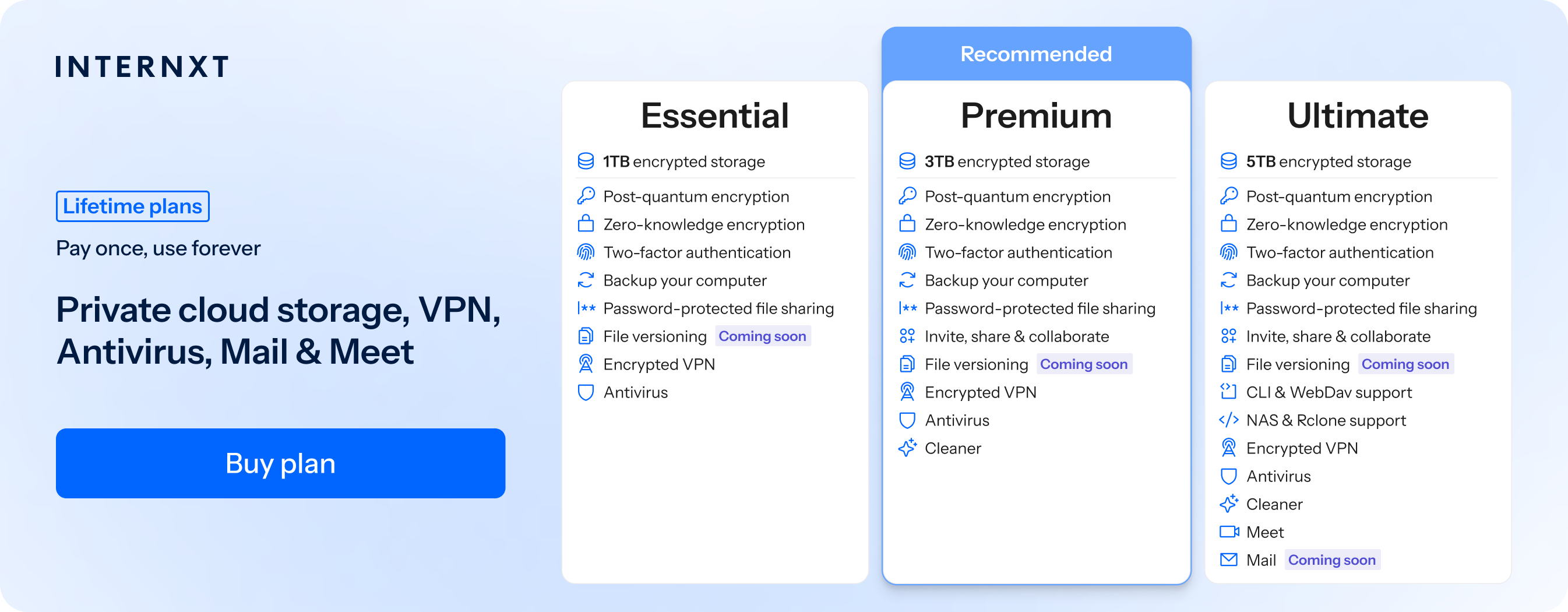
- Cost: Free, €1.99/month, €285 lifetime
| Plan | Storage | Features | Annual (Paid monthly) | Lifetime Cost |
|---|---|---|---|---|
| Essential | 1TB | €1.99/month | €380 | |
| Premium | 3TB |
|
€3.99/month | €580 |
| Ultimate | 5TB |
|
€5.99/month | €780 |
| *Prices are correct at the time of writing and are subject to change. For latest prices, check https://internxt.com/pricing | ||||
Proton Drive
Proton Drive is a privacy-focused cloud storage service that offers end-to-end and zero-access encryption on all plans, including its free tier. Files are encrypted on your device before they are uploaded, ensuring that not even Proton can access your data.
Based in Switzerland, Proton benefits from strong Swiss privacy laws and provides some open-source applications. The service also supports secure file sharing, encrypted document editing with Proton Docs, and integrates with the wider Proton ecosystem.
- Encryption type: End-to-end encryption (OpenPGP-based, AES-256 for file encryption)
- Open source: Yes
- Independently audited: Yes
- Based: Switzerland
- Features: Drive, Docs, Sheets, secure file sharing
- Platforms: Windows, Mac, Linux, Android, iPhone, Web
- Cost: Free (5 GB), Drive Plus €4.99/month (200 GB), Proton Unlimited €12.99/month (500 GB + Proton suite)
pCloud
If you already have a pCloud account, your files are not protected with zero-knowledge encryption, but you can buy pCloud vault as a paid extra and alternative to Cryptomator.
This works in the same way as Cryptomator, but is significantly more expensive (€150 on top of pCloud prices).
So if you have a pCloud lifetime account, it may be worth combining it with the free Cryptomator app if you don’t want to spend extra, or consider cloud storage with zero-knowledge encryption built in, as files outside the pCloud vault do not have the same encryption as the pCloud vault.
VeraCrypt
VeraCrypt is a popular alternative to Cryptomator and is a free, open-source disk encryption tool that protects files and folders.
Instead of creating encrypted cloud vaults, VeraCrypt creates encrypted containers or encrypts entire drives. Files are encrypted and decrypted automatically as you use them, but they remain inaccessible without the correct password or keyfile.
As a Cryptomator alternative, VeraCrypt is best suited for users who want to protect local files, backups, USB drives, or full system drives rather than encrypting files before uploading them to the cloud.
- Encryption type: AES, Serpent, Twofish (including cascaded combinations)
- Open source: Yes
- Based: France
- Features: Encrypted containers, full disk encryption, partition encryption, USB encryption, hidden volumes, hidden operating system
- Platforms: Windows, macOS, Linux
- Cost: Free (with the option to donate)
Microsoft BitLocker
Microsoft BitLocker is a full-disk encryption feature built into Windows that protects entire drives, including the operating system, internal drives, and removable storage, to protect data if a device is lost or stolen.
BitLocker is best suited for encrypting and protecting local devices rather than cloud storage.
- Encryption type: XTS-AES 128-bit or 256-bit
- Open source: No
- Based: Redmond, Washington, USA
- Features: Full disk encryption, TPM integration, BitLocker To Go (USB encryption), recovery keys, Active Directory and Microsoft Entra integration
- Platforms: Windows 10/11 Pro, Enterprise, Education, Windows Server
- Cost: Included with Windows Pro, Enterprise, and Education editions
FileVault
For Apple users looking to protect their device, FileVault is Apple's built-in full-disk encryption feature for macOS that protects all data stored on your Mac's internal drive.
It integrates with the Secure Enclave on supported Macs to securely manage encryption keys. Once enabled, encryption happens automatically in the background with no additional software or configuration required.
FileVault is designed to protect your Mac if it is lost or stolen by encrypting the entire startup disk. It secures everything stored locally on the device, but it does not provide end-to-end encryption for files stored in cloud services.
- Encryption type: XTS-AES 128-bit
- Open source: No
- Based: Cupertino, California, USA
- Features: Full disk encryption, Secure Enclave integration, recovery keys, automatic background encryption
- Platforms: macOS
- Cost: Free (included with macOS)
LUKS
LUKS (Linux Unified Key Setup) is the standard disk encryption format for Linux, providing encryption for entire drives, partitions, and removable storage.
It is built on the Linux kernel's dm-crypt subsystem, with LUKS2 being the current version used by most modern Linux distributions.
LUKS is commonly used on desktops, servers, and enterprise Linux systems to protect data at rest. It can be enabled during the installation of most Linux distributions or added later using cryptsetup, making it a flexible solution for securing local storage.
- Encryption type: AES-XTS by default (also supports other Linux kernel cryptographic algorithms such as Serpent and Twofish)
- Open source: Yes
- Based: Linux ecosystem
- Features: Full disk encryption, partition encryption, removable media encryption, multiple key slots, Argon2id key derivation, dm-crypt integration
- Platforms: Linux
- Cost: Free
Rclone Crypt
Rclone Crypt is a free, open-source Cryptomator alternative using client-side encryption that adds an encryption layer to almost any cloud storage with Rclone support, such as Internxt Drive.
Instead of providing its own cloud storage, it encrypts files and filenames before they are uploaded to an existing local or remote storage backend, allowing you to securely use services such as NAS devices.
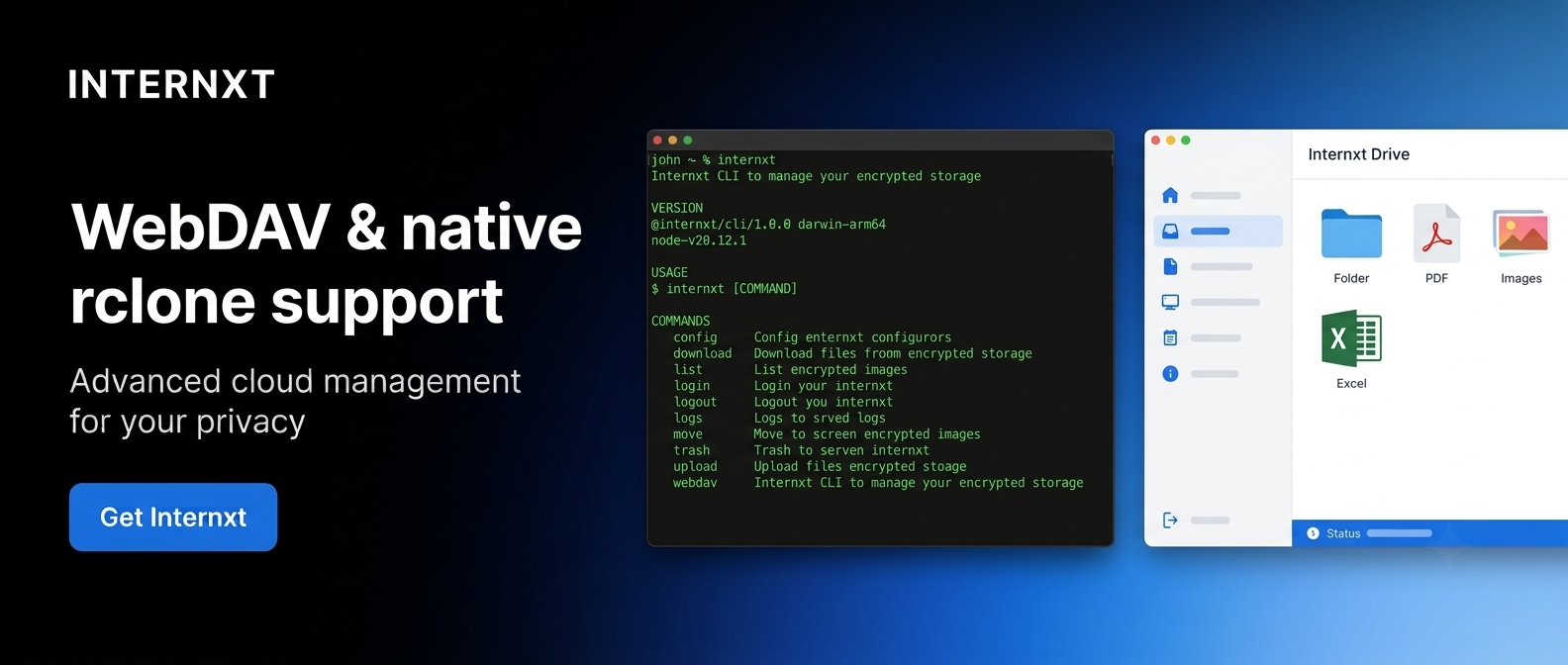
Rclone Crypt works by creating an encrypted remote that sits on top of another storage backend. Files are encrypted locally using NaCl SecretBox (XSalsa20-Poly1305), while filenames are encrypted separately using AES-EME.
Because encryption happens on your device, the underlying storage provider only sees encrypted data and cannot access your files without your encryption keys.
Rclone Crypt is best suited for advanced users who already use Rclone for syncing, backups, or mounting cloud storage.
- Encryption type: NaCl SecretBox (XSalsa20-Poly1305) for file contents, AES-EME for filenames, scrypt key derivation
- Open source: Yes
- Based: Community-developed
- Features: Client-side encryption, encrypted filenames, support for 70+ storage backends, cloud sync, local folder encryption, NAS support, command-line automation
- Platforms: Windows, macOS, Linux, FreeBSD, Android (via third-party clients)
- Cost: Free
DiskCryptor
DiskCryptor is a free, open-source disk encryption tool for Windows that encrypts entire drives, system partitions, external hard drives, and USB devices.
It supports multiple encryption algorithms, including cascaded combinations, allowing users to choose between performance and additional layers of cryptographic protection.
DiskCryptor is designed for users who want full control over disk encryption without relying on proprietary software. It supports pre-boot authentication, transparent background encryption, and automatic mounting of encrypted removable drives after authentication.
- Encryption type: AES-256, Twofish, Serpent (including cascaded combinations)
- Open source: Yes
- Based: Community-developed
- Features: Full disk encryption, system partition encryption, removable media encryption, pre-boot authentication, bootloader support, cascaded encryption algorithms
- Platforms: Windows
- Cost: Free
Duplicati
Duplicati is a free, open-source backup application that creates encrypted, compressed, and incremental backups to cloud storage services, remote servers, NAS devices like QNAP or Synology, or local storage.
Before any backup is uploaded, Duplicati compresses and encrypts the data locally using AES-256 by default, with the option to use GPG encryption instead. It also supports scheduling, deduplication, and versioned backups, helping reduce storage usage while allowing files to be restored from previous backup versions.
- Encryption type: AES-256 (default), GPG optional
- Open source: Yes
- Based: Community-developed
- Features: Encrypted backups, incremental backups, deduplication, compression, scheduling, versioning, support for 50+ storage providers
- Platforms: Windows, macOS, Linux
- Cost: Free (optional Duplicati Console plans available for centralized monitoring and management)
Which Cryptomator alternative should you use?
If you’re looking for a Cryptomator alternative that’s open source, Internxt Drive is the best option, as post-quantum and zero-knowledge encryption are included in all plans, with no extra setup or installation needed.
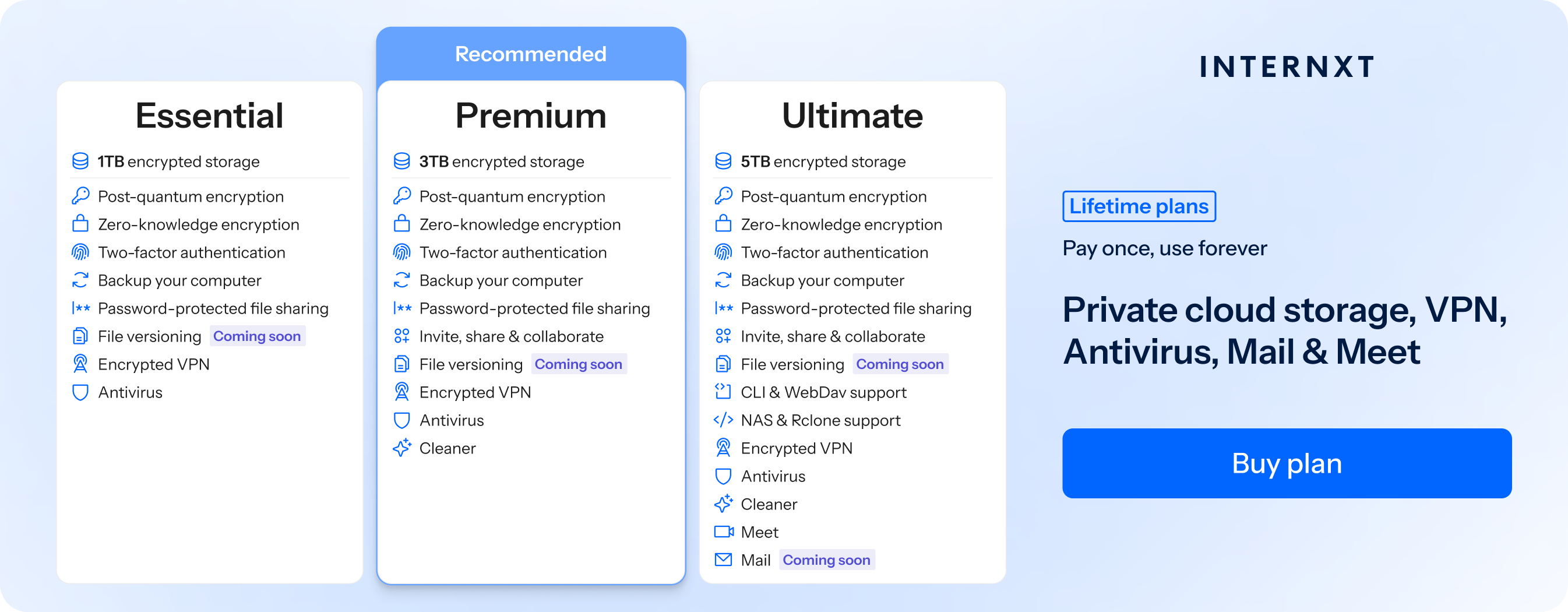
For other encryption needs, the following Cryptomator alternatives will show you which fits your use case.
| Alternative | Best suited for |
|---|---|
| Internxt Drive | Users who want encrypted cloud storage with no extra setup. |
| Proton Drive | Privacy-focused users who want a secure cloud storage service. |
| pCloud Vault | Existing pCloud users who need an encrypted vault. |
| VeraCrypt | Users who want to encrypt local files, drives, and USB devices. |
| Microsoft BitLocker | Windows users who want built-in full-disk encryption. |
| FileVault | Mac users who want built-in full-disk encryption. |
| LUKS | Linux users who need native full-disk encryption. |
| Rclone Crypt | Advanced users who automate cloud syncing and backups. |
| DiskCryptor | Windows users who prefer an open-source disk encryption tool. |
| Duplicati | Users who need encrypted backups rather than encrypted storage. |
What is the best Cryptomator alternative?
The best Cryptomator alternative is a cloud service which already has zero-knowledge encryption built in to its plans, so you don’t have to manually encrypt files yourself. It should also be open source, so you can trust the transparency of the company.
For this reason, Internxt Drive is the best Cryptomator alternative for cloud storage, and the options below can meet your other encryption needs for your devices or cloud storage backups.
Related products
Frequently asked questions
What is the best alternative to Cryptomator?
The best Cryptomator alternative depends on what you need.
If you want encrypted cloud storage with zero-knowledge encryption built in, Internxt Drive is an excellent choice because it encrypts files automatically before they are uploaded.
If you need to encrypt local drives instead of cloud files, VeraCrypt, BitLocker, FileVault, or LUKS are better options.
What other features do alternatives to Cryptomator offer?
Many Cryptomator alternatives offer features beyond file encryption. Depending on the service, these can include encrypted cloud storage, file sharing, automatic backups, document editing, VPNs, antivirus protection, email, video meetings, photo storage, full-disk encryption, and support for NAS devices or command-line automation.
Is Cryptomator secure?
Yes. Cryptomator is considered a secure encryption tool and has been independently audited.
It uses strong client-side encryption to protect files before they are stored and keeps the encryption keys on your device, so cloud providers cannot access your data. As with any encryption software, your security depends on using a strong password and keeping it safe.
Is Cryptomator legit?
Yes. Cryptomator is a legitimate open-source encryption project that has been available since 2016.
It is widely used by individuals, businesses, and privacy-conscious users to protect files stored locally or in the cloud. Its source code is publicly available, allowing security researchers and the wider community to review how it works.