
Is Gmail Secure?

Google has strong security measures, encryption, and account settings to secure your Gmail account, but as we will see throughout this article, Google doesn’t use end-to-end encryption and prioritizes using your data for profit, rather than protecting your privacy.
In this article, we will cover:
- Is Gmail secure and private?
- 5 ways to add security to your Gmail account
- The best private alternative to Gmail
Table of contents
- How secure is Gmail?
- Is Gmail encrypted?
- Is Gmail private?
- Is Gmail secure from hackers?
- How to get more security for your Gmail account
- Best secure and private alternative to Gmail
- Related products
- Frequently asked questions
How secure is Gmail?
Gmail is highly secure, with encryption in transit and at rest, strong spam and malware protection, phishing detection, suspicious-login alerts, and features such as two-step verification and passkeys.
However, security ≠ privacy.
Gmail protects your account and data from unauthorized access, but standard Gmail is not end-to-end encrypted, meaning Google can technically access email content, so your messages, attachments, cloud storage, and photos are not secure from Google’s surveillance.
This goes for similar email providers, such as Yahoo email and Outlook's encryption, which also use in-transit and at-rest encryption on servers they manage.
Is Gmail encrypted?
Gmail uses encryption in transit (TLS) to protect emails while they travel between Gmail and your recipients and uses encryption for emails for data at rest, which protects emails stored on Google’s servers.
In terms of encryption, when asking is Gmail safe and secure, yes, it is, but Gmail is not a private email as it doesn’t use end-to-end encryption.
In the same way as Google Drive encryption, Google holds the encryption keys to emails you send and receive on its servers. As a result, Google can decrypt these messages, view their contents and attachments, and hand this data to third parties.
For true privacy for your emails and cloud storage, Internxt Drive and Internxt Mail offer end-to-end encryption, which encrypts everything on your device before it is sent over the Internet and stored on Internxt’s servers.
This way, unlike Google, nobody but you and your recipients can see the contents of your private emails.
Is Gmail private?
No, although Google is secure, the lack of end-to-end encryption mentioned before means Google can decrypt your email at any time as they manage the keys on their servers.
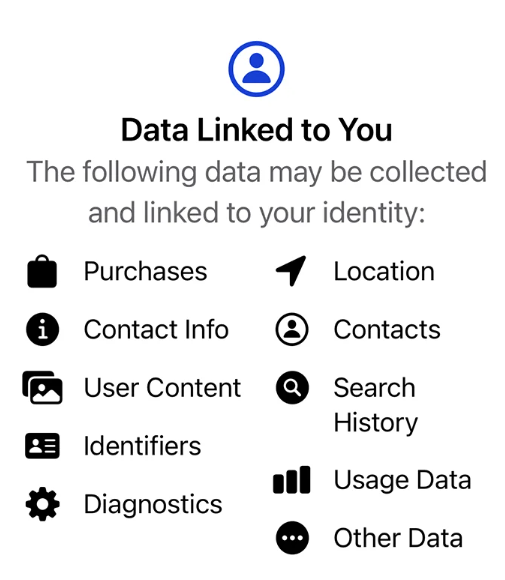
When you use Gmail, it collects the following data from you:
- Email data, including the emails, attachments, contacts, and other content you store in Gmail.
- Location information
- Gmail search history, including recent searches you make within Gmail
- Advertising interactions, such as which Gmail ads you click or dismiss
- Scans your email content to enable smart features
And it doesn’t stop there; if you use Google Chrome, an Android device, or YouTube, then Google collects and analyzes your data from these services, too.
This, on top of the €100 million+ Google has paid in GDPR fines, shows Google relies on profiting from your data, rather than protecting it.
Is Gmail secure from hackers?
You may be concerned about the privacy of Google and asking yourself how secure is Gmail from hackers and data breaches?
Google has advanced security measures to protect accounts from hackers, but if a data breach did happen on Google’s servers, your data could be exposed due to the lack of zero-knowledge encryption.
This is true for all big tech companies, as seen by Dropbox, where a security incident exposed 68 million user passwords.
With Gmail, you can add extra security measures to protect your account from hackers, and for more privacy in the cloud, you can encrypt a Gmail folder and check and limit the data you share with Google.
For Gmail, the security steps below will help you add more security to your Gmail.
How to get more security for your Gmail account
Set up a strong password
A strong password or passphrase is the first step to take when you set up a Gmail account to protect it from hackers that use brute force or dictionary attacks.
If you already have a Gmail account, or any account for that matter, you should change your password at least every six months, or if you suspect an attack on your account.
Setting up a strong password is easy with Internxt’s strong password generator, where you can create a strong password or passphrase, and check its strength with our free password checker.
Turn on Two-Factor Authentication
Google offers multiple options for 2FA, known as two-step verification, to add an extra security step to confirm it is you trying to access your account, and not a hacker or other unauthorised party.
The options to set up two-step verification can be found on Google’s help center.
Identify phishing emails
Businesses normally train employees to spot phishing emails, but it’s just as important in your personal life, as phishing has consistently been in the top three major causes of data breaches. So learning how to identify a phishing attack will help keep your Gmail account secure.
Use S/MIME encryption
Google offers enhanced encryption, or S/MIME, similar to Outlook encryption. However, this is aimed at enterprise users, and you’ll need to pay for an eligible paid Google plan to use it.
Even if you do have this enhanced encryption, they are still not end-to-end encrypted, so emails may still be accessed by Google, and S/MIME encryption only works if the recipient has it enabled.
Set up Google’s Advanced Protection Program
Finally, Google offers an Advanced Protection Program, which it describes as offering the most advanced security for people who are targets of cyberattacks, such as governments, business leaders, etc.
The program requires a security key to protect sensitive documents or other personal Google data. So even if a hacker accesses your login credentials, they can’t sign into the account without this passkey.
Best secure and private alternative to Gmail
Having covered is Gmail secure, and the extra security measures you can take, you may be wondering what is the best encrypted email and alternative to Gmail is.
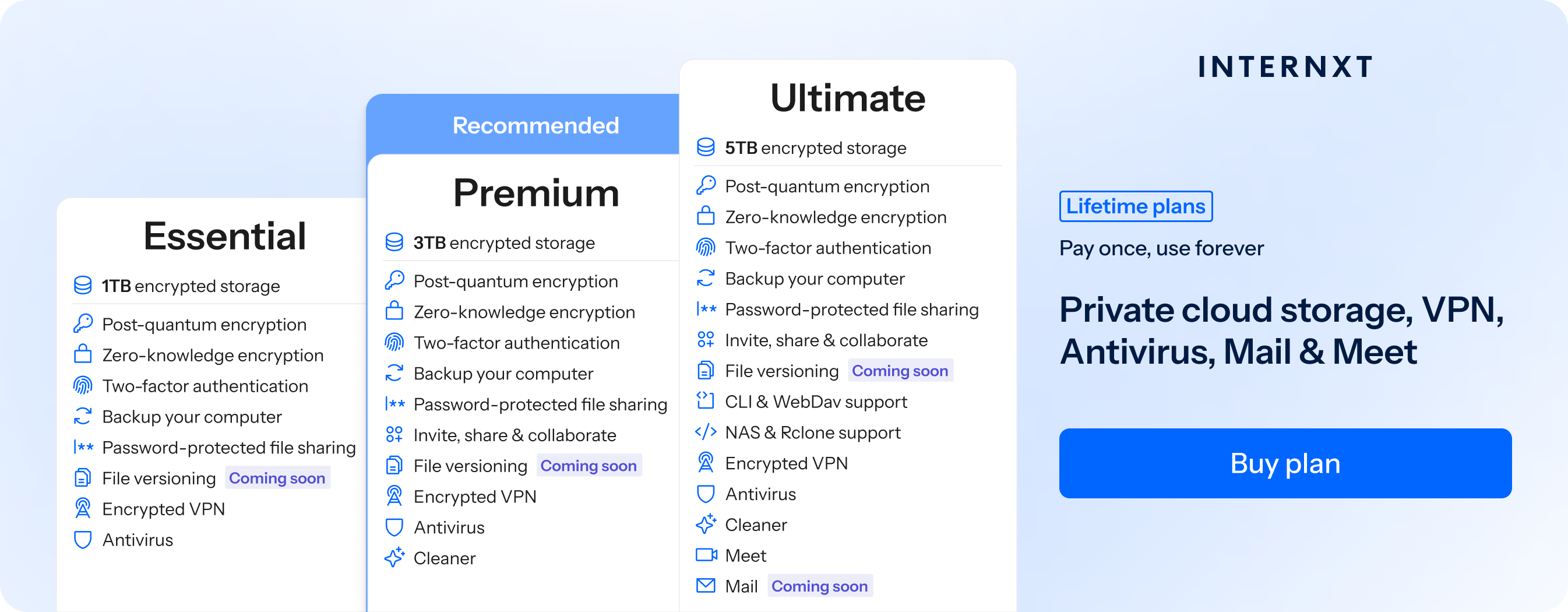
Internxt Mail is the best private email to encrypt your messages on your device, so only you and your recipient can view its contents and attachments. All of your data is protected by post-quantum and zero-knowledge encryption, and Internxt never uses your data for profit.
Internxt is also independently audited by Securitum, the same company that audits Proton, and is fully open source and transparent.
With Internxt, we have nothing to hide, except your data.
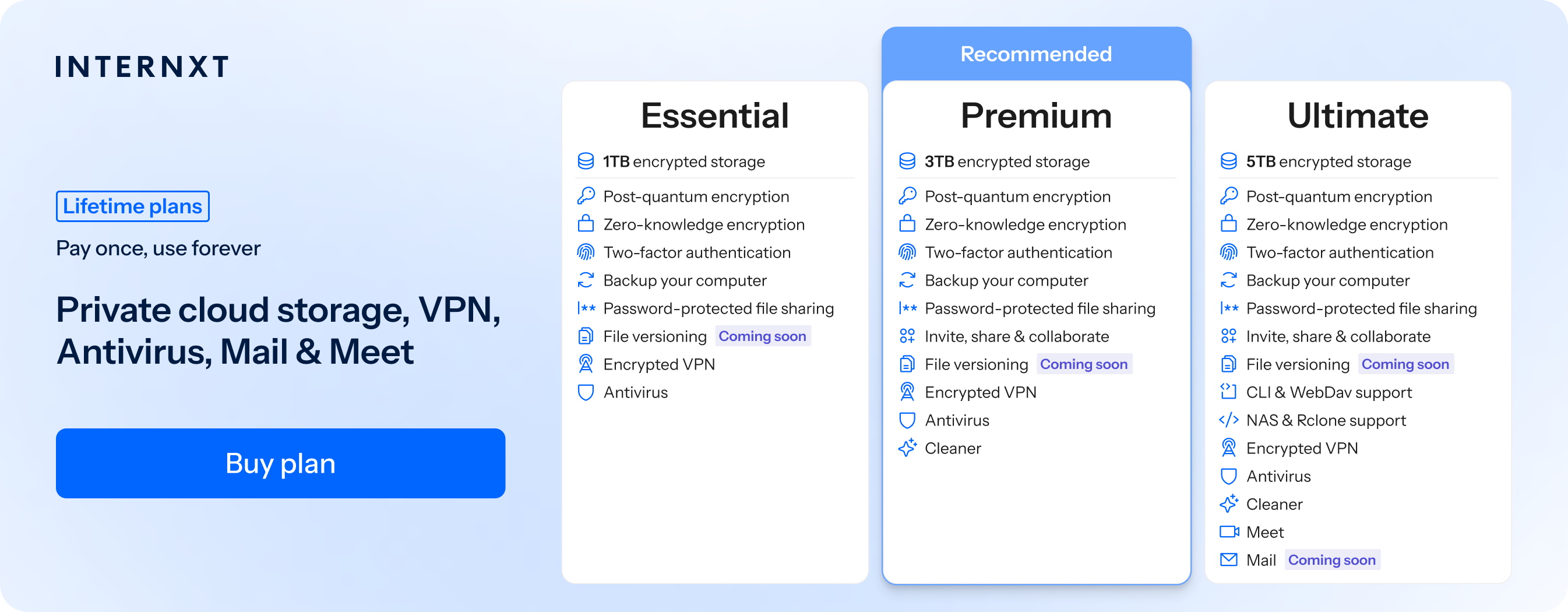
Mail is part of Internxt’s Ultimate monthly or lifetime plan, which gives you everything you need to migrate your data away from Google and start protecting the privacy of your cloud storage, email, and more.
The full features of our plans can be found below, and you can claim 85% off any monthly or lifetime plan with our special offer link below.
| Plan | Storage | Features | Annual (Paid monthly) | Lifetime Cost |
|---|---|---|---|---|
| Essential | 1TB | €1.99/month | €380 | |
| Premium | 3TB |
|
€3.99/month | €580 |
| Ultimate | 5TB |
|
€5.99/month | €780 |
| *Prices are correct at the time of writing and are subject to change. For latest prices, check https://internxt.com/pricing | ||||
Related products
Frequently asked questions
What is the best alternative to Gmail?
Internxt Mail is the best alternative to Gmail as it protects your messages with post-quantum end-to-end encryption, including with Internxt Drive, so nobody but you, or who you send emails or share files with, can access your files.
Is it safe to send personal information through Gmail?
Your personal information is collected, analysed, and used by Google and Gmail to improve its services. While Google offers strong security and encryption when sending emails, it is still not the most private method, so you should consider using end-to-end encrypted emails.
Is Gmail safe and secure?
Yes.
Google uses encryption, spam and malware protection, phishing detection, and security features such as two-step verification to protect your account and emails from data breaches and cyberattacks, but there are better options if you want encrypted and fully private email providers.
Is Gmail secure for confidential documents?
Gmail protects emails and attachments with encryption during transmission and encrypts stored data. However, standard Gmail does not provide end-to-end encryption, so highly confidential documents may require additional protection or zero-knowledge encrypted services like Internxt Mail.
Is Gmail encrypted?
Yes. Gmail encrypts emails in transit using TLS and encrypts stored emails at rest. However, standard Gmail does not provide end-to-end encryption, so they can decrypt the contents of your emails as they manage the encryption keys.
Does Gmail encrypt attachments?
Yes. Gmail encrypts attachments during transmission and when they are stored, like the contents of the email body; however, attachments are not end-to-end encrypted.