
Is Dropbox Safe for Your Personal Files in 2026?

Dropbox was one of the first cloud storage companies to provide online storage, backups, and sharing for people looking to store their files online.
It has since grown its product to include more features, and offers cloud storage for personal to enterprise use.
However, Dropbox has a past of security breaches, data leaks, password leaks, and sharing data without user consent.
We go into details about these incidents and the following topics within this article:
- Is Dropbox secure in 2026?
- Is Dropbox safe for personal, confidential, or sensitive information?
- Dropbox features and pricing
- The best alternative to Dropbox for privacy
Table of contents
- What is Dropbox?
- Does Dropbox offer free storage?
- What’s included in a Dropbox plan?
- Dropbox vs Internxt pricing
- What is a cheap Dropbox alternative?
- Does Dropbox encrypt your files?
- Is Dropbox secure for private files?
- Is Dropbox secure for personal data?
- What is the best alternative to Dropbox for security and privacy?
- Internxt vs Dropbox overview
- Related articles
- Frequently asked questions
What is Dropbox?
Dropbox offers cloud storage for Windows, Mac, and mobile devices, with options to sync, backup, and share files with others.
Dropbox was launched in 2008 and has since extended its cloud storage offering to video editing, e-document signing, and Artificial Intelligence features.
Dropbox offers personal, business, and enterprise storage, so it is designed to meet various cloud storage needs.
Does Dropbox offer free storage?
Yes, Dropbox offers 2GB of free storage with its Dropbox Basic plan. It is available on Windows, Mac, Web, iOS, and Android, and comes with the following features:
- Back up and sync your files
- File restoration for up to 30 days
- Version history for up to 30 days
- Shared links
- File previews
While Dropbox doesn’t offer the most free cloud storage compared to others, it’s been around since 2007, making it one of the first companies to offer cloud storage.
What is a free Dropbox plan suitable for? With 2GB of free storage, this is enough as an extra backup for your important photos and medium-sized videos.
You may want to be careful with the types of files you store in Dropbox, however, as it doesn’t include zero-knowledge encryption, like Internxt or Proton Drive, so free or even paid plans are not suitable for highly sensitive or confidential files, so you may want to consider a more private Dropbox alternative.
What’s included in a Dropbox plan?
If you want more features or storage, you can upgrade your free 2GB Dropbox plan to get storage up to 15TB for 3+ users. Monthly or annual plans are available, and all the features of Dropbox are included with its advanced plan (€21.50/user/month or €18/user/year).
Other cloud storage features include
| Plan | Users | Storage | Features |
|---|---|---|---|
| Plus | 1 user | 2 TB |
Stay connected across all devices 30 days to restore deleted files Transfer files up to 50 GB Edit PDFs and get signatures |
| Professional | 1 user | 3 TB |
Stay connected across all devices 180 days to restore deleted files Transfer files up to 100 GB Edit PDFs and get signatures Brand your files to share Password protect files |
| Standard | 3+ users | 5 TB for the team |
Stay connected across all devices 180 days to restore deleted files Transfer files up to 100 GB Edit PDFs and get signatures Brand your files to share Password protect files Get team folders for organisation Manage team sharing Create groups and roles Admin control |
| Advanced | 3+ users | Starts at 15 TB for the team |
Stay connected across all devices 1 year to restore deleted files Transfer files up to 100 GB Edit PDFs and get signatures Brand your files to share Password protect files Get team folders for organisation Manage team sharing Create groups and roles Tiered-admin management End-to-end encryption Advanced key management Compliance tracking Single sign-on |
Dropbox pricing
| Plan | Users | Monthly Price | Annual Price |
|---|---|---|---|
| Plus | 1 | €11.99 | €9.99 |
| Professional | 1 | €19.99 | €16.58 |
| Standard | 3+ | €14.50/user/month | €12/user/month |
| Advanced | 3+ | €21.50/user/month | €18/user/month |
Dropbox vs Internxt pricing
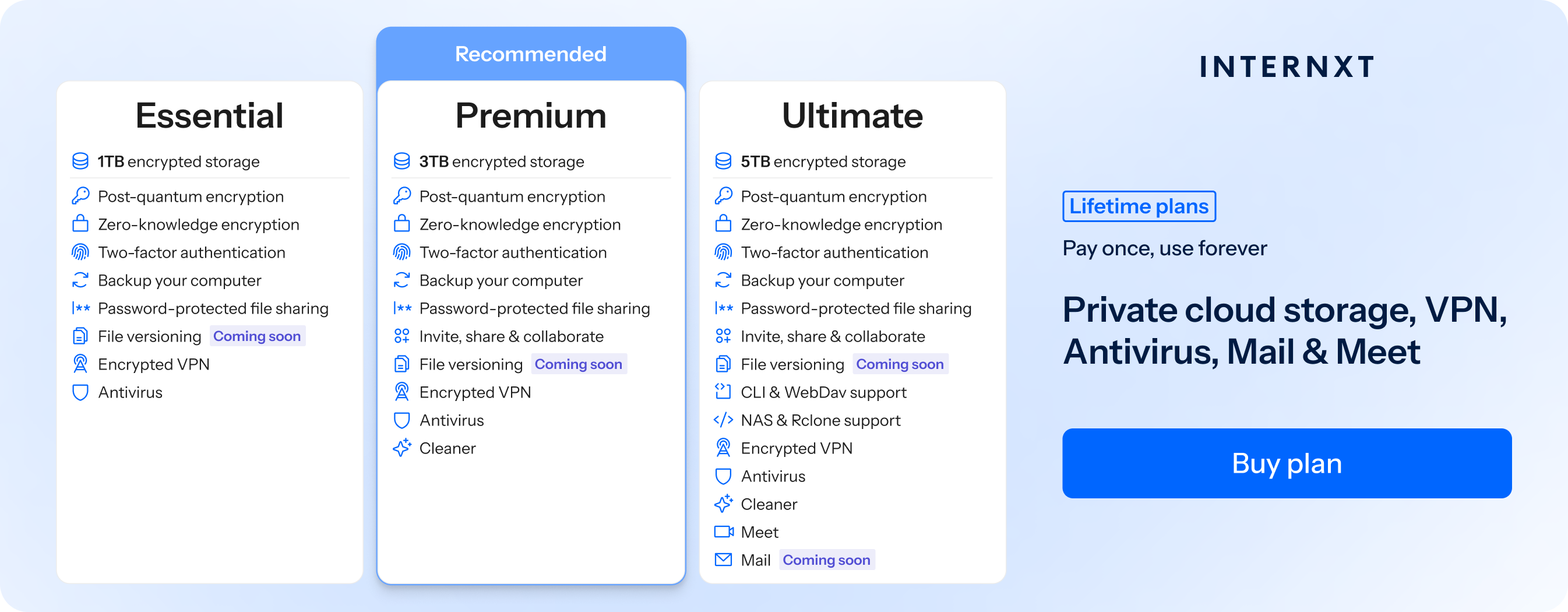
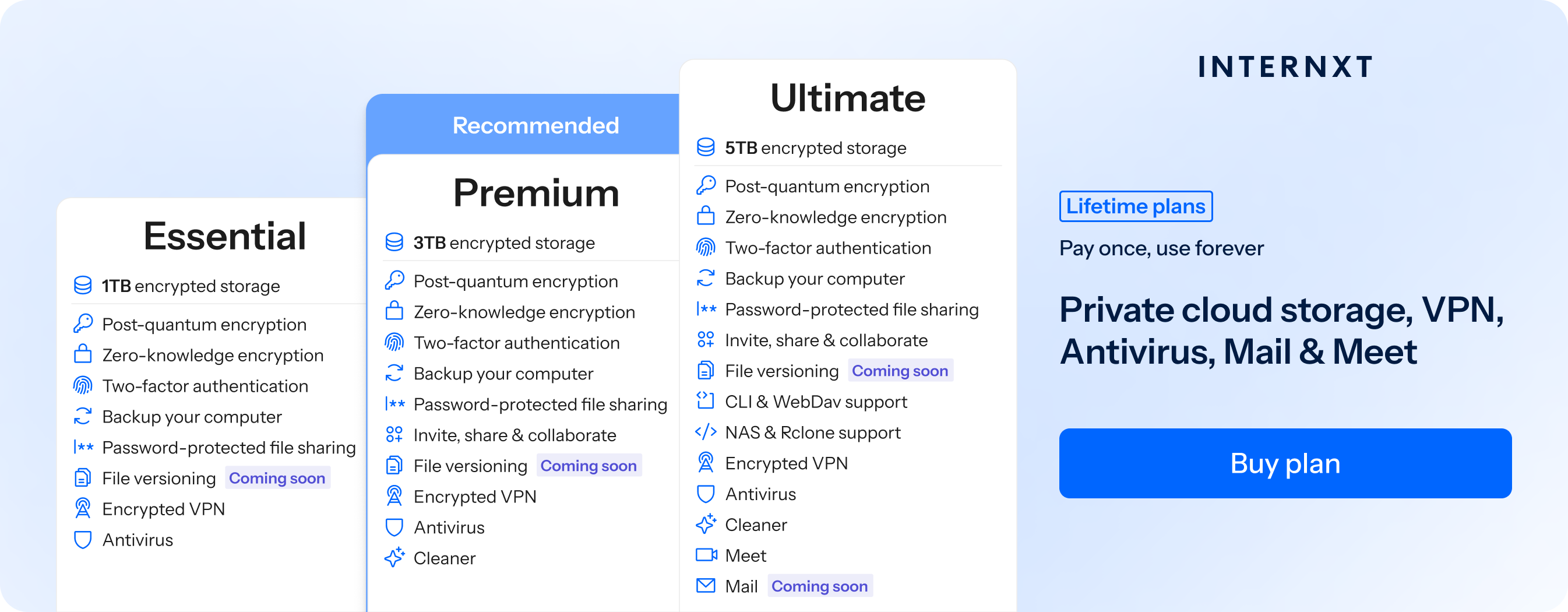
If you don’t want to add to your growing subscriptions, Internxt offers lifetime plans for a one-time payment for Essential, Premium, and Ultimate plans with Antivirus, VPN, Meet, Mail, and more.
If you want a cheap cloud storage alternative to Dropbox, Internxt also offers annual plans that start at the equivalent of €2/month, but you can get an even greater discount - 87% off all plans, and get a detailed comparison of Internxt vs Dropbox by following the link below.
Below are the features and Internxt pricing for annual and lifetime plans.
| Plan | Storage | Features | Annual Cost | Lifetime Cost |
|---|---|---|---|---|
| Essential | 1TB |
|
€24 | €380 |
| Premium | 3TB |
|
€48 | €580 |
| Ultimate | 5TB |
|
€72 | €780 |
| *Prices accurate as time of writing and are subject to change | ||||
What is a cheap Dropbox alternative?
Based on the 5TB plans, you can get the following savings if you choose an Internxt Ultimate annual plan.
- Internxt Annual Ultimate: 5TB, 1 user, €72/year, equivalent to €6/month
- Dropbox Standard: 3TB, 1 user, €19.99/ month, equivalent to €239.88 a year.
- Savings with Internxt: €239.88 − €72 = €167.88, saving you 70% a year with 2TB more storage.
If you choose an Ultimate lifetime plan with Internxt, you will pay a one-time charge of €780.
Compared to the Dropbox Standard plan of €198.96, meaning you will get your return on investment by year 4, and after 5 years, you will have saved €214.80 and more as shown in the table below.
| Year | Dropbox Cumulative Cost (€) | Internxt Cumulative Cost (€) | Savings (€) |
|---|---|---|---|
| 1 | 198.96 | 780 | -581.04 |
| 2 | 397.92 | 780 | -382.08 |
| 3 | 596.88 | 780 | -183.12 |
| 4 | 795.84 | 780 | 15.84 |
| 5 | 994.80 | 780 | 214.80 |
| 6 | 1,193.76 | 780 | 413.76 |
| 7 | 1,392.72 | 780 | 612.72 |
| 8 | 1,591.68 | 780 | 811.68 |
| 9 | 1,790.64 | 780 | 1,010.64 |
| 10 | 1,989.60 | 780 | 1,209.60 |
Therefore, if you want a more affordable alternative to Dropbox, Internxt offers more storage at a cheaper cost, with advanced features designed to protect your privacy online.
Does Dropbox encrypt your files?
Yes, Dropbox encrypts your files using AES-256 encryption, the same encryption used by Google Drive, OneDrive, and others.
Like these companies, Dropbox encrypts files on Dropbox servers and manages the encryption keys for these files, so it is not zero-knowledge encryption, which is generally preferred by users who value privacy.
Because Dropbox holds the keys, its employees could decrypt your files or give access to law enforcement if required.
True end-to-end encryption requires that only the user holds the keys, so the provider can never access the file content. Dropbox does not do this, but Internxt does.
Internxt Drive post-quantum encryption offers enhanced privacy, as the encryption happens directly on your device, so nobody can access it but you.
Internxt is the first cloud provider to encrypt your files with PQE, offering maximum security, privacy, and protection against future cybersecurity threats.
Is Dropbox secure for private files?
Dropbox is a secure cloud platform, but this does not make it the best cloud storage for your privacy due to:
- No zero-knowledge encryption: Dropbox manages your encryption keys, so it could access your files
- Not open source: By hiding the code on its platform, it is impossible to know about potential security vulnerabilities or if there are any backdoors to your personal data.
You could encrypt your files before uploading data to Dropbox, but this can be time-consuming for large files, so if you want zero-knowledge encryption by default, Internxt Drive is the better option to store your files in privacy.
Is Dropbox secure for personal data?
Dropbox collects quite a lot of your personal information, according to its privacy policy, this includes:
Name, email address, phone number, payment info, and physical address
Dropbox also states:
“We use technologies like cookies and pixel tags.”
Cookies can be a negative for your personal data, as they are often used to track your website activity, pages you visited, device information, and session data.
Aside from this, Dropbox has a history that demonstrates it may not be the safest, most secure, or most private option to store or share your files in the cloud, which we will look at in more detail below.
Is Dropbox secure? Past security concerns of Dropbox
Security bug
The first security incident with Dropbox occurred in 2011. A bug in the Dropbox system (which may have been avoided if it were open source) allowed anybody to access user accounts with any password, regardless of whether it was correct or not, and if they had access to the username or email.
This security issue lasted 4 hours, leaving all Dropbox accounts vulnerable during this time.
68 million passwords leaked
One year later, Dropbox usernames and passwords were stolen from other sites, leading to a major password data leak.
Despite compliance laws stating companies should notify all users of a data breach, it wasn’t until four years later, in 2016, that Dropbox revealed that 68 million users were compromised, making it one of the largest cloud storage and internet breaches in history
Personal data shared with consent
In 2018, Dropbox and Harvard worked together on a study using Dropbox users’ data without consent for research purposes. Even though the data was anonymized, it shows a lack of transparency and greatly reduces trust in Dropbox if they share your data without consent.
Phishing attack
Phishing scams target all businesses, big or small, and in 2022, a Dropbox employee fell for a phishing email. The email stole a Dropbox employee’s credentials by impersonating GitHub, allowing the attacker to steal emails and passwords from Dropbox employees.
GitHub notified Dropbox about the attack, as Dropbox was unaware that employee accounts were compromised.
What is the best alternative to Dropbox for security and privacy?
For the best security and privacy, Internxt is the best alternative to Dropbox due to its post-quantum and zero-knowledge encryption, ensuring your photos, videos, and files are protected from data breaches and hackers.
Internxt was founded in 2020 with Internxt Drive, and in the space of 5 years, it has grown its product suite to include:
- VPN
- Antivirus
- Cleaner
- Meet
- Photos
It also includes additional security features in its cloud storage, such as 2FA, encrypted backups for ransomware protection, and file versioning to prevent data loss or accidental deletion.
If you are looking for lifetime storage at an affordable cost, then Internxt has everything you need to protect your privacy online.
So if you’re wondering is Dropbox safe enough for your privacy or data, then it may be time to choose Internxt, the best encrypted cloud storage to secure your files and data against data breaches.
Internxt vs Dropbox overview
| Feature | Internxt | Dropbox |
|---|---|---|
| Max storage | up to 100TB | 15TB |
| Post quantum encryption | ✔ | ✘ |
| Zero-knowledge encryption | ✔ | ✘ |
| Open source | ✔ | ✘ |
| Lifetime plans | ✔ | ✘ |
| Features | Antivirus, VPN, Cleaner, Meet, Mail, AI | Drive, e-signing, AI |
| Location | Europe, GDPR compliant | Based in the US, EU-US privacy |
Related articles
Frequently asked questions
Is Dropbox secure for storing files?
Yes. Dropbox uses AES 256-bit encryption for files at rest and TLS for files in transit.
Can Dropbox access my files?
As Dropbox manages the encryption keys to your files, employees can theoretically view your files or provide access to law or government agencies unless you encrypt your files before uploading them to Dropbox.
Is Dropbox safe for sensitive or personal data?
Yes, if you enable strong passwords, two-factor authentication, and use file-sharing controls. For highly sensitive data, consider additional encryption before uploading.
What is the best Dropbox alternative?
Internxt is the best encrypted cloud alternative to Dropbox, as it offers encryption to guarantee your privacy, and a wide range of privacy products included in its annual and lifetime plans to give you everything you need to stay protected online.