
What Is The Best PC Cleaner to Increase Device Performance? [2026]

Sometimes, we need to do some spring cleaning when it comes to our devices, as over time, leftover files can be left on our devices, or junk files could be slowing down our computer and taking up our local storage.
While you can clean up your device yourself, this can be time-consuming and risky, as you could delete an important file essential to keeping your device running.
To make things easier, these best PC cleaners give you complete ease of use and peace of mind when optimizing your device and freeing up storage.
- What does a PC cleaner do?
- Why you should choose the best PC cleaner
- The best PC Cleaners of 2026
- What is the best PC cleaner?
What does a PC cleaner do?
A PC cleaner is a type of software designed to find and remove unnecessary or problematic files from your computer so it runs faster, smoother, and with fewer errors. Basically, it’s like cleaning clutter out of a room so you have more space, and everything is easier to find and use.
The kind of junk files that may build up on your PC storage over time may include:
- Temporary files created by programs and the system
- Leftover files from uninstalling apps
- Cache files from web browsers
- Broken or outdated system entries
- Duplicate files or large unused files
It is important to note that while PC cleaners can help free up space and tidy your system, not all features are equally useful.
Cleaning temporary files and managing startup programs is generally safe and helpful, but aggressive registry cleaning can sometimes cause problems if done incorrectly. If you’re unsure which files to save or delete, it’s best to double-check before deleting them
How a PC cleaner works
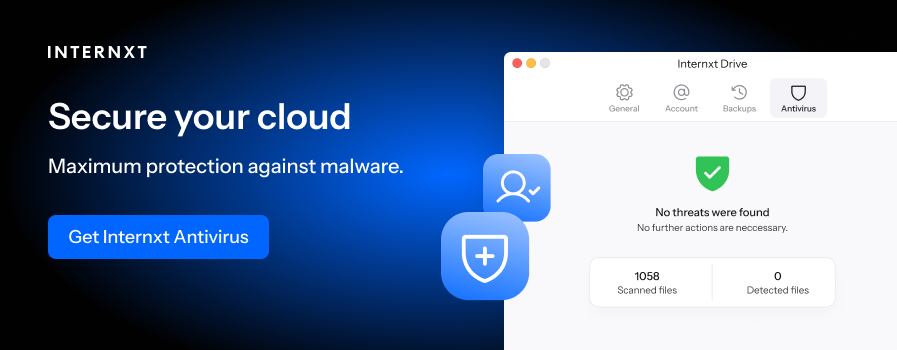
The best PC cleaner, like Internxt’s, uses advanced algorithms to help you identify and clear junk files.
Once you run a scan, the system:
- Checks your computer for files and data that might be unnecessary
- Looks in places like storage, system folders, and settings
- Finds items that are safe to remove or fix
Next, it finds problems or junk
- Identifies temporary files, leftover data, and broken entries
- Detects things that are no longer useful or working properly
Then, it shows a summary
- Displays how much space can be freed
- Let you choose what to remove
Then, it cleans the system
- Deletes selected files
- Fixes or removes broken entries
- Clears things like browser cache if included
Next, it may optimize performance
- Reduces startup programs
- Stops unnecessary background activity
With Internxt Cleaner, you can save up gigabytes of space and increase performance for your PC or Mac.
Why you should choose the best PC cleaner
Improve device health
By removing unnecessary files and fixing small system errors, a device cleaner can help your computer run more smoothly by reducing the amount of work your system has to do.
This way, your device can find, load, and run programs more quickly and with fewer conflicts.
Free up storage
You can free up gigabytes of space on your device by identifying and deleting temporary files, cache, and unused data, so more space is available for important files and applications. This also prevents the system from wasting space on data that is no longer needed or used by apps.
Increased battery health
A cleaner can also show improvements in your overall battery health by removing unnecessary startup items and background processes that some apps leave behind, which can slightly reduce overall system load.
Prevent device crashing or freezing
If your device or apps regularly crash or freeze, a device cleaner can help by clearing out corrupted or conflicting files that can cause programs or the system to stop responding.
It also reduces system strain by removing clutter from your local storage that can interfere with normal operations.
Increased start-up times
Finally, a cleaner can also remove unnecessary programs from launching when the computer turns on, allowing it to load faster.
This means fewer apps compete for system resources during boot, so the system becomes usable sooner, which will in turn help battery life and overall performance.
The best PC Cleaners of 2026
Internxt Cleaner
Pricing: Get an 85% discount
Best for:
- Cleaning files for PC and Mac
- Combine with other privacy products
- Includes encrypted cloud storage
- Descriptive interface
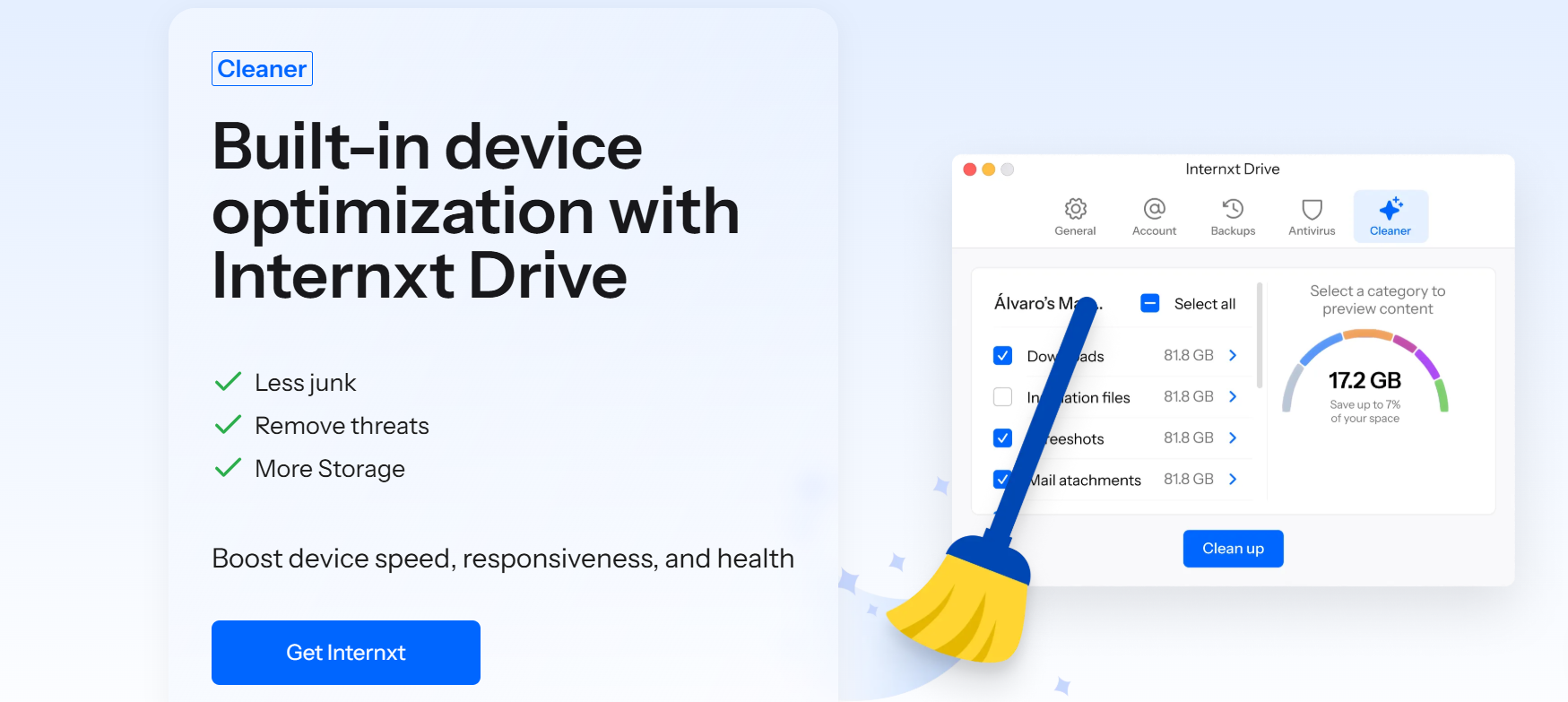
Internxt Cleaner is part of Internxt Drive’s encrypted cloud storage suite, offering a way to clean up your device by removing junk, duplicate, or unnecessary files from your PC or Mac device.
With Internxt Cleaner, you can run scans directly from the Internxt Drive app for Windows, Mac, or Linux.
Once scanned, you will get detailed results showing you where unnecessary space is being taken up on your computer, allowing you to select the junk files to delete.
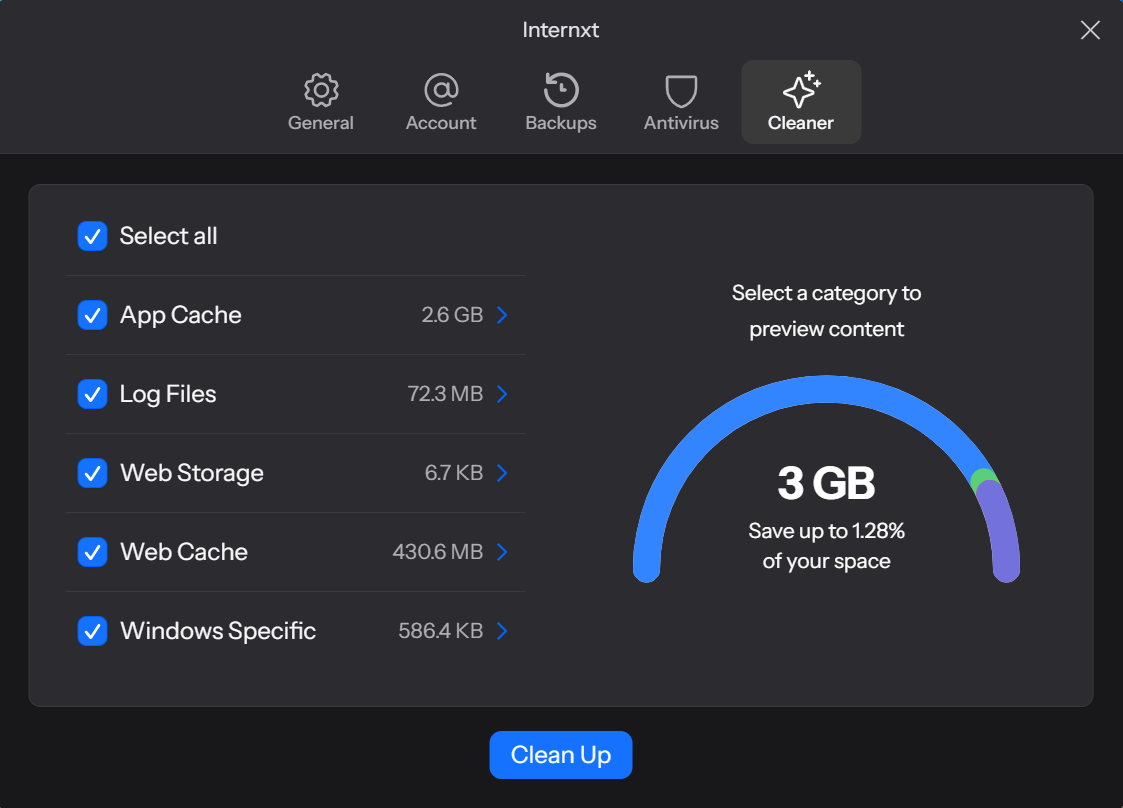
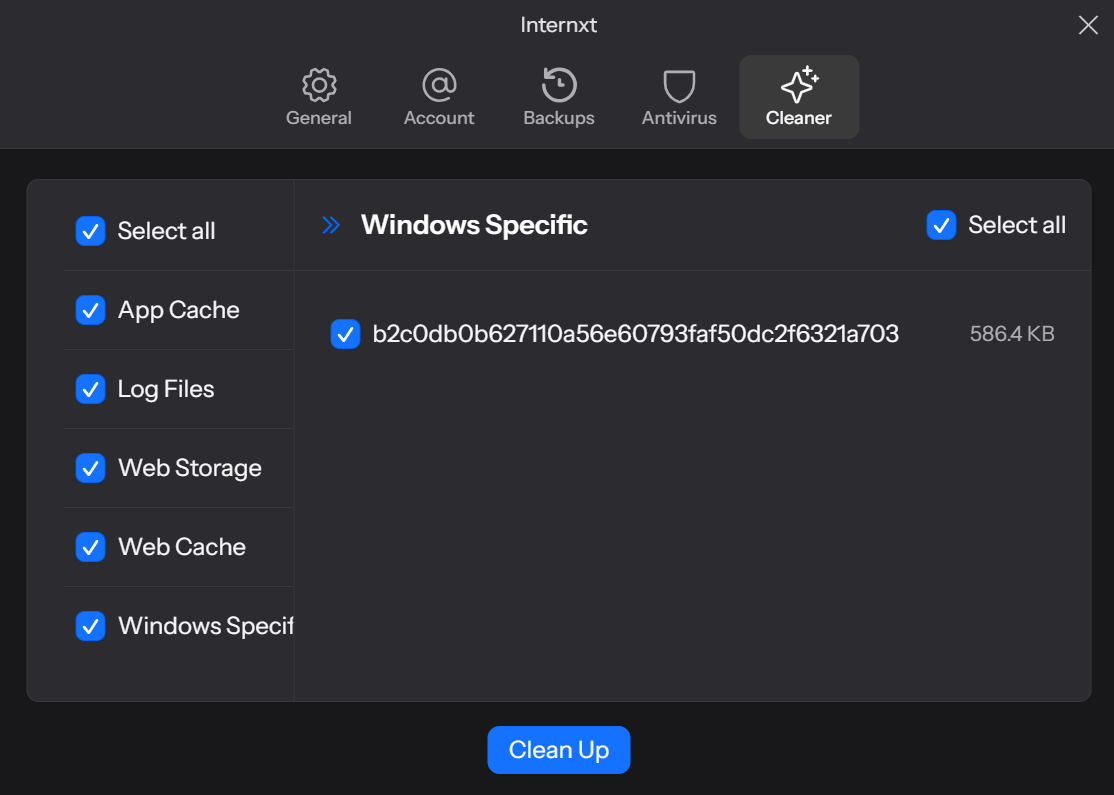
You can also click on each section, showing you a detailed report of what files are taking up space, as well as the size of these files.
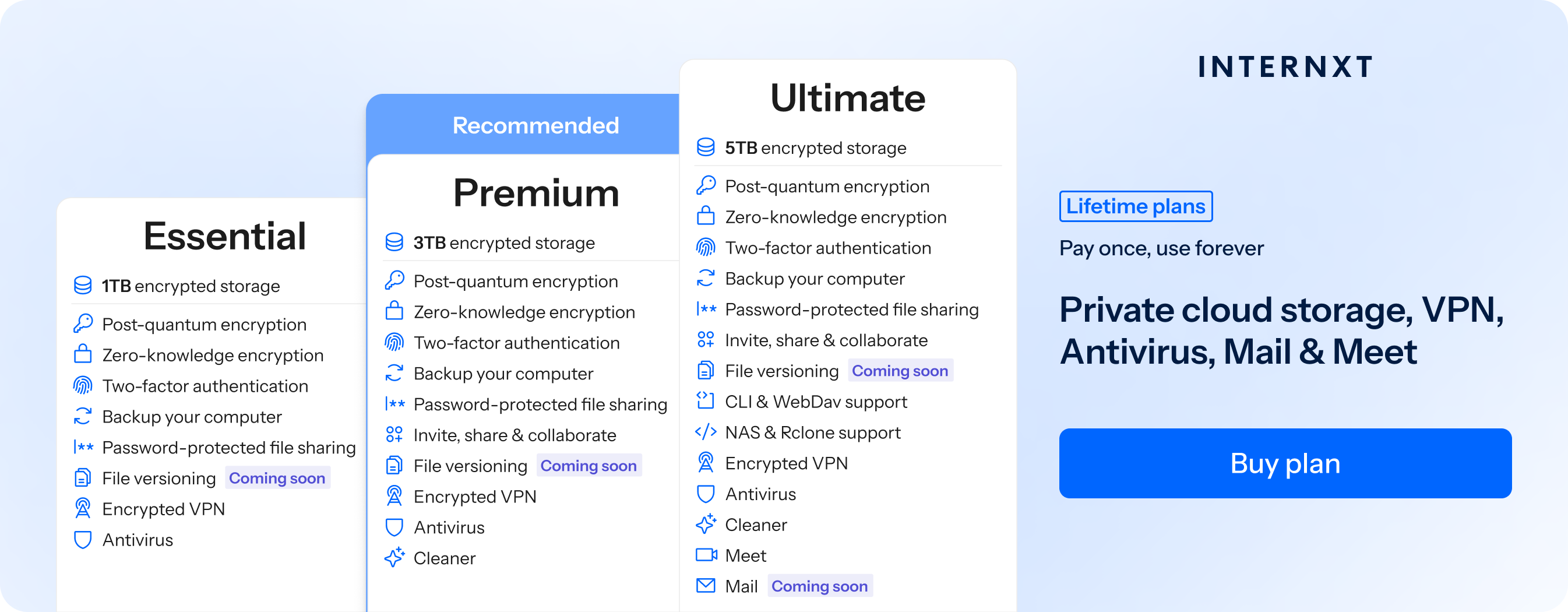
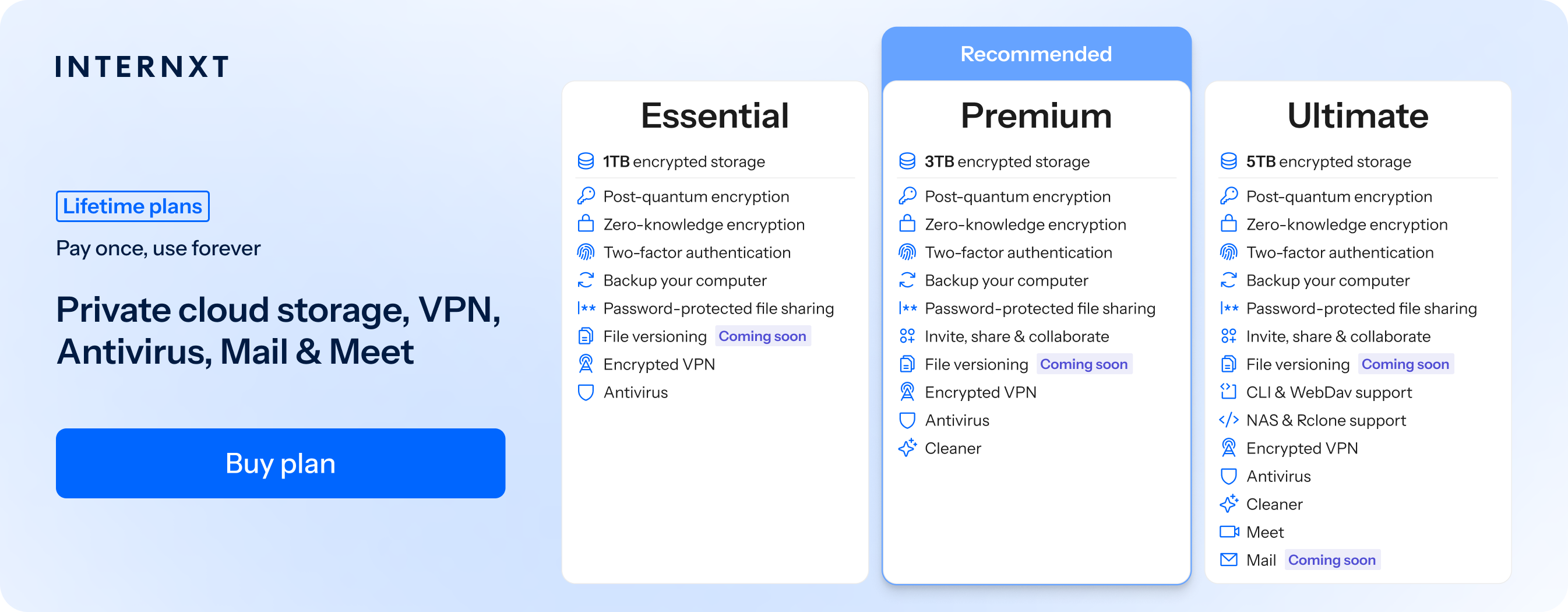
Internxt Cleaner is available for Premium or Ultimate annual or lifetime plans, which offer 3TB and 5TB of ppost-quantum encrypted cloud storage, plus the following features.
| Plan | Storage | Features | Annual Cost | Lifetime Cost |
|---|---|---|---|---|
| Essential | 1TB |
|
€18 | €285 |
| Premium | 3TB |
|
€36 | €435 |
| Ultimate | 5TB |
|
€54 | €585 |
You can choose which files to save and which to delete, so you don’t have to worry about deleting important files. Once complete, your device will get more space and faster speeds by deleting these unnecessary files.
To get started with Internxt Cleaner, Antivirus, VPN, and more, get an exclusive 85% discount at the link below.
CCleaner
Pricing: From €44.95
Best for:
- Cleaning files for PC and Mac
- Keep browsing history private
- Clean files from OneDrive, Google Drive, and Dropbox
CCleaner is available on PC, Mac, Android and iOS devices. It offers free and paid plans. With a free plan, you get basic access to its features, which include:
- Standard privacy protection
- Standard cleaning
- Basic health checks
CCleaner offers other features depending on whether you buy a Pro, Pro Plus, or Premium bundle.
These advanced features include private browsing, automatically deleting internet trackers, and the option to get back deleted files.
In terms of privacy, however, CCleaner has some issues. It doesn’t encrypt traffic or block trackers in real time as Internxt offers; its focus is on cleanup and optimization, so users seeking additional tools such as VPNs, which are included with an Internxt Drive plan.
In 2017, a legitimate CCleaner installer (version 5.33) was compromised by attackers who inserted a backdoor into the software’s build, which was then distributed to users. This affected millions of users and could execute remote code and collect system information
CCleaner’s Premium bundle costs €64.95 compared to Internxt’s Premium plan of €60.
You can also access all of Internxt’s features, including the best PC cleaner, rclone support, Meet, Mail, and more for €90/year, giving you everything you need to keep your device and online privacy protected.
CleanMyMac
Pricing: Try free for 7 days, prices from €3.35/month, billed annually
Best for:
- Mac devices
- Annual or lifetime plans
- Remove malware
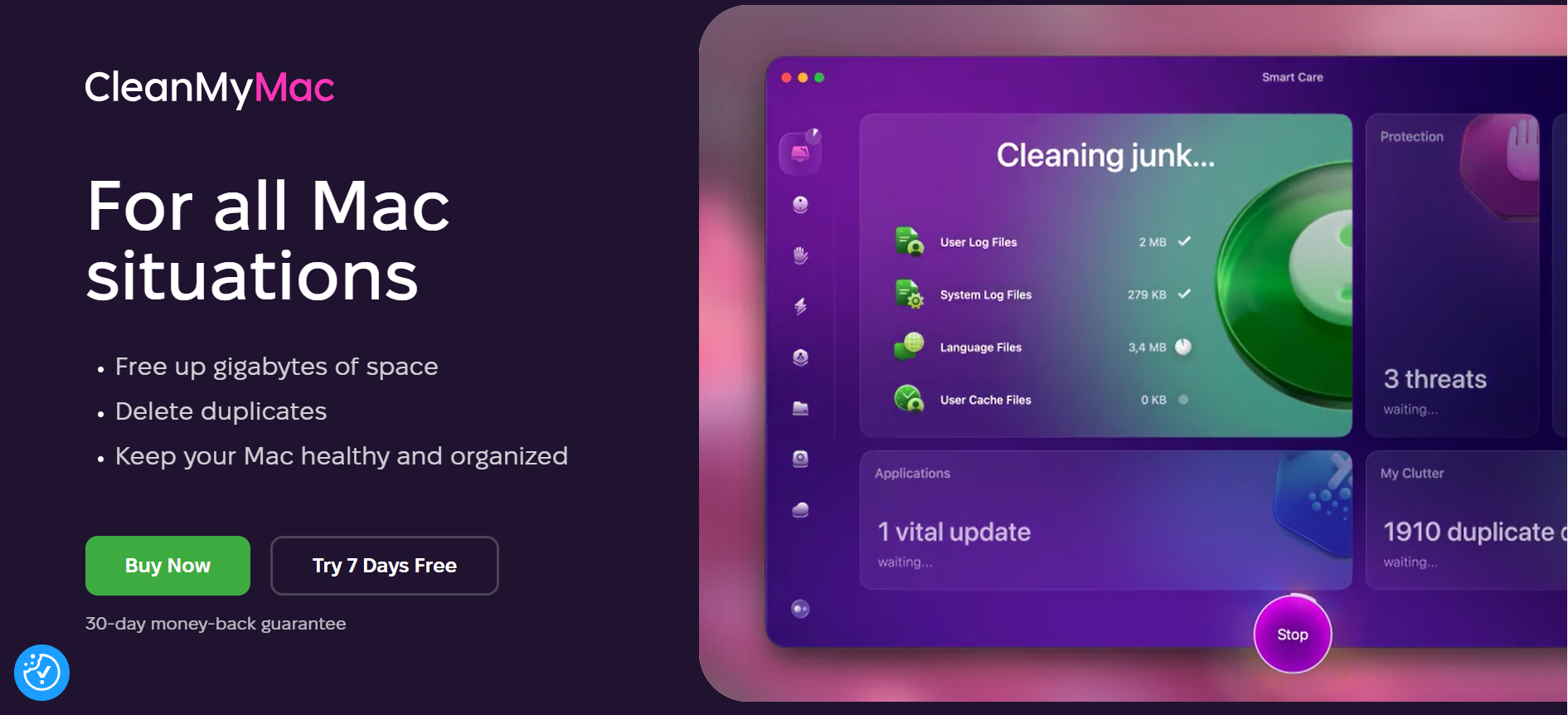
CleanMyMac is a device cleaner for Mac and Windows (despite the name), focusing on features to help you clean up your device, free up space, and increase performance for up to 5 devices.
Like Internxt, it also offers a feature to remove malware from your device.
It also helps clean up storage from iCloud, Google Drive, and OneDrive, as well as an intuitive dashboard to visualise malware scans, performance, and space saved.
As CleanMyMac focuses solely on clearing files from your device, if you want a full product suite alongside the best PC cleaner, then you may want to consider Internxt.
What is the best PC cleaner?
Internxt offers the best PC cleaner to get the best performance, security, and privacy for your device and personal data.
It is the only service offering a PC cleaner alongside encrypted and secure cloud storage, plus Antivirus, VPN, NAS support, Meet, and Mail.
Internxt is fully security audited open source, and complies with GDPR, SOC2, HIPAA, and ISO 27001, ensuring maximum data protection no matter what data you manage with Internxt.
When combining Internxt Drive, Cleaner, and other features of an Internxt plan, you ensure that you get the best cloud storage, cloud backups, and privacy-focused services to make the switch from multiple subscriptions and get everything you need with an Internxt annual or lifetime plan.
| Product | Pricing | Features | Number of devices | Open source | Can access your files | Encryption | Based |
|---|---|---|---|---|---|---|---|
| Internxt | €2.50/month | Drive, Cleaner, Antivirus, VPN, Meet, Mail, Photos | Unlimited | Yes | No | Zero-knowledge & post-quantum | Europe |
| CCleaner | €44.95 | Cleaner | 5 | No | Yes | Only encrypts your internet connection | US |
| CleanMyMac | €3.35/month (billed annually) | Cleaner | 5 | No | Yes | Only encrypts your internet connection | US |
Try Internxt's secure cloud storage for free, or take advantage of our 85% special offer on our website to find the perfect plan for you!