
S3 Object Storage: How It Works, Who It’s For, Advantages and Costs

S3 object storage is a popular storage for businesses and enterprise who need rapid access to data, and large amounts of storage not available with traditional file storage.
If you’re interested in learning more about S3, we cover how the S3 protocol works, services offering object storage, and how they can meet your use case.
Table of contents
- What is S3 object storage?
- How S3 APIs work
- What are the use cases for S3 object storage?
- Popular S3 object storage providers
- Which S3 object storage should you choose?
- Related articles
- Frequently asked questions
What is S3 object storage?
S3 cloud object storage, like that offered by Internxt S3, AWS, and others, is a type of cloud storage designed specifically to store and manage large amounts of data, often known as data lakes.
Object storage works differently from traditional file storage models, like Internxt Drive, which stores files in traditional folders like on your computer; S3 stores data as objects. These objects are stored in containers called buckets.
A bucket works like a folder that holds objects, but unlike traditional folders, buckets can hold an unlimited number of objects and can be accessed from anywhere over the internet. On top of that, S3 object storage is built with the following features:
- Buckets: All data is stored in buckets that can store an unlimited amount of unstructured data.
- Scalability: S3 has no storage limit, so you can potentially store unlimited amounts of data in the cloud.
- Flexible structure: Objects are identified using a unique ID key, and you can add and modify metadata to organize data quickly and easily.
- Downloads: Share data with employees or clients for them to download and access important data.
- Permissions: Assign permissions for the bucket object level to prevent unauthorized access to sensitive data.
How S3 APIs work
Another popular S3 storage also gives programmers a way to interact with the storage system using standard methods called APIs. An API (Application Programming Interface) works like a set of instructions or a language that lets other programs interact with S3 storage to upload, download, or manage data.
S3 interacts with APIs using REST, which is explained in more detail below.
Representational State Transfer
REST is an S3 protocol to communicate over the web using standard web requests like GET, POST, PUT, and DELETE.
With these commands, you send instructions to the API to:
- GET: to retrieve data
- POST: send new data and create something new
- PUT: create or replace data at a specific location
- DELETE: for when you want to remove an object from a bucket
What are the use cases for S3 object storage?
Backup and disaster recovery
Cloud backups are an essential part of any disaster recovery plan, and also protect businesses or employees from ransomware attacks.
S3 storage is a solid option for backups due to its high durability and redundancy, which ensures that files are safe even if local servers fail. With Internxt S3, for example, multiple copies are stored in European data centers and encrypted to protect from ransomware and other cyberattacks.
Example: A company might back up database snapshots or important documents to S3 so that they can quickly restore them in case of hardware failure or accidental deletion.
Archiving data
S3 provides hot storage for fast access to data, but organizations may also need to keep data for long periods to meet regulatory or compliance requirements, such as CCPA. This is known as cold storage and is designed for storing files that rarely need accessing.
AWS offers S3 Glacier for this purpose, but charges fees for data retrieval and deleting files before the storage period ends.
This is why Internxt S3 is a solid alternative to AWS, Azure, or Google Cloud, as it doesn’t charge any additional fees, just €7/TB/month, which you can scale to meet your needs.
Example: a financial firm can archive transaction histories for compliance purposes.
Content storage and delivery
S3 can store images, videos, and other media files that are accessed frequently by users. It integrates with content delivery networks to provide fast access worldwide, making it a popular storage service for Video streaming.
Big data analytics
S3 is ideal for big data analytics because it can store massive amounts of structured and unstructured data in a cost-effective, durable, and scalable way. Companies often use it as the central storage layer for data that will be analyzed later.
S3 allows the company to store all of this raw data securely and reliably without worrying about running out of cloud storage space, as traditional databases would be too costly and impractical.
Example: an e-commerce company might collect clickstream data, which records every action users take on their website, such as page views, clicks, searches, and purchases.
Static website hosting
S3 can host static websites by serving HTML, CSS, and JavaScript files directly. This is ideal for personal projects, landing pages, or documentation sites.
Example: a startup can host its marketing site entirely on S3 without maintaining a web server.
Application data storage
Applications often need scalable storage for user profiles such as profile pictures, documents, or application-generated reports.
Example: a photo-sharing app can store all uploaded images in S3, allowing the app to scale as the user base grows.
Machine learning and AI
Some S3 providers also support AI and machine learning by acting as a central storage system where large training datasets are kept and accessed on demand.
Instead of downloading all data to local computers, AI platforms connect directly to S3 and stream small batches of data while models are training. This makes the training process faster, more efficient, and easier to manage, especially when working with very large datasets.
Example: a healthcare company can store thousands of X-rays and MRI scans in S3, organized by condition or date. An AI platform can then access these images directly from S3 to train a diagnostic model that detects diseases.
Popular S3 object storage providers
Now that we know more about the S3 protocol, how object storage works, and its use cases, it’s time to consider which S3 object storage providers are right for your storage needs.
Internxt S3
Internxt S3 is an open-source European object storage provider and an alternative to AWS, Azure, and Google Cloud.
Its focus is on hot cloud storage, so your company can quickly access data whenever it’s needed. Internxt S3 offers:
- Object storage for fast access to files
- Backups for your files, stored in multiple locations for extra protection against data loss,
- Secure encryption
- AWS S3 and IAM API compatibility
- Zero egress and ingress fees
- Native rclone support
In terms of pricing, Internxt S3 storage offers the most affordable object storage costs, with predictable pricing that costs €7/TB/month, with no additional data transfer fees. This model is also fully scalable, as your company can add or reduce storage according to your needs and business demands.
Compared to mainstream providers, if you’re looking for hot object storage for affordability, security, and scalability, Internxt offers the best and most cost-effective storage for businesses.

Here is how Internxt S3 pricing compares to AWS, Azure, and Google Cloud.
| Provider | Storage Price (€/GB/month) | Ingress Fees | Egress Fees |
|---|---|---|---|
| Internxt S3 | ~€0.007 | None (free) | None (free) |
| AWS S3 Standard | ~€0.020–0.023 | Free | ~$0.09/GB out |
| Azure Blob Storage (Hot) | ~€0.018 | Free | ~$0.087/GB out |
| Google Cloud Storage Standard | ~€0.020 | Free | ~$0.12/GB out |
Internxt S3 regions
With Internxt S3, you can either host your data in the US or in the EU, depending on what's better for you, depending on your regulatory framework and/or criteria related to latency.
| Region | Service URL |
|---|---|
| Internxt US Central 1 (Texas) | s3.us-central-1.internxt.com |
| Internxt EU Central 1 (Amsterdam) | s3.eu-central-1.internxt.com |
Set up Amazon Web Services SDK
To Set up the JavaScript SDK, follow these instructions
- Install the aws-sdk package using your preferred package manager. Here at Internxt, we usually use yarn:
yarn install aws-sdk
- Generate your credentials on the Internxt Cloud Console
- Setup the codebase
- This codebase uses the us-central-1 zone, you may want to use other available zones that can be found here.
const { S3, Endpoint } = require('aws-sdk');
const endpoint = new Endpoint('https://s3.us-central-1.internxt.com');
const accessKeyId = process.env.S3_ACCESS_KEY_ID;
const secretAccessKey = process.env.S3_SECRET_ACCESS_KEY;
const region = 'us-central-1';
const s3 = new S3({
endpoint,
credentials: {
accessKeyId,
secretAccessKey,
},
region,
s3ForcePathStyle: true,
});
Set up native rclone
Native rclone support is also available with Internxt S3 by following these steps.
Run “rclone config”, Input “n” for “New Remote”, press “Enter”, input a name for the remote “internxt-us-central-1”, then press “Enter”
rclone config
No remotes found - make a new one
- n) New remote
- s) Set configuration password
- q) Quit config
n/s/q> n
name> internxt-us-central-1
For full instructions, you can visit our help centre.
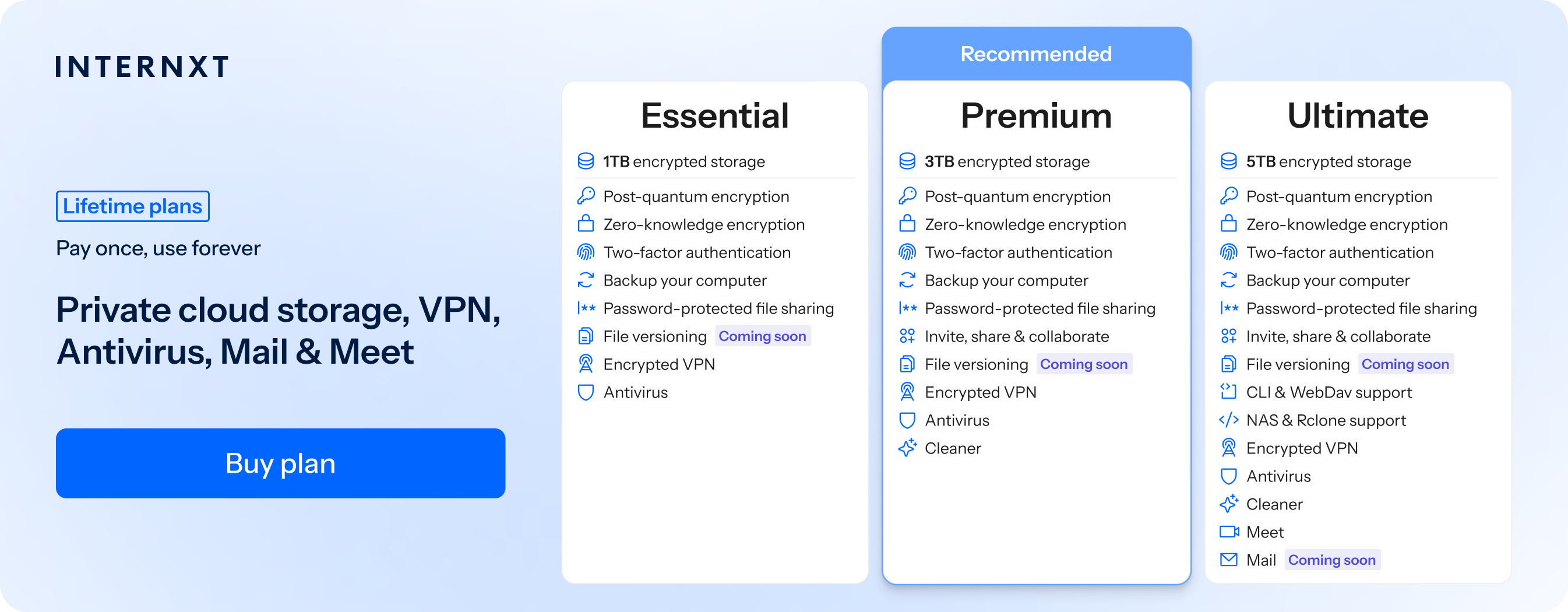
If you want native rclone support for your personal cloud storage, then Internxt Drive also offers this feature for all Ultimate plans, which you can learn more about from our article below.
Which S3 object storage should you choose?
When choosing an S3 object storage provider, businesses need to consider cost, data transfer fees, ecosystem integration, and the types of workloads they plan to run.
Whether you’re considering Internxt or the three major S3 object storage services, below is a quick summary of all four so you can choose the one that best fits your needs.
Internxt S3
Best for
- Businesses needing cost-effective storage with predictable pricing (€0.007/GB/month).
- Hot storage and frequent access without worrying about additional fees.
- Backups and archival of large datasets where data egress and ingress could be substantial.
- Companies looking for simple, transparent billing with no egress/ingress fees.
- Startups, medium or large businesses.
- European-based companies focused on privacy and GDPR, ISO 27001, HIPAA, SOC 2 compliance
Strengths
- Very low storage cost.
- Free data transfer in and out.
- Easy-to-use S3-compatible API.
Limitations
- Limited ecosystem compared to AWS, Azure, or Google Cloud.
- Fewer integrated services (compute, AI/ML, serverless).
AWS S3
Best for
- Enterprise-scale workloads that integrate deeply with AWS services (EC2, Lambda, Redshift, etc.).
- Businesses that need storage across multiple regions worldwide.
- Intelligent tiering, object lifecycle management, and cross-region replication are important.
- Companies handling dynamic workloads or unpredictable spikes in storage usage.
Strengths
- Extremely robust ecosystem and tooling.
- Fine-grained access control and security options.
- Multiple storage tiers (Standard, Intelligent-Tiering, Glacier).
Limitations
- Higher cost per GB (~€0.020–0.023/GB/month).
- Egress fees can be significant.
- Billing complexity for heavy data transfer or multi-tier setups.
Azure
Best for
- Businesses already integrated in Microsoft products (Windows Server, Azure VMs, SQL Server, Office 365)
- Enterprises looking for hot, cool, and archive storage tiers for cost optimization.
- Geo-redundancy and compliance certifications.
Strengths
- Strong enterprise and hybrid-cloud support.
- Good options for tiered storage (hot/cool/archive).
- Competitive global infrastructure.
Limitations
- Egress is still charged (~$0.087/GB).
- Can be complex to manage for multi-region deployments.
Google Cloud Storage
Best for
- Businesses leveraging the Google Cloud ecosystem (BigQuery, AI/ML, analytics).
- Workloads requiring multi-region storage with strong redundancy.
- Companies that need high-performance object storage and data analytics pipelines.
Strengths
- Strong performance for analytics and AI workloads.
- Multiple storage classes (Standard, Nearline, Coldline, Archive).
- Excellent network and data center infrastructure.
Limitations
- Storage cost ~€0.020/GB/month.
- High egress fees (~$0.12/GB).
- Fewer enterprise hybrid-cloud tools compared to Azure.
Related articles
- Top object storage solutions for enterprises
- Most efficient object storage products
- Block storage vs object storage
- Open source object storage
- Cloud migration cost savings
Frequently asked questions
How much data can I store with an object storage plan?
Internxt S3 offers pay-as-you-go plans, so you can add as much storage as you need. You can start with 1TB, or get petabytes of data; it all depends on your needs.
What is an S3 protocol?
The S3 protocol, or Simple Storage Service protocol, is a set of rules and standards that define how data is accessed, stored, and managed within Amazon S3, a popular cloud storage service provided by Amazon Web Services (AWS).
How is S3 Data Organized?
Each object has a unique key for retrieval. Keys can be any string and can include a directory-like structure to create a hierarchy. Alternatively, objects can be organized using metadata through S3 Object Tagging.
How reliable is S3 object storage?
Internxt S3 provides 11 nines (99.999999999%) of data durability, so your data is extremely safe from loss, with a virtually negligible chance of permanent data corruption or deletion over time.
Also of interest to you...