
Is Idrive Safe for Your Backups and Cloud Storage?

If you need a cloud storage system for backing up multiple computers, IDrive is a popular option due to its backup features, flexibility, and price.
Throughout this article, we will cover IDrive’s product, including:
- Features
- Pricing
- Enterprise cloud storage
- Is IDrive safe
- Alternatives to IDrive
By the end of the article, you will have all the information you need about IDrive cloud, and whether it is the right cloud service to meet your needs.
Table of contents
- What is IDrive?
- Features and pricing
- Is IDrive safe?
- Is IDrive secure?
- Is IDrive private?
- Alternative to IDrive
- Related articles
- Frequently asked questions
What is IDrive?
iDrive is a cloud storage and backup service that provides solutions for individuals, small businesses, and enterprises.
iDrive doesn’t necessarily offer traditional cloud storage; instead, it focuses on subscriptions that offer continuous or scheduled backups, remote access to stored files, file sharing with others, synchronization between devices, and versioning, which allows users to restore previous versions of files.
Features and pricing
Device backups
IDrive offers backups for PCs, Macs, Linux, and mobile. If you have data stored on physical hard drives or SSDs, these can also be backed up to your IDrive account.
IDrive also offers automated backups for your accounts if you have a subscription for any of the following cloud services:
- Microsoft Office 365: automated backups for Office 365 personal and business accounts.
- Google Workspace: 3 daily automated backups and direct cloud recoveries for Google Workspace accounts to protect against accidental deletion or ransomware.
- Dropbox: Automated backups for personal or business Dropbox accounts.
- Box: Automated backups, granular or full-service recovery, and snapshot restores for your Box account.
Cloud Drive
Another separate feature of IDrive is a dedicated cloud platform to sync, backup, and edit Word, Excel, or PowerPoint files.
It also offers file sharing with the option to edit the access rights, and even prevent access whenever necessary.
IDrive Office
IDrive Office is included with IDrive’s Cloud Drive, which allows you to work with Microsoft Office‑format files directly in the cloud.
Once edits are made, the browser automatically saves back to Cloud Drive, so your files stay up to date and accessible from any device connected to your account. The feature supports common Office file formats like .docx, .xlsx, and .pptx, and lets you preview files before editing or sharing them.
IDrive BMR
IDrive BMR (Bare-metal Disaster Recovery) offers ransomware protection for businesses by creating full image backups of computers, servers, and virtual machines to a local BMR device.
Should something go wrong with your files, you can restore files or even whole systems from the backup device. This process is managed via the IDrive web interface, where you can schedule, monitor, or recover your backups.
360 enterprise backup
IDrive 360 is an enterprise backup solution for businesses and managed service providers that protects computers, servers, virtual machines, and cloud applications.
The platform provides centralized management through web-based backup and management consoles, where administrators can configure backup plans, monitor devices, manage user access, and deploy the software at scale using tools like GPO, Intune, Jamf, or NinjaOne.
It also offers immutable backups to prevent accidental changes to backed-up files to help businesses and enterprises meet compliance requirements.
IDrive pricing
IDrive currently offers 3 subscription plans: monthly, annually, and biannually, which are broken down into 5 tiers and a free plan of 10Gb.
IDrive pricing plans are broken down into the following payment plans:
Basic
- Free 10GB storage
IDrive personal
- 5TB, $11.99/month/one user/multiple computers
- 10TB, $17.99/month/one user/multiple computers
- 20TB, $29.99/month/one user/multiple computers
- 50TB, $59.99/month/one user/multiple computers
- 100TB, $119.99/month/one user/multiple computers
IDrive Team
- 5TB, $6.99/month/5 users/5 computers
- 10TB, $13.99/month/10 users/10 computers
- 25TB, $34.99/month/25 users/25 computers
- 30TB, $71.99/month/30 users/30 computers
- 35TB, $84.99/month/35 users/35 computers
- 40TB, $95.99/month/40 users/40 computers
IDrive business
- 1.25TB, $59.99/month/ Unlimited users, multiple computers and servers, Exchange/ SQL / NAS devices
- 2.5TB, $95.99/month/ Unlimited users, multiple computers and servers, Exchange/ SQL / NAS devices
- 5TB, $179.99/month/ Unlimited users, multiple computers and servers, Exchange/ SQL / NAS devices
- 12.5TB, $359.99/month/ Unlimited users, multiple computers and servers, Exchange/ SQL / NAS devices
- 25TB, $707.99/month/ Unlimited users, multiple computers and servers, Exchange/ SQL / NAS devices
- 50TB, $1391.99/month/ Unlimited users, multiple computers and servers, Exchange/ SQL / NAS devices
IDrive vs Internxt pricing
Internxt offers annual or lifetime plans, with no restrictions on the number of devices you can access your account from.
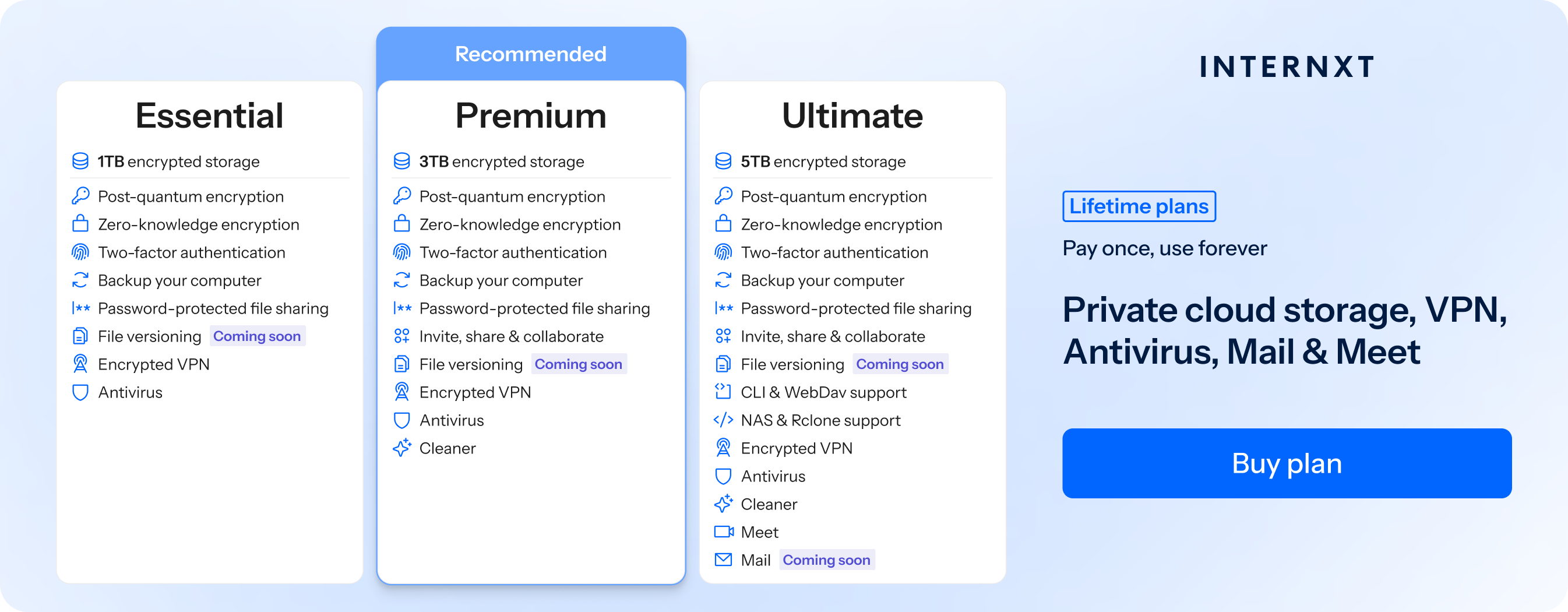
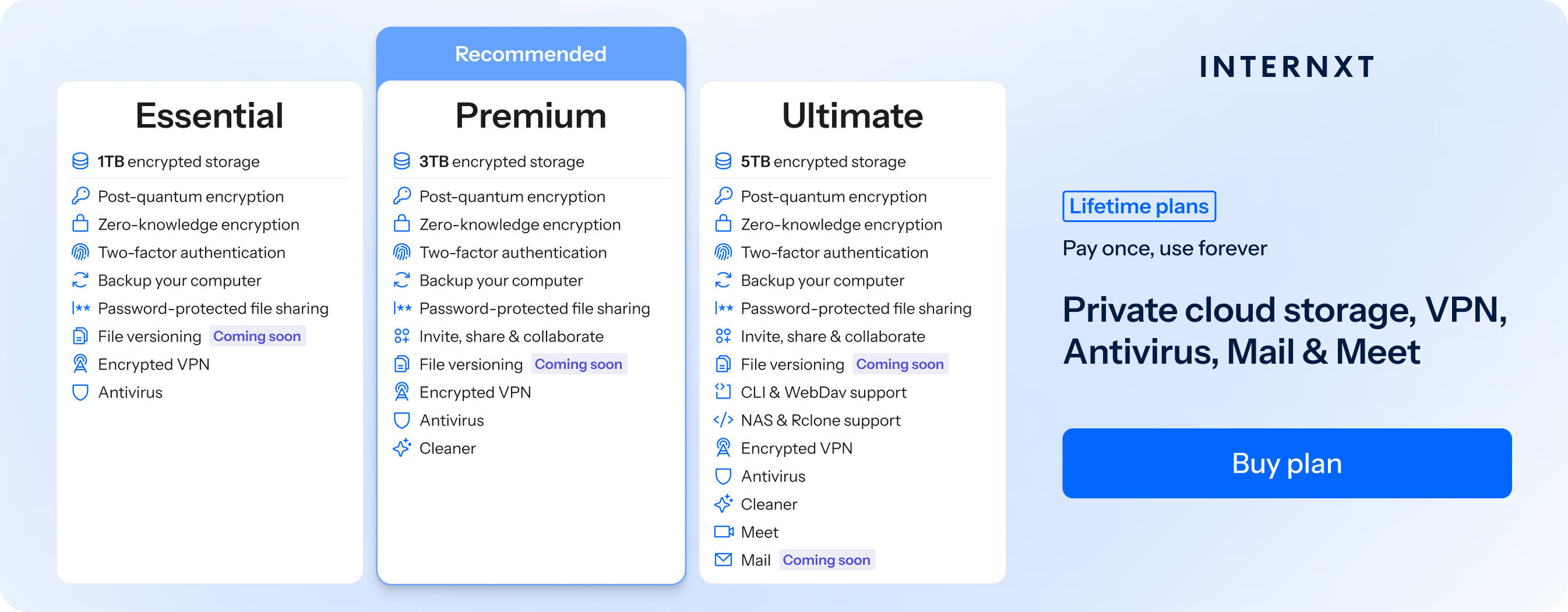
If we compare an Internxt Ultimate annual plan of €72, compared to IDrive’s 5TB plan of €143.88, by choosing Internxt, you could save 50% by choosing Internxt and get access to:
- VPN
- Antivirus
- Secure file sharing and collaboration
- Zero-knowledge and post-quantum encryption
- File versioning
- NAS, Rclone, WebDAV support
- Cleaner
- Meet
- Photos
You can also avoid the cost of subscriptions completely by choosing a lifetime account.
To get an exclusive 85% discount on any plan, visit the link below to find out more about Internxt vs IDrive, and choose the perfect plan for you.
When to choose Internxt: If you want lifetime storage or more affordable annual plans with zero-knowledge and post-quantum encryption, and a full privacy product suite to protect your data online
When to choose IDrive: If you need enterprise or unlimited storage for multiple users, and immutable backups.
Is IDrive safe?
Yes, IDrive is safe as it takes numerous measures to protect your data in the cloud, including:
- File versioning keeps multiple past copies of your files. If a file gets corrupted, overwritten, or changed by mistake, you can go back to an earlier version instead of losing it.
- Snapshots of your data at specific points in time, as they cannot be changed later, they can’t be damaged or deleted, meaning you have a reliable copy of your data to recover.
- Trash recovery for deleted backups so you can recover files when necessary after a certain period.
- Automatic and incremental backups, meaning it regularly saves changes to files without the need to perform a full backup every time.
All these features ensure your data is kept safe and accessible, significantly reducing the risk of data loss.
Internxt vs IDrive safety
Internxt offers file versioning, backups, and password-protected file sharing to keep your data safe. It also stores files across multiple data centers for increased redundancy and data protection.
Any files deleted from the cloud are also kept in the trash and can be recovered in case you need to reassess accidentally deleted files.
Is IDrive secure?
When considering your cloud storage options, safety and security are similar, but both serve different needs to protect your files. As we mentioned previously, safety measures ensure your files can’t be lost and can be recovered.
Security, on the other hand, protects your data from unauthorized access or cyberattacks. For IDrive, they have the following security features:
- IDrive encrypts your files during transfer and while stored on IDrive’s servers with 256-bit AES encryption, which is an industry-standard method for protecting information.
- Data is transmitted over secure, encrypted connections such as HTTPS or TLS, protecting it from interception while being uploaded or downloaded.
- Access controls and authentication, such as permission-based access, account authentication, and logging of access activity for tracking and auditing, to prevent unauthorized access to accounts or confidential files.
- GDPR and SOC 2 type 2 compliance to meet European data protection standards and international data transfer standards.
Internxt vs IDrive security
Internxt is based in Europe, so your data security is regulated by the GDPR to ensure you have maximum control over your personal data.
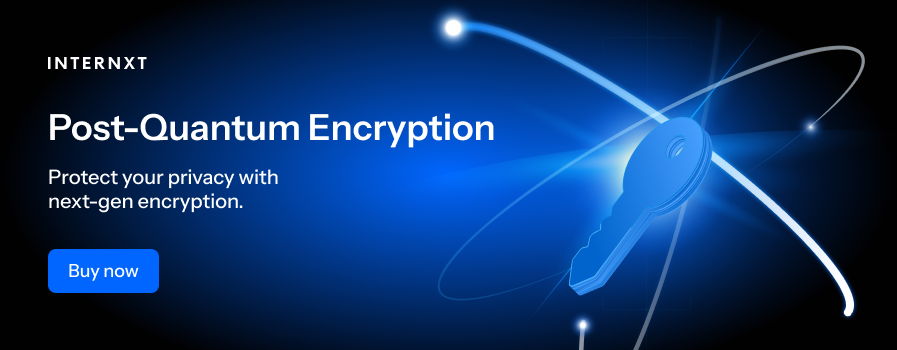
It also uses AES-256 combined with Kyber 512 post-quantum encryption that encrypts files directly on your device, keeping your files secure from hackers and cyberattacks. Thanks to this advanced security, nobody but you can view your files.
Unlike IDrive, Internxt is fully open source, so the security of its platform can be constantly evaluated and verified by security experts to ensure no security flaws or backdoors to your personal data.
All Internxt plans include HIPAA, SOC 2, and ISO 27001 compliance, ensuring it follows current security protocols and data protection for all enterprise and business types.
Is IDrive private?
Combined with security and safety, IDrive’s privacy features focus on giving you control over your data and ensuring that only you can decide how it is accessed and used.
- You can create a private encryption key that only you know, so no one else, including IDrive, can read your files. The company cannot use your data for its own purposes, and you remain the sole owner of all information stored.
- Only authorized personnel can handle data for support or maintenance, and their access is monitored and limited to what is necessary.
- Immutable backups ensured files are not changed or deleted without the necessary access permissions.
- IDrive allows you to control access to and the sharing of your files. You can generate private links to share files with others and set permissions such as view-only access or expiration dates, so shared data is only accessible to parties that are strictly necessary.
Internxt vs IDrive privacy
Internxt offers full zero-knowledge encryption as the default for all plans, without the need to set this up yourself, and without the risk of anybody but you accessing your files.
It also includes encrypted backups to protect your files from data loss or ransomware, to ensure you can always recover your files whenever necessary. Internxt also allows you to control the privacy of your shared files with password protection and access logs for business plans.
With Internxt’s mission for greater online privacy, all paid plans include many features to ensure maximum privacy outside of your cloud storage plan.
The full features can be found below, and you can get 85% off all plans by checking out our best cloud storage prices on our website.
Alternative to IDrive
For the best alternative to IDrive at an affordable cost with a full product suite to help you switch from Big Tech Companies such as Google Drive or Dropbox, Internxt Drive is the best choice.
Internxt goes beyond cloud storage, offering advanced products such as Internxt Meet, Mail, and VPN to ensure your data and privacy have the best protection from data breaches possible.
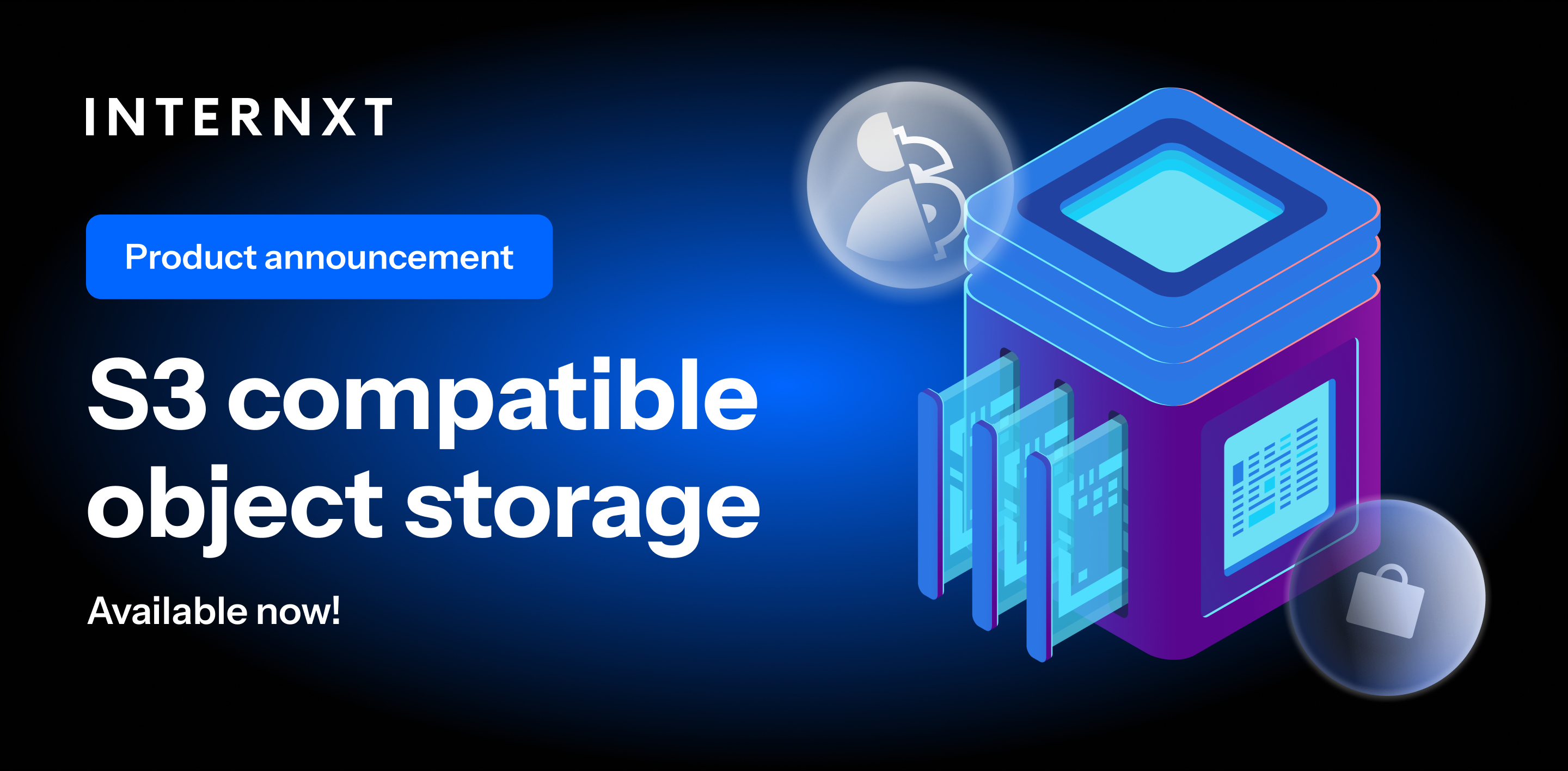
It also offers Internxt S3 object storage, which offers affordable pay-as-you-go pricing at just €7/TB/month with no data transfer fees, making it the perfect option for large businesses or enterprises.
IDrive vs Internxt Overview
| Feature | Internxt | IDrive |
|---|---|---|
| Prices from | 1TB / €2/month | 100GB / $4.99/month |
| Lifetime plans | ✅ | ❌ |
| Maximum storage | 100TB (StackSocial) | Unlimited |
| Number of devices | Unlimited | Depends on plan |
| Open source | ✅ | ❌ |
| Encryption | AES Kyber 512 | AES-256 |
| Zero-knowledge | ✅ | Requires setup |
| Features | Drive, Meet, Mail, Photos, VPN, S3 storage, and more | Cloud storage backups, S3 |
| Based | Spain, Europe | United States |
| Can access your files | Never | Possible unless zero-knowledge is set up |
Related articles
Frequently asked questions
Is IDrive safe?
Yes, IDrive is safe as it offers backup, file versioning, encryption, and other security protocols to secure your files and data.
Is IDrive open source?
No, IDrive is not open source, so any potential security or safety vulnerabilities cannot be viewed by external experts, and its platform cannot be fully verified as secure. However, IDrive is ISO and SOC 2 compliant as part of a security audit.
Does IDrive use zero-knowledge encryption?
IDrive does not include zero-knowledge encryption as the default encryption for plans, so it could potentially view your plans unless you set up zero-knowledge encryption.
What is the best IDrive alternative?
Internxt is the best IDrive alternative with post-quantum and zero-knowledge encryption, S3 plans, and a wide range of privacy products and tools to give you maximum security and protection online.