
Verizon Cloud vs iCloud: Which One is Best?

If you’re an iPhone user, then you may be considering the option of Verizon Cloud vs iCloud, especially if you’re also a Verizon customer, as they offer cloud storage as well as telecommunications within the US.
However, if you don’t know too much about Verizon’s features, limitations, or other aspects of this service, you will likely want to learn more about the service in comparison to Apple before you make your decision.
For that, you’ve come to the right place!
This article will cover Verizon Cloud vs iCloud by comparing their features, pricing, limitations, security, and more, so you can make the right decision for your cloud storage needs.
We will also consider other alternatives to help you make the right decision for storing, backing up, and syncing your files in the cloud, as well as other services designed to make your life more private and secure online.
Table of contents
- Verizon Cloud vs iCloud overview
- iCloud vs Verizon Cloud features comparison
- Verizon vs iCloud pricing
- iCloud vs Verizon Cloud security concerns
- Verizon Cloud vs iCloud: Potential alternatives
- Verizon Cloud vs iCloud: Which one is better?
- Related articles
Verizon Cloud vs iCloud overview
Verizon Cloud
Verizon Cloud is a cloud storage service provided by Verizon to back up and sync your content from smartphones, tablets, or computers to the cloud.
It is one of the few providers that offer unlimited cloud storage, which could make it an attractive offer if you have a large amount of data.
Aside from Verizon Cloud, the company is based in the US and offers many services, such as:
- Telecommunications
- Providing 4G and 5G networks
- Home internet and fiber broadband services
- Cybersecurity solutions and consulting
- TV and streaming services
Verizon Cloud storage offers the following features:
- Backups of multiple documents, including photos, videos, contacts, messages, music, documents, and call logs
- Photo and file sharing
- Access content across devices
- Print your photos and have them delivered to your home
- Android and iOS syncing
- PIN-protect folders
However, Verizon does have some limitations with its cloud storage, including:
- Maximum file‑upload size of 10 GB per file
- 50GB daily upload limits, which can be reduced further to 10Gb/day if you upload over 500GB of data a month
- No sharing or collaboration features
- Cross-device synchronization depends on Verizon’s apps and may be limited on non-Verizon devices
If you need basic file storage and have already signed up for Verizon’s services, this may be a viable option for you or your family.
However, if you’re considering iCloud vs Verizon Cloud, then below are the basic features of iCloud.
iCloud overview
Apple’s addition to the cloud storage market is iCloud. As you can imagine, it is mostly aimed at Apple users.
When you sign up for an Apple account, you automatically get 5GB of free cloud storage or the option to upgrade your storage.
- Backups of photos, videos, messages, documents, app data, and device settings
- iCloud Photos for syncing full-resolution images and videos across Apple devices
- File storage and access through iCloud Drive
- Real-time collaboration on documents through Pages, Numbers, and Keynote
- Cross-device syncing for passwords, notes, Safari data, and app information
- End-to-end encryption for certain categories like passwords, health data, and Home data
- Shared albums and shared folders for easy content sharing within the Apple ecosystem
- Family Sharing to share storage plans across multiple Apple IDs
- Seamless integration with iOS, iPadOS, macOS, and Apple apps
However, iCloud also has limitations, including:
- Limited free storage at only 5 GB, which fills quickly with photos, videos, and backups
- No full-device restore for non-Apple platforms, since the service is tightly integrated with Apple hardware
- Some data types are not end-to-end encrypted by default unless you enable Advanced Data Protection
- File management and sharing features are more basic than those of dedicated cloud storage competitors
iCloud works well if you mainly use Apple products, although it is possible to access it on Windows, but you may want to consider OneDrive for that, which you can find out more about in the article below.
iCloud vs Verizon Cloud features comparison
iCloud
| iCloud Feature Category | Details |
|---|---|
| Core Purpose | Cloud storage and syncing for Apple devices and apps |
| Supported Platforms | iOS, iPadOS, macOS, Windows, web access |
| Free Storage | 5 GB |
| Paid Storage Options | 50 GB, 200 GB, 2 TB, up to 12 TB with Apple One |
| Backup Types | Photos, videos, messages, app data, documents, settings, health |
| Photo Management | iCloud Photos with full resolution syncing |
| File Storage | iCloud Drive with desktop and documents syncing |
| Collaboration | Real time collaboration in Pages, Numbers, and Keynote |
| Sharing | Shared albums, folders, or files |
| Security Encryption | Encryption in transit and at rest |
| Zero Knowledge Encryption | Only if Advanced Data Protection is enabled |
| Open Source | No |
| Ecosystem Integration | Deep integration with Apple devices and apps |
| Cross Platform Limitations | Optimized for Apple devices, limited features on Windows |
| Maximum File Upload Size | Up to 50 GB per file via iCloud Drive |
| Daily Upload Limits | No public daily upload caps |
| Device Restore | Full device restore for iPhone and iPad |
| Family Features | Family Sharing for storage and shared content |
| Extra Features | Password manager syncing, Safari data syncing, Home data syncing |
Verizon
| Verizon Cloud Feature Category | Details |
|---|---|
| Core Purpose | Cloud backup and syncing for Verizon mobile customers |
| Supported Platforms | Android, iOS, Windows, macOS, web access |
| Free Storage | None for most users unless bundled with a Verizon plan |
| Paid Storage Options | 600 GB, 2 TB, unlimited for eligible plans |
| Backup Types | Photos, videos, music, documents, contacts, messages, call logs |
| Photo Management | Basic gallery, photo sharing, photo printing delivery |
| File Storage | General file storage through apps and web access |
| Collaboration | No real collaboration features |
| Sharing | Basic photo and file sharing |
| Security Encryption | Encryption in transit and at rest, no zero knowledge encryption |
| Zero Knowledge Encryption | Not supported |
| Open Source | No |
| Ecosystem Integration | Tightly tied to Verizon services and mobile plans |
| Cross Platform Limitations | Some features limited on non Verizon devices |
| Maximum File Upload Size | Maximum 10 GB per file |
| Daily Upload Limits | 50GB per day, or 10GB per day after 500GB monthly uploads |
| Device Restore | Restore of individual files and data, not full device restore |
| Family Features | Family account options with shared storage |
| Extra Features | Photo printing delivery and media playback inside the app |
Verizon vs iCloud pricing
Verizon
| Plan | Storage | Cost | Minimum Users |
|---|---|---|---|
| Unlimited Individual | Unlimited | $10/month | 1 |
| Unlimited Group | Unlimited | $15/month | Up to 5 |
| 600GB | 600GB | $5.99/month | 1 |
iCloud
| Plan | Storage | Monthly Cost (€) |
|---|---|---|
| iCloud+ Basic | 50 GB | 0.99 € |
| iCloud+ Standard | 200 GB | 2.99 € |
| iCloud+ Large | 2 TB | 9.99 € |
| iCloud+ XL | 6 TB | 29.99 € |
| iCloud+ XXL | 12 TB | 59.99 € |
iCloud+ is another premium service offered by Apple on top of its cloud storage. Again, it is aimed at users heavily integrated into the Apple ecosystem, and for those who want additional privacy for their emails.
iCloud+ offers up to 12TB of storage, for iCloud+ plans and these additional features:
- iCloud Private Relay: encrypt your connection when browsing Safari
- iCloud Keychain: an integrated password manager
- Hide My Email: protect your personal email from phishing
- Custom Email Domain: personalized email address
- HomeKit Secure Video support for an unlimited number of cameras (2TB, 6TB, or 12TB plans)
iCloud vs Verizon Cloud security concerns
Apple
Apple has advanced security measures and strong encryption for iCloud, but it is not without its problems, both past, present, and future.
Hidden source code
Apple’s ecosystem is mostly closed, which means users and independent researchers cannot fully inspect or audit the core code from its GitHub page.
While some components of macOS and iOS utilize open-source parts, the overall system remains proprietary. This limits external scrutiny and can hide potential weaknesses or potential backdoors to your data or files.
Past security concerns
Apple was targeted by a major security flaw in 2021, known as the zero-click ForcedEntry exploit.
This type of malware installed spyware on devices without any user interaction, meaning devices could become infected without a user’s knowledge.
The effects of this attack allowed cybercriminals to take full control of a device, meaning they could:
- Read messages
- View photos
- Access passwords
- Record microphones and cameras
- Track user locations
Another famous example, although not directly a result of Apple’s security, happened in 2014 due to a large leak of private photos from celebrity iCloud accounts.
Apple stated that the incident happened due to specific attacks on usernames, passwords, and security questions rather than a large data breach on its systems. Nevertheless, it still highlights the need for better authentication methods and warnings for repeated login attempts.
Government pressure to weaken encryption
A major concern this year has come from government pressure to weaken encryption. In the United Kingdom, authorities issued a secret order demanding access to encrypted iCloud data.
Apple responded by disabling its highest level of iCloud encryption, known as Advanced Data Protection, for new UK users and warning that existing users would lose access to it.
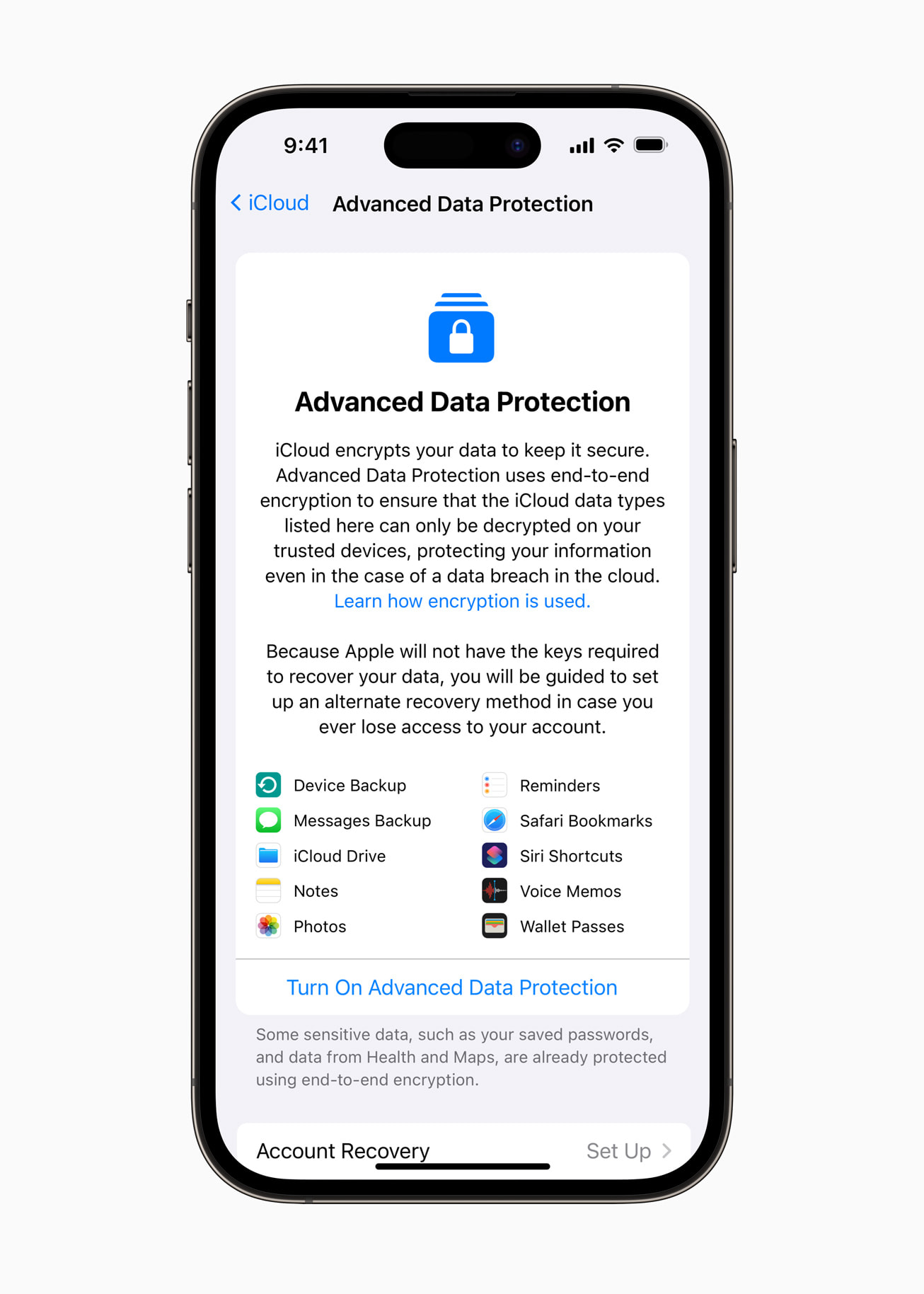
Apple maintains that it has never created any backdoor and never will, but the UK case shows that governments can force companies to alter or weaken encryption features.
Verizon security
Encryption
Verizon provides cloud storage services with standard protections, including encryption for data in transit and at rest. Like iCloud, Verizon encrypts data in transit and at rest, but neither uses full zero-knowledge encryption.
Without zero-knowledge encryption, companies manage the encryption keys on their servers, meaning employees or other law or government agencies could potentially access your files.
Proprietary software
Verizon Cloud is not open source, and therefore has the same lack of transparency as iCloud. Without open source clients, you can never be sure how companies protect your data, or if it is truly secure against modern cyberthreats such as ransomware as a service.
2017 data breach
Verizon also suffered a data breach in 2017, after a major incident exposed the personal data of millions of Verizon customers.
A cloud repository managed by a third-party vendor was misconfigured, leaving it publicly accessible. As a result, customers’ names, addresses, phone numbers, account details, and PINs are exposed, allowing attackers to potentially impersonate customers.
Like many data breaches, this issue was caused due to human error, highlighting the need for proper cybersecurity training for employees and security protocols to prevent attacks.
Verizon Cloud vs iCloud: Potential alternatives
One of the major drawbacks if you care about the privacy of your cloud storage and its contents is the lack of zero-knowledge encryption. Although Apple offers Advanced Data Protection features, you may still want to choose a provider that has zero-knowledge encryption as a default for greater peace of mind.
For a full list of cloud storage with zero-knowledge encryption, check the article below for a fill list of cloud storage providers that offer this feature.
Internxt Drive
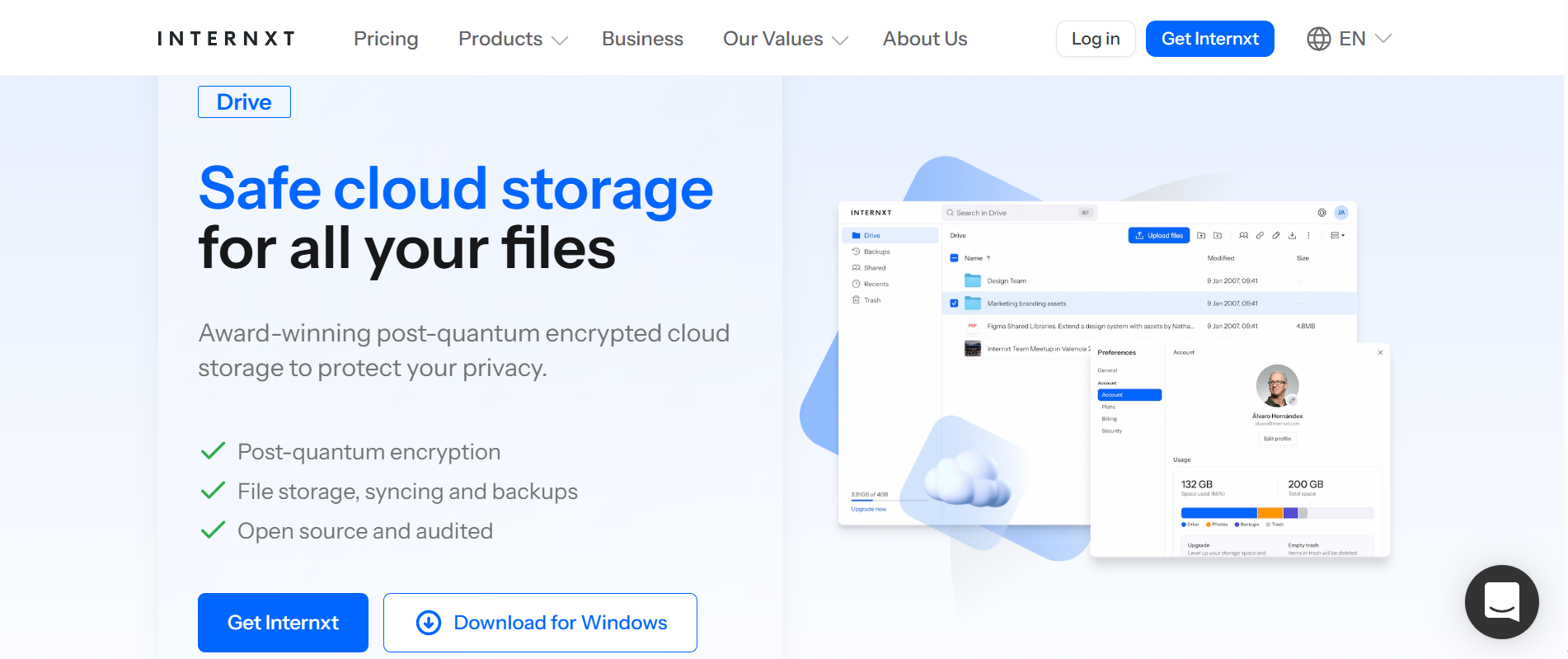
Internxt stands out from Big Tech companies due to its mission for a more private and secure experience for all its users.
Internxt security
Internxt achieves this mission due to default zero-knowledge encryption, ensuring all your files are encrypted on your device before they are uploaded to the cloud.
This encryption ensures nobody, not even Internxt, can view your files or give access to external agencies because only you hold the keys to your data.
For greater security and privacy, Internxt is the first cloud storage with post-quantum encryption, protecting your files against future quantum computer attacks, which could break current cryptography technologies used by Verizon Cloud and Apple.
Internxt features
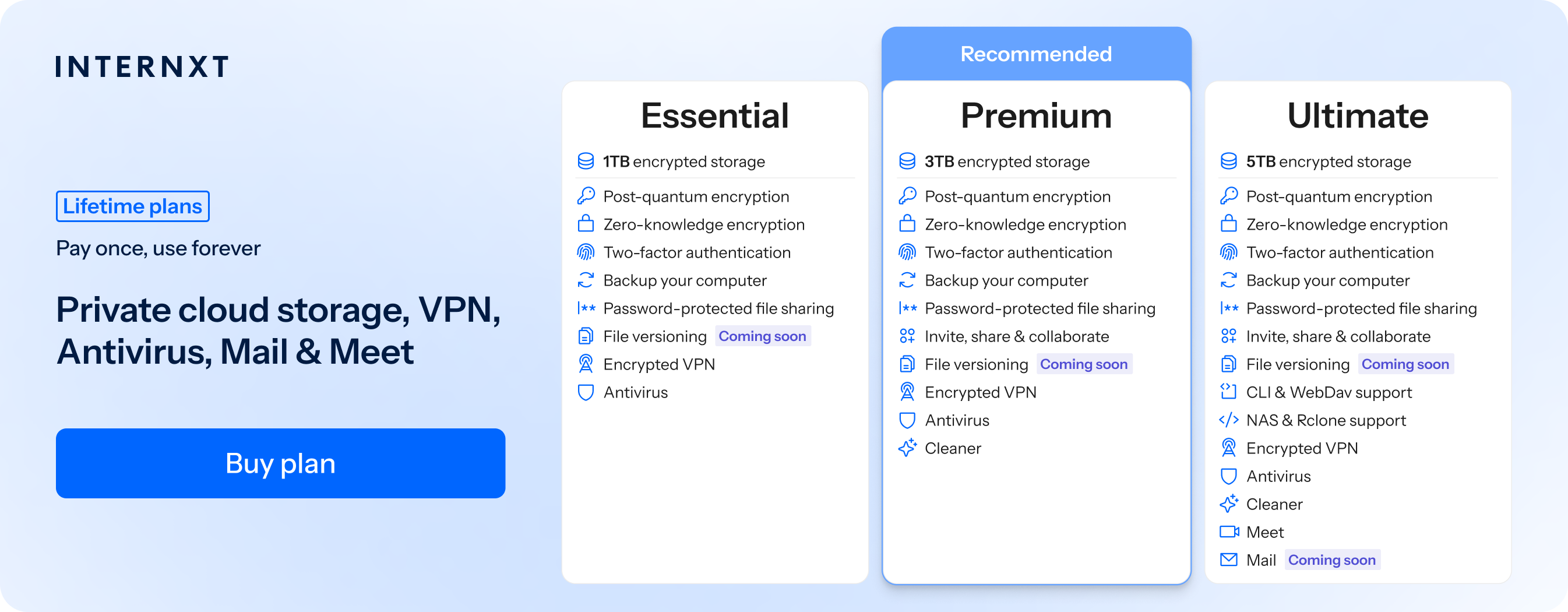
All Internxt paid plans include access to backups, VPN, file versioning, and Antivirus. On top of that, if you want greater privacy online, you can also get access to more features from the Premium and Ultimate plans, which include:
- Up to 5TB storage
- Post-quantum encryption
- Zero-knowledge encryption
- Two-factor authentication
- Back up your computer
- Encrypted VPN
- Antivirus
- Password-protected file sharing
- File versioning
For even more features to protect you online, you can also choose either a Premium or Ultimate plan.
- Invite, share & collaborate (Premium + Ultimate)
- Cleaner (Premium + Ultimate)
- CLI & WebDav support (Ultimate)
- NAS & Rclone support (Ultimate)
- Meet (Ultimate)
- Mail (Ultimate)
Support on multiple platforms
Internxt does not restrict its Drive app to certain platforms; it is available on Windows, Mac, Linux, and mobile.
Internxt Drive also has the option for WebDAV, native Rclone, or NAS support, offering greater flexibility and accessibility than Verizon or Apple.
Internxt vs Verizon Cloud vs iCloud pricing
Unlike Verizon Cloud and iCloud, Internxt offers more flexible options for its paid plans.
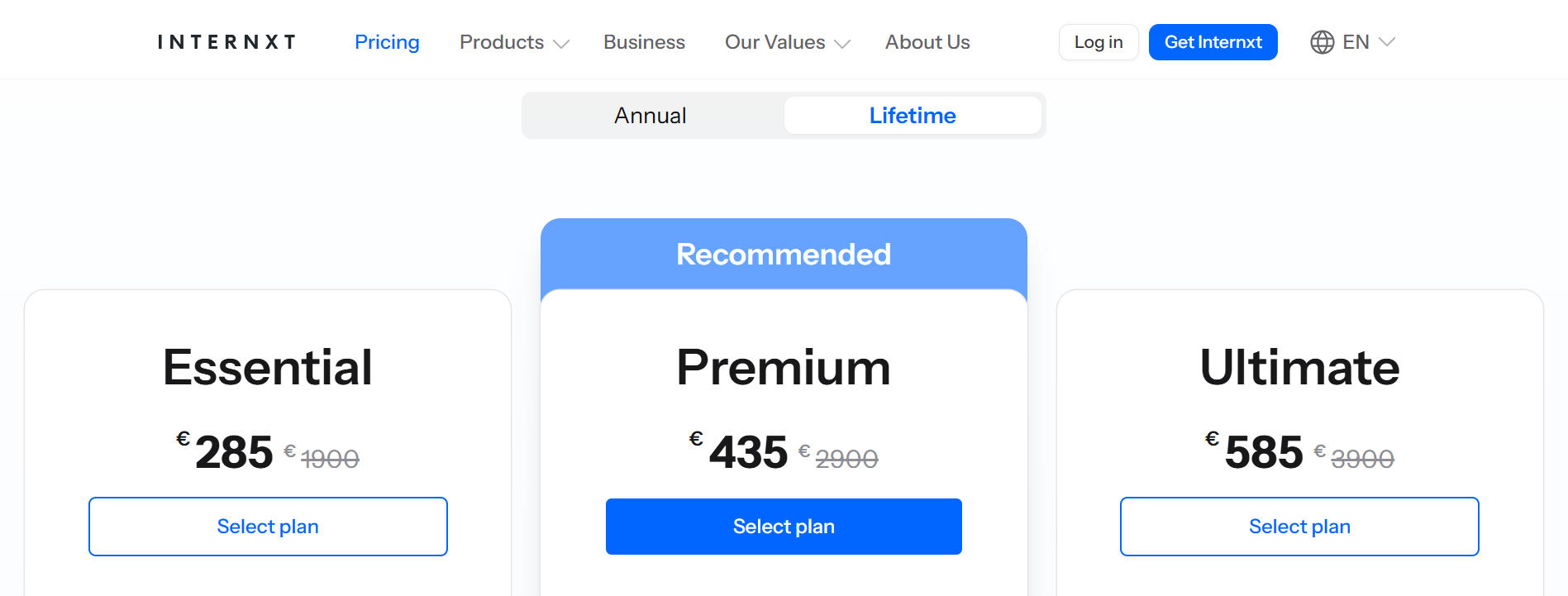
You can pay annually or buy a lifetime plan, with multiple payment methods available, including Klarna, PayPal, and crypto.
| Plan | Storage | Annual | Lifetime |
|---|---|---|---|
| Essential | 1TB | €18 | €285 |
| Premium | 3TB | €36 | €435 |
| Ultimate | 5TB | €54 | €585 |
For lifetime plans, you can also stack your storage whenever you like to avoid cloud storage full messages and ensure you can always backup and store your files in the cloud whenever you need.
Verizon Cloud vs iCloud: Which one is better?
Having gone over iCloud vs Verizon Cloud, you may be wondering which one is best for you.
Choose Verizon Cloud if you want unlimited storage and backups of your call logs or messages, but be aware of the upload restrictions if you plan to store large folders.
Choose iCloud if you’re an Apple user with multiple devices and need automatic syncing of files/photos/settings across devices.
Choose Internxt if you want full privacy and zero-knowledge encryption for your files, combined with lifetime storage plans, Meet, Mail, and other features designed to protect your privacy online.
Also of interest to you...